

Is Cloud Phone Data Safe? Privacy Protection, Account Isolation, and Usage Boundaries Explained
Where Exactly Is Your Cloud Phone Data Stored?
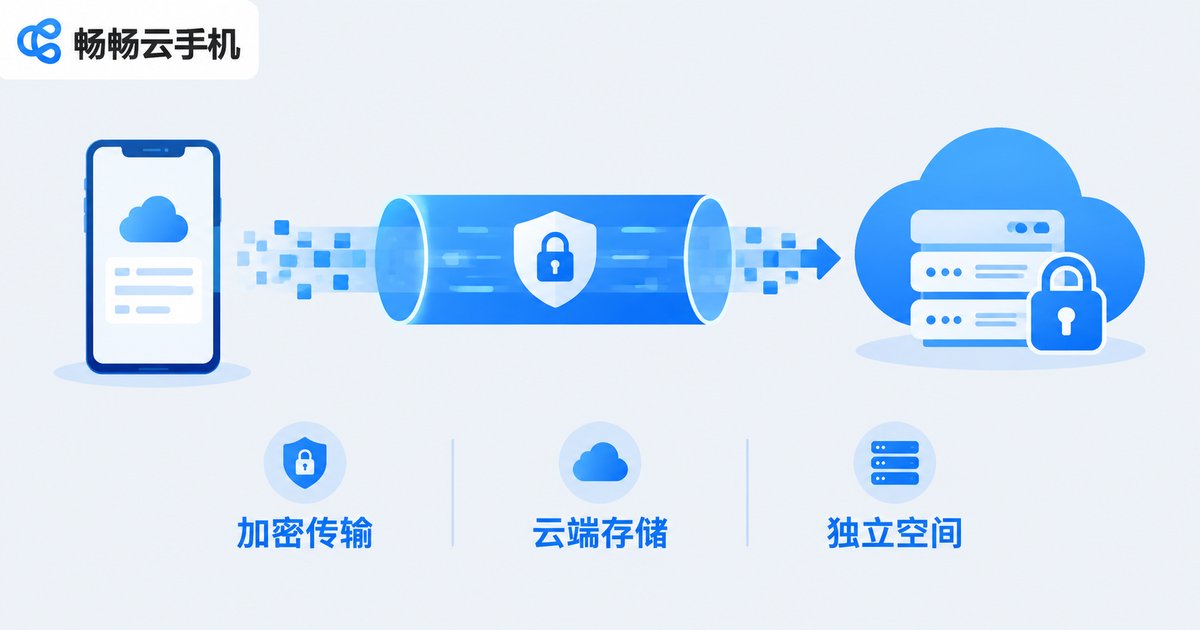
Many first-time cloud phone users share the same concern: if the phone is not physically in my hands, is my data really safe? In fact, a cloud phone is not a tangible physical device at all — it is a virtual Android system running in a cloud data center. What you see on screen is a live video stream, while your apps, files, and account data are stored in a dedicated space in the cloud.
This architecture brings a natural advantage: your data does not depend on any single physical device. If your phone is lost, broken, or replaced, simply log in again and your cloud phone is exactly as you left it — apps and data intact. Compared with a local phone that can lose everything the moment it breaks, a cloud phone is actually more reassuring at the device level.
Privacy Protection: Independent Space Is the First Line of Defense
Mainstream cloud phone services generally rely on three layers of protection. The first layer is encrypted transmission. The video stream and control commands between you and your cloud phone travel through encrypted channels, making it difficult for third parties to intercept content in transit. The second layer is storage isolation. Each cloud phone instance has its own independent storage, so your app data, photos, and chat history are completely separated from other users — like living in different rooms. The third layer is permission management. App permissions work just like on a real phone: sensitive permissions require your explicit approval, reducing the chance of excessive data collection at the source.
Take ChangChang Cloud Phone (ccloudphone) as an example: the platform provides each user with an independently isolated cloud phone instance, data is stored on cloud servers, and each account is bound to its own device environment — so you never have to worry about data crossing over between multiple accounts.
Account Isolation: One Device, One Environment, Zero Interference
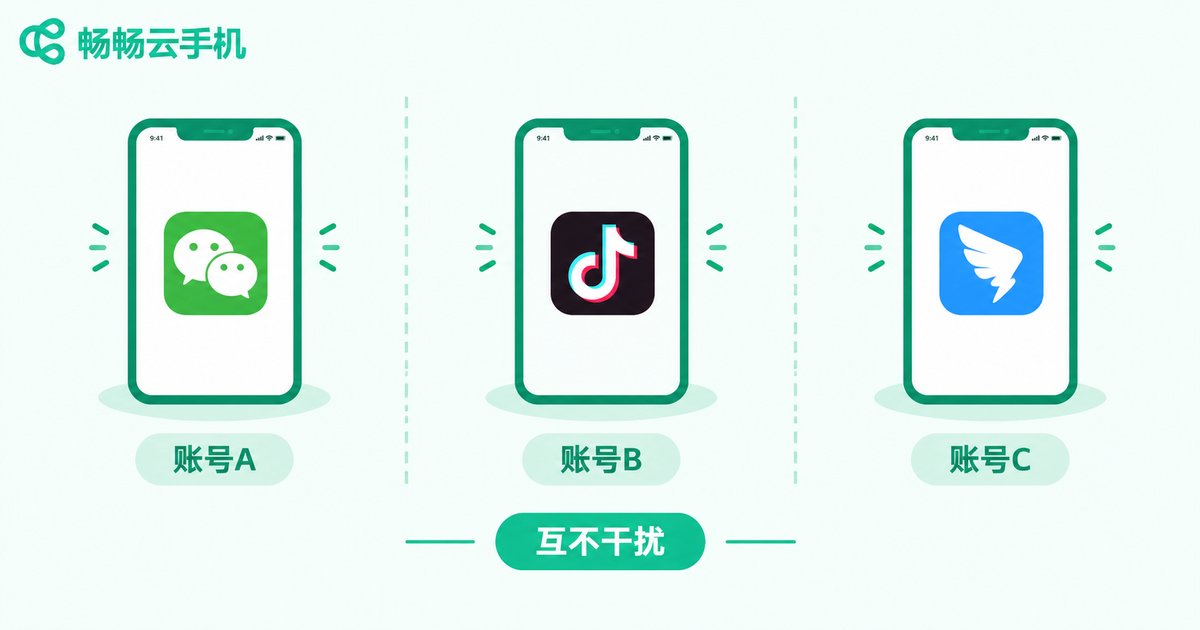
Account isolation is one of the core security capabilities of cloud phones. Every cloud phone instance has its own device environment, its own storage space, and its own system parameters. Accounts logged into different instances remain fully independent of one another.
This matters especially for multi-account users. Suppose you need to run several game accounts or multiple social media accounts at the same time. Cramming them all into one physical phone means constant switching — and because they share the same environment, the accounts can easily become linked. On a cloud phone, each account lives in its own isolated instance, so accounts never interfere with each other and are far less likely to affect one another.
| Comparison | Multi-account on one physical phone | Isolated cloud phone instances |
|---|---|---|
| Device environment | Same phone, same environment | Independent environment per instance |
| Data storage | Shared local storage | Storage isolated between instances |
| Account linking risk | Relatively high | Significantly reduced |
| Multi-account management | Constant switching, error-prone | Multiple devices in parallel, no interference |
Usage Boundaries: What Cloud Phones Are For — and What to Avoid
Every tool has its proper scope, and cloud phones are no exception. Knowing the boundaries lets you enjoy the convenience without compromising safety.
What cloud phones are great for: running multiple game accounts and idle grinding, daily social media account operations, multi-account app testing, and lightweight tasks that need to stay online around the clock. These scenarios share three traits: they need environment isolation, they need devices that stay online long-term, and they benefit from access from anywhere.
What we do not recommend: First, never use a cloud phone for any activity that violates laws or platform rules — a banned account is the least of your troubles if you cross a legal line. Second, do not treat the cloud phone as your only backup location; keep an extra copy of important original files locally. Third, avoid lending your cloud phone account to others — once it leaves your hands, the data inside is no longer fully under your control.
Four Things to Check When Choosing a Cloud Phone Provider
There are plenty of cloud phone products on the market. To judge whether a provider is reliable, focus on four things: first, data security mechanisms — whether transmission encryption and storage isolation are solid; second, instance isolation — whether each device truly runs in its own environment; third, stability — uptime and streaming smoothness directly determine the experience; fourth, support responsiveness — whether you can get timely help when issues arise.
If you are looking for a dependable cloud phone, check out ChangChang Cloud Phone (ccloudphone). It delivers solid instance isolation and stable performance, well suited for multi-account gaming and daily account operations. For the latest plans and features, visit the official website.
Frequently Asked Questions
Q: Will my data be lost after the cloud phone shuts down?
No. Cloud phone data is stored on cloud servers. Shutting down only stops the running state; the next time you power on and log in, your apps and data are exactly where you left them — just like restarting a real phone.
Q: Will multiple accounts on a cloud phone get linked to each other?
Not under normal use. Each cloud phone instance is an independent runtime environment, and accounts are isolated from one another. Follow the one-account-one-device principle and avoid logging the same account into multiple instances repeatedly — that gives you the best isolation.
Q: Is a cloud phone suitable for long-term idle running?
Yes. Cloud phones are designed for staying online long-term. They consume none of your local device's battery or performance, and as long as your account stays in good standing, idle tasks can run stably.
Q: Is it safe to install payment apps on a cloud phone?
Cloud phone instances are isolated from one another, and the running environment mirrors a real phone. If you need payment apps, download them only from official channels, keep your credentials safe, and never share your cloud phone account with others.
Q: Does data on my local phone sync to the cloud phone automatically?
No, it does not. The cloud phone is an independent space — you upload what you need manually or install apps fresh in the new environment. Your local data is never read without your action, which is part of privacy protection by design.


