
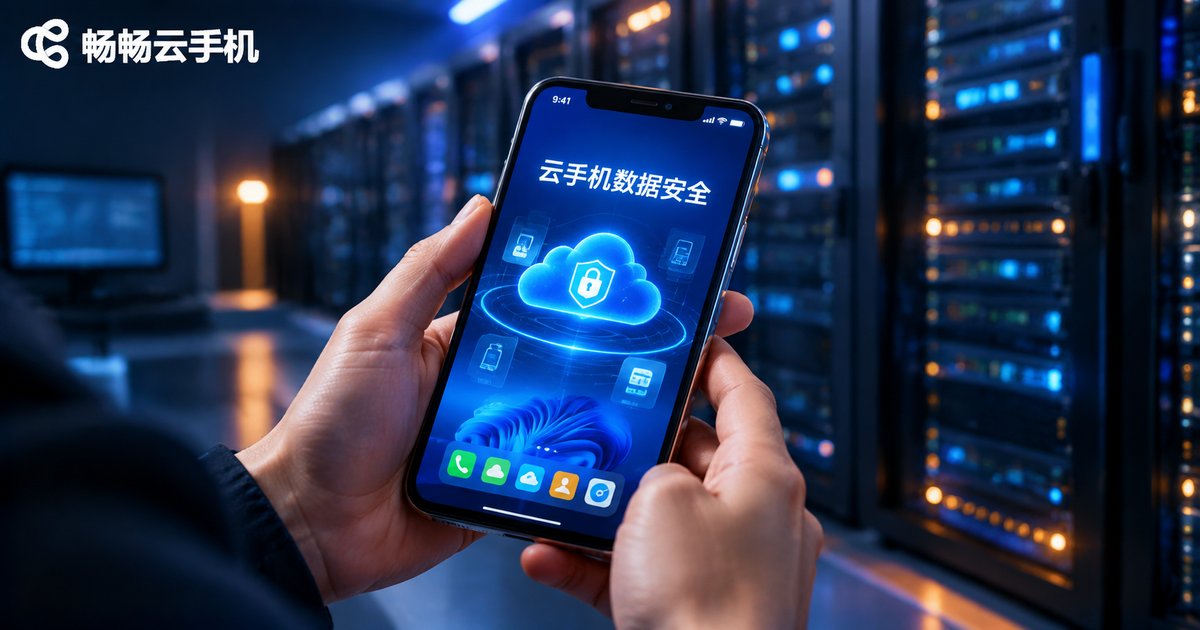
Is Cloud Phone Data Safe? Cloud Container Isolation and Pixel Streaming Explained
Where Does Your Cloud Phone Data Actually Live?
When people first hear about cloud phones, the same worry comes up: my accounts, game progress, and chat history all sit on someone else's servers — could they be seen or lost? To answer whether cloud phone data is safe, you first need to understand how a cloud phone works.
A cloud phone is not an app installed on your physical device. It is a complete Android device running on servers in a data center. The accounts you log into, the files you create, and app caches all live in your own isolated storage space in the cloud, with no copy left on your local phone. This architecture has two immediate consequences: if your local phone is lost or broken, your cloud data remains intact; and the provider must back that data with serious engineering — which brings us to the two core technologies below.
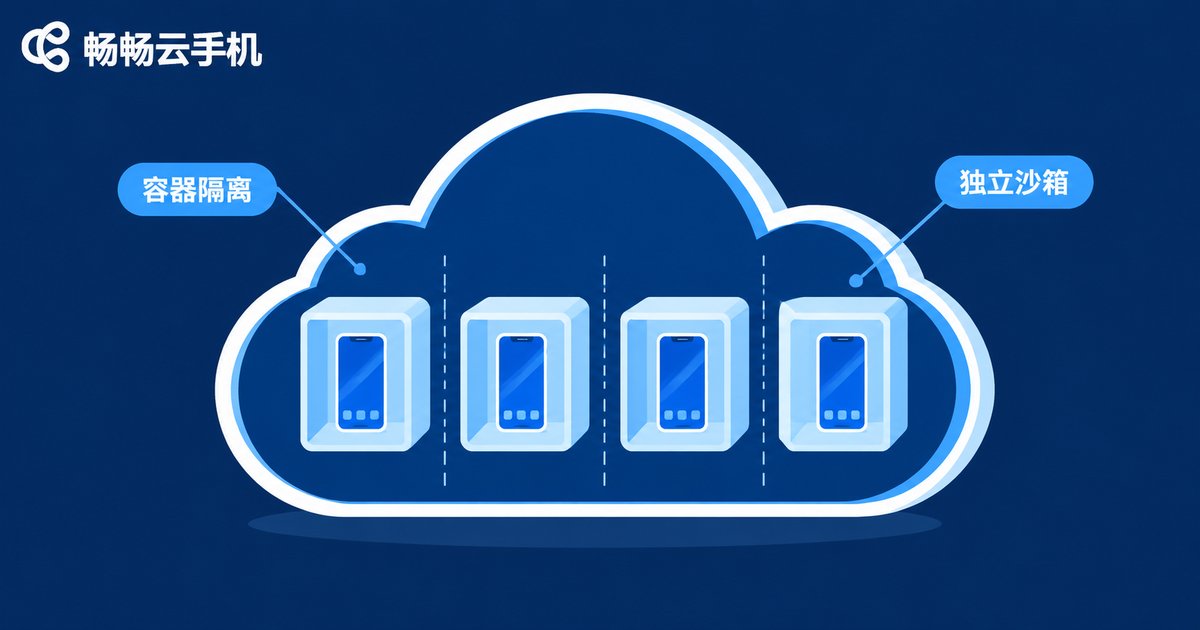
Container Isolation: Every Cloud Phone Is an Independent Sandbox
Mainstream cloud phones are built on ARM virtualization and container technology. In simple terms, one physical server is divided into many fully independent runtime environments, and each cloud phone gets its own system space, storage partition, and running processes — like apartments in a building, each with its own locks and walls.
This isolation happens at the system level: different users' cloud phones cannot see or access each other. User A cannot probe or read anything inside User B's instance, even when hundreds of cloud phones run on the same physical server. In addition, the system image and user data are typically managed separately, so when an instance is reset or migrated, personal data lives in its own partition — further reducing the risk of data crossing boundaries.
Pixel Streaming: Your Screen Is Just a Video
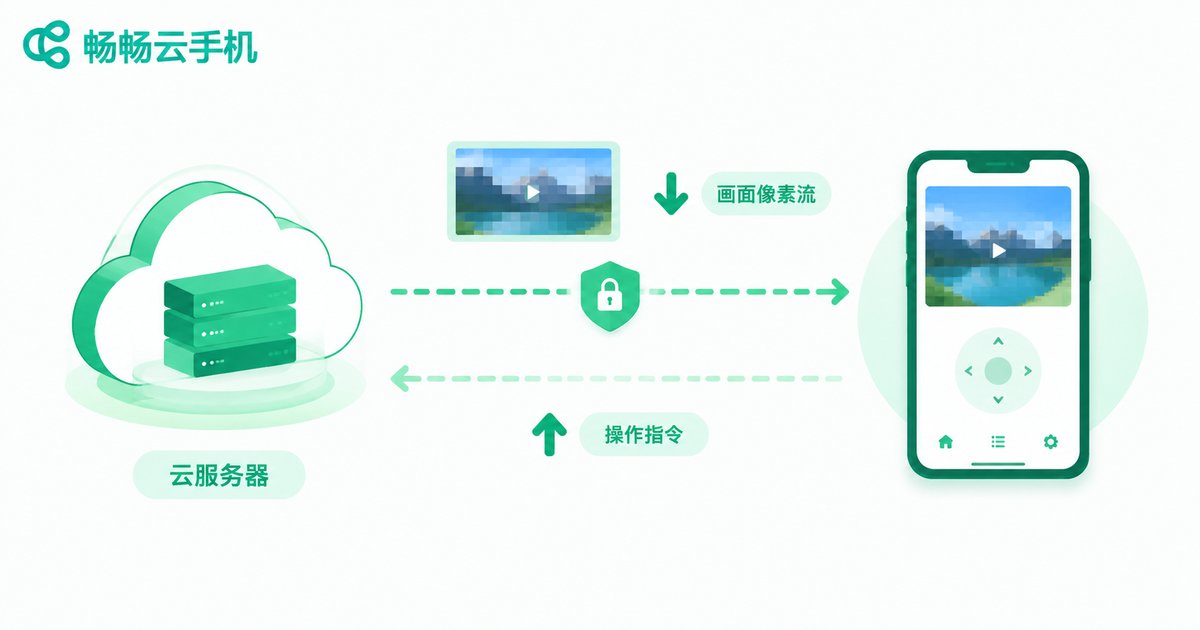
If container isolation protects data at rest, pixel streaming protects it in transit — and it is the cleverest part of the design.
The cloud phone runs apps and renders the screen in the data center, then compresses the rendered picture into a pixel stream delivered to your local device like a live video broadcast. Your taps and swipes travel back as control commands. In other words: your local device holds only pictures and commands — no app binaries, no business data. The link is encrypted with TLS, so even if the stream were intercepted, an attacker would gain nothing more than the ability to watch a video, not your credentials.
Layered Protection for Cloud Data
Put together, the security model of a cloud phone is layered:
| Layer | What it does | What it protects |
|---|---|---|
| Container isolation | Instances cannot see each other | Data boundaries between users |
| Transport encryption | Encrypted link against eavesdropping | Pixel streams and control commands |
| Storage isolation | Dedicated storage partitions | Accounts, files, and app data |
| Account controls | Login protection and permissions | Against instance hijacking |
For everyday users, the most tangible benefit is this: no business apps and no business data on your local phone. Even if your local device is infected or stolen, what leaks is at most the ability to watch a screen — not the real assets inside your cloud phone.

Choosing the Right Provider Is Where Security Becomes Real
Architecture is the foundation; operational discipline matters just as much. Take ccloudphone as an example: it uses independent cloud instances with encrypted transmission, and user data is kept in isolated cloud containers. For detailed feature descriptions and plans, visit the official ccloudphone website — always rely on the official pages.
To judge whether a cloud phone provider is trustworthy, focus on three things: a clear privacy policy and data documentation; a baseline architecture with instance isolation and encrypted transmission; and a stable operating history with genuine user feedback. Only when all three check out should you hand over your data.
Four Habits That Keep You Safer
1. Use a strong, unique password: never reuse your cloud phone password elsewhere, and enable two-factor verification where available.
2. Classify your sensitive data: payment passwords and ID photos are best kept out of any cloud device for the long term.
3. Stick to official channels: download clients only from the official website, and watch out for copycat apps.
4. Clean up idle data: for instances you no longer use, clear or migrate the accounts and files inside.
FAQ
Q: Can the provider's staff see what is inside my instance?
Legitimate providers run cloud phones through automated systems, and user data sits in isolated containers that should not be browsed at will by humans. Choosing a provider with a clear privacy policy is your first line of defense.
Q: Can my local phone get infected because I use a cloud phone?
The risk is extremely low. Pixel streaming means your local device only receives an encrypted video-like stream — no app binaries are installed, so malware has a hard time crossing over.
Q: If the network drops or the server fails, will I lose my data?
No. Data lives in the cloud; a dropped connection only means temporary inaccessibility. Reputable providers also keep redundant backups.
Q: Is it safe to log into game accounts on a cloud phone?
With container isolation and encrypted transmission, account data never stays on your local device. Set a unique password and avoid sharing one instance with others.
Q: If I change phones or lose my device, is my cloud phone data still there?
Yes. Cloud phone data is stored in the cloud, independent of your local device — log in with the same account on any device to continue.


