
Are Cloud Phones Reliable for Data Annotation? A Low-Cost Solution with Batch Task Distribution and Automated QC
The Real Pain of Annotation Teams: Where Do the Devices Come From?
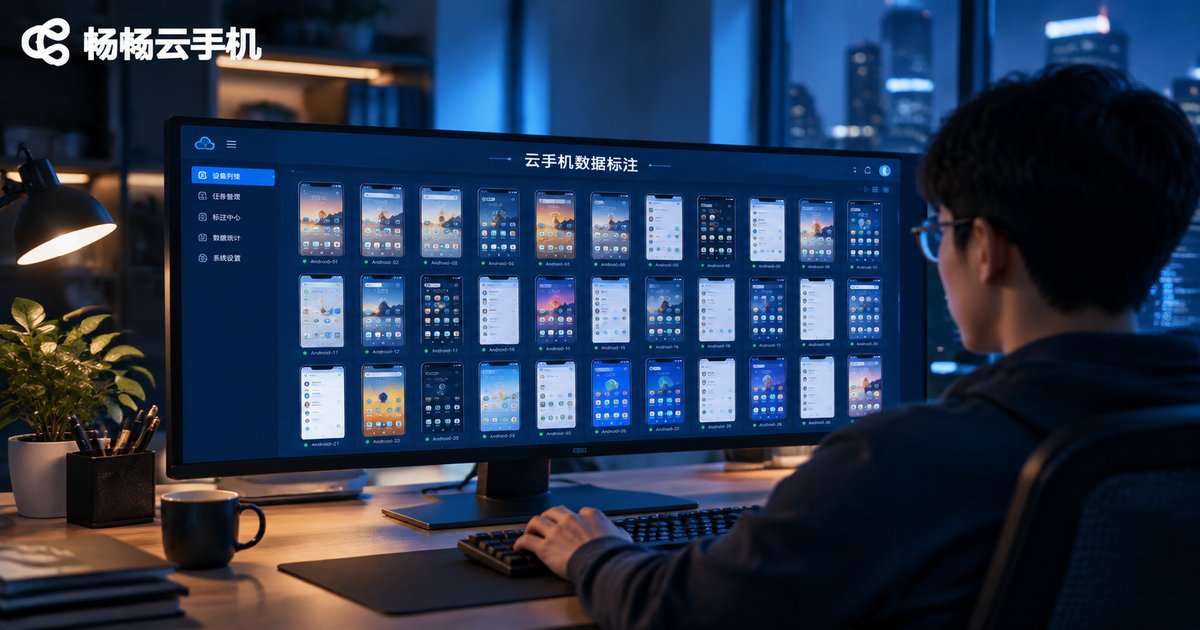
Every AI data annotation team runs into tasks like these: app UI element labeling, on-device screenshot collection, swipe and tap behavior logging, map POI verification. They all share one requirement—the job must run in a real Android environment. The traditional answer is buying a fleet of physical phones, which brings high hardware costs, tangled charging cables, overheating lag, and workloads no single operator can watch over.
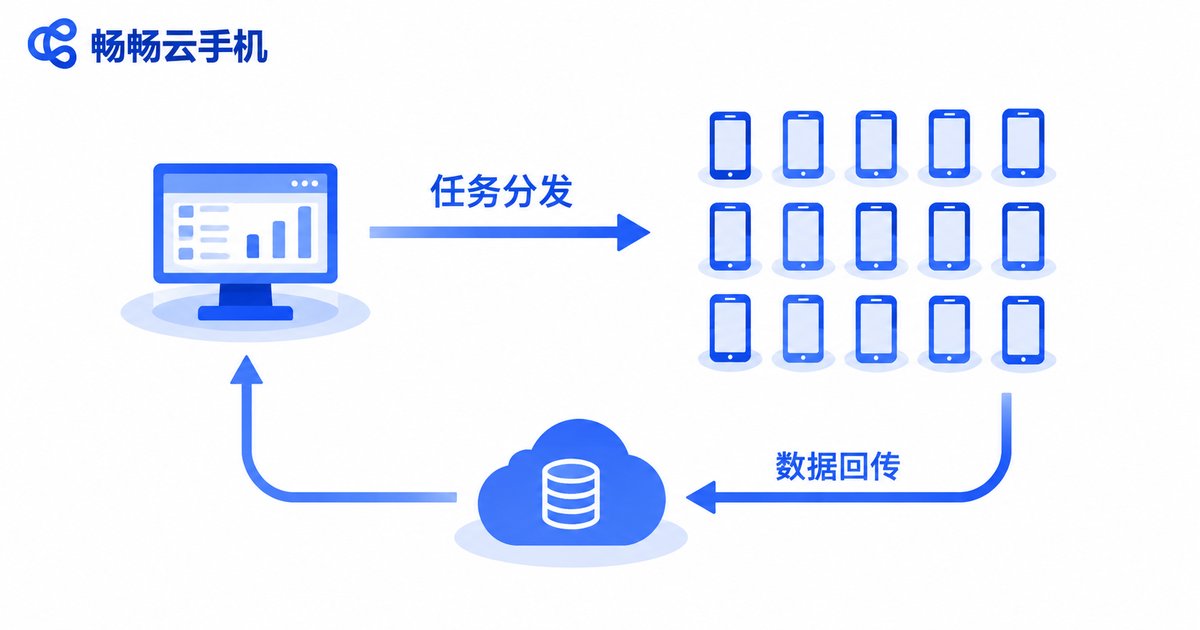
Cloud phones turn “devices” into “accounts”: one computer signs in to dozens of cloud phones, tasks are distributed in batches, and data flows back automatically. Sounds great—but every team lead still asks the same question: is cloud phone data annotation actually reliable? This article gives you a practical answer from four angles: task fit, batch distribution, automated quality inspection, and cost.
Reliability Step One: Match the Right Tasks
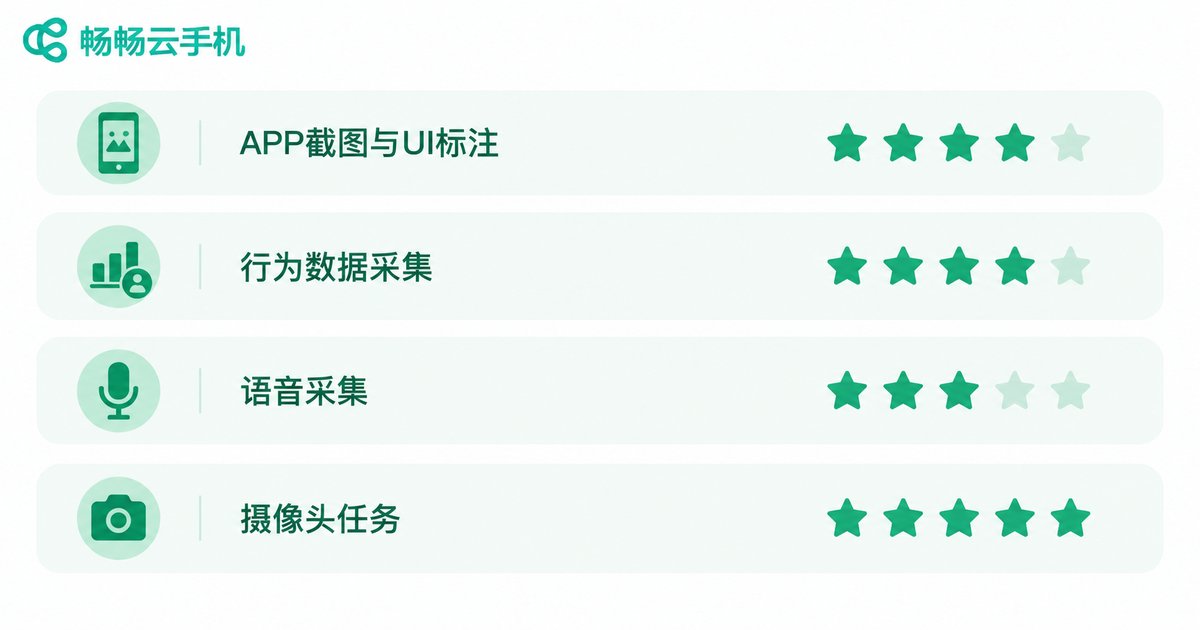
Cloud phones are not magic. Matching task types first builds your first layer of reliability:
| Task Type | Fit | Why |
|---|---|---|
| App screenshots & UI element labeling | ★★★★★ | Batch automated screenshots with uniform resolution |
| Swipe/tap behavior data collection | ★★★★★ | Scriptable batch execution with consistent behavior |
| Voice wake-word audio collection | ★★★☆☆ | Needs audio workarounds; some scenarios limited |
| Camera-based capture tasks | ★★☆☆☆ | No physical camera; external solutions required |
In one sentence: anything that happens “on the screen,” a cloud phone handles well; anything “off the screen” (real photos, live audio) needs another approach. Get the task fit right before talking about any solution.
Batch Task Distribution: One Command Controls Hundreds of Devices
With physical device farms, distribution means manual tapping or expensive group-control hardware. Cloud phones work differently—every device lives in a cloud data center, and a single control command puts hundreds of phones to work at once:
# Pseudocode: batch-dispatch collection tasks
for device in cloud_phone_group:
    device.install(app_package)          # Install the app uniformly
    device.run_script('collect_ui.py')   # Run the collection script
    device.upload_results(dataset_id)    # Auto-upload the data
Three key advantages of this model:
1. Environment consistency. Hundreds of cloud phones run the same OS version, resolution, and app version—collected data is naturally aligned, saving huge cleaning effort.
2. Resumable execution. If a device's task breaks, just re-dispatch. No lost data, no confused queues, and overnight batch runs stay safe.
3. Labor leverage. One operator managing dozens or hundreds of cloud phones effectively eliminates the “device keeper” role entirely.
Automated QC: Machines Filter First, Humans Handle the Hard Cases
In annotation projects, the expensive part is often not “labeling” but “checking.” Manual sampling covers too little and fluctuates with the reviewer. With cloud phones, quality inspection is built into the pipeline in three automated layers:
Layer 1: Collection-side validation. Screenshot completeness, resolution, and file integrity are checked on upload; failed items are automatically re-collected.
Layer 2: Rule-based QC. Scripts check bounding box counts, label distributions, and overlap ratios; violations are flagged automatically.
Layer 3: Cross-sampling. The same task is assigned to different devices or operators, results are compared automatically, and low-consistency samples go to human review.
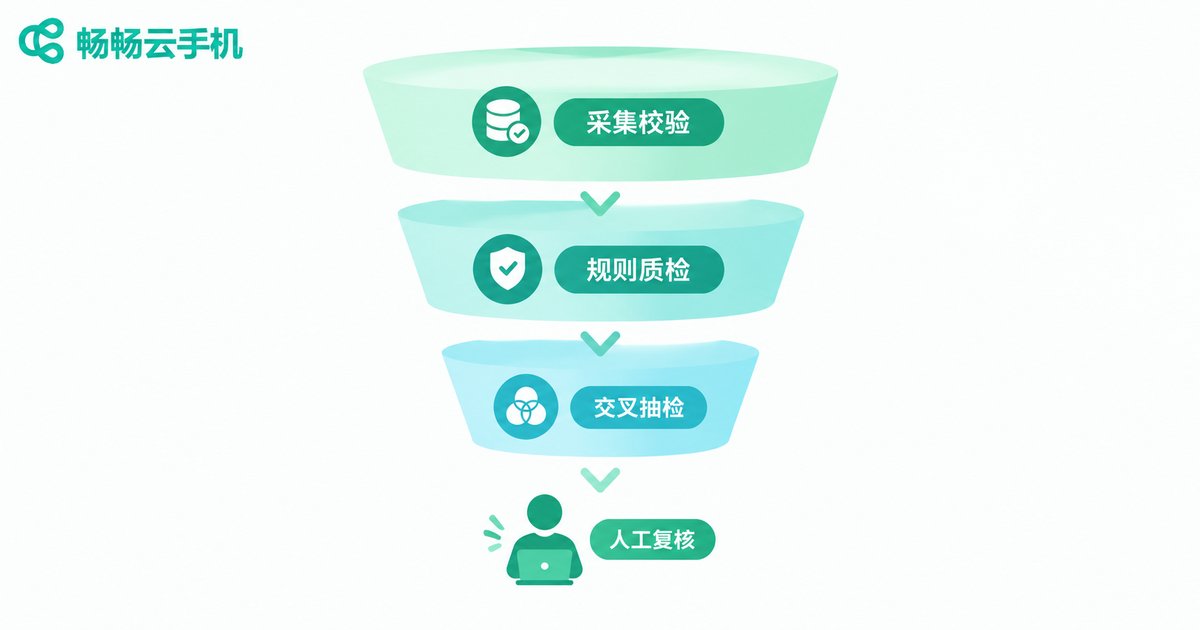
After these three filters, humans only handle roughly 5%–10% of difficult samples. QC costs drop by an order of magnitude, and standards stay consistent—because machines, not moods, apply them.
The Cost Math: Cloud Phones vs. Buying Devices
Take a 100-device collection project as an example:
| Cost Item | Physical Devices | Cloud Phones |
|---|---|---|
| Hardware purchase | Tens of thousands of dollars | $0, monthly rental |
| Space/racks/power | Dedicated room required | None |
| Maintenance staff | 1–2 full-time | Part-time is enough |
| Depreciation | Replaced every 2–3 years | None; always fresh devices |
| Scaling speed | Weeks of procurement | Provisioned in minutes |
For project-based teams with fluctuating workloads, cloud phones convert fixed costs into variable costs: spin up when the project lands, release when it ends. Physical devices simply cannot do that.
How to Choose: Four Things to Check
There are many cloud phone products on the market, but data annotation is a “productivity workload,” not casual entertainment use. When evaluating vendors, focus on:
① Batch operation capability: multi-instance management, bulk install, and bulk command execution—the lifeline of distribution efficiency.
② Stability and uptime: long sessions without disconnects or crashes, so collection jobs can run overnight with confidence.
③ File transfer efficiency: upload speed and API openness for screenshots and data, which decide whether your pipeline can be automated.
④ Transparent, flexible billing: clear per-device, per-duration pricing, with provisioning that follows your project cycle.
On all four fronts, ChangChang Cloud Phone (ccloudphone) is worth trying first: it supports multi-instance and batch management, runs devices stably in the cloud for long-duration workloads such as data collection and app task execution, and lets teams provision and manage devices from the web with no extra hardware. Start with a small device pool to validate the workflow, then scale up as projects demand—keeping your trial cost minimal.
FAQ
Q: Is data collected on cloud phones equivalent to real-device data? Will it affect model training?
A: Cloud phones run a genuine Android system; on-screen rendering and interactions match physical devices. Most UI annotation and behavior collection tasks work perfectly. Only tasks needing physical cameras or sensors require extra solutions.
Q: How many cloud phones can one computer manage at once?
A: It depends on your control terminal and task complexity. In typical batch scenarios, one operator routinely manages dozens of cloud phones, and scripting makes it even easier.
Q: Our team has no engineering background—can we still use it?
A: Basic batch install and batch operations are point-and-click in the console. Script-based distribution is an advanced option; start with manual batch mode, then automate gradually.
Q: What happens to the devices when the project ends?
A: Cloud phones are provisioned on demand and released when done—no idle depreciation. That is the biggest cost advantage over buying hardware.


