

Why Use Cloud Phones for Ad Verification? Landing Page Testing with Multi-Region IPs and Real Device Fingerprints
Your Ad Budget May Be Leaking Through the Landing Page
Ever noticed decent click volume in your ads dashboard but far fewer conversions than expected? The problem often hides in the landing page — the page users arrive on may load slowly, redirect incorrectly, or display entirely different content depending on the region. Ad verification means walking through that page exactly as your target users would, before the budget is spent.
A proper landing page test simulates a real local user: whether they are in Kuala Lumpur or New York, on Wi-Fi or mobile data, on a flagship or a budget phone, the page they see should match their environment. That raises two unavoidable challenges: how do you make the page believe you are in another region, and how do you make tracking systems see you as a real phone? A cloud phone solves both at once.
Three Pitfalls of Traditional Testing Methods
Many teams verify landing pages in one of three ways, and each has serious flaws:
1. Open it on your own phone. You only see the page as it appears in your own region and on your own carrier network. How it performs overseas, on mobile data, or on low-end devices remains invisible — the test is incomplete by definition.
2. Run it on a desktop emulator. Emulator device fingerprints are full of holes: missing sensors, identical GPU strings, abnormal battery states. Ad platforms and anti-fraud systems easily recognize that it is not a real phone, and some pages even serve it different content — so the data you collect is distorted.
3. Buy a pile of physical phones. High hardware cost, desk space, OS updates and daily maintenance — covering a dozen regions this way is simply unrealistic.
| Dimension | Local devices | Desktop emulator | Cloud phone |
|---|---|---|---|
| Device fingerprint authenticity | Real | Easily flagged | Close to real devices |
| Multi-region IP switching | Not possible | Unstable | Choose devices by region |
| Batch management | Hard | Average | Centralized multi-device control |
| Cost | High | Low but distorted data | On-demand, controllable |
| Scaling tests | Unrealistic | Limited | Expand anytime |
Two Core Advantages of Cloud Phones: Multi-Region IPs + Real Device Fingerprints
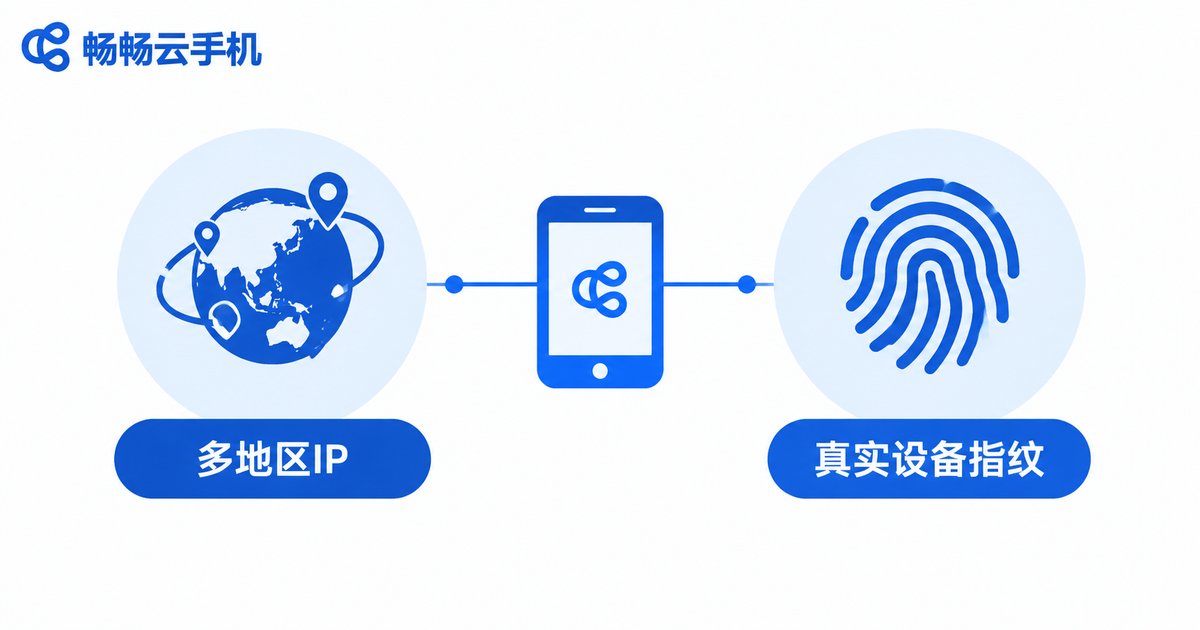
Advantage 1: Multi-region IPs — see the page as locals see it. Cloud phones run in data centers in different regions. Choosing a device in a given region is like visiting the landing page through that region's network. You can immediately tell whether geo-targeting works, whether language and currency are correct, and whether local phone numbers and addresses appear — no more asking friends abroad for screenshots.
Advantage 2: Real device fingerprints — data you can trust. A cloud phone runs a complete, genuine Android system on ARM chips in the data center. Its user agent, screen resolution, sensors, and GPU rendering are nearly identical to a physical phone. When it visits your landing page, ad platforms and analytics tools see a normal mobile visit, so the load times, redirect chains, and tracking events you measure reflect what real users actually experience.
The Five-Step Landing Page Testing Method
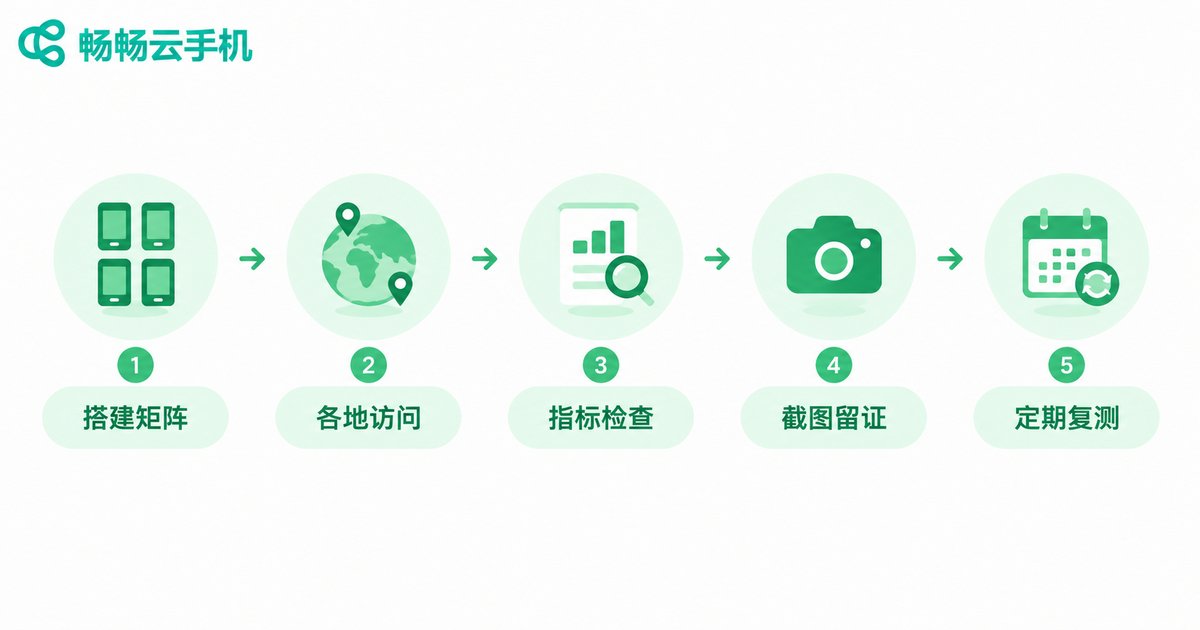
Here is a testing workflow you can put into practice right away:
Step 1: Build the test matrix. Define the combinations to cover: key ad regions × mainstream devices × Wi-Fi vs. mobile data × peak vs. off-peak hours. Full coverage is unnecessary — for example, 3 regions × 2 device types already surfaces most problems.
Step 2: Visit from cloud phones in each region. Enter the landing page through the actual ad click path and record the full redirect chain; keep a direct link as a control and compare the final destinations. If they differ, an extra hop may have been inserted somewhere — investigate immediately.
Step 3: Check core items one by one. Whether the page opens correctly (any 403, 404, or blank screen), load time, localized content (language, currency, phone, address), whether forms submit successfully, and whether analytics tags and conversion events fire properly.
Step 4: Screenshot and record as evidence. Save screenshots or screen recordings from every cloud phone, labeled with region, device, and time. This makes reconciliation with media buyers and traffic channels easy and keeps everyone accountable.
Step 5: Re-test regularly. One test is never enough: page updates, redirect changes by traffic sources, or shifts in resource loading can break a page that worked yesterday. Run the full matrix at least once a week.
Sample test record
Region: Kuala Lumpur | Device: mid-range Android | Network: mobile data
Redirect chain: ad → landing page (1 hop, normal)
Load time: 2.1s | Language: Malay | Currency: MYR
Form submit: success | Conversion event: fired
Result: pass
Checklist: What a Proper Landing Page Test Covers
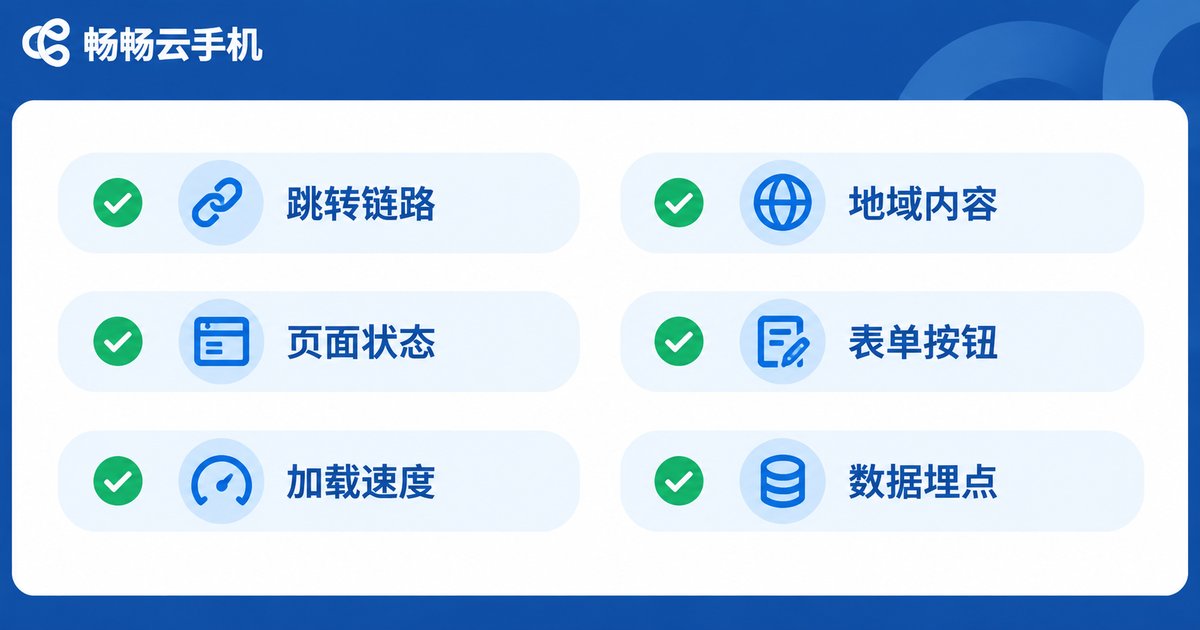
| Check item | Expected | Common issues |
|---|---|---|
| Redirect chain | Matches the ad settings | Extra hop, wrong destination |
| Page status | Opens without errors | 403, 404, blank screen |
| Load speed | Interactive within 3 seconds | Oversized images, blocking scripts |
| Geo content | Language, currency, phone match the region | Default region content everywhere |
| Forms and buttons | Submit and navigate correctly | Unresponsive clicks, captcha errors |
| Tracking | Page views and conversions fire | Missing pixels, double counting |
Why We Recommend ChangChang Cloud Phone (ccloudphone)
When choosing a cloud phone for ad verification, focus on three things: whether the device environment is genuine, whether regional coverage is sufficient, and whether batch operations save time. ChangChang Cloud Phone (ccloudphone) provides real Android cloud devices with centralized multi-device management and on-demand usage — power them off when idle and keep testing costs under control. Whether you are a media buyer, an overseas growth team, or an affiliate marketer, visit the official website ccloudphone to learn more: get a minimal test matrix running first, then decide how far to scale.
FAQ
Q: Do results really differ much between a cloud phone and an emulator?
The difference is mainly about trustworthiness. Emulator fingerprints are easily flagged as non-real devices, and some pages serve them different content — so what you measure is not what real users see. A cloud phone offers a device-grade Android environment, and its results are much closer to real user experience.
Q: How many cloud phones do I need?
Start small. Build a minimal matrix of key regions × mainstream devices — say 3 to 6 devices — and scale up gradually as your ad spend grows.
Q: Will a cloud phone distort landing page load-time tests?
Cloud phones run on stable data center networks, so load times show little random fluctuation — ideal for side-by-side comparisons. To simulate weaker networks, test across different network types separately.
Q: How often should I test?
Test immediately after major promotions, page updates, or channel changes; in normal periods, run the full matrix weekly and archive the results for comparison.
Q: Is a cloud phone practical for individual advertisers?
Absolutely. On-demand usage keeps costs low, and one person can manage a multi-region test matrix — far cheaper than maintaining a pile of physical phones.


