
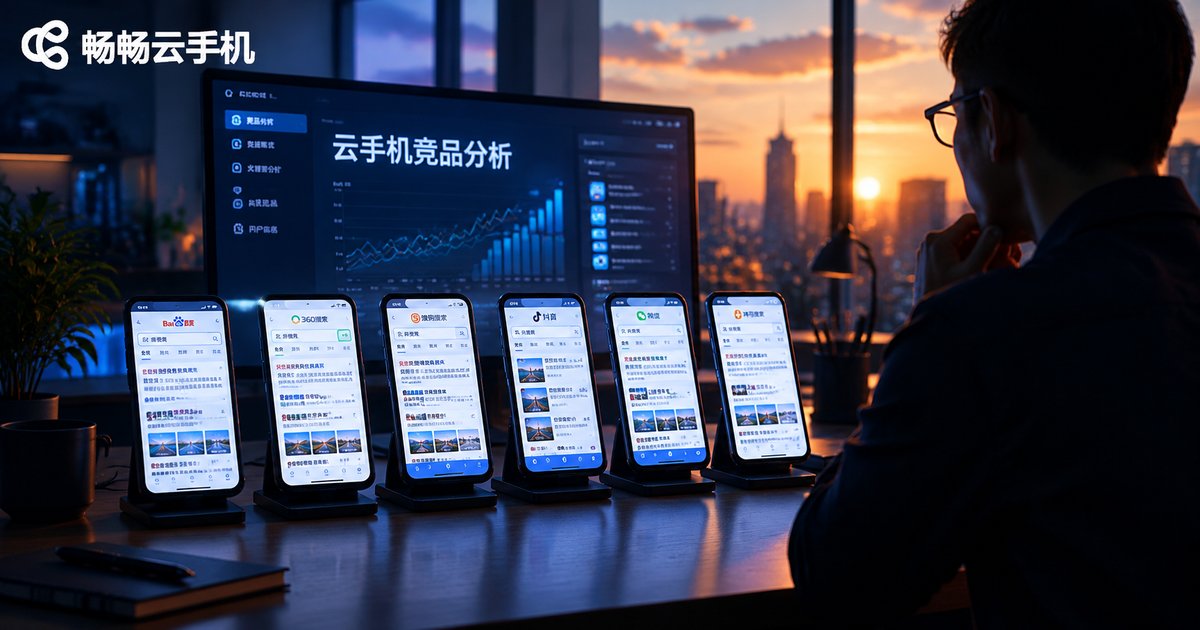
Competitor Analysis with Cloud Phones: Simulate Multi-Device Search Behavior to Decode Competitor SEO Strategies
Why the Ranking You See Isn't the Ranking Your Users See
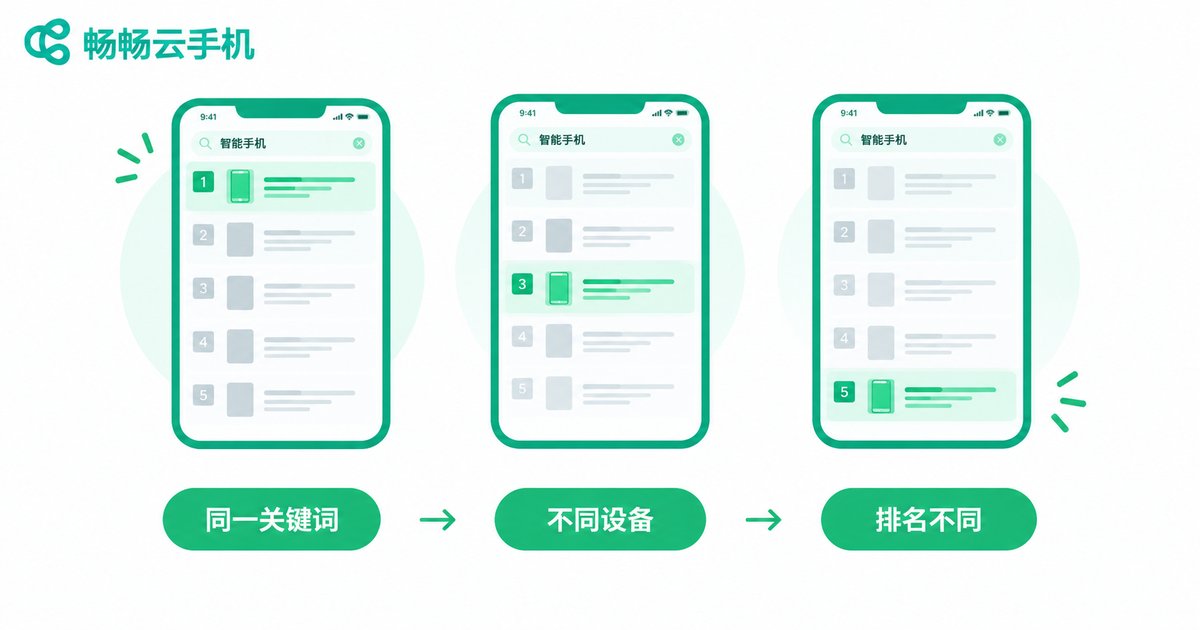
Anyone who does SEO knows this scenario: you check a keyword on your desktop and your page ranks 8th; a colleague searches on a phone and finds it 3rd; change the city or the account, and the results shift again. That's not your imagination — search results are personalized. Device type, OS version, location, and search history all influence rankings.
The problem is that most competitor analysis relies on the 'average rankings' produced by third-party tools. Useful, yes — but they can't answer one key question: what do real users actually see on real phones? And mobile is where most traffic lives. To truly understand your competitors, you need to recreate the search experience their users go through. That's what multi-device search simulation is about.
What Is Multi-Device Search Simulation?
In plain terms, it means searching the same keywords from different devices and environments, the way your competitor's users would, and comparing the results. Focus on four dimensions:
Different devices: the same keyword can rank differently on a flagship phone versus a budget model;
Different regions: many keywords show clear local variations;
Different times: a competitor's content updates and page changes show up in rankings in real time;
Different intents: branded, product, and question keywords each reveal a different side of the competitor's strategy.
Combine these dimensions and you get a three-dimensional map of your competitor's SEO strategy — not a flat average line.
Why Cloud Phones Are the Best Tool for the Job
There are three common ways to simulate multi-device search: buying a batch of real phones, running emulators on a PC, or relying entirely on third-party rank tools. A quick comparison makes it clear:
| Approach | Authenticity | Cost | Batch management |
|---|---|---|---|
| Buying multiple real phones | High | High | Hard |
| PC emulators | Low, device signatures easily detected | Medium | Moderate |
| Cloud phones | High, real Android environment | Low | Strong |
A cloud phone is a real Android system running in the cloud. Each instance has its own device profile, so to a search engine it is just an ordinary phone. Better yet, you can run many cloud phones at once, assign each a different 'persona,' and operate them all from one browser — your entire monitoring fleet, managed from a single computer, saving both money and effort.
Step by Step: Building a Competitor SEO Monitoring System
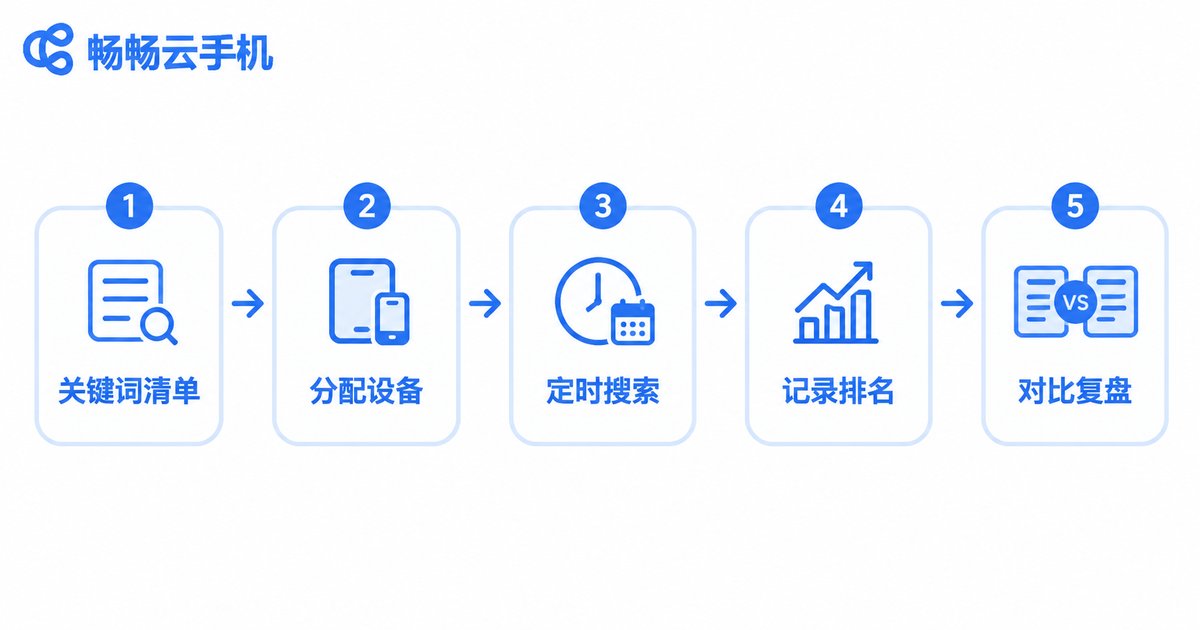
Step 1: Build your keyword list. Start from the competitor's core pages and collect branded, product, and long-tail question keywords. Prioritize them into three tiers and monitor the top two first.
Step 2: Assign roles to your cloud phones. Give each cloud phone a distinct profile — different device model, different region, clean search history — to mirror a realistic user distribution.
Step 3: Search and record on a schedule. At a fixed time each day, search the keywords from each cloud phone and screenshot the results pages. Cloud phones run in the background, so they never occupy your own devices.
Step 4: Analyze the competitor's landing pages. Open the pages that rank well and note their title patterns, content structure, internal linking, and update frequency.
Step 5: Review weekly. Put a week of data side by side: which keywords the competitor is gaining on, which are slipping, which pages were refreshed. Trends matter far more than single data points.
Five Data Points Worth Watching
| Data dimension | What to look at | What it reveals |
|---|---|---|
| Rankings by device | Position of the same keyword across mobile devices | Whether the competitor optimizes specifically for mobile |
| Rankings by region | Differences in results across locations | The competitor's localized content strategy |
| Titles and snippets | How titles are written, where keywords sit | Their click-through optimization playbook |
| Update frequency | How often core pages change | Their maintenance investment and priorities |
| New keywords | Terms the competitor recently ranked for | New battlegrounds they are attacking |
From Data to Action: Turning Insights Into Rankings
Monitoring is only the means. Once you have the data, focus on three moves:
Find content gaps: keywords where the competitor ranks well with thin content are your best entry points — replace them with more complete, better-targeted pages.
Learn the structure, not the words: if a competitor's page holds its ranking for a long time, search engines approve of its structure. Study its paragraph organization and heading design, then apply the pattern to your own topics.
Move fast on new keywords: keywords a competitor recently targeted usually signal a new traffic trend they've spotted. Being a step behind is fine — as long as you execute quickly and publish something better.
Make Competitor Monitoring a Daily Habit with ChangChang Cloud Phone
Competitor SEO analysis only pays off when it's done consistently — sporadic checks produce no meaningful conclusions. ChangChang Cloud Phone (ccloudphone) offers a smooth, real Android cloud phone environment with multiple devices online simultaneously and unified management, making it a great fit for SEO teams building a multi-device search monitoring fleet: no hardware purchases, no electricity or desk space to worry about — just open a browser and start recording rankings every day.
Add cloud phones to your SEO toolkit, and competitor analysis stops being guesswork and becomes a data-driven routine where every optimization move has evidence behind it.
FAQ
Q: Will search engines detect cloud phone searches?
Cloud phones run a genuine Android system, so to a search engine they are just an ordinary phone. As long as you search naturally and keep the frequency reasonable, this is standard market research.
Q: How many cloud phones do I need?
Start from your keyword list: covering each priority keyword with '2 device types × 2 regions' already provides useful reference — about 4 to 8 cloud phones to begin, scaling up as needed.
Q: How are cloud phones different from PC emulators?
Emulators simulate a system on your computer, and their device signatures are easy to detect. Cloud phones run a real Android environment in the cloud with complete, independent device profiles, giving far more authentic search results.
Q: How much time does it take each day?
Cloud phones can run scheduled search tasks in the background. You only need an hour or two a week to organize data and compare trends.
Q: Besides rankings, what else can cloud phones do for me?
You can also experience competitors' mobile landing pages first-hand: load speed, layout, conversion paths — first-hand insights no third-party tool can give you.


