

How to Simulate Cloud Phone Cameras: A Guide to Scanning and Face Recognition
The Underlying Logic of Cloud Phone Camera Simulation
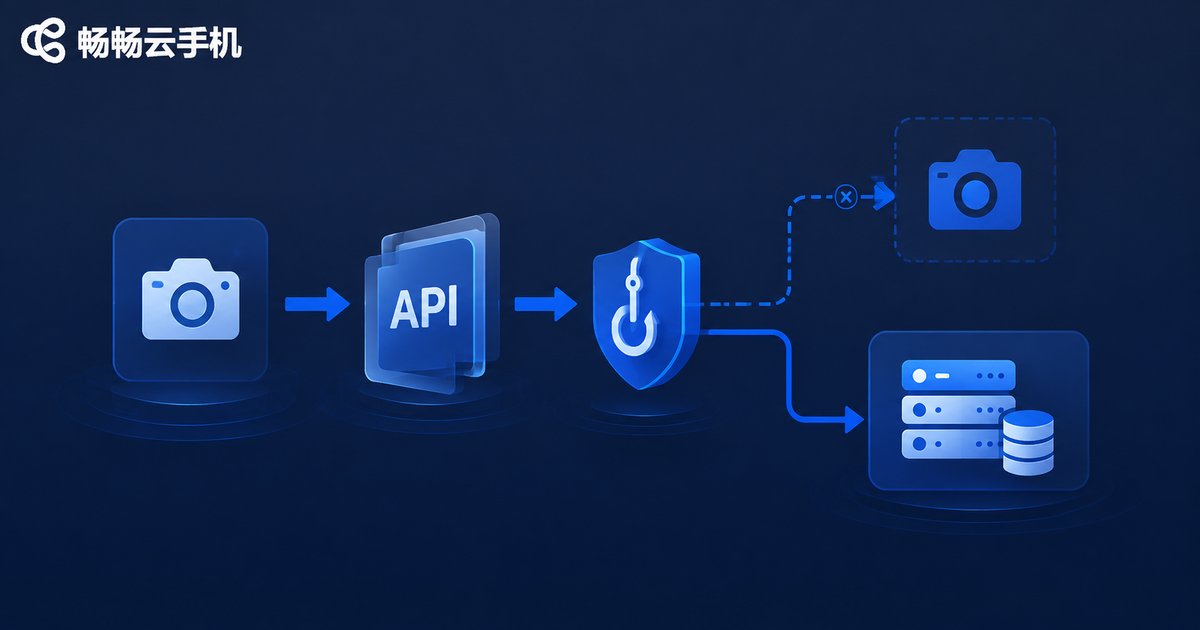
Cloud phones run on cloud servers and do not have real physical camera hardware. When we run apps that require camera access (like scanning or video verification) on a cloud phone, the system takes over the underlying camera API calls through virtual camera technology.
Simply put, the cloud phone feeds pre-prepared local images or video streams directly to the app's camera interface. The app then mistakenly thinks the cloud phone's camera is actually turned on. However, if the simulation technology is not up to par, issues like black screens during scanning or face recognition failures will occur.
Common Pitfalls and Solutions in Scanning Scenarios
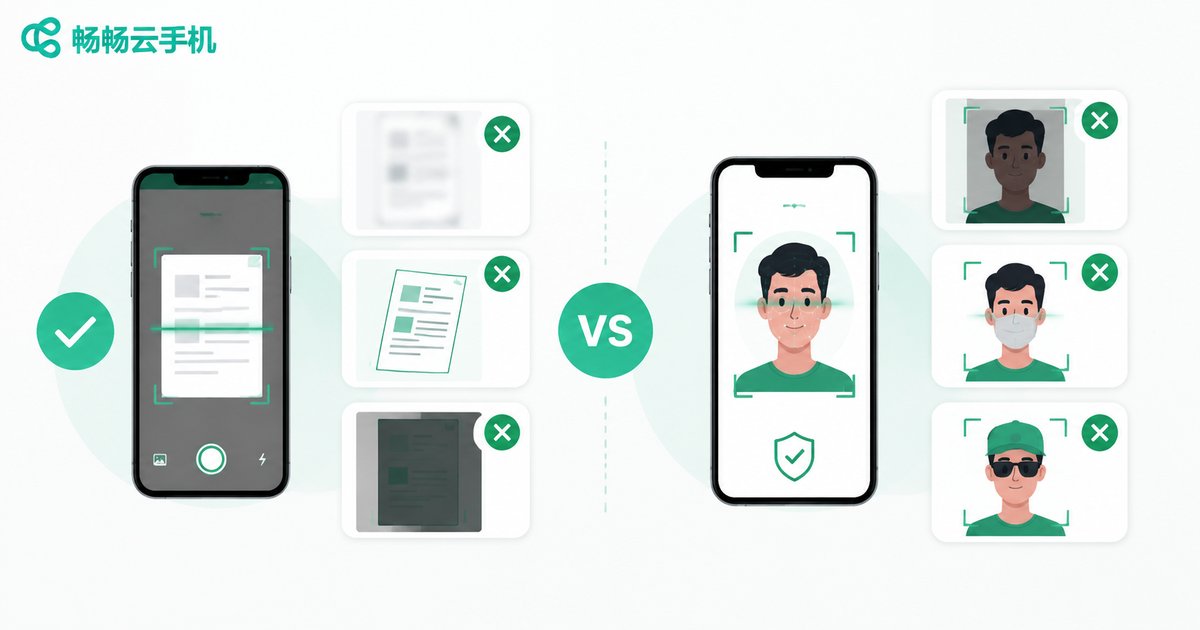
In automated tasks or multi-account management, scan-to-login is a high-frequency operation. Many users find that cloud phone scanning often reports errors, mainly due to image quality and interface docking.
| Common Issue | Cause Analysis | Solution |
|---|---|---|
| QR code unrecognizable | Injected image resolution too low or compression artifacts | Use high-definition original images to ensure clear QR code edges |
| Black screen on scan interface | Cloud phone underlying did not correctly take over Camera service | Choose a cloud phone service with deep underlying rewrites |
| Reflection/Exposure anomaly | Virtual environment light parameters not configured | Adjust brightness and contrast in simulation parameters |
Pitfall Guide for Face Recognition Scenarios
Face recognition is much more complex than scanning, especially liveness detection (like blinking, shaking head, opening mouth). If only a static image is injected, it is easy for the app's risk control system to judge it as 'non-living' and reject it.
To solve this problem, video stream injection technology must be used. A compliant video containing complete liveness actions is continuously streamed to the app via the cloud phone's virtual camera. In addition, the following points need attention:
1. Frame Rate Matching: Ensure the injected video frame rate matches the app's expected frame rate to avoid screen stuttering causing detection failure.
2. Sensor Simulation: Some advanced apps will call gyroscopes or gravity sensors to assist liveness detection; the cloud phone needs to synchronously simulate these sensor data changes.
3. Ambient Light Simulation: Add appropriate ambient light changes to the video to make the picture more realistic.
Why Recommend ccloudphone?
Among many cloud phone products, ccloudphone performs particularly well in camera simulation. It not only deeply rewrites the Android Camera service at the underlying level, perfectly supporting static image and dynamic video stream injection, but also effectively handles various complex risk control detections.
Whether it's daily scan-to-login or highly demanding face liveness recognition, ccloudphone provides a stable and smooth simulation environment, significantly improving the success rate of automated scripts and the efficiency of multi-account management.

FAQ
Q: Does ccloudphone support custom videos as camera input?
A: Yes. Users can stream local video files to the cloud phone's virtual camera through relevant interfaces or client features, meeting the dynamic scenario needs of liveness detection.
Q: Will using a cloud phone to simulate a camera be detected by apps?
A: ccloudphone uses deep underlying disguise technology, and the virtual camera hardware information is consistent with real phones. Regular apps cannot detect the virtual environment. However, please note that this feature is only for legal automated testing and account management.
Q: What if it keeps prompting 'blurry' when scanning, but my image is very clear?
A: Please check if the injected image format and resolution match the cloud phone's screen resolution. It is recommended to use PNG format and ensure the QR code occupies an appropriate proportion in the frame.


