
Cloud Phone Buying Checklist: Avoiding Pitfalls in Specs, Real Experience and After-Sales Terms
Why a Beautiful Spec Sheet Does Not Mean a Good Experience
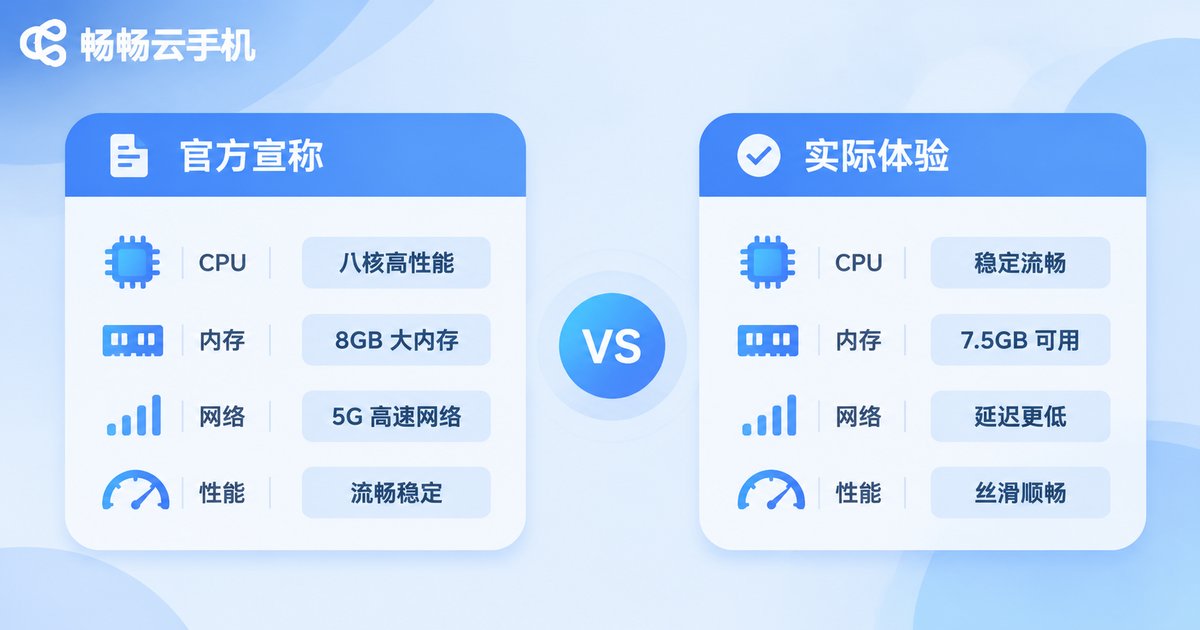
Open any cloud phone product page and you will see the same tempting words: octa-core processor, large memory, HD display, ultra-low latency, unlimited multi-instance, permanent data storage. The catch is that most of these phrases are marketing statements that only hold under specific conditions, not the experience you will actually have every day after you buy.
The biggest difference between a cloud phone and a physical phone is this: you are not buying hardware, you are buying an Android instance running in a remote data center, plus a streaming protocol and an after-sales team. Hardware specs only set the ceiling. Network links and platform scheduling set the floor. Most people get burned not because they wasted money, but because they bought a cloud phone using the logic of buying a physical phone.
This checklist splits the buying process into three parts: how to read marketing specs, how to test real-world performance, and which after-sales clauses to question. Each part gives you questions you can ask directly.
Pitfall 1: Looking Only at Core Count and RAM
“Octa-core with 16 GB of RAM” sounds powerful, but most cloud phone use cases — idle running, multi-instance, automation scripts, light gaming — are far more sensitive to single-core performance than to total core count. What matters even more is scheduling: if dozens of instances are packed onto the same physical server, your instance may end up fighting for resources during peak hours, which shows up as stuttering operation, dropped frames and delayed taps.
So when you see the word “high-end,” the right follow-up questions are: roughly what single-core benchmark does it reach? How many instances does one physical machine typically host? Is resource allocation averaged out or demand-based? Platforms that answer these questions confidently usually have more confidence in their own scheduling.
Pitfall 2: Word Games with Resolution and Refresh Rate
Cloud phone images are streamed to you, not output directly by your local GPU. So the “2K HD” on a landing page often refers to the internal rendering resolution of the instance, while the sharpness you actually see must first pass through encoding compression and network transmission.
Three things really affect what you see: the codec (H.264 or H.265), the maximum bitrate, and the adaptive strategy used when the network fluctuates. When the image turns into a blurry mess during action scenes, the problem is usually not resolution — it is bitrate being squeezed too low. When you test a device, open an app with moving content and watch it for ten seconds. That tells you more than a hundred lines of specs.
Pitfall 3: The Data Center Location Behind Every Latency Number
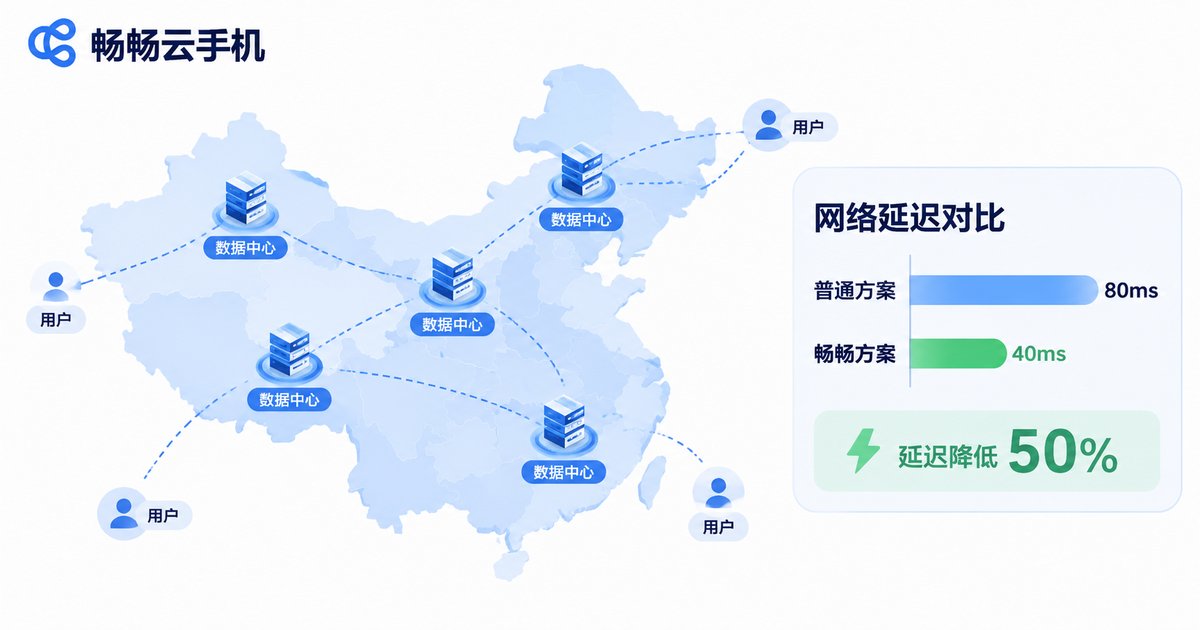
Claims like “latency as low as 20 ms” are usually measured at the test point closest to the data center, under ideal network conditions. The latency you actually feel depends on the physical distance and routing quality between your network and that data center.
Before you buy, ask: which city is the data center in? Are there multiple regional nodes to choose from? If you are in the south and the data center is in the north, no amount of optimization will get you to the ideal number. For scenarios that need real-time interaction — manually playing a game, precise tapping — latency matters far more than benchmarks. For pure idle-running scenarios, stability matters more than latency.
Pitfall 4: “Unlimited Multi-Instance” Is a Vague Promise
No platform can truly offer unlimited instances, because every instance consumes real CPU and memory. What “unlimited multi-instance” usually means is that the platform does not cap how many instances you can purchase at the account level — not that a single device can run an endless number of them.
What you need to ask: what is the simultaneous online instance limit per account? Is there a guaranteed performance floor per instance when running multiple? Does the multi-instance manager support batch launch, batch installation and grouped operations? If the platform has no batch management tools at all, your “multi-instance” plan will quietly turn into hours of manual clicking.
Pitfall 5: How Long Is Your Data Actually Kept?
A cloud phone works like a real phone: shutting it down does not instantly erase your data, but how long data survives after shutdown varies a lot between platforms. Some keep instances for days, some for months, and some clean up instances a while after an account falls into arrears.
Before buying, clarify three things: how long is data retained after the instance is shut down? Can an instance be recovered after it has been released? Can you actively export app data or back it up to your own storage? For users running important accounts or long-running tasks, this matters more than any spec.
Pitfall 6: The After-Sales Details Everyone Overlooks
After-sales is the least glamorous part of buying a cloud phone and the one that affects your experience the most. Landing pages usually just say “24/7 support,” but the real difference lies in response time, incident handling and the boundaries of the terms.
Before ordering, ask directly: what is the average ticket response time? Is there a stated recovery window when a data center fails? Can accounts be migrated or transferred? How are “force majeure” and “service interruption” described in the terms? Sorting these out in advance saves you far more trouble than arguing about them later.
One Table: Marketing Claims vs. Questions You Should Ask
| What the landing page says | What you should actually ask |
|---|---|
| Octa-core, maxed-out memory | What is single-core performance? How many instances per physical machine? |
| 2K HD picture quality | H.264 or H.265? What is the maximum bitrate? |
| Ultra-low latency | Which city is the data center in? Can I choose a node? |
| Unlimited multi-instance | Simultaneous online limit per account? Any performance floor? |
| Permanent data storage | How long after shutdown? Can a released instance be recovered? |
| 24/7 after-sales support | Average ticket response time? Any stated incident window? |
A 30-Minute Acceptance Test
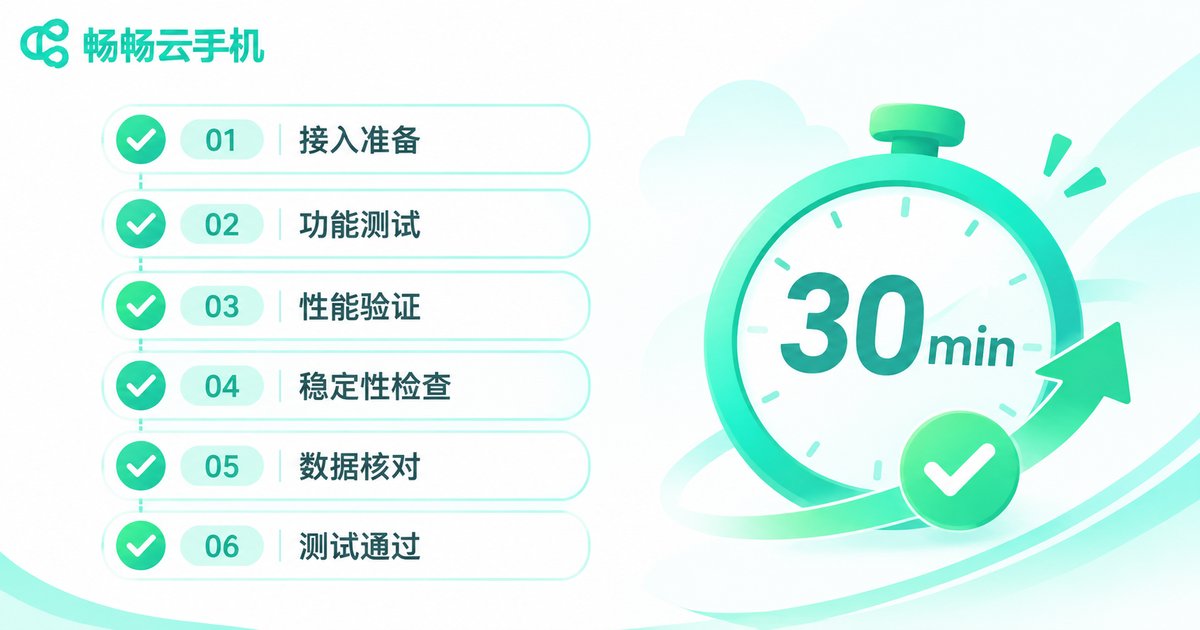
Once you have an instance, do not rush to deploy real work. Spend half an hour on acceptance checks first — it will help you catch 80% of problems early:
Minutes 1–5: Record the time from clicking connect to seeing the desktop, and note whether the first connection feels smooth.
Minutes 6–15: Operate continuously for 10 minutes. Switch apps, scroll lists, open content with moving images, and watch for dropped frames, disconnects or a blurry picture.
Minutes 16–22: Launch three instances at the same time and repeat the same operations to see how obvious the performance drop is.
Minutes 23–27: Upload a file and download a file, and judge whether the actual transfer speed matches what was advertised.
Minutes 28–30: Submit a technical support ticket and record the first response time — that is often the real response speed you will get when something goes wrong later.
How to Choose When Stability Comes First
If your main reasons for buying a cloud phone are long-term idle running, multi-instance app usage or remote testing, your priority order should be: stability > network links > data retention rules > hardware specs > price. Specs can be stacked. Links and operations cannot.
ccloudphone provides Android instances running in the cloud, letting users remotely operate a complete Android device through a client or a web browser, which suits scenarios such as running multiple app instances, staying online for long periods and remote testing. Its product philosophy leans toward putting stability and availability first. For the specific configurations, nodes and pricing available, check what is shown on the official website and match it to your actual usage intensity rather than chasing the highest tier.
Frequently Asked Questions
Q: Is more cores and more memory always better for a cloud phone?
Not necessarily. Most cloud phone scenarios are more sensitive to single-core performance, and the real experience also depends on platform scheduling and network links. Specs are the ceiling; the link is the floor.
Q: Can I actually reach the advertised low latency?
It depends on your physical distance to the data center and your local network quality. Ask about the data center location before ordering, and pick the nearest node when possible.
Q: Will I lose data when the instance is shut down?
Usually not immediately, but retention rules differ between platforms. Confirm the shutdown retention period and the recovery policy for released instances before you buy.
Q: Does “unlimited multi-instance” really mean unlimited?
No platform can truly deliver unlimited. It usually means the account level does not cap your purchases; a single machine still has resource limits, and performance may degrade when you run many instances.
Q: What should I test first during the trial?
Three things: operate continuously for 10 minutes to check for dropped frames and disconnects, run three instances at once to see performance degradation, and submit a ticket to measure first response time. These reveal long-term experience better than benchmarks.
Q: Which after-sales clauses matter most?
Focus on ticket response time, incident recovery statements, account migration rules, and how service interruption is described in the terms. Those carry far more information than the words “24/7 support.”


