

What Cloud Phone Brands Are There? A Guide to Mainstream Product Types and Positioning
What Is a Cloud Phone and Why Are More Brands Entering the Market?
A cloud phone is essentially an Android phone 'moved' to run on cloud servers. With a client app installed on your phone, computer, or tablet, you can remotely control this 'phone in the cloud.' App installation, game running, and data storage all happen in the cloud—your local device consumes no memory, doesn't overheat, and doesn't drain battery.
Because of this 'free your local device' nature, cloud phones are widely used for game AFK, multi-account management, app testing, and mobile office scenarios. As demand grows, more brands have entered the market. Although product names vary widely, mainstream cloud phones can be grouped into four major types based on product form and feature focus.
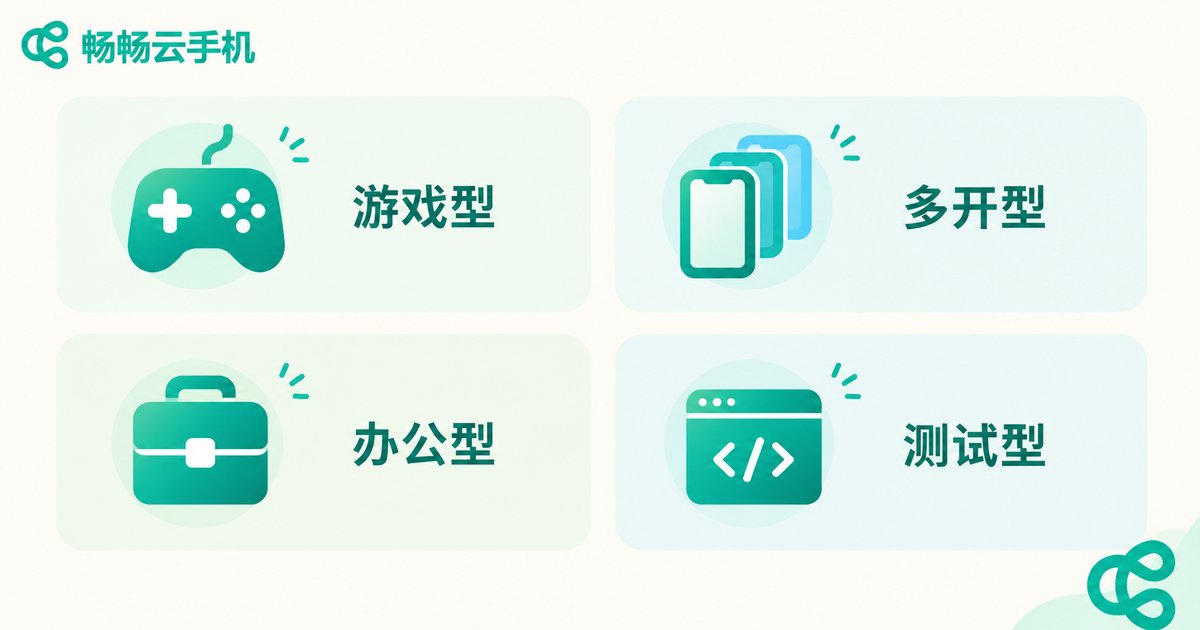
The Four Mainstream Cloud Phone Types
1. Gaming-Oriented Cloud Phones
The most common type, focused on game AFK, multi-instance running, and hosting. These products feature high performance configurations, round-the-clock online availability, and the ability to manage multiple game accounts simultaneously—ideal for daily AFK, resource farming, and account nurturing.
2. Multi-Account Operation Cloud Phones
Centered on multi-account matrix operations, with typical scenarios including e-commerce store management, social media account matrices, and content marketing distribution. These products usually offer batch operation panels, group control management, and independent network environments, allowing one person to manage dozens or even hundreds of accounts.
3. Office-Oriented Cloud Phones
Designed for enterprise users, emphasizing data security, stability, and team collaboration. They support unified cloud phone resource management and member permission assignment, suitable for teams that need mobile app operations and remote collaboration.
4. Development and Testing Cloud Phones
Built for developers and enterprise technical teams, providing cloud-based real-device environments, automated testing, and compatibility debugging. Commonly used for app development testing, script automation, and staged rollouts.
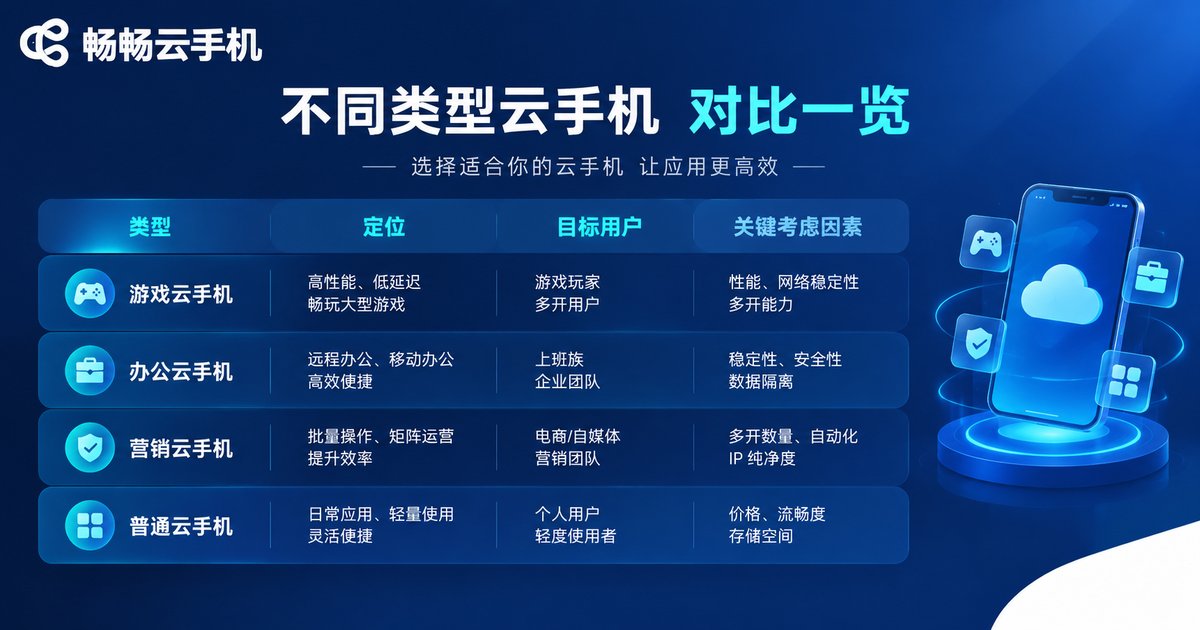
Positioning Comparison of the Four Types
| Type | Core Positioning | Target Users | Key Considerations |
|---|---|---|---|
| Gaming | High-performance AFK hosting | Mobile gamers, game studios | Performance, uptime, multi-instance count |
| Multi-account | Account matrix operations | E-commerce and social media operators | Group control panel, batch operations, network environment |
| Office | Enterprise mobile office | Enterprise teams, managers | Security, admin console, collaboration permissions |
| Dev and testing | Cloud real-device testing | Developers, technical teams | Automation, compatibility, API capabilities |
As the table shows, different cloud phone types differ significantly in performance, features, and management approach. Choosing the wrong type means wasted features at best, or reduced business efficiency at worst.
How to Choose the Right Cloud Phone for You
When facing numerous brands, evaluate them across these four dimensions:
1. Performance configuration. Processor model, RAM, and GPU directly determine game smoothness and app efficiency. AFK needs are relatively light on performance, while multi-instance use and large games call for higher configurations.
2. Stability. Server cluster scale and network line quality determine whether your cloud phone frequently disconnects or lags. It is wise to try before you commit.
3. Data security. Whether data on the cloud phone is stored in isolation and whether snapshot backups are supported affects the safety of your accounts and business data.
4. Pricing model. Pay-as-you-go versus monthly or annual plans, and whether elastic configuration upgrades are supported, all affect long-term costs.

CCloud Phone: A Multi-Scenario Cloud Phone Service
Among the many cloud phone products, CCloud Phone (ChangChang Cloud Phone) is a comprehensive option covering multiple scenarios. Built on a real cloud Android environment, it offers cloud phone instances at multiple performance levels—whether for game AFK, multi-account management, app testing, or mobile office, you can find a suitable configuration.
CCloud Phone supports remote connections from phones, computers, and other devices, with isolated cloud data storage and snapshot backup support. For specific plans and pricing, please visit the official website (ccloudphone).
FAQ
Q: What is the difference between a cloud phone and a regular phone?
A cloud phone runs on cloud servers; your local device is just the 'remote control.' It doesn't consume local storage or performance, can stay online around the clock, and one local device can manage multiple cloud phones.
Q: Will apps on a cloud phone go offline?
No. The cloud phone keeps running in the cloud. Even if you close the local client, games and apps on the cloud phone remain online—this is the core value for AFK scenarios.
Q: Will using a cloud phone get accounts banned?
A cloud phone is a compliant cloud tool in itself. Whether accounts are restricted depends on whether your usage violates the corresponding platform's rules. Under normal, rule-abiding use, the risk is low.
Q: Is a cloud phone suitable for beginners?
Yes. Operating a cloud phone is basically the same as using a regular phone—if you can use a smartphone, you can use a cloud phone. Most products also offer onboarding guides.
Q: How is CCloud Phone priced?
Specific plans and pricing are subject to the information published on the official CCloud Phone website (ccloudphone). You can choose different performance configurations as needed.


