

Understanding Cloud Phone Billing Models: Per Cabinet vs Per Instance vs Pay-As-You-Go
Why the Wrong Billing Model Can Cost You Several Times More
If you are new to cloud phones, the terms on a provider's website — per cabinet, per instance, per usage hour — can be baffling. They all sound like renting a phone, but the billing logic behind each is completely different. Pick the wrong one and you either pay for capacity you never use, or watch resources sit idle while your project stalls. The good news: with a simple renting analogy, all three take a minute to understand.
Per-Cabinet Billing: Renting the Whole Floor
With cabinet-based billing, you pay for an entire physical server cabinet that comes pre-loaded with a fixed number of cloud phones. Specs and quantities are bundled, and you pay monthly or yearly for the whole cabinet. It is like renting an entire floor — the lowest unit price, but only if you actually fill it.
Per-phone cost under this model is usually the lowest of the three, which makes it ideal for studios running large numbers of phones around the clock, such as multi-account operations and large-scale automation. The trade-off is flexibility: if you cannot use every phone in the cabinet, the idle ones are pure waste.
Per-Instance Billing: One Phone, One Subscription
Here, each cloud phone is an 'instance', billed as number of phones × billing period — like renting single rooms: you pay for exactly the rooms you occupy, for exactly as long as you occupy them.
The strength of this model is fine-grained control: run 10 phones this month and scale to 30 the next as your project grows. It suits small-to-mid teams and individual long-term users — modest quantities, but always online. The per-unit price is usually slightly higher than cabinet billing, yet you never pay for capacity you do not use.
Usage-Based Billing: Pay Only for the Hours You Run
Usage-based billing works like a utility bill: the meter runs while the phone is on and stops when it is off. You pay only for the hours your cloud phones actually run.
This is the lowest-friction and most flexible option, perfect for three groups: newcomers who want to try before committing, short-term projects that only run for a few days, and intermittent users who need just a few hours a day. The hourly rate can be higher than a monthly plan, but for light users the total bill is often the smallest.
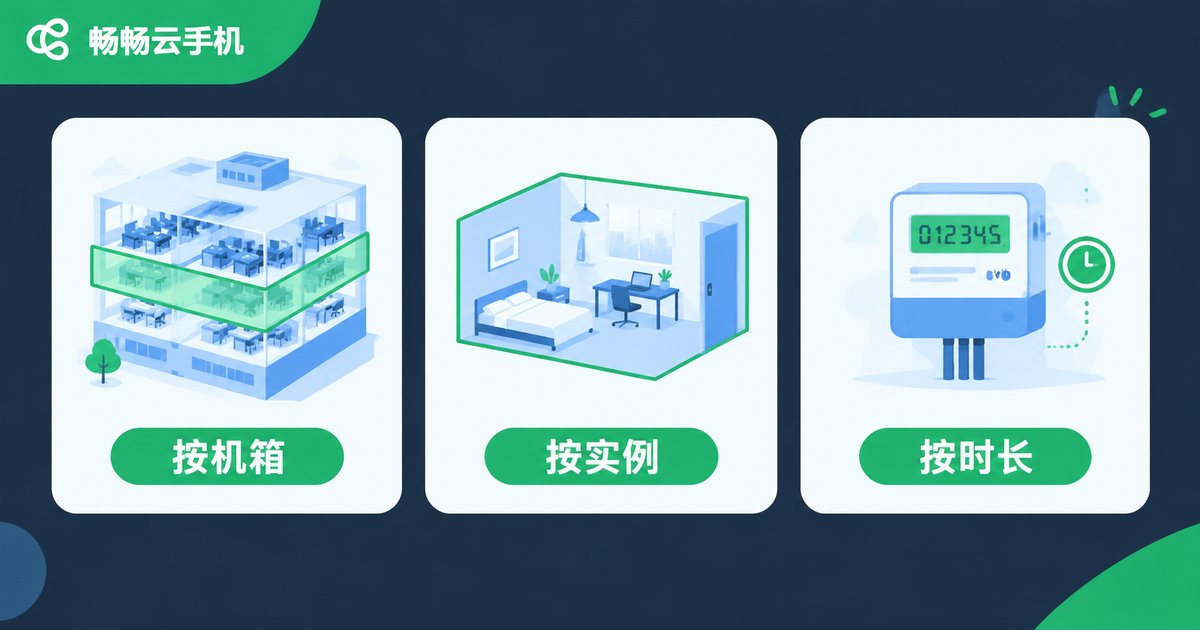
All Three Models in One Table
| Dimension | Per Cabinet | Per Instance | Per Usage Time |
|---|---|---|---|
| Billing unit | Whole cabinet bundle | Single cloud phone | Actual running hours |
| Like | Renting a whole floor | Renting a single room | Paying a utility bill |
| Best for | Large studios, bulk deployment | Small teams, long-term individuals | Trials, temporary tasks |
| Flexibility | Low | Medium | High |
| Unit cost | Lowest when fully used | Medium | Cheapest for light use |
| Main risk | Waste if underused | Pricier at large scale | Costs climb with heavy use |
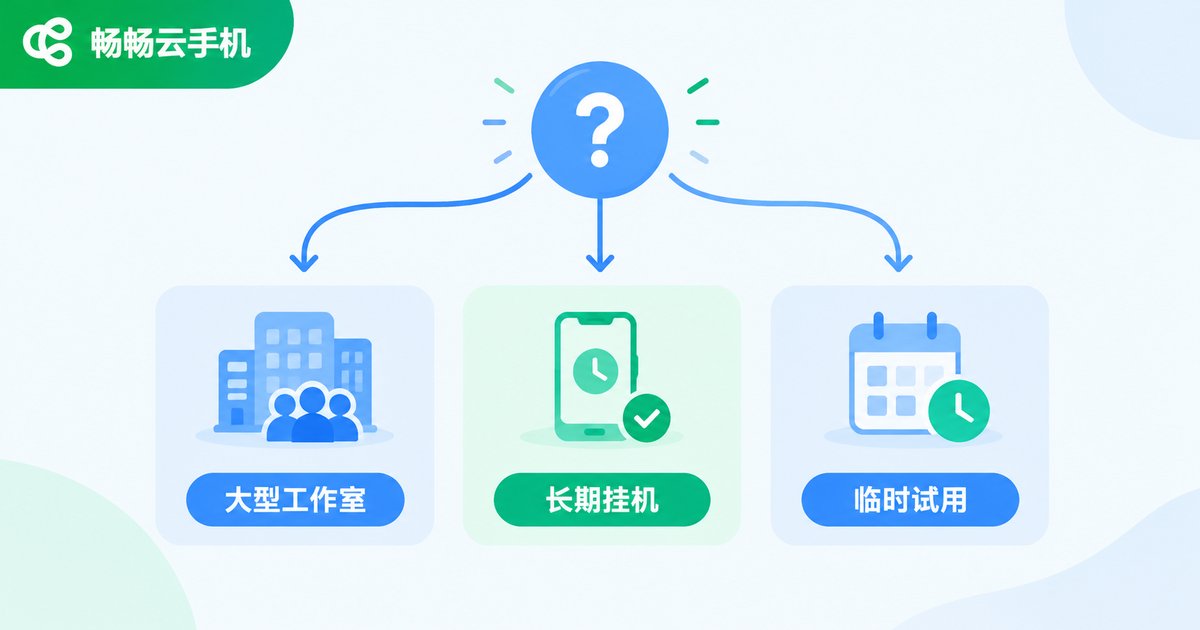
How to Choose: Match the Model to Your Scenario
Choosing is simpler than it looks. It comes down to one question: how large and how stable is your usage?
Choose per cabinet if: you run dozens of phones or more, around the clock, with very stable demand — only a full cabinet unlocks the full cost advantage.
Choose per instance if: you need a handful to a few dozen phones long-term, with occasional scaling up or down — your fleet grows with your business.
Choose pay-as-you-go if: you are testing the waters, or your tasks cluster into a few busy days — when the phone is off, the meter is off too.
A practical path: start with pay-as-you-go or a few instances, learn your real usage, then upgrade to the long-term plan that fits.
ChangChang Cloud Phone: Flexible Billing for Every Scenario

Take ChangChang Cloud Phone (ccloudphone) as an example: the platform offers flexible billing options, so whether you are an individual running a few phones or a studio deploying at scale, there is a matching way to pay. Start small, verify performance and real usage, then settle on a long-term plan — current packages and pricing are shown on the official website.
Three Money-Saving Tips
1. Calculate your average daily hours. Running more than 20 hours a day with almost no downtime? Monthly or cabinet plans win. Only three to five hours a day? Pay-as-you-go saves more.
2. Keep a little headroom — but not too much. When committing to monthly or cabinet plans, size for your usual load plus a small buffer, so you never pay for idle phones.
3. Review your usage regularly. If your business has busy and slow seasons, scale phones up in peak months and down in quiet ones, so costs always track real demand.
FAQ
Q: Is per-cabinet billing always cheaper than per-instance?
Per-phone cost is usually lower — but only if you use the whole cabinet. If you occupy just half of it, the averaged cost can end up higher than simply buying instances.
Q: With usage-based billing, do I still pay when phones are off?
Generally no — running-hour charges stop when a phone is powered off, which is exactly why light users like this model. Definitions of 'off' vary slightly between platforms, so confirm the billing rules before you start.
Q: Can I switch billing models later?
Usually yes, at the end of your current billing cycle. Run a flexible model first, gather real usage data, then commit long-term.
Q: Which model should a first-time user pick?
Start with pay-as-you-go or a small number of instances. Spend a little to validate the workflow and performance, then scale up once you know it fits — never pay upfront for capacity you may not need.


