
Can Cloud Phones Run Battle Royale Games Smoothly? High FPS, Low Latency Setup Guide & Optimization
Can Cloud Phones Really Run Battle Royale Games Smoothly?
When players first hear about cloud phones, many are skeptical: the game runs on a server far away, and the visuals are streamed back over the network—can that really match the responsiveness of a local device? The doubt is strongest for battle royale titles like PUBG Mobile, where every millisecond of frame rate and latency can decide whether you win the fight or get eliminated on landing. The answer is yes: with the right configuration and proper network optimization, cloud phones can absolutely run battle royale games smoothly—and when it comes to heat, battery drain, and multi-accounting, they can even outperform local devices.
How Cloud Phones Handle Battle Royale Games
A cloud phone is essentially a real Android phone living in a data center: the game is installed on cloud servers, all rendering is done by cloud GPUs, the picture is streamed to your local device in real time, and every touch input is instantly sent back to the cloud for execution. Throughout this process, your local device only handles displaying the picture and capturing input, bearing almost no performance burden at all.
This means that even if you are holding a four- or five-year-old phone, you can enjoy a near-flagship gaming experience through a cloud phone—as long as your network is stable. Battle royale games feature huge maps and dense textures that push the GPU hard, and data center graphics hardware often far exceeds typical mobile chips. That is exactly why cloud phones can confidently take on high frame rate battle royale gaming.
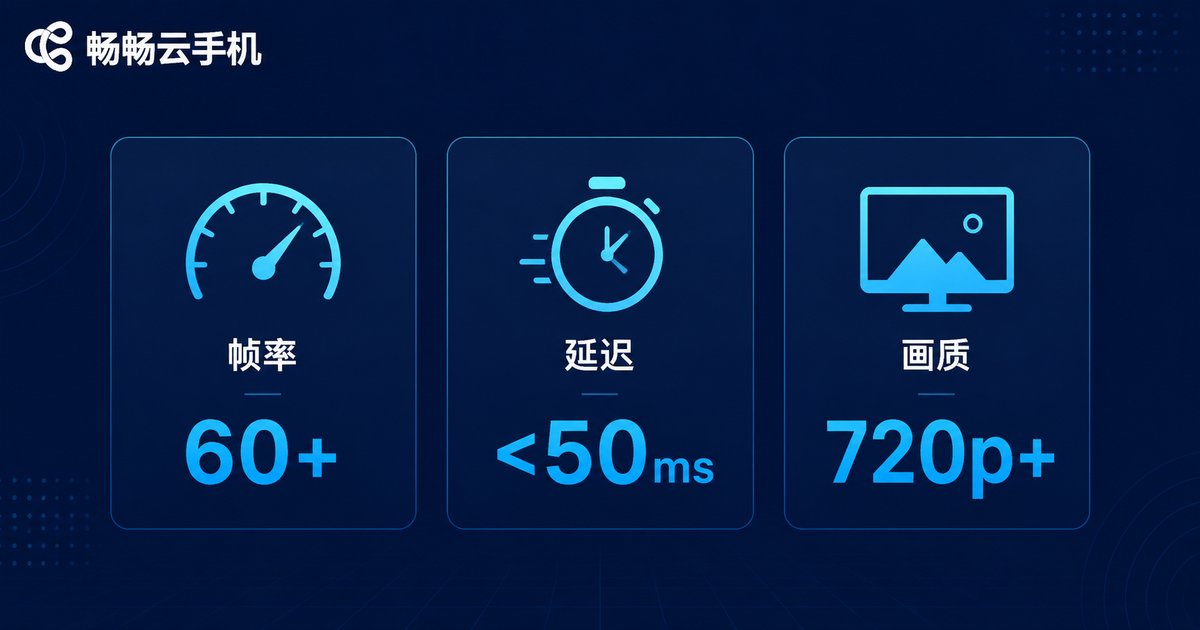
Three Core Metrics That Determine Smoothness
To judge whether a cloud phone can handle battle royale smoothly, do not just trust the marketing page—focus on three metrics:
| Core Metric | Recommended Standard | What It Affects |
|---|---|---|
| Frame rate | Stable 60 FPS or higher | Visual smoothness, aim tracking |
| Latency | Under 50ms | Aim and fire response speed |
| Stream quality | 720p or above | Spotting enemies at long range |
Among these, latency is the most overlooked yet most critical factor. Low frame rate just looks choppy; high latency makes your inputs arrive late—and in a close-range duel, that half-beat delay is often the line between winning and losing.
How to Choose a High FPS, Low Latency Setup
When selecting a cloud phone, check these four points one by one:
1. Prioritize high-performance GPU instances. Battle royale games have complex scenes and dense effects that demand serious graphics power. Choose cloud phone instances explicitly labeled as high-performance or flagship-grade to sustain 60 FPS or higher output.
2. Pick the nearest server node. Cloud phone providers deploy data centers in multiple regions. Choosing a node close to your physical location with good network quality dramatically reduces latency—ideally to 20-40ms.
3. Leave plenty of local bandwidth headroom. HD video streaming demands solid download speeds. We recommend at least 20Mbps downstream on your local network to avoid mosaic artifacts, smearing, or dropped frames.
4. Confirm high frame rate support. Some cloud phone instances lock the frame rate by default. Before subscribing, make sure your chosen instance supports 60 FPS or higher, and enable the high frame rate mode in game settings.
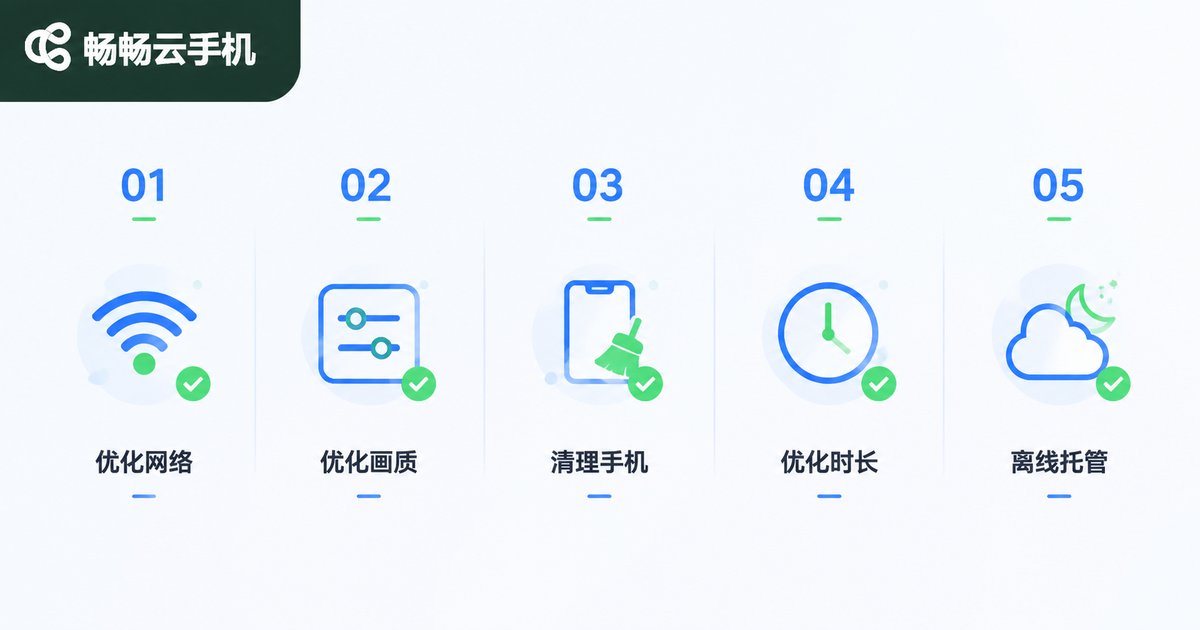
Five Optimization Tips That Pay Off Immediately
Choosing the right configuration is just the passing grade—these tips take the experience to the next level:
Tip 1: Use 5GHz WiFi or 5G. The 2.4GHz band suffers from interference and fluctuation, a common culprit behind latency spikes. Whenever possible, connect to a 5GHz WiFi network or a stable 5G cellular connection.
Tip 2: Drop in-game graphics one tier. On a cloud phone, setting graphics to Smooth or Balanced often yields steadier frame rates and lower bandwidth usage—distant enemies actually appear cleaner.
Tip 3: Clear your local background apps. Even though the game runs in the cloud, your local device still handles video decoding. Closing background apps and disabling battery saver makes streaming smoother.
Tip 4: Avoid peak internet hours. 8 PM to 11 PM is prime time for home networks. If latency climbs noticeably, try switching nodes or gaming at off-peak hours.
Tip 5: Leverage 24/7 cloud uptime. Daily missions and season rewards can be handled by your cloud phone around the clock—your local device only joins for actual matches, saving power and hassle.
Why We Recommend ccloudphone
Among the many cloud phone products on the market, ccloudphone (畅畅云手机) has been extensively optimized for gaming scenarios: high-performance cloud devices guarantee high frame rate output, multi-region node deployment lets players choose the lowest-latency data center nearby, and the video streaming pipeline is specially tuned for mobile networks, maintaining stable picture quality even over cellular connections.
For battle royale players, ccloudphone also supports multi-instance management—leveling alt accounts or squad-carrying friends becomes possible on a single device, with each account running independently. Combined with zero heat and minimal battery drain from cloud-based running, marathon sessions no longer mean a scorching hot phone or a plummeting battery.
Cloud Phone vs Local Phone for Battle Royale
| Comparison | Cloud Phone | Local Phone |
|---|---|---|
| Heat | None (runs in the cloud) | Heats up in long sessions |
| Battery drain | Minimal | Heavy |
| Multiple accounts | Multi-instance supported | Limited by hardware |
| 24/7 online | Supported | Not supported |
| Network dependency | High | Low |
As the table shows, the only weakness of a cloud phone is its dependence on the network. Get that part right, and it wins on nearly every other dimension.
FAQ
Q: Will I get banned for playing battle royale on a cloud phone?
No. A cloud phone is a genuine Android device environment—the game runs exactly as it would on a regular phone, with no data modification or rule violations involved.
Q: Can I use a cloud phone for battle royale with a poor network?
Your network is the foundation of the cloud phone experience. If latency stays above 100ms, first optimize your local network (switch to 5GHz WiFi, move closer to the router) or switch to a nearer cloud node.
Q: Can cloud phones reach 90 FPS?
It depends on the instance specifications. High-performance instances typically deliver a stable 60 FPS, and some higher-tier machines support even more—check the frame rate details before subscribing.
Q: Does cloud phone gameplay feel different from local?
With latency under 50ms, the feel is essentially identical to a local device—aiming, recoil control, and close-range fights show virtually no perceptible difference.
Q: How many battle royale accounts can run at once?
Multi-instance is supported. The exact number depends on how many instances you activate; each account keeps its data independent, perfect for leveling alts or squad play.


