

Cloud Phone Batch Management Explained: Grouping, Sync, and Workflow Design
Why Batch Management Separates the Pros from the Beginners
Getting one cloud phone up and running is easy; managing dozens at once is the hard part. Many newcomers operate devices one by one: installing the same app dozens of times, adjusting settings dozens of times, until their enthusiasm wears out within days. What truly makes the difference is whether you master the three pillars of batch management: grouping, synchronization, and workflow design. Once these are in place, the gap between managing 100 cloud phones and managing one is far smaller than you might expect.
Grouping: Bring Order to Your Devices First
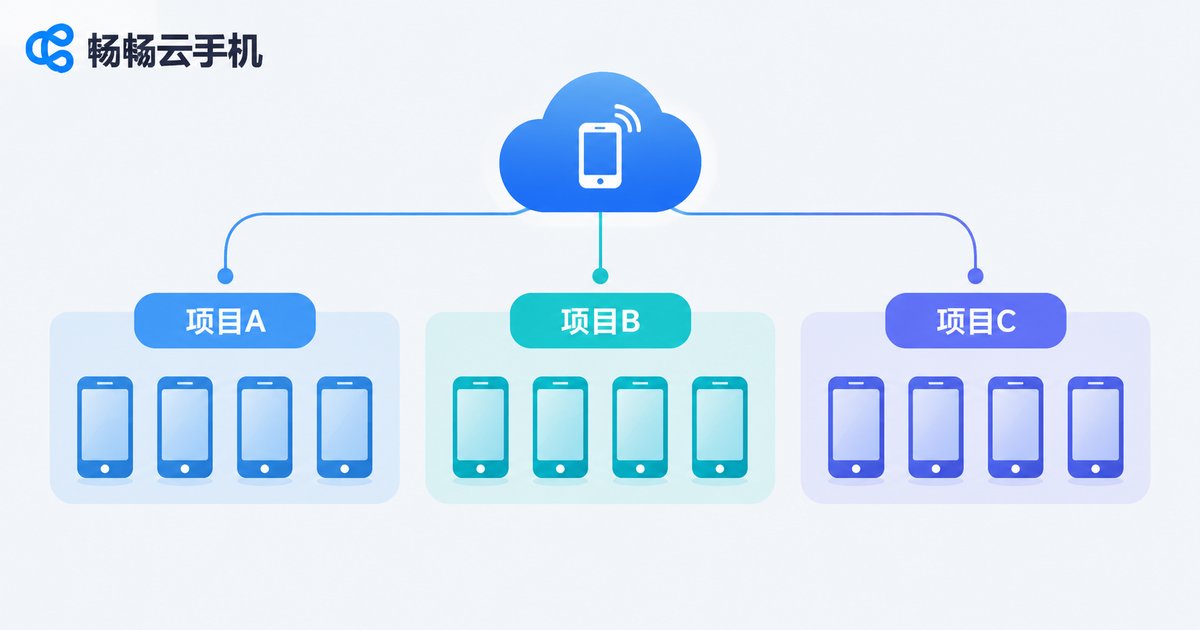
The first step of batch management is not operating but classifying. Putting cloud phones with the same purpose or task into the same group ensures every batch action hits the right targets instead of sweeping everything with one brush.
Three common grouping dimensions:
| Dimension | Best for | Examples |
|---|---|---|
| By project | Multiple parallel projects | Project A, Project B, Project C |
| By purpose | Clear division of roles | Idle farming, testing, daily use |
| By status | Devices needing different handling | Running, pending setup, disabled |
Once groups are set, you can power on, shut down, restart, or install apps for an entire group, and still cherry-pick specific devices inside a group for finer control. A practical tip: spend ten extra minutes planning your groups upfront rather than facing a chaotic device list later.
Synchronized Operations: Set Once, Apply Everywhere
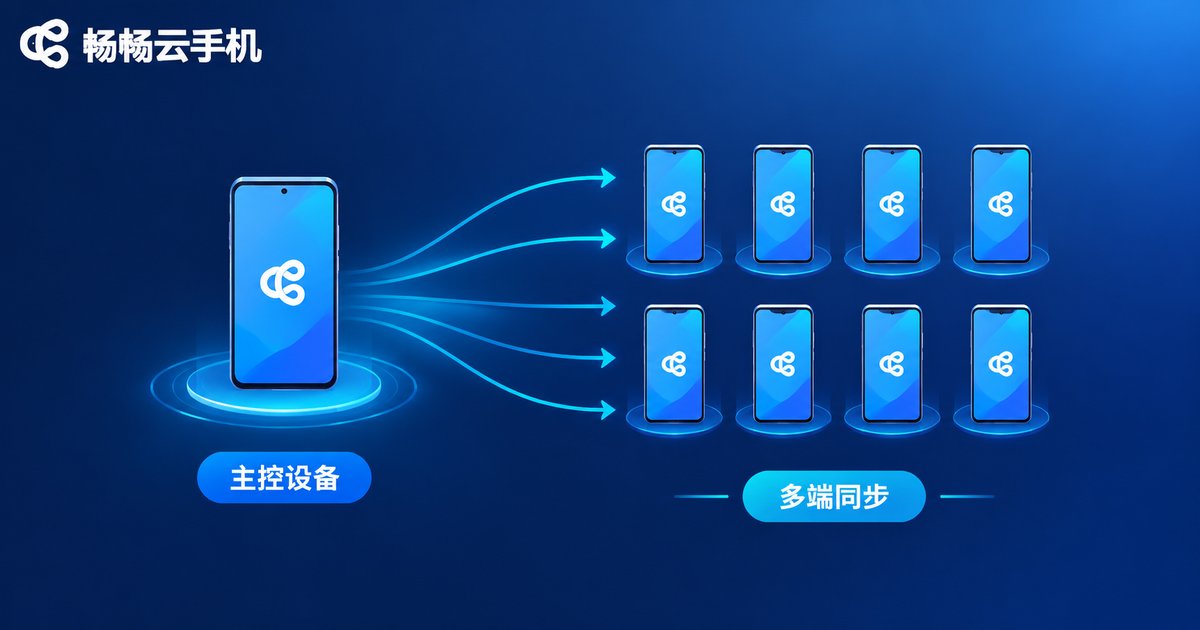
If grouping answers who to operate on, synchronization answers how to operate only once. Sync typically works on three levels:
1. App sync: install or update an app on one master device and the rest follow automatically, keeping app environments consistent across dozens of phones in seconds.
2. Interface and settings sync: resolution, home screen layout, and common configurations can be pushed to all devices using the master as a template, eliminating device-by-device tweaking.
3. Action sync: taps, swipes, and text input performed on the master device are replicated across the group, ideal for scenarios where every device must perform identical steps.
When using sync, validate on two or three devices first, then roll out to the whole group once results match expectations. Test small, deploy big is the most reliable rhythm.
Workflow Design: Turn Experience into Reusable Templates
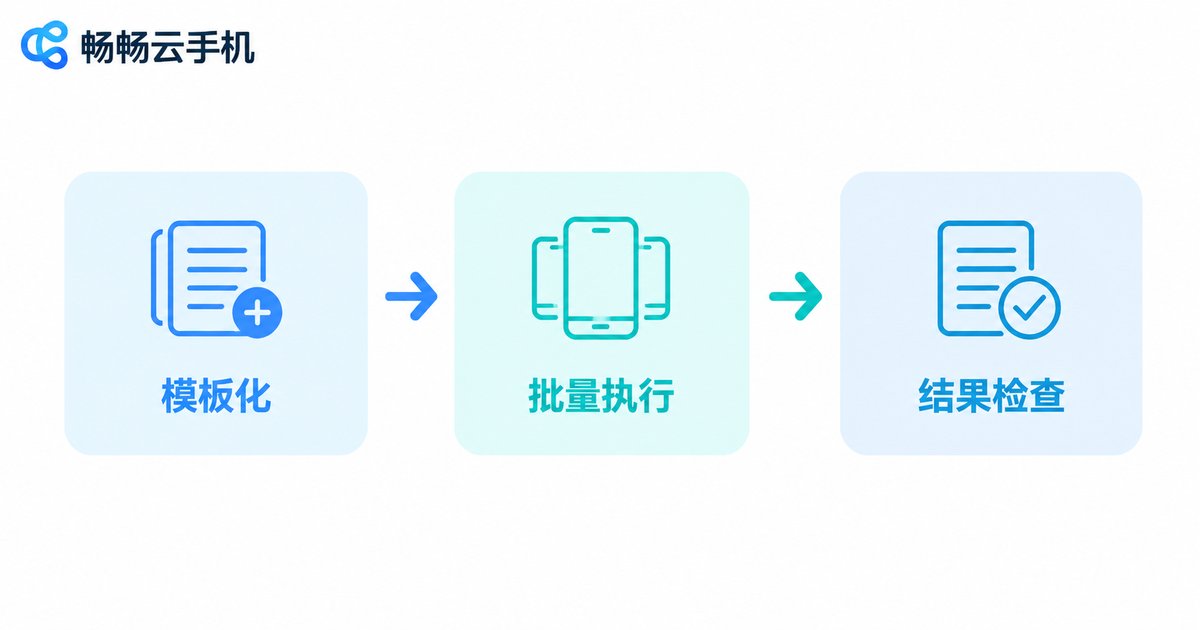
Seasoned operators are never satisfied with this batch went fast. They distill every routine into a standard workflow that can be reused next time. A mature batch workflow has three stages:
Stage 1: Templating. Collect every action a new device needs, from installing apps to adjusting settings and accounts, into one standard template. Once the master device is configured, it becomes the blueprint.
Stage 2: Queuing. Execute the template across groups in a queue and let the system finish automatically; you only confirm at key checkpoints.
Stage 3: Verification. After the batch run, spot-check a sample of devices to confirm app versions and running states match, and handle outliers individually.
Once this template-queue-verify loop is in place, scaling up becomes a matter of applying templates rather than rediscovering everything from scratch.
The Efficiency Gap in Real Numbers
| Scenario | Manual, one by one | Batch management |
|---|---|---|
| Installing one app on 50 devices | About 1-2 hours | Done in minutes |
| Unifying home screens and settings | Repetitive per-device work | One template push |
| Running identical steps on many devices | Constant device switching | One master, group-wide sync |
| Onboarding new devices | Exploring from zero | Applying existing templates |
ChangChang Cloud Phone: Batch Management Made Simple
If you are looking for a cloud phone product with solid batch management, take a look at ChangChang Cloud Phone (official site: ccloudphone). It runs cloud phones in the cloud without consuming your local hardware, and lets you scale devices up or down on demand. On the management side, it provides group management and batch operations, which, combined with synchronization, shift daily maintenance of many devices from one-by-one tapping to one-click batch processing. For game multi-accounting, multi-account operations, and app testing at scale, batch management capability is one of the key criteria worth evaluating when choosing a product.
FAQ
Q: Can I move devices between groups after grouping?
Yes. Groups are management labels, not permanent assignments. You can move devices to other groups anytime or create new groups to reorganize.
Q: Will synchronized operations make all devices identical?
No. Sync usually targets apps, settings, and specified actions. Each cloud phone still runs independently with separate login states and data, and anything requiring differentiation can be configured individually.
Q: What if part of a batch operation fails?
Check the network and running state of the failed devices first, then retry them individually instead of rerunning the whole group. This is exactly why grouping by status matters: it concentrates abnormal devices for unified handling.
Q: How many devices should a beginner start with?
Start with 3-5 devices to smooth out your grouping and sync workflow, build your own templates, then scale up gradually. It is far safer than launching dozens of devices on day one.


