
How to Design Device Groups and Tag Systems After Bulk Cloud Phone Deployment
Why Device Management Gets Messier After Bulk Deployment
When teams deploy cloud phones in bulk, all the attention goes into spinning up dozens or even hundreds of devices quickly. The moment deployment finishes feels great, but the real test starts right after: finding one specific device takes forever in the list; when a colleague leaves, nobody knows which batch of devices they owned; when you try to pull statistics, ownership, purpose, and status all live in someone's memory. The root cause is always the same — nobody designed the group and tag system before deployment.
Groups and tags work like warehouse shelves and product labels: shelf positions rarely change once set, while product labels can be swapped flexibly by batch. When the two work together, you can locate any device out of hundreds in three seconds; when they do not, even a few dozen devices can turn the console into chaos.
First, Get This Straight: Groups and Tags Are Not the Same Thing
Many people use groups and tags interchangeably, creating whatever comes to mind, and the system naturally falls apart. Before designing anything, clarify the division of labor:
| Dimension | Groups | Tags |
|---|---|---|
| Structure | Tree hierarchy, like folders | Flat pool, independent of each other |
| Ownership | One device belongs to exactly one group | One device can carry multiple tags |
| Best for | Stable organizational and business ownership | Flexible attributes, status, and purposes |
| Change frequency | Low, rarely touched once set | High, adjusted as business evolves |
In one sentence: groups manage ownership, tags manage attributes. Ownership questions go to groups, attribute questions go to tags, and neither should cross the line.
How to Build Groups: One Main Tree, No More Than Three Levels
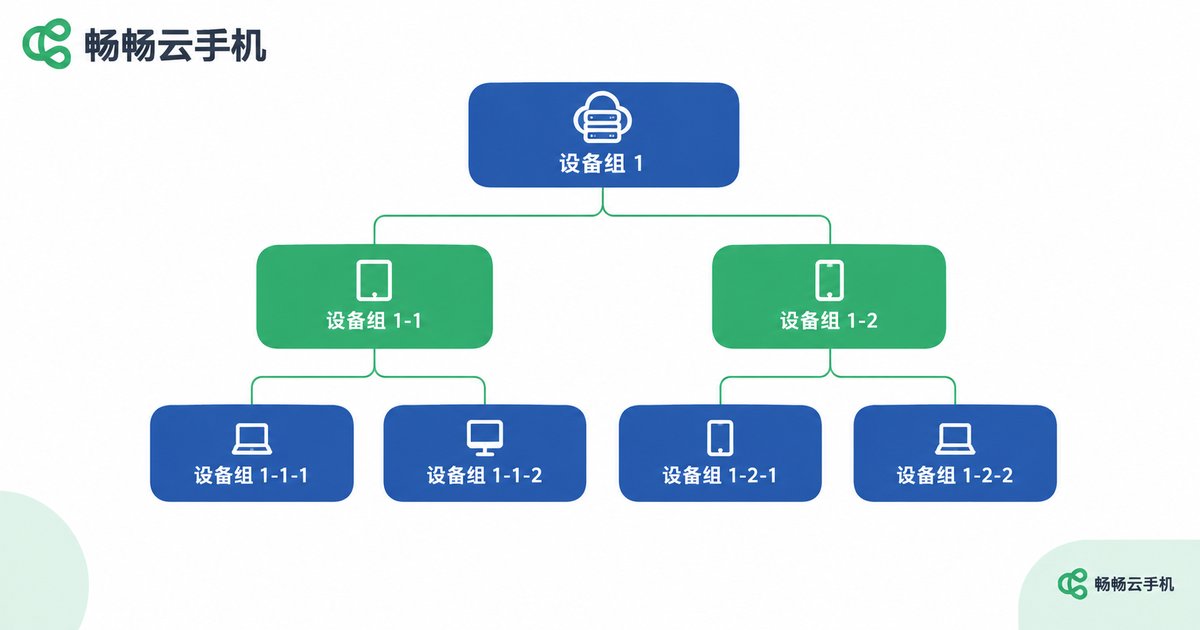
The worst mistake in group design is letting everyone keep their own logic. Have the whole team maintain one single main tree, layered from most stable to most volatile:
Level 1: business line or project. The most stable dimension, such as ecommerce, short video, or gaming — it may only change once a year.
Level 2: purpose. Account warming, content publishing, testing, live streaming — it follows the business rhythm and changes every few months.
Level 3: batch or owner. Create a group per deployment batch so you can always trace when these devices were provisioned, with what setup, and for what use.
Three iron rules: one device belongs to exactly one group; no more than three levels — if you need more, the project should be split; stable dimensions go on top, volatile ones go below. Follow these and the main tree will never grow crooked.
How to Apply Tags: Four Categories Cover What Groups Cannot
Everything groups cannot express goes to tags. Plan tags in four categories and name them with a category prefix so the tag pool stays readable:
| Category | Purpose | Examples |
|---|---|---|
| Status | Mark the current running state | status:running, status:pending-repair |
| Attribute | Mark model, OS, and hardware info | model:flagship-a, os:android13 |
| Purpose | Mark temporary or cross-cutting uses | purpose:dual-app, purpose:stress-test |
| Temporary | Mark short-term campaigns and investigations | temp:campaign, temp:investigating |
Two habits keep tags healthy: control the total — keep no more than five tags per device and review the tag pool regularly; clean up on schedule — remove temporary tags as soon as the task ends so stale tags never pollute your filters.

A Naming Convention You Can Copy Today
Half of system discipline comes from naming. This convention is ready to steal:
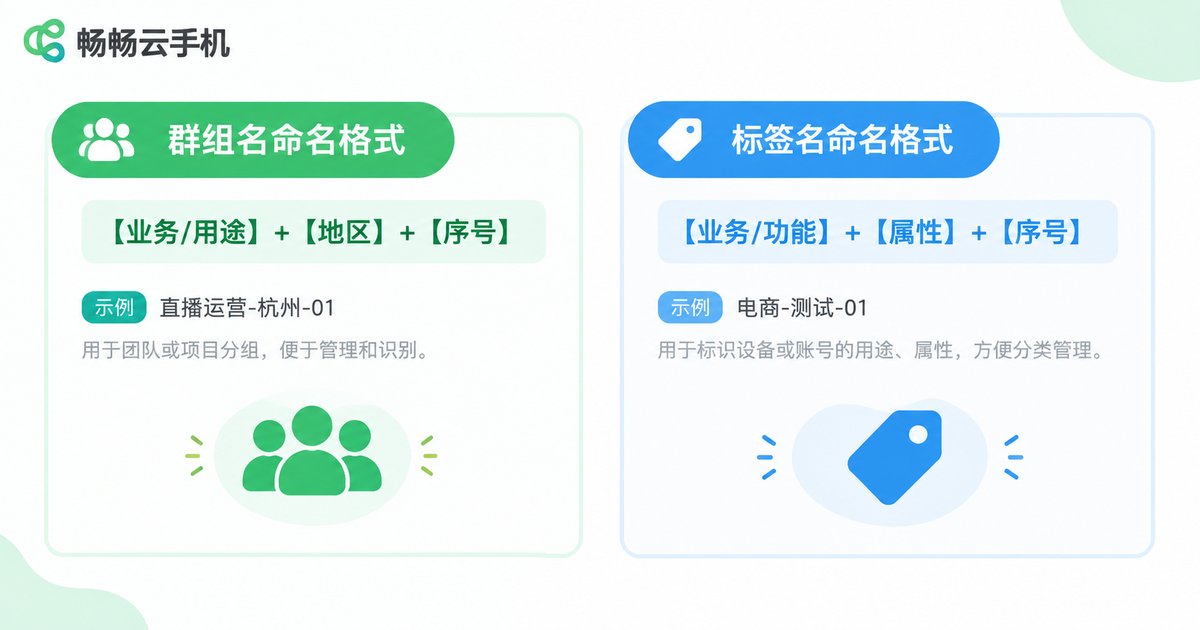
Group names: project-purpose-batch. For example: ecommerce-store-a-warming-2024q3, short-video-publish-b07. The name alone tells you the business line, the use case, and the deployment batch.
Tag names: category:value. For example: status:running, model:flagship-a, temp:investigating. Category before the colon, value after it, so filtering by category is always one click.
Two extra rules: first, ban personal naming such as zhangsan-devices or test-2 — the moment people change roles, those names die; second, always search before creating a new group or tag to avoid duplicates like warming and warming-group coexisting.
Rolling It Out on ccloudphone in Three Steps
A convention only works when it is easy to execute. Taking ccloudphone as an example, you can land this system in three steps:
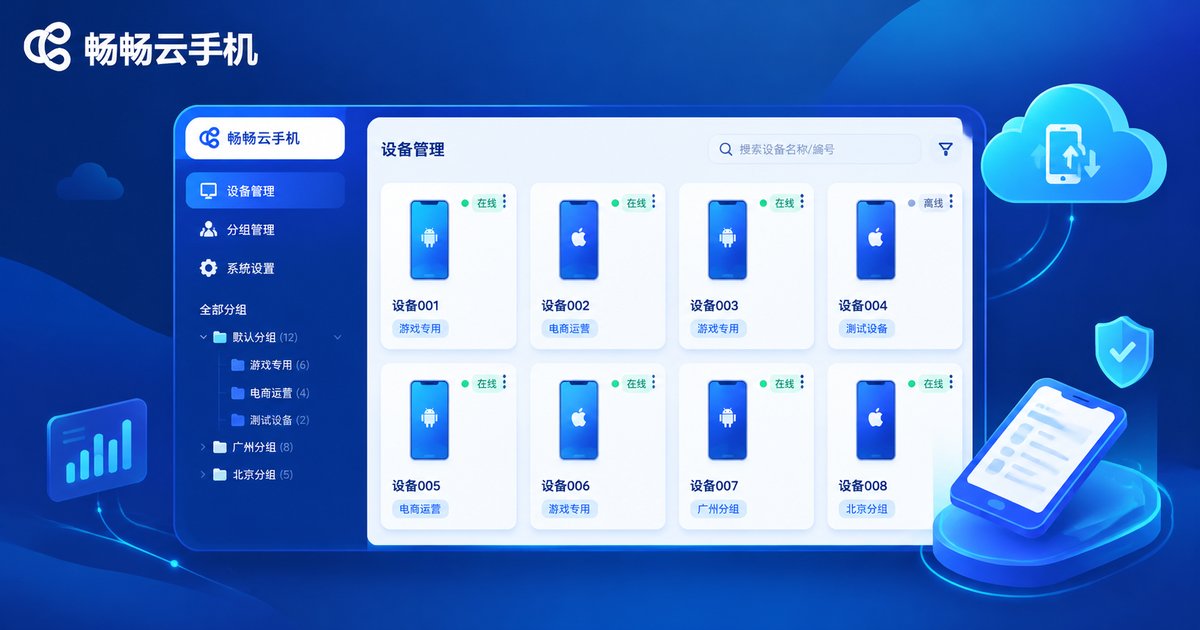
Step 1: create groups by batch before deployment. Set up the target groups in the console before you provision devices in bulk, so new devices land in the right group immediately instead of being sorted later.
Step 2: apply tags with batch operations. Devices in the same batch share nearly identical attributes — select the whole batch and apply status, model, and other tags in one go instead of one by one.
Step 3: keep a fixed review rhythm. Filter devices by tag at a fixed time every week, strip expired temporary tags, and move devices with abnormal status into the pending-repair group so the system stays clean.
A group and tag system is not a one-off project but a skeleton that grows with your business. Spend one extra hour designing it up front, and every future deployment and review gets easier.
FAQ
Q: We only have a few dozen devices. Are groups and tags really necessary?
Yes. The value of a system is scalability — the habits you build at dozens of devices become a lifesaver at hundreds, and at small scale the setup costs almost nothing, about half an hour.
Q: Will too many groups and tags make things messier?
They will. The test: every group must express a clear ownership meaning, and every tag must be used in a filter. Anything that does neither should be deleted.
Q: Things are already messy. How do I reorganize?
Run a full inventory and export the device list first; rebuild the main tree under the new convention; then re-apply tags in bulk by batch and attribute. Freeze new device creation during the cleanup so you are not creating new chaos while fixing the old.
Q: How do we hand over devices when someone leaves?
If group names carry batch information and tags carry status information, handover is just reassigning group ownership and updating the related tags — exactly why personal naming is banned in the convention.


