

Cloud Phone Automation Workflow Design: Steps, Exceptions and Retry Mechanisms
Why stability, not execution, is the real challenge
Most teams start cloud phone automation with a single script: open the app, tap a few buttons, fill in a form, take a screenshot, exit. It works perfectly on a local test. Then it moves to the cloud and runs in batches, and everything breaks.
One device loads a screen a second late, so the script taps the wrong spot. One account hits a verification challenge, and the flow sits there until it times out. A network blip fails a single request, and the whole batch has to start over.
These failures are rarely about writing a smarter script. They come from a workflow that was never designed around three engineering questions: what are the steps, what counts as an exception, and when should we retry? This article takes them one at a time.
1. Split the business process into verifiable atomic steps
A maintainable cloud phone automation never starts with code. It starts with decomposition. An atomic step means the action either completes fully or not at all, with no half-done state in between.
Three rules help keep the split clean:
- One step, one job. Log in and submit the order is not one step. It is two or three.
- Every step has an observable result. If you cannot tell success from failure when the step ends, it is still too coarse.
- Every step can be re-run on its own. The smallest retry unit should be a step, never the whole flow.
Once the steps are defined, number them: S1 launch the app, S2 open the target page, S3 fill the form, S4 submit, S5 verify the result. Every later decision about exceptions, logging and retries hangs off that numbering.
Step S1 launch app -> wait for home element (max 15s)
Step S2 open target page -> verify page title
Step S3 fill form -> verify each field was entered
Step S4 submit -> record the request ID
Step S5 verify result -> capture screenshot and archive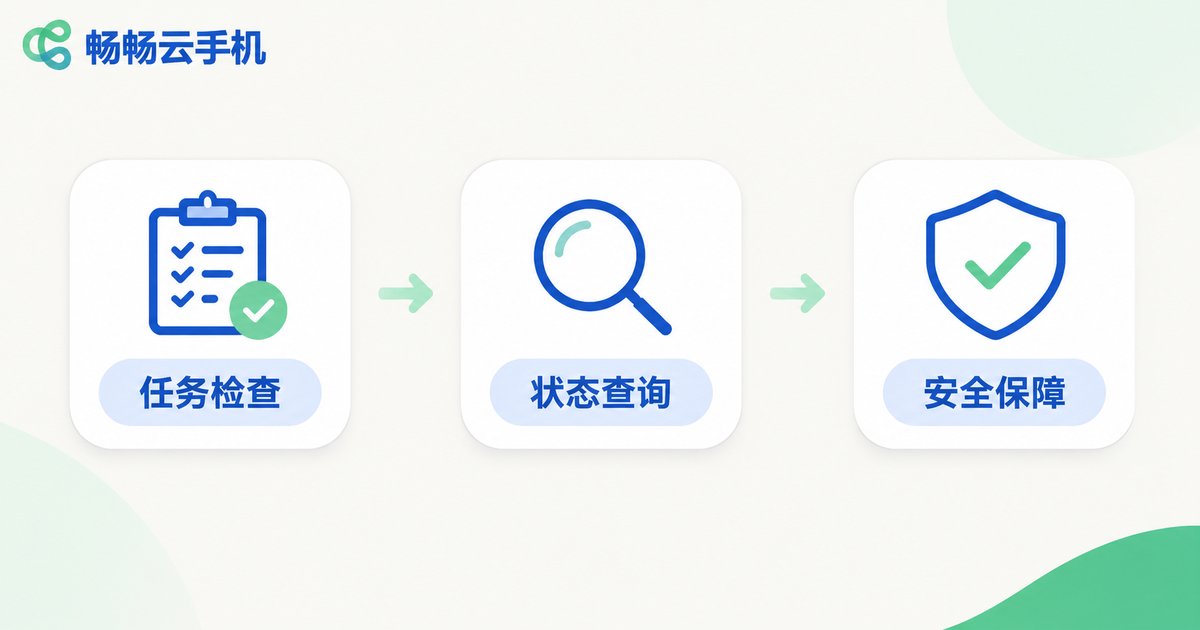
2. Define a clear success criterion for every step
The most common anti-pattern in workflow design is replacing real verification with a fixed sleep. Tap the button, wait five seconds, move on. When the device is fast you waste time; when it is slow the flow simply fails.
The right approach is conditional waiting: keep checking a condition, move on the moment it holds, and fail only after an upper limit. That condition can be an element appearing, an API returning the expected code, or page text changing.
The test is simple: if the success criterion cannot be written as one clear boolean expression, the step has not been split finely enough yet.
3. Classify exceptions instead of retrying everything
Routing every failure into the retry logic is the easiest mistake to make. Some failures clear up on the second attempt. Others will fail a hundred times and, worse, corrupt account or business state along the way.
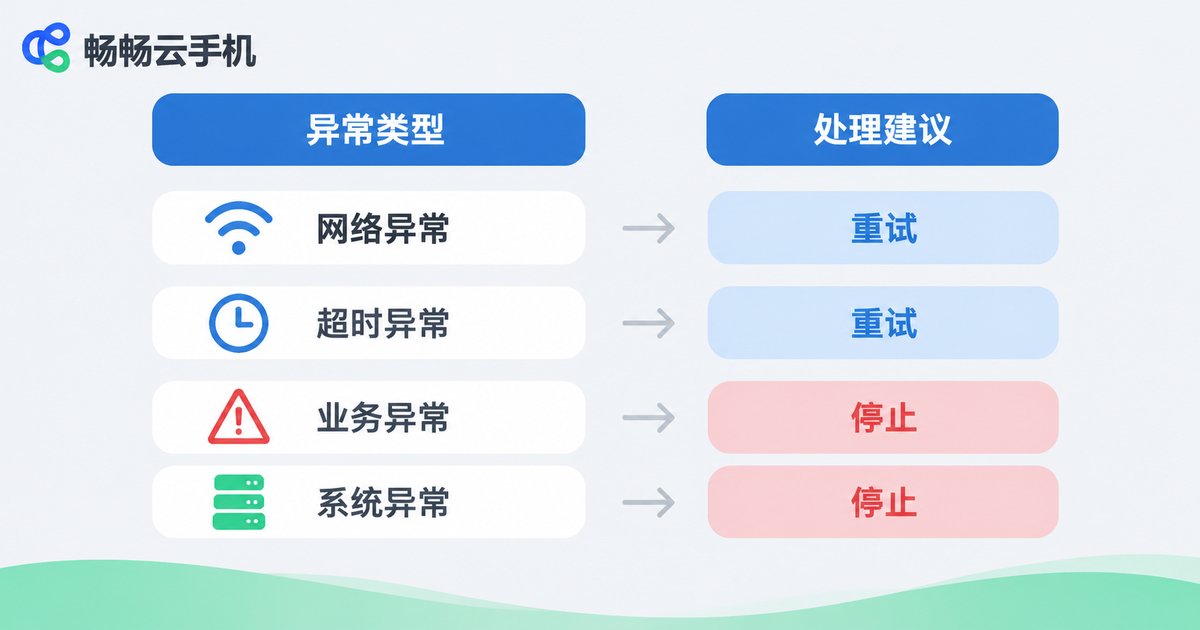
Classify exceptions at design time into three buckets: retryable, not retryable, and needs a human.
| Exception type | Typical symptom | Retry? | Recommended action |
|---|---|---|---|
| Network jitter | Request timeout, dropped connection | Yes | Back off and retry 2-3 times |
| Slow UI load | Target element does not appear | Yes | Conditional wait plus a capped number of retries |
| Device fault | Offline, black screen, frozen | Yes | Switch device and resume from the current step |
| Account risk control | CAPTCHA, rate-limit prompt | No | Pause that account and escalate |
| Business logic error | Insufficient balance, invalid parameter | No | Fail fast and alert |
This table looks trivial, but it decides how the whole system behaves when things go wrong. Retrying a non-retryable exception is often more dangerous than the failure itself.
4. Designing a retry mechanism that does not make things worse
Retry is not simply try again. It needs explicit rules:
- Cap the number of attempts. Two or three is usually enough. Past that, mark the step as failed and let the caller decide.
- Increase the interval. Fixed delays keep hammering a service during an outage. Exponential backoff with random jitter is safer.
- Retry only the current step. Restarting the whole flow re-executes earlier steps and creates dirty data.
- Stay idempotent. Check whether the previous attempt already took effect, for example by querying whether the order exists.
- Add a circuit breaker. If the same exception repeats in a short window, pause the task and alert instead of burning resources.
wait = base * 2^(n-1) + random(0, jitter)

With base = 2s and jitter = 1s:
After failure 1, wait 2-3s
After failure 2, wait 4-5s
After failure 3, wait 8-9s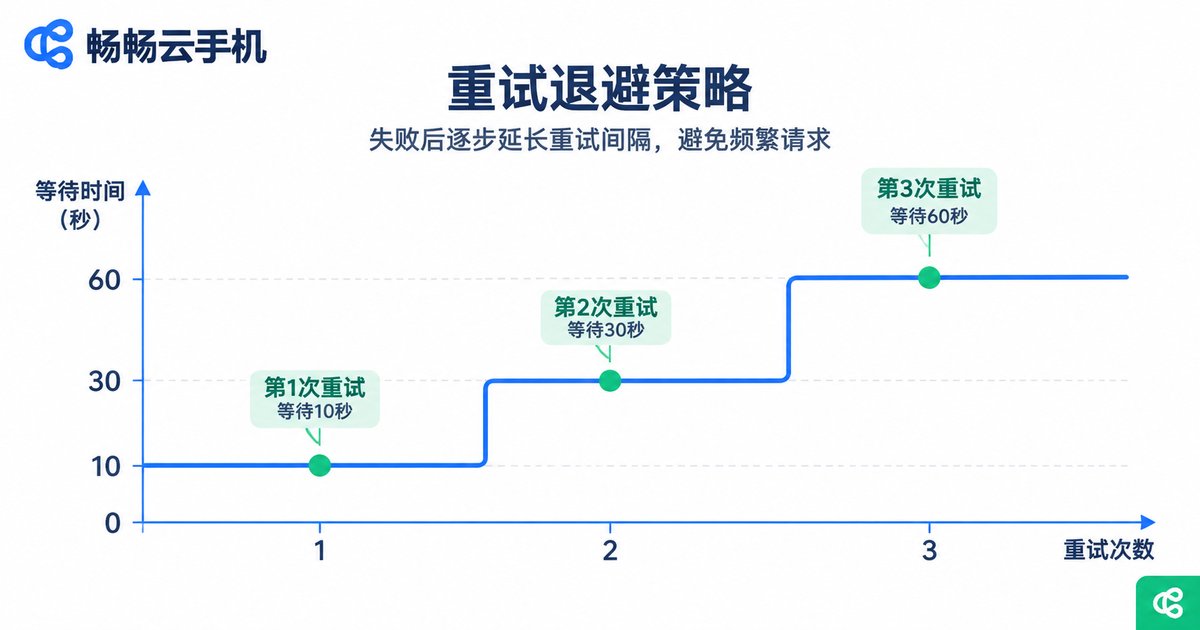
5. Timeouts, concurrency and resource cleanup
A timeout is the safety net of the flow. Every step needs its own timeout, and the whole workflow needs an overall one. Miss either layer and you will eventually have tasks that hang forever.
Concurrency needs a ceiling too. As the device count grows, so does the number of simultaneous tasks, and interface and account pressure grow with it. Start small, prove the flow is stable, then scale up rather than maxing out devices on day one.
One point is easily forgotten: cleanup. Stop devices, release sessions and remove temporary files when a task ends. Otherwise the cost creeps up in places nobody is watching.
6. Logs, screenshots and observability
Things will go wrong. The question is how quickly you can find out why. Every step should leave behind at least three things:
- Structured logs with task ID, device ID, step number, duration and result status.
- Key screenshots, especially at the moment of failure, which are often worth more than ten lines of log.
- Failure summaries grouped by exception type, so you can tell an occasional blip from a systemic problem.
With those in place, retries stop being guesswork and become something you can observe and tune.

7. Pick a stable foundation and the flow will last
Even the best workflow design sits on top of a runtime environment. If cloud phone instances keep dropping offline and their state is unpredictable, every retry and exception handler you write is just patching an unstable base.
ccloudphone (畅畅云手机) is built for exactly this kind of long-running automation: devices run in the cloud, can be created, started and stopped in batches, and can be connected to your own systems through interfaces, making it a reasonable foundation for the step-based, retry-aware and observable workflow described above. Separating device management from workflow orchestration lets a team focus on business logic instead of babysitting devices.
For specific device specifications, concurrency limits and interface details, check the official ccloudphone site and size the plan to your actual workload.
Frequently asked questions
Q: Do I need a no-code tool for cloud phone automation?
Not necessarily. Tools are just a vehicle. What matters is whether steps, success criteria and exception classes are clearly defined, and the same rules apply when you write raw scripts.
Q: How many retries is reasonable?
Two or three is usually enough for network and loading issues. If you consistently need more, the root cause is probably the workflow design or the environment, not a random blip.
Q: Why retry the current step instead of the whole flow?
Because earlier steps may already have produced a business result, such as a submitted order. Restarting the flow causes duplicate submissions and dirty data.
Q: How do I decide whether an exception should be retried?
Ask whether it is transient. Failures caused by the environment can usually be retried; failures caused by business rules or account state should be escalated or alerted instead.
Q: What changes when the device count grows?
At minimum, add concurrency limits, batch scheduling and failure isolation. Making one device failure harmless to the rest of the batch is the prerequisite for scale.


