

Cloud Phone Task Failure Retry Mechanism: Efficiency Gains and Risk Control
Why tasks on cloud phones fail for seemingly no reason
Anyone who has run scripts or batch jobs on cloud phones has seen this: you push out a batch of tasks, check the results the next morning, and the success rate is only around 70-80%. The remaining tasks were not skipped entirely — they started and then failed halfway. Dig into the logs and the causes fall into a few familiar buckets: network jitter causing request timeouts, instance load causing scripts to hang, temporary blocks from the target app's risk controls, and short-lived resource shortages when the scheduler assigns instances.
Most of these failures do not mean the task itself is impossible. They mean this particular attempt was unlucky. If every failure needs a human to re-run it, labor and time costs balloon quickly. That is why a well-designed task retry mechanism largely determines the efficiency ceiling of running cloud phones at scale.
Classify first, retry second: not every failure deserves a retry
Many teams start by bolting retry three times on failure onto every task, and end up amplifying the problem. The right first step is to classify failures and route each category to a different strategy.
| Failure type | Typical symptom | Recommended strategy |
|---|---|---|
| Transient network error | Connection timeout, DNS resolution failure | Retry immediately with exponential backoff |
| Insufficient instance resources | Boot timeout, memory alerts, unresponsive script | Switch instance, then retry |
| Script logic error | Element not found, page structure changed | No auto retry, escalate to manual review |
| Risk control block | CAPTCHA appears, rate limit message | Retry after a longer delay, or throttle the batch |
| Idempotency conflict | Duplicate submission rejected by the server | No retry, treat as already completed |
The value of this table is that it separates failures worth retrying automatically from failures that need human attention. The first group goes back to the program, the second goes into an alert queue. Neither wastes resources on the other's problem.
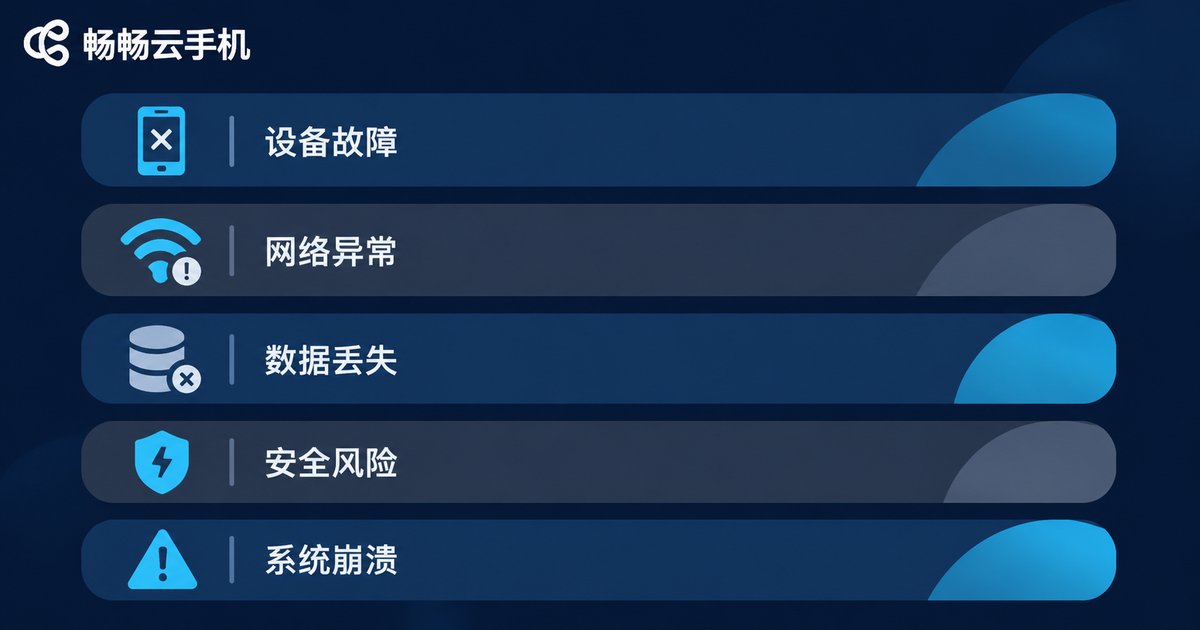
The four core elements of a retry mechanism
1. Idempotency keys. The biggest hidden risk in retrying is that the same action runs twice. Every task should carry a unique business identifier from the moment it is created, so the server can tell whether it has already been processed. Without idempotency, retrying is just generating duplicate data.
2. Maximum attempt count. More retries is not better. A common recommendation is three to five attempts per task. Beyond that, treat it as a persistent fault and move it to a dead-letter queue. Unlimited retries let one bad task hold an instance hostage and slow the whole batch.
3. Backoff strategy. Retrying immediately after a failure usually fails again, because the condition that caused it has not recovered. The standard approach is exponential backoff with jitter: wait two seconds, then four, then eight, and add a random offset on top so that many tasks do not all wake up and retry at the same instant, piling pressure back onto the target service.
4. Observability. Every retry attempt should leave a record: which attempt number, the original error code, the duration, and which instance it ran on. Without this data you can never tell whether you are fixing a problem or hiding one.
Improving efficiency: faster retries that cost less
Pair exponential backoff with jitter. Pure exponential backoff makes every failed task wake up at the same moments, creating fresh traffic spikes. Adding 20-30% random jitter spreads the retry load out, and total elapsed time often ends up shorter.
Match concurrency with rate limiting. Retry tasks are usually lower priority than new tasks. Put them in a separate low-priority queue with a concurrency cap, so a sudden spike in failures will not stall new work.
Layered queues are more stable than one big queue. Split tasks into a fast-retry tier, a delayed-retry tier and a manual-review tier, each consuming at its own pace. Fast failures roll back quickly, slow failures get fixed patiently, and overall throughput stays smooth.
Failure snapshots cut debugging costs dramatically. Taking a screenshot at the moment of failure, along with logs of the key steps, is far more efficient than digging through recordings by timestamp afterwards. Many logic failures can be diagnosed instantly from a screenshot.

Risk control: the three pitfalls retries most often hit
Pitfall 1: duplicated business actions. Forwarding a message, submitting a form, claiming a reward — if one of these runs twice because there was no idempotency key, it becomes a real business error. The rule of thumb: write operations must carry idempotency keys; read operations can be retried freely.
Pitfall 2: retries amplify risk control consequences. When the target app blocks you for excessive frequency, retrying immediately only makes the account state worse. The right response is to recognize this error class, then lengthen the interval, reduce concurrency and throttle the batch rather than hammering away at the attempt count.
Pitfall 3: retries mask real outages. If a batch's failure rate suddenly jumps from 10% to 50%, retries will not fix it — something in the environment or the script changed. Set circuit-breaker thresholds: when the failure rate inside a time window exceeds the limit, pause automatic retries and raise an alert so the team can see what is actually happening.
A parameter template you can deploy as-is
The configuration below covers the vast majority of cloud phone batch scenarios. Use it as a starting point and tune it to your tolerance for failure.
retry_policy = {
  'max_attempts': 3,
  'base_delay': 2,
  'backoff': 'exponential',
  'jitter_ratio': 0.3,
  'timeout_per_attempt': 60,
  'retry_on': ['network_timeout', 'instance_busy'],
  'no_retry_on': ['script_error', 'risk_control', 'idempotent_conflict'],
  'circuit_breaker': {
    'window_seconds': 300,
    'failure_rate_threshold': 0.5
  }
}
Three things matter most here: only transient errors retry automatically, script and risk-control errors never retry blindly, and the circuit breaker trips when the failure rate gets too high. Prevent big mistakes first, then chase a higher success rate.
A solid retry mechanism still needs a solid environment
No retry logic, however well designed, can compensate for instances that keep dropping offline or take forever to boot — you end up burning attempts over and over. So while you design the mechanism, choosing a stable cloud phone environment matters just as much.
CCloudPhone (ccloudphone) provides cloud instances built for batch task scenarios, with unified multi-instance management and batch operations, plus a console where task status and execution results can be reviewed in one place. For teams running long-term batch scripts, an environment that is observable and manageable at scale is what lets a retry mechanism actually do its job, because most failures get stopped at the environment layer instead of being left for business logic to catch.
A practical rollout order: first record and tally failure types, then configure classified retry policies, and finally use circuit breakers and alerts to contain abnormal peaks. Once all three are in place, success rates usually improve noticeably and the burden of manual re-runs drops sharply.

Frequently asked questions
Q: How many retry attempts is reasonable?
Three to five is a sensible default. Too few turns transient jitter into outright failures; too many extends how long each task occupies an instance. Better still, differentiate by failure type: three chances for transient errors, switch instances and give two more for resource shortages, and no retries at all for logic errors.
Q: What is the difference between exponential backoff and fixed-interval retries?
Fixed-interval retries create new traffic peaks at the same moment, which is especially noticeable when many tasks fail together. Exponential backoff increases the wait each time and, combined with jitter, spreads retry traffic out — much friendlier to the target service.
Q: When should automatic retries stop entirely?
Three cases: when the business action cannot be made idempotent, when the failure is a risk-control block, and when the failure rate inside a time window exceeds the threshold. The first two prevent new errors; the third gives the team room to investigate the environment.
Q: What fields should retry logs capture?
At minimum: task identifier, attempt number, original error code, duration of each attempt, instance ID, and a screenshot at the moment of failure. It is a short list, but it covers most debugging scenarios.
Q: I switched to a more stable cloud phone environment, so why is the success rate still low?
The environment only solves runtime stability. Script logic, page structure changes and frequency control are still your responsibility. Tally the failure reasons first, identify the biggest category, and optimize that specifically instead of simply increasing the retry count.


