

How to Design Retry, Timeout, and Post-Action Verification for Cloud Phone Automation Tasks
Why Cloud Phone Automation Tasks Fail Mysteriously
Anyone running automation on cloud phones knows the scenario: the script works perfectly in local testing, but when deployed to dozens or hundreds of cloud devices, some get stuck on a step or tap a button with no response. In most cases the script logic is fine — what is missing is fault-tolerant design. Network jitter, slow page loads, sudden pop-ups, inconsistent device states... each is a low-probability event on one device, but across hundreds of cloud phones running simultaneously, they will happen.
A mature fault-tolerance system is built on three lines of defense: timeouts ensure tasks never hang forever, retries give failed steps another chance, and post-action verification confirms the action actually took effect. Together they turn success rates from luck into something predictable.
Timeout Design: Set an Alarm for Every Action
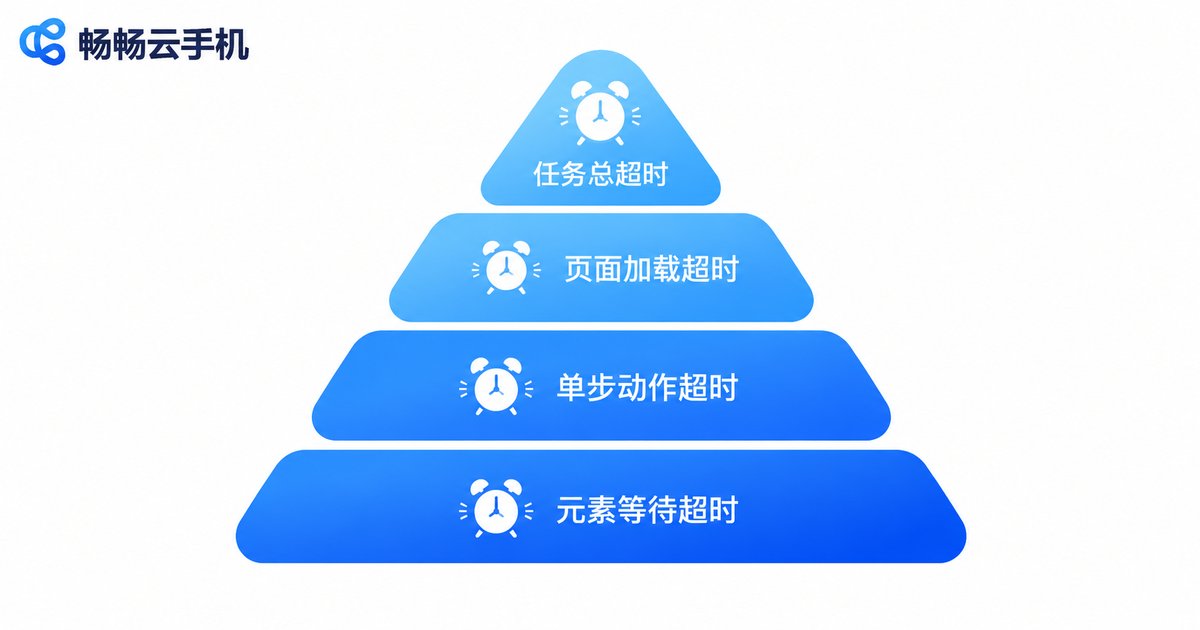
The most common failure mode is hanging: the script waits for an element that never appears, or a tap command gets no response from the UI. Without timeouts, one task can block a device for hours, wasting resources and dragging down overall progress. Design timeouts in layers:
| Timeout layer | Applies to | Suggested limit | Action on timeout |
|---|---|---|---|
| Element wait | Waiting for a control to appear | 5-15s | Log and retry |
| Single action | Tap, swipe, input, etc. | 10-30s | Screenshot and mark failed |
| Page load | Page or app loading | 20-60s | Return home or restart app |
| Total task | Entire automation flow | Per business needs | Force stop and release device |
The key principle: every wait must have an upper limit. Also make sure upper-layer timeouts exceed the maximum cumulative value of lower layers, or the total timeout will kill healthy tasks. For example, with a 30-second per-step timeout and 20 steps, the total timeout must be set well above 10 minutes with margin to spare.
Retry Design: Retry Smart, Not Just Repeatedly
What happens after a timeout? Giving up wastes the work; retrying forever creates loops. A good retry policy answers three questions: how many times, with what interval, and what to check before retrying.
First, separate retryable errors from non-retryable ones. Network timeouts and unloaded elements are transient and worth retrying; an abnormal account state or expired credentials is deterministic — retrying a hundred times will not help, so terminate immediately and mark it to save device hours.
Second, use exponential backoff. Wait 2 seconds after the first failure, 4 after the second, 8 after the third, giving the system time to recover instead of hammering it at its busiest. Two to three retries are usually enough; more than three usually means an environment problem that needs escalation.
Third, make actions idempotent. Before retrying, verify whether the previous action already took effect: if a publish tap timed out, check whether the content was actually published first, or you may publish twice. Use UI state, local flags, or API responses as evidence.
# Pseudocode: retry with backoff
def run_with_retry(action, max_retry=3):
    for i in range(max_retry):
        result = action.execute()
        if result.success and verify(result):
            return True
        wait(2 ** (i+1))   # exponential backoff: 2s, 4s, 8s
        if not result.retryable:
            break          # non-retryable, exit early
    mark_failed(action)
    return False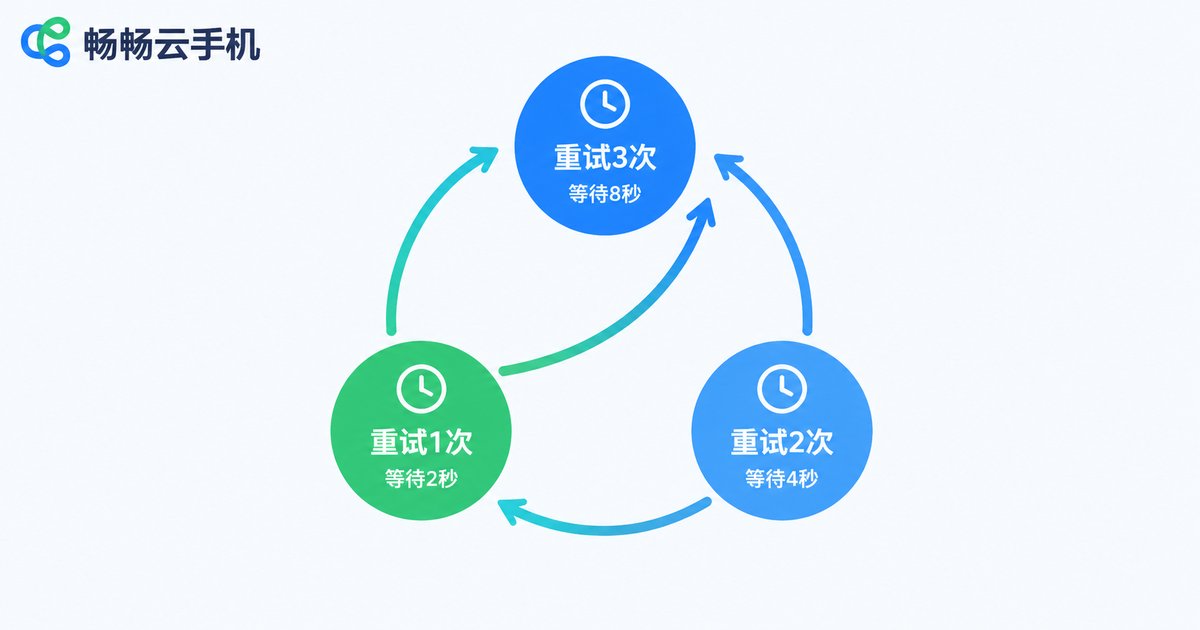
Post-Action Verification: Confirm It Really Worked
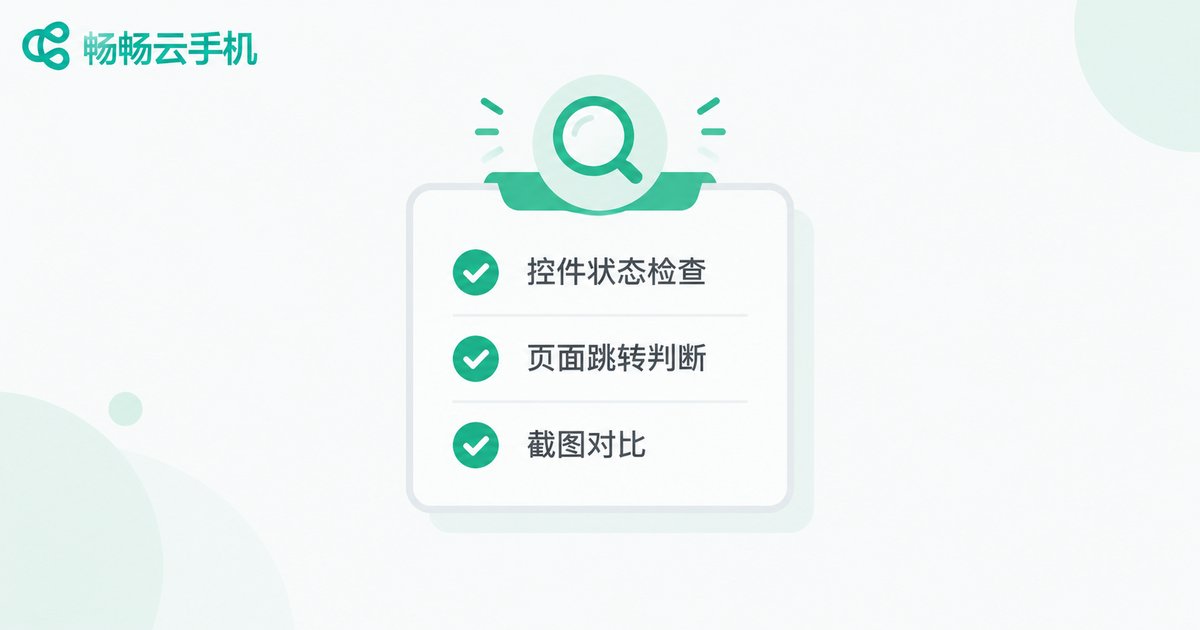
Many scripts only fire actions without confirming results: they tap Follow without checking the follow happened, send messages without confirming delivery. This fire-and-forget habit silently destroys success rates. Four common verification methods:
| Method | Best for | Reliability | Cost |
|---|---|---|---|
| Control state check | Button text changes, e.g. Follow to Following | High | Low |
| Navigation check | Expected target screen after the action | High | Low |
| Screenshot comparison | Obvious visual changes, hard-to-locate controls | Medium | Medium |
| API or data query | Business with server-side data to verify | Highest | Higher |
Run verification immediately after the action, allowing 1-3 seconds for the UI to render. A failed verification does not always mean an instant retry — combine it with the backoff strategy above. Write results into structured logs so you can measure the true success rate of each step and find the weakest link.
The Last Line of Defense: Logs, Alerts, and Checkpoint Resume
Even with three defenses in place, some failures will slip through. The final layer is observability and recoverability:
Structured logging: record device ID, action, timestamp, screenshot path, and result for every step, so failures can be traced to the exact device, step, and cause.
Tiered alerting: log single-device failures silently, and alert only when the failure rate crosses a threshold (say 10%), so alerts stay meaningful instead of numbing.
Checkpoint resume: persist the completion state of each key step, so an interrupted task resumes from its checkpoint instead of starting over, saving substantial device hours.
Run Automation on a Stable Foundation with CCCloudPhone
Fault tolerance handles what happens when things go wrong; environment stability determines how often things go wrong. CCCloudPhone (ccloudphone) provides cloud-based Android device environments with platform-managed device states, no dependence on a local PC staying powered on, so automation scripts can run around the clock. With group control capabilities, tasks can be dispatched in batch and results collected centrally, handling retry and verification logic at the scheduler level — far more efficient than checking devices one by one.
In practice, make timeout, retry, and verification parameters configurable rather than hard-coded. Use different parameter sets for different scenarios, validate on a small batch of devices first, then roll out gradually. Every adjustment backed by data steadily raises success rates. Visit the official CCCloudPhone website at ccloudphone to learn more.

FAQ
Q: How many retries should I configure?
Two to three retries are usually enough. Combined with exponential backoff (2s, 4s, 8s), three retries cover the vast majority of transient faults. If an action still fails after three retries, it is most likely an environment or flow problem — stop and escalate rather than keep retrying.
Q: Will shorter timeouts improve efficiency?
Too-short timeouts misjudge normal loading as failure and trigger unnecessary retries, which is slower overall. Start with experience-based values, then analyze actual per-step timing distributions from logs (e.g. P95) and set timeouts above P95 with margin.
Q: If post-action verification fails, should I retry immediately?
Not immediately. Wait 1-3 seconds for the UI to finish rendering and verify once more; only then enter the retry flow. Many verification failures are simply checks performed too early.
Q: How do I prevent retries from causing duplicate actions?
The key is idempotent design: before retrying, check whether the previous action already took effect — for example, whether the page state has reached the target state, or by querying server-side data. Re-execute only after confirming it did not.
Q: Is CCCloudPhone suitable for automation tasks?
Yes. CCCloudPhone offers a stable cloud Android environment with long-duration online operation, and its group control capability supports batch task execution and result collection — a solid foundation for implementing the fault-tolerance mechanisms in this article. See the official site at ccloudphone for details.


