

Cloud Phone for Software Testing: A Tutorial on Building and Running Automated Testing Frameworks
Why Software Testing Needs Cloud Phones
Mobile QA teams commonly face three challenges: limited physical devices, severe device fragmentation, and hard-to-maintain test environments. Covering different brands and Android versions with purchased handsets means high costs, long procurement cycles, and a device lab that needs constant attention.
Cloud phones change the equation. Running in cloud data centers, a cloud phone is essentially an independent Android device that can be provisioned in batches within minutes and released anytime. For QA teams this means dozens of devices running test cases simultaneously without stockpiling hardware; test jobs executing around the clock in the cloud without occupying local machines; and clean, resettable environments — one click restores the initial state after a failed case, keeping dirty data out of your debugging.
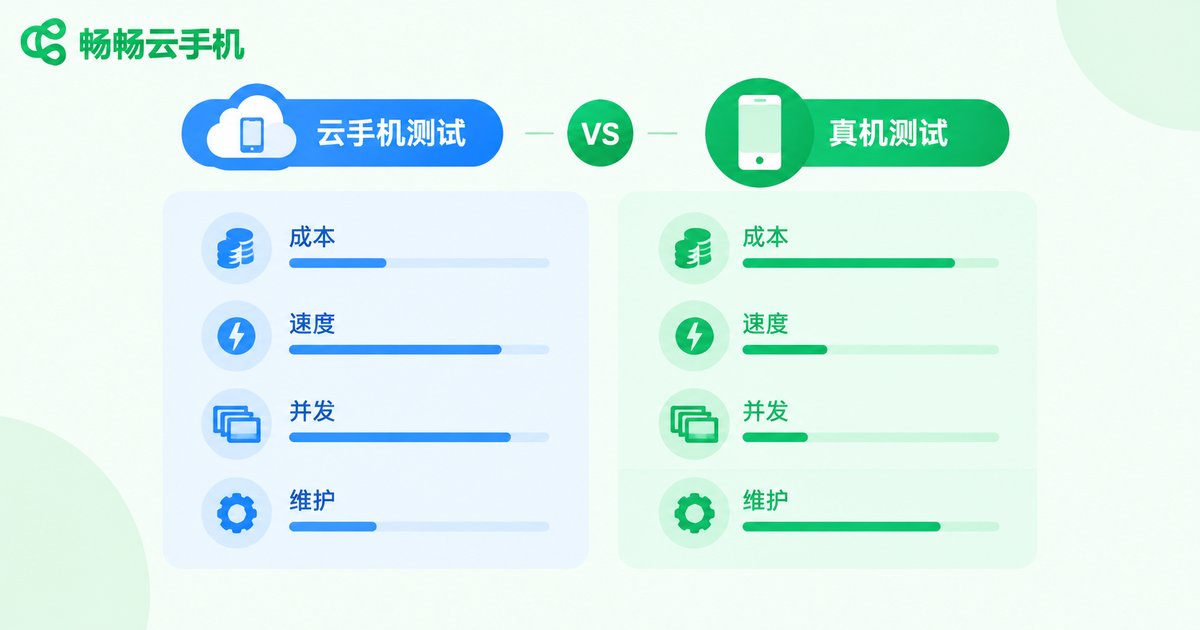
Cloud Phone Testing vs. Traditional Real-Device Testing
Compared across cost, efficiency, and maintainability, cloud phones win in most automated testing scenarios:
| Dimension | Cloud Phone | Traditional Real Device |
|---|---|---|
| Device provisioning | Batch creation in minutes | Long procurement cycles, high cost |
| OS version coverage | Flexible configuration | Limited to purchased devices |
| Parallelism | Dozens of devices running simultaneously | Constrained by lab space and staffing |
| Environment upkeep | Centralized management, one-click reset | Manual cleanup or re-flashing |
| Execution time | Unattended 24/7 runs | Depends on working hours |
That said, for scenarios involving sensors, real camera capture, or NFC, keep a small pool of real devices for supplementary verification. Combining cloud phones with real devices is the safest strategy.
Preparation Before Setup
The framework uses the most popular Appium + Python stack. Prepare the following before starting:
1. Python 3.8 or later on your local machine or server;
2. Appium Server and the appium-python-client library;
3. Android SDK platform tools (mainly for the adb command);
4. One or more cloud phone instances provisioned from the CCloudPhone console;
5. The APK package of the application under test.
# Install the Appium Python client
pip install Appium-Python-Client

# Install and start Appium Server (Node.js required)
npm install -g appium
appium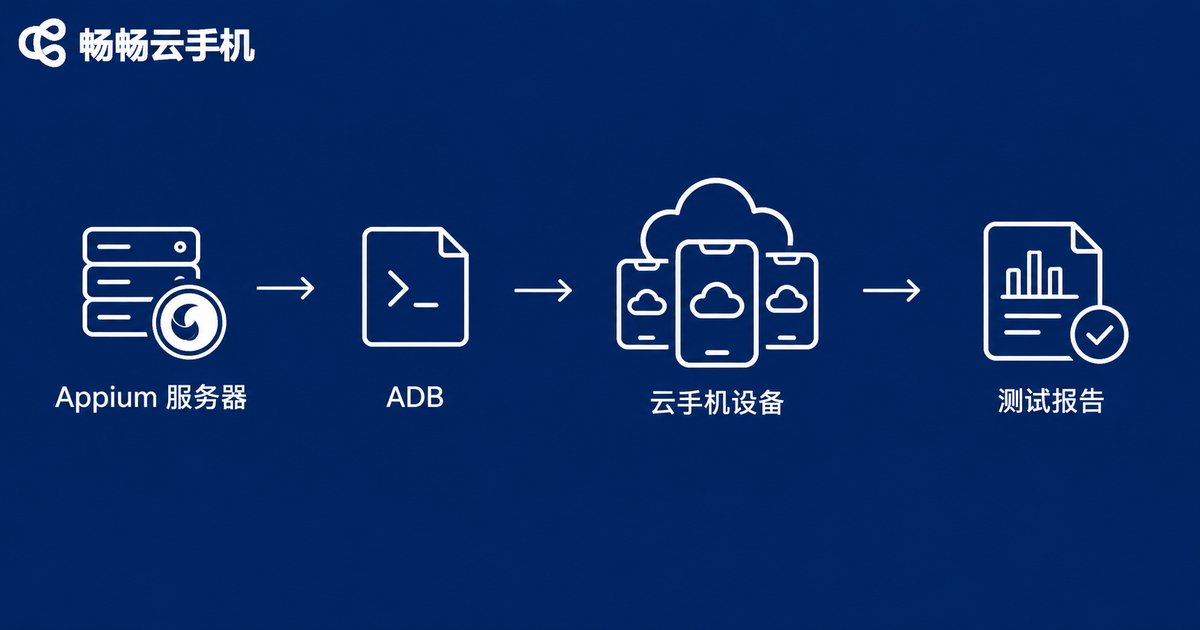
Step 1: Connect to the Cloud Phone
Cloud phones expose an ADB endpoint. Once you have the address, your local machine can connect to the cloud device just like a USB-attached phone:
# Connect using the ADB address from the console
adb connect your-cloud-phone-adb-address

# Verify the device is connected
adb devices
When the device appears in the list with the state device, the cloud phone is ready. If the connection fails, check whether ADB debugging is enabled in the console and whether the address and port are correct.
Step 2: Write Your First Automated Test Script
The following example drives a login flow on the cloud phone through Appium:
from appium import webdriver
from appium.options.android import UiAutomator2Options
from appium.webdriver.common.appiumby import AppiumBy
import time

# Configure capabilities for the cloud phone
options = UiAutomator2Options()
options.platform_name = 'Android'
options.automation_name = 'UiAutomator2'
options.device_name = 'ccloud-phone'
options.udid = 'your-cloud-phone-adb-address'
options.app_package = 'com.example.app'
options.app_activity = '.MainActivity'

# Connect to Appium Server and drive the cloud phone
driver = webdriver.Remote('http://127.0.0.1:4723', options=options)
time.sleep(5)

# Example: locate the login button and tap it
btn = driver.find_element(AppiumBy.ID, 'com.example.app:id/login_btn')
btn.click()

# Assert the navigation result
assert 'Home' in driver.page_source
driver.quit()
The script logic is identical to real-device testing; the only change is pointing udid to the cloud phone's ADB address. Existing Appium test cases can be migrated almost unchanged and run directly on cloud phones.
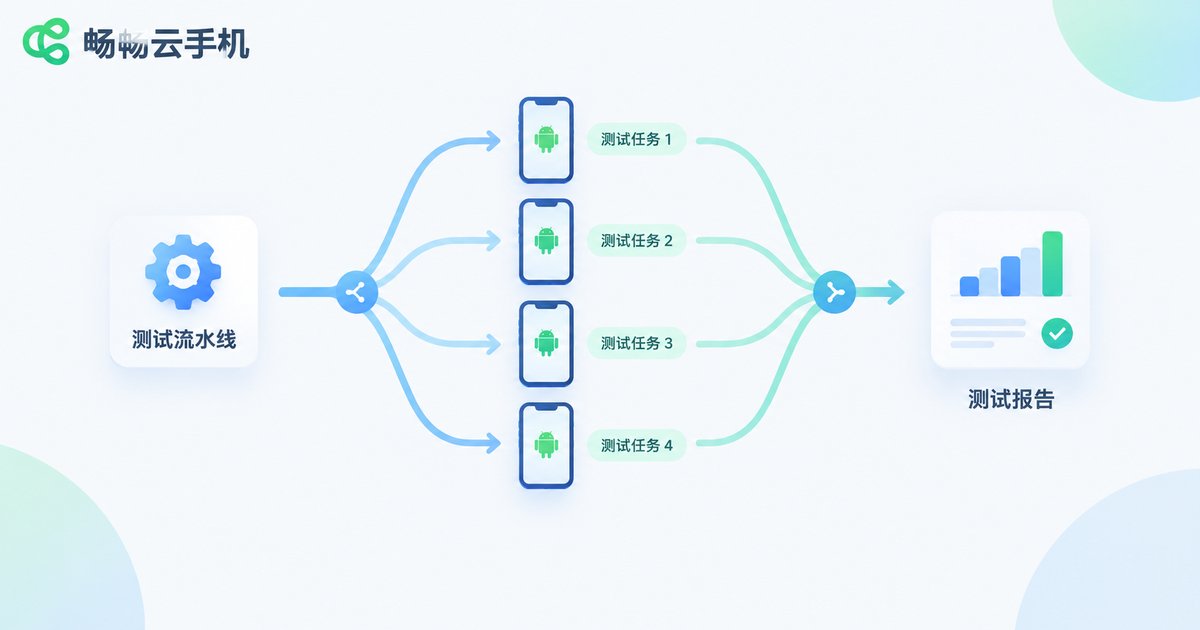
Step 3: Parallel Testing and Continuous Integration
Running cases serially on one device is slow. The real value of cloud phones is parallel execution: split cases by module and dispatch them to multiple cloud phones at once to cut total runtime dramatically:
import multiprocessing

devices = [
    'adb-address-of-cloud-phone-1',
    'adb-address-of-cloud-phone-2',
    'adb-address-of-cloud-phone-3',
]

if __name__ == '__main__':
    pool = multiprocessing.Pool(len(devices))
    for udid in devices:
        # run_test wraps the execution logic for a single device
        pool.apply_async(run_test, args=(udid,))
    pool.close()
    pool.join()
Take it further by wiring the whole flow into a continuous integration (CI) pipeline: every code commit triggers a build, the pipeline spins up multiple cloud phones on a schedule to run regression suites, then generates reports and releases the devices automatically — achieving fully unattended automated regression testing.
Best Practices for Test Execution
1. Layer your test cases: run smoke tests on all devices, core regression on mainstream models, and long-tail cases at lower frequency;
2. Keep cases independent: each case should prepare and clean up its own data, with no inter-case dependencies;
3. Capture evidence on failure: automatically save screenshots and logcat output when exceptions occur for remote debugging;
4. Reset after each run: restore cloud phones to their initial state after each round to keep the next run clean;
5. Allocate devices dynamically: build a simple device-pool scheduler that releases devices when done to reduce resource usage.
Why Choose CCloudPhone for Automated Testing
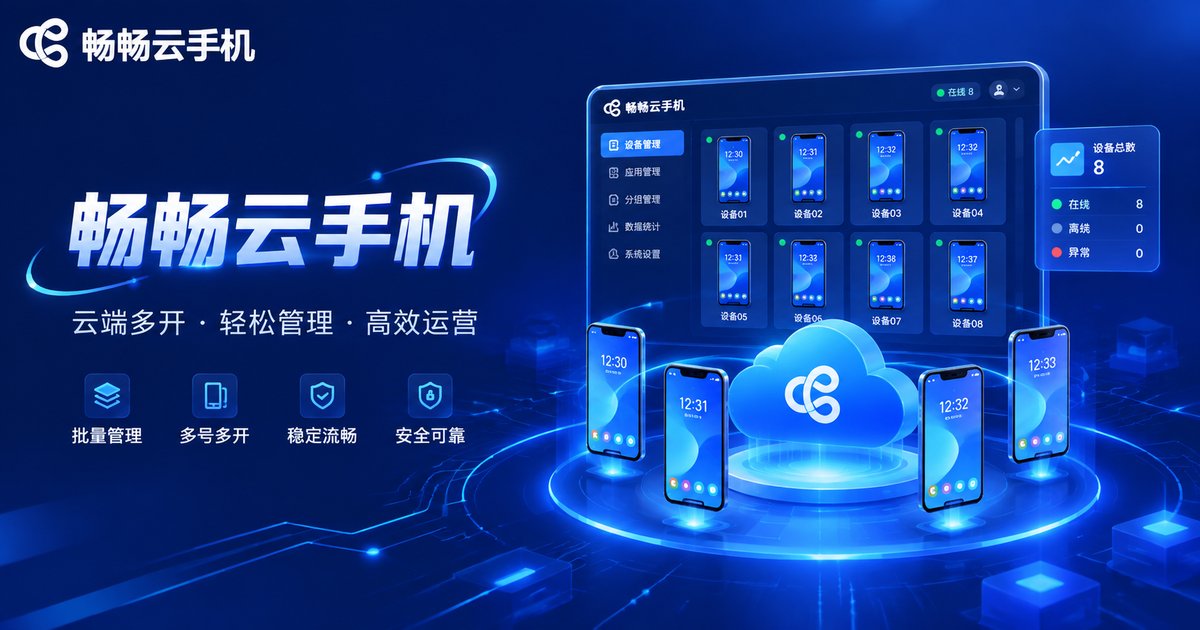
Among cloud phone services, CCloudPhone (ccloudphone) is particularly friendly to testing workloads: stable cloud Android instances, batch group control, one-click environment reset, and ADB debugging support that plugs seamlessly into mainstream automation frameworks such as Appium. Devices can be provisioned on demand and scaled elastically — whether for daily regression or full-scale major-release testing, you can quickly secure enough devices. Your team can then focus on test case design instead of device management and lab maintenance.
FAQ
Q: Can Appium run on a cloud phone?
Yes. A cloud phone is a complete Android system with ADB support. Appium connects and runs cases normally through the UiAutomator2 driver, and scripts are written exactly as for real devices.
Q: Are cloud phone test results trustworthy?
For functional testing, UI automation, and compatibility sweeps, cloud phones behave the same as real devices. For hardware-dependent features such as camera capture, sensors, or NFC, supplement with a small number of real devices.
Q: How many cloud phones do I need?
It depends on your case volume and release cadence. Three to five parallel devices noticeably speed up daily regression; temporarily scale to dozens for major releases and release them afterward to keep costs low.
Q: Is migrating existing Appium scripts to cloud phones difficult?
Not at all. Simply change the udid to the cloud phone's ADB address; everything else stays the same and the scripts run directly.


