
Does a Cloud Phone Need the App Open All the Time? How Background Running Works
The Short Answer: No, You Don't Need to Keep the App Open
Many newcomers to cloud phones wonder: do I have to keep the app open with the screen on while AFK farming? Will the game disconnect the moment I lock my phone? The answer is absolutely not. A cloud phone works on the principle of "run in the cloud, display locally" — your games and apps actually run on remote cloud servers, and the app on your phone is just a "remote control." Close the app, lock your screen, or even power off your phone — the game in your cloud phone keeps running steadily in the cloud.
How Cloud Phone Background Running Works
To understand why you can safely close the app, you first need to know how a cloud phone works. On a traditional phone, the game runs on the local chip. Once you switch it to the background, the system freezes or kills the process to save battery and memory, and the game disconnects.
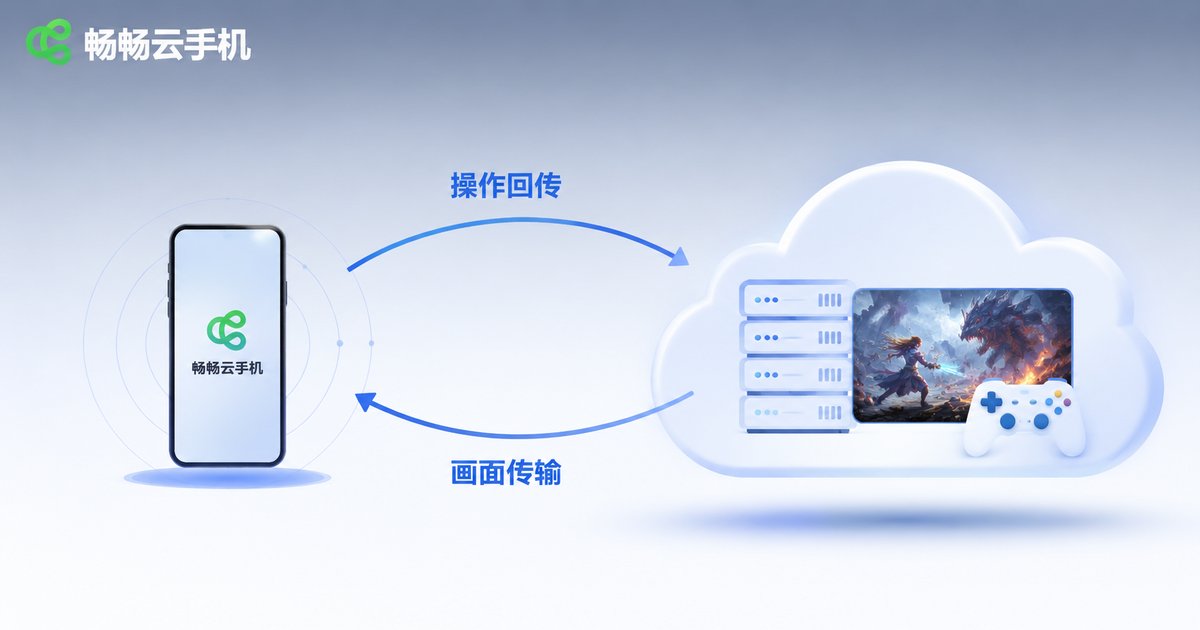
A cloud phone, however, moves the entire "phone" to the cloud: a complete Android system runs on the server, and your game is installed and running inside that cloud-based system. The app on your phone does only two things: streams the screen to you in real time, and sends your commands back to the cloud. In other words, the app is just a "monitor plus remote control" — whether it's open or closed has no effect on the running state of that "phone" in the cloud.
Cloud Phone vs. Local Phone: Background Mechanism Comparison
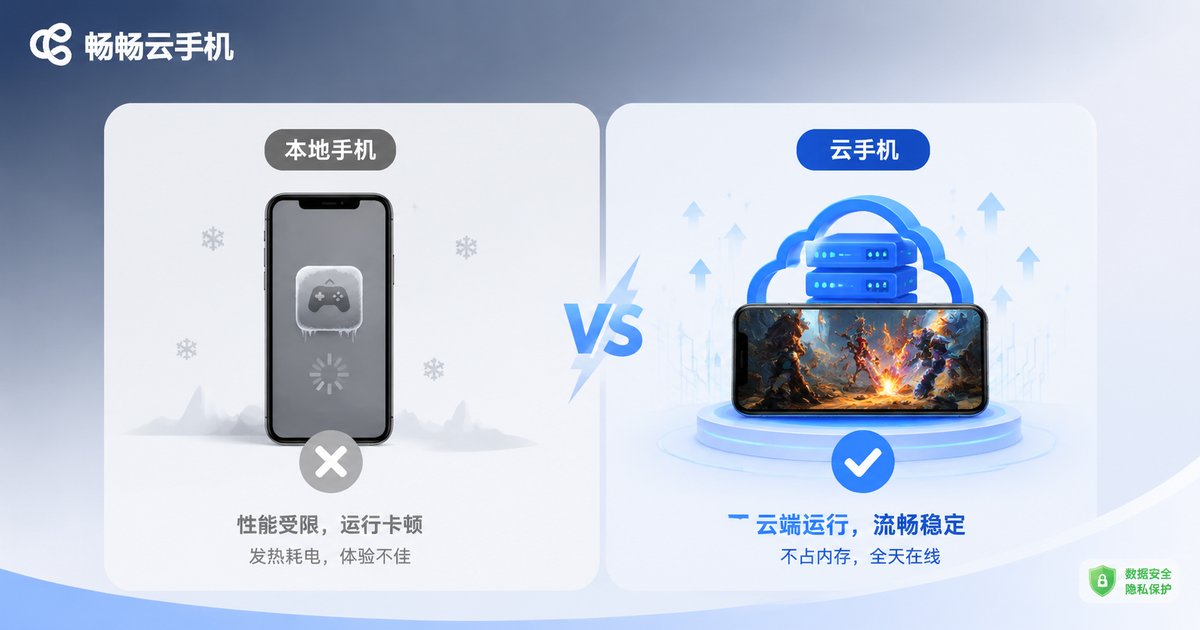
To make this clearer, here's a side-by-side comparison:
| Aspect | Local Phone Background | Cloud Phone Background |
|---|---|---|
| Where apps run | Local chip | Cloud server |
| Runs after screen lock | Often frozen by the system | Unaffected, keeps running |
| Battery drain | Continuous drain and heat | Nearly zero on local device |
| Network loss effect | Game disconnects immediately | Cloud keeps running; screen syncs on reconnect |
| Power-off effect | All tasks stop | Cloud tasks continue as usual |
As you can see, the biggest advantage of a cloud phone is that tasks are fully decoupled from your local device. Even if your phone runs out of battery and shuts down, your character in the cloud phone keeps auto-farming and completing quests — open the app later and you'll find a pile of XP and materials waiting.
Which Scenarios Benefit Most from Background Running?
AFK game farming: Many mobile games require long online hours to grind XP and materials. With a cloud phone doing the AFK work, your local phone stays free for whatever you want.
Multi-account management: Studios and hardcore players often run multiple accounts at once. Cloud phones support multiple instances running simultaneously, each operating independently without interference.
Scheduled task hosting: After setting up automated tasks, the cloud executes them on schedule even if you don't open the app for days — just come back and collect the rewards.
Playing big titles on low-end devices: Since the game runs on cloud servers, local hardware barely matters. Old phones and tablets can smoothly control large games.
Tips for Using ChangChang Cloud Phone
ChangChang Cloud Phone (ccloudphone) is built on a cloud-based real-device architecture where apps keep running in the cloud and the local app can be closed anytime. Here are some practical tips:
1. Set up auto-tasks before going AFK: Configure auto-battle, auto-loot, and similar features in the game, then exit the app — the cloud will keep executing them without wasting a minute of online time.
2. Check in remotely anytime: Open the app whenever you want to see progress; the screen syncs the current state in real time, and you can exit right after — no need to keep watching.
3. Mind your cloud duration: Cloud phones rely on cloud resources, so pay attention to the online duration rules of your chosen plan and schedule your AFK sessions accordingly.
4. Don't panic over network hiccups: A local network drop only means you temporarily can't view or control the screen — cloud tasks continue, and you can reconnect once the network recovers without losing any progress.
FAQ
Q: Will the game in my cloud phone disconnect after I close the app?
No. The game runs on cloud servers. Closing the local app is just "turning off the monitor" — cloud tasks continue without any impact.
Q: Can the cloud phone still run if my phone is locked or powered off?
Yes. The cloud phone is fully decoupled from your local device. Powering off locally doesn't affect the cloud; just open the app after rebooting to check progress.
Q: Does AFK farming on a cloud phone drain my battery?
Almost none. The local app only streams video when you're viewing the screen. If you don't open the app while AFK, your local phone carries zero load and stays cool.
Q: What happens if my internet goes down?
A local network drop only means you temporarily can't view or control the screen. Cloud tasks keep running, and the screen syncs once you reconnect — no progress is lost.
Q: Does ChangChang Cloud Phone support multiple cloud phones running simultaneously?
Yes. You can activate multiple cloud phone instances as needed, each running independently — perfect for multi-account management scenarios.


