
What Are the Core Features of a Cloud Phone? These 8 Are the Most Practical
What Is a Cloud Phone?
Simply put, a cloud phone is an Android phone running on remote servers in a data center. Its system, apps, and data all live in the cloud. You connect from your local phone, tablet, or computer and control it just like a real device. Your local device only displays the screen and sends commands—the actual computing happens in the cloud, so even if you turn off your local phone, the cloud phone keeps running.
Thanks to this "local control, cloud execution" architecture, cloud phones offer capabilities that traditional phones can't match. The following 8 features are the ones most users rely on most often.
The 8 Most Practical Cloud Phone Features
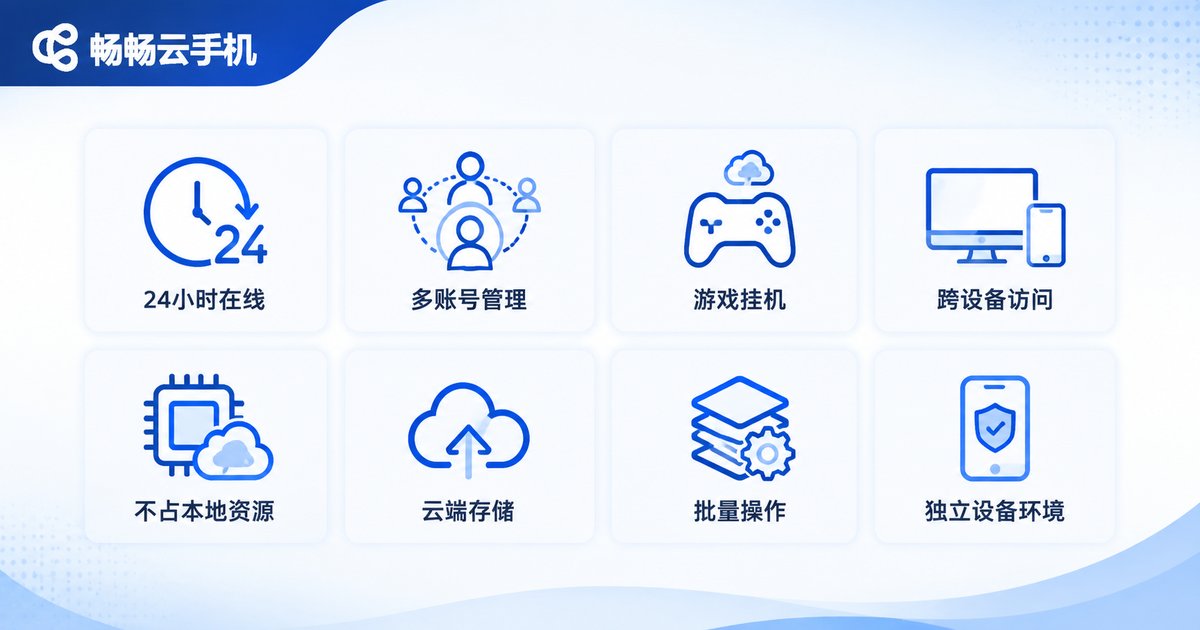
1. 24/7 Cloud Uptime—Never Goes Offline
Cloud phones run on data center servers. As long as the servers stay on, your cloud phone stays online around the clock. You can close your local device or exit the app, and games, livestreams, and scripts on the cloud phone keep running. For long-duration AFK tasks, this is the most fundamental capability.
2. Multi-Account Management—One Device, Many Phones
Need to run multiple accounts at the same time? Cloud phones let you open multiple cloud devices simultaneously, each logged into a different account without interference. Compared with the hassle of switching accounts on a physical phone, multi-instance management is a major efficiency boost—an essential feature for e-commerce and social media operators.
3. Game AFK Farming—Earn Resources While You Sleep
Many mobile games feature daily quests, stamina systems, and dungeon resets that are exhausting to grind manually. Install your game on a cloud phone, and with built-in auto-battle or hosting features, your character keeps farming and completing tasks in the cloud while you sleep or work. Just log in the next day and collect your rewards.
4. Cross-Device Access—Pick Up Anywhere
A cloud phone isn't tied to a specific device. Start tasks from your phone in the morning, check progress from your work computer at noon, and continue on your tablet at night. Data syncs in real time for a seamless experience, free from local device limitations.
5. Zero Local Resource Usage—Old Devices Run Smoothly
All computing happens in the cloud; your local device only streams the screen, so performance demands are minimal. Even low-spec old phones and computers can run large games and apps smoothly—it's like upgrading your local device with high-end cloud computing power.
6. Cloud Data Storage—Nothing Lost When You Switch Devices
Apps, accounts, and files on a cloud phone are stored in the cloud. A damaged or lost local device doesn't affect your data, and when you need to change cloud device configurations, data can be migrated easily—say goodbye to re-downloading everything on a new phone.
7. Batch Operations—One Person Managing Hundreds of Devices
For studios and enterprise users, cloud phone platforms typically offer group control and batch management: one-click bulk app installation, batch restarts, batch script execution, and even synchronized follow-along operations across many devices. It's the ultimate efficiency tool for large-scale operations.
8. Independent Device Environments—Safer Accounts
Each cloud device has its own independent device information and runtime environment, keeping accounts isolated from one another. Compared with repeatedly switching accounts on a single phone, independent environments reduce the risk of accounts being flagged as abnormal, making multi-account operations more secure.
Cloud Phone vs. Traditional Phone
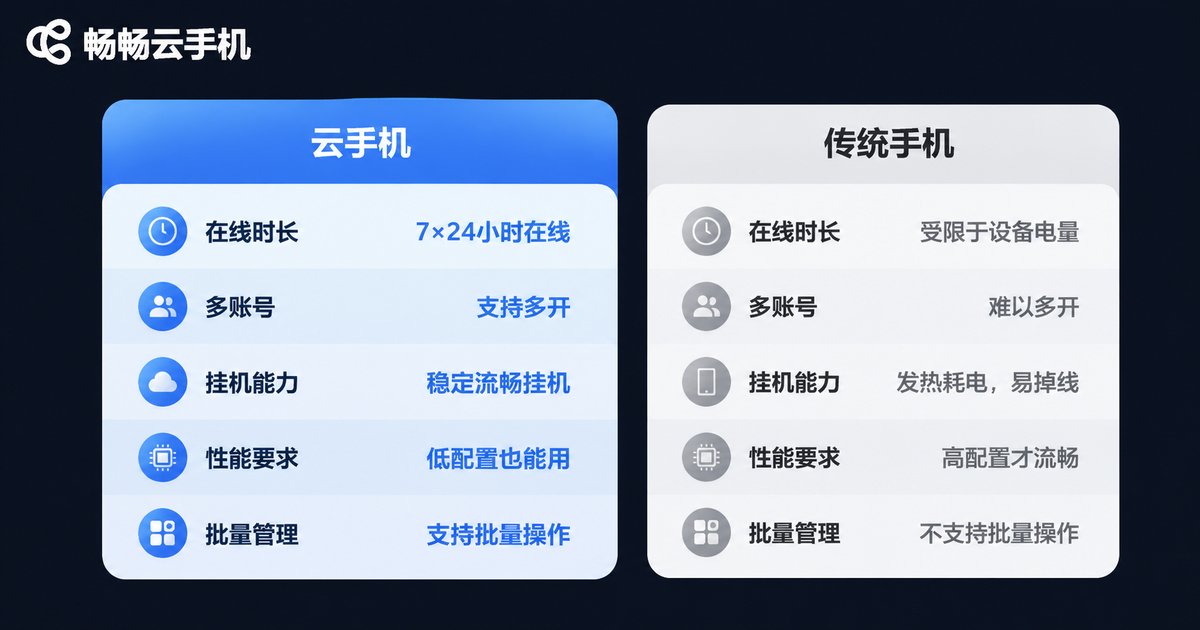
| Feature | Traditional Phone | Cloud Phone |
|---|---|---|
| Uptime | Limited by battery and power-off | 24/7 cloud uptime |
| Multi-account | Multiple devices or constant switching | Multiple cloud devices running simultaneously |
| AFK capability | Screen must stay on; drains battery | Runs in the cloud; zero local battery use |
| Cross-device access | Data tied to one device | Connect anytime from phone/tablet/PC |
| Performance needs | Depends on local hardware | Cloud computing power; smooth even on low-spec devices |
| Batch management | Manual, one device at a time | Group control and batch scripts in one click |
How to Choose a Reliable Cloud Phone Service
Features matter, but stability matters more. When choosing a cloud phone, focus on three things: first, server stability—uptime and latency directly determine your experience; second, configuration flexibility—whether you can pick performance tiers on demand; third, management tooling—batch operations and group management features have a huge impact on efficiency.
CCloudPhone (畅畅云手机) is a good example, offering cloud devices in multiple configurations with multi-platform access and batch management support. It suits everyone from individual AFK gamers to studio teams, making it a strong first choice when getting started with cloud phones.
FAQ
Q: What's the difference between a cloud phone and an emulator?
An emulator runs on your local computer, consumes local hardware resources, and stops when the computer shuts down. A cloud phone runs on remote servers, stays online 24/7, uses no local resources, and isn't limited by local device performance.
Q: Are cloud phones laggy?
Cloud phone performance depends on the server configuration and streaming latency. Choose a cloud device with suitable specs and a stable platform, and both everyday use and AFK scenarios stay smooth.
Q: Who are cloud phones for?
Mobile game AFK players, multi-account operators, e-commerce and social media professionals, studios managing devices at scale, and users with low-spec devices who want to run large apps smoothly.
Q: Is cloud data safe?
Reputable cloud phone platforms store data in professional data centers with robust security measures. Compared with the risk of data loss from a lost or damaged local phone, cloud storage is actually more reliable.


