

Cloud Phone API Integration Tutorial: Development Guide for Batch Creation, Start/Stop, and Status Query
Why Integrate with a Cloud Phone API?
If you manage only a handful of cloud phones, clicking create, start, and stop in the web dashboard is perfectly fine. But once your fleet grows to dozens or hundreds of devices — for app automation testing, multi-instance gaming, live streaming, or batch content operations — manual work becomes the biggest bottleneck: repetitive clicks waste time, steps get missed, and nothing can be scheduled.
The whole point of a cloud phone API is to turn human clicks into programmatic calls. With a few core endpoints, a single script can handle batch creation, bulk start/stop, and status monitoring, letting your device fleet run like an assembly line. This guide walks you through the complete integration process using typical RESTful-style endpoints as examples.
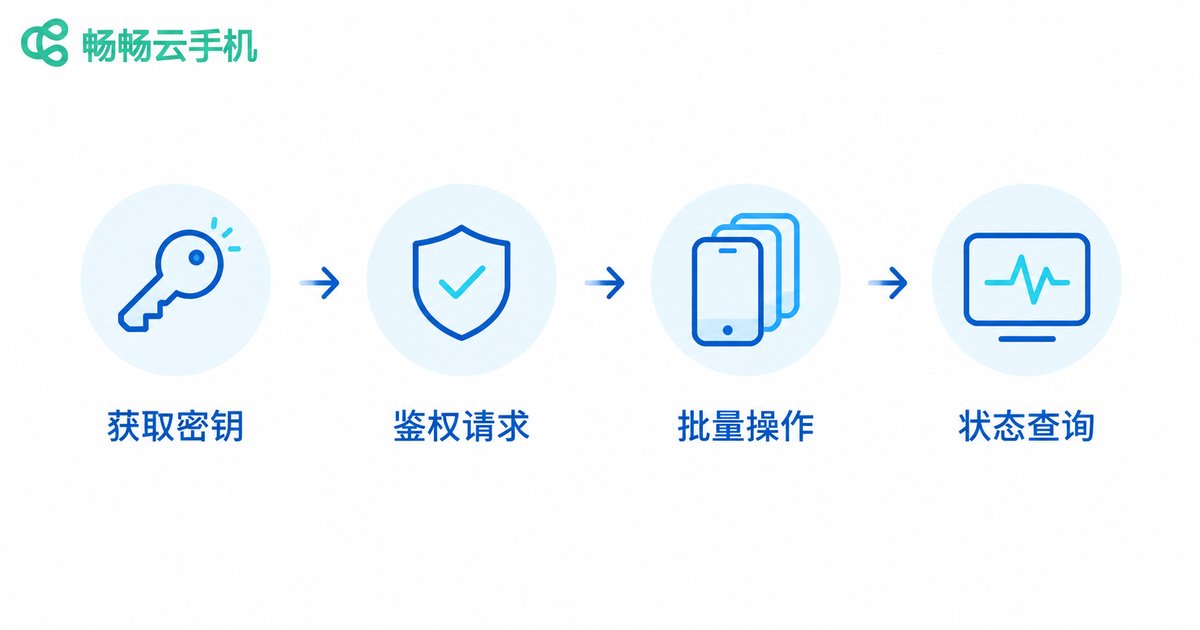
Four Things to Prepare Before Integration
Before writing your first line of code, confirm the following four items — it will save you most of the detours:
| Checklist | Details |
|---|---|
| API credentials | Log in to the cloud phone console and create an API Key and Secret under the open API or key management page; never share them with anyone |
| Authentication | Most platforms use token auth or signature auth: tokens go straight into the request header, while signatures require encrypting parameters — follow the official docs |
| Request format | Nearly all cloud phone platforms use RESTful APIs with JSON request and response bodies |
| Rate limits | Confirm the per-second or per-minute call quota (QPS); exceeding it returns HTTP 429, so build retry logic into your script |
Tip: call the simplest endpoint — list devices — with curl or any API debugging tool first to verify authentication works, then start building the batch logic.
Batch Creation: The Async Task Pattern
Batch creation is the most unusual endpoint because provisioning a cloud phone takes anywhere from tens of seconds to a few minutes, so the create call is usually asynchronous: the request returns a task ID immediately, and you poll the task status until the devices are ready. Common request parameters:
| Parameter | Type | Description |
|---|---|---|
| quantity | int | Number of devices to create in this request |
| region | string | Data center region; nodes closer to your users mean lower latency |
| image / plan | string | OS image version or plan specification |
| client_order_id | string | Client-side idempotency key that prevents duplicate orders on network retries |
Here is a Python example (endpoint paths and parameter names are illustrative — always follow your provider's official documentation):
import os, time, requests

BASE = 'https://api.your-provider.com/v1'  # replace with the URL in your provider's docs
HEADERS = {'Authorization': 'Bearer ' + os.environ['API_TOKEN']}

def batch_create(count=20, region='cn-east'):
    resp = requests.post(f'{BASE}/phones/batch-create', headers=HEADERS, json={
        'quantity': count,
        'region': region,
        'image': 'android-13',
        'client_order_id': f'create-{int(time.time())}'  # idempotency key
    }, timeout=15)
    resp.raise_for_status()
    return resp.json()['task_id']  # async task ID
Once you have the task ID, poll the task endpoint until it reports success, then extract the new device IDs from the response for later start/stop calls.
Bulk Start and Stop: Hundreds of Devices in One Call
Start/stop endpoints usually accept multiple device IDs, so a single request can control an entire batch. Common actions include start, stop, and reboot:
def control_phones(phone_ids, action):
    # action: start / stop / reboot
    resp = requests.post(f'{BASE}/phones/batch-{action}', headers=HEADERS,
                         json={'phone_ids': phone_ids}, timeout=15)
    resp.raise_for_status()
    return resp.json()

phones = ['ph_001', 'ph_002', 'ph_003']
control_phones(phones, 'start')   # bulk power on
control_phones(phones, 'stop')    # bulk power off
Two practical tips: first, do not pack too many devices into one request — if the platform caps a batch at 50, split your fleet into groups of 50; second, check device status before sending stop commands so you do not waste API calls on devices that are already stopped.
Status Query: Polling vs. Callbacks
Status queries are the eyes of your automation pipeline. Most platforms offer both single-device and batch query endpoints, and device status generally falls into these states:
| Status | Meaning | Allowed actions |
|---|---|---|
| creating | Being provisioned | Wait, do not operate |
| running | Online | stop / reboot / connect |
| stopped | Powered off | start / release |
| error | Faulted | Check the failure reason, then retry |
There are two ways to learn about status changes. Polling means your script calls the query endpoint every few seconds — simple to implement and fine for smaller workloads. Callbacks (webhooks) mean the platform pushes a notification to a URL you register whenever a device changes state — more real-time and far more efficient for large fleets. A polling implementation looks like this:
def get_status(phone_ids):
    resp = requests.get(f'{BASE}/phones/status', headers=HEADERS,
                        params={'phone_ids': ','.join(phone_ids)}, timeout=10)
    return resp.json()['data']

def wait_until_running(phone_ids, timeout=300):
    deadline = time.time() + timeout
    while time.time() < deadline:
        states = {p['id']: p['status'] for p in get_status(phone_ids)}
        if all(s == 'running' for s in states.values()):
            return True
        time.sleep(5)  # keep intervals at 5+ seconds to avoid rate limits
    raise TimeoutError('timed out waiting for devices to start')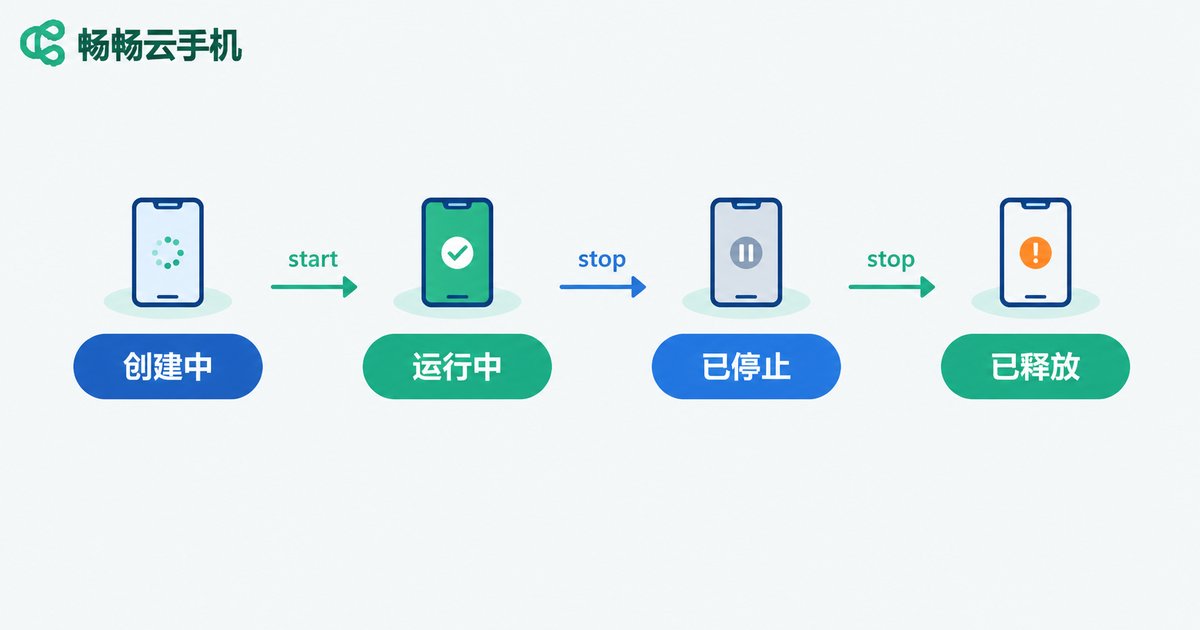
Full Walkthrough: One Script, End to End
String the modules together and you get a minimal but complete automation flow:
# 1. batch-create 20 devices
task_id = batch_create(count=20)

# 2. poll the task until creation finishes (pseudo code)
wait_task_done(task_id)

# 3. fetch the new device IDs and bulk start them
phone_ids = list_phones()
control_phones(phone_ids, 'start')
wait_until_running(phone_ids)

# 4. run your business logic (automated tests, scheduled tasks, etc.)
run_your_business(phone_ids)

# 5. bulk power off when done to save cost
control_phones(phone_ids, 'stop')
This skeleton of fewer than 40 lines can be wired into a job scheduler or a message queue to achieve unattended operations, such as automatic startup every morning and shutdown at midnight.
Five Best Practices Developers Should Not Skip
1. Handle rate limits and retries: on HTTP 429 or 5xx errors, retry with exponential backoff (1s, 2s, 4s...) instead of hammering the endpoint immediately.
2. Design for idempotency: always attach an idempotency key such as client_order_id to creation calls so a network hiccup does not create duplicate devices and duplicate charges.
3. Never hard-code keys: keep API keys and secrets in environment variables or a secret manager — plain-text keys should never appear in your repository.
4. Log every call: record the parameters, responses, and latency of each request so you can quickly tell whether a failure came from the platform or from your script.
5. Canary before scale: run a new script against two or three devices first, verify the whole flow, then roll it out to the full fleet.
Choosing a Platform: Why We Recommend ccloudphone
If you are evaluating cloud phone platforms with API support, focus on three criteria: whether the API documentation is clear and complete, whether batch-operation concurrency limits match your business scale, and whether a status callback mechanism is available. ccloudphone is built for multi-device batch management scenarios and is friendly to developers and automation teams; for the latest API documentation, feature list, and plans, visit the official ccloudphone website.

FAQ
Q: Do I need strong programming skills to integrate the API?
No. Basic HTTP request skills in any language (Python, Java, PHP, etc.) are enough; the Python examples in this guide run the core flow in a dozen lines.
Q: How long does batch creation usually take?
It depends on the quantity and the platform, typically tens of seconds to a few minutes per device. Batch creation is an async task — poll the task status instead of hard-coding a fixed wait time.
Q: Will frequent status queries hit rate limits?
Yes. Every platform enforces a QPS quota and returns HTTP 429 when exceeded. Keep polling intervals at 3–5 seconds or more, or switch to webhook callbacks for state changes.
Q: What should I do if my API key leaks?
Revoke the compromised key in the console immediately and generate a new one, review your call logs for suspicious activity, and store keys in environment variables rather than in code.
Q: What business scenarios suit the cloud phone API?
Typical scenarios include app automation testing, multi-instance gaming and task management, batch account content operations, and cross-border e-commerce multi-store environments — any business that needs many Android devices can benefit from API-driven automation.


