

How to Integrate the Cloud Phone API: A Guide to Batch Creation and Automated Management
What Is a Cloud Phone API?
Think of a cloud phone as an Android device running in the cloud, and the API as your programmatic remote control for it. Instead of clicking through a web dashboard one device at a time, your code can automatically create instances, power them on, install apps, and control devices in bulk.
For individual developers, the API means efficiency; for teams and enterprises, it means scale. When you need to manage dozens or even thousands of cloud phones at once, manual operation is nearly impossible, and API-driven automation becomes the only sustainable choice.
Three Preparation Steps Before Integration
Before writing any code, get these three things ready to avoid detours:
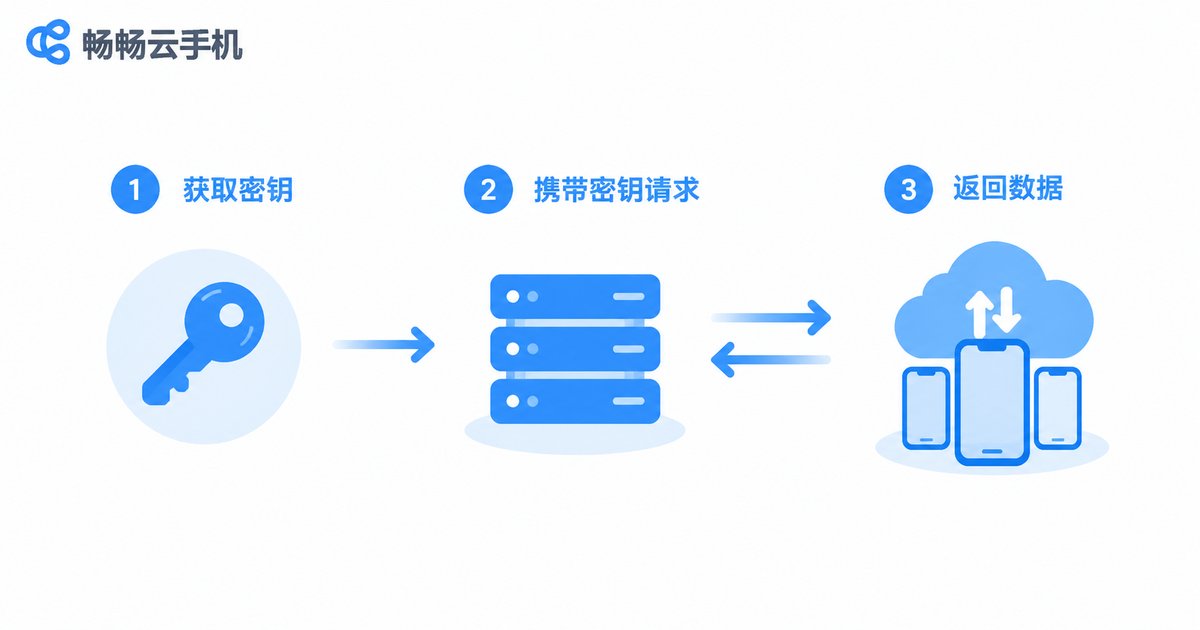
Step 1: Get your credentials. After registering a ccloudphone account and enabling API access, generate your dedicated API Key in the console. The key is your identity credential, so keep it safe and never expose it in front-end code or public repositories.
Step 2: Read the documentation. The official docs list all available endpoints, request methods, parameters, and rate limits. Focus first on three areas: authentication, instance management, and batch operations.
Step 3: Set up a test environment. Prepare a server or your local machine with Python, Node.js, or whichever language you prefer. Run through the full flow with a small number of instances first, then scale up gradually.
Core Integration Flow: Authentication and Your First Call
Most cloud phone APIs use token-based authentication: each request carries your API Key in the header, and the server processes the business logic only after verifying it. The URL and parameters below are for demonstration only; always refer to the official ccloudphone API documentation:
import requests

url = 'https://api.ccloudphone.com/v1/phones/list'
headers = {'Authorization': 'Bearer YOUR_API_KEY'}

resp = requests.get(url, headers=headers, timeout=10)
print(resp.status_code)
print(resp.json())
If you get a 200 status code and can see your instance list, authentication and networking are working. Put timeout handling and retry logic into a shared request helper and reuse it for every call.
Creating Cloud Phone Instances in Batch
Batch creation is one of the most common use cases. Just specify the quantity, device template, group, and other parameters, and the platform generates a batch of cloud phones within seconds:
payload = {
    'count': 20,
    'template': 'android-standard',
    'group': 'project-a'
}

resp = requests.post(url, json=payload, headers=headers)
print(resp.json())
Three practical tips:
1. Use group tags. Tag instances at creation time so you can operate on them by group later with maximum efficiency.
2. Control your request rate. Endpoints enforce rate protection; submit batch jobs in waves to avoid throttling.
3. Persist the instance IDs. The IDs returned after creation are the keys to all future operations, so store them in your database.

Automated Management: Let Cloud Phones Work for You
Creation is just the beginning; the real value lies in day-to-day automated operations. Compare the common scenarios:
| Scenario | Manual Operation | API Automation |
|---|---|---|
| Bulk power on/off | Clicking one by one, hours of work | One command, done in seconds |
| App distribution | Uploading packages device by device | Push to groups in bulk |
| Health checks | Manually watching the dashboard | Scheduled scripts report automatically |
| Failure recovery | Slow to detect and fix | Auto-restart with notifications |
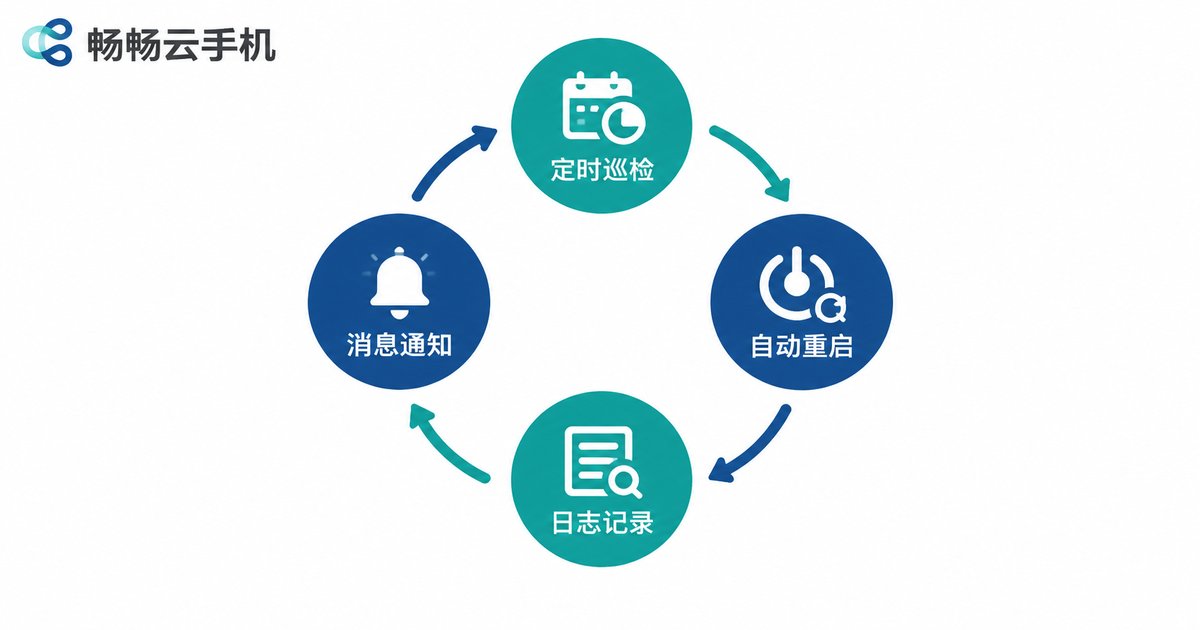
A recommended management loop: a scheduled job pulls instance status, abnormal instances are restarted automatically, results are written to logs, and alerts are sent on failure. Combined with a system scheduler such as cron, the entire pipeline can run fully unattended.
Common Errors and How to Troubleshoot
401 authentication failed: check whether the key has expired, whether the header format is correct, and whether there are stray spaces.
429 too many requests: you hit the rate limit; reduce concurrency or add exponential backoff to your retries.
Parameter validation errors: compare field names and data types against the docs, especially quantity caps and template names.
Instance operation timeout: batch operations take time to execute; poll the status endpoint first instead of blindly resubmitting.
Why Choose ccloudphone for API Development
ccloudphone offers open API endpoints and complete technical documentation, supporting batch creation, group management, and automated operations, with a clean interface design and a low learning curve. Whether you are an individual developer building automation tools or an enterprise team managing devices at scale, visit the official website to review the API integration details, validate the flow with a small number of instances, and then scale up with confidence.
FAQ
Q: Do I need strong programming skills to use the cloud phone API?
No. Basic knowledge of HTTP requests and one scripting language (such as Python) is enough. The official docs and sample code cover most scenarios.
Q: Are there API call limits?
The platform applies rate protection to its endpoints; see the official documentation for exact limits. Add retry and backoff logic, and execute batch jobs in waves.
Q: Are cloud phones created via the API different from manually created ones?
No. They are complete, independent cloud phone instances that support all the same management operations.
Q: What should I do if my API key is leaked?
Reset the key in the console immediately and update your server configuration. Store keys in environment variables or a config center rather than hard-coding them.


