

Can Cloud Phone API Integrate With Your Own System? Batch Create/Destroy Automation Playbook
Can Cloud Phone APIs Actually Integrate With Your Own System?
Many teams working in game testing, automated operations, or SaaS platforms ask the same question: Can cloud phones be integrated directly into our own backend via API? The short answer is yes — and this is precisely the biggest efficiency advantage of cloud phones over physical devices.
In simple terms, cloud phone providers expose a standard RESTful API (or SDK). Your system just needs to make HTTP requests to these endpoints to remotely create, start, stop, destroy, screenshot, or install apps on cloud phone instances. No manual intervention required. You can plug this into your existing CI/CD pipeline, operations dashboard, or automation scripts.
Take ccloudphone as an example. Its open platform provides complete API documentation and an authentication mechanism. Once registered, developers receive an API Key and can call all capabilities with simple token-based authentication. This means no extra middleware — a few lines of code and you've embedded cloud phone capabilities into your business system.
Batch Create & Destroy: Core API Capabilities
In automation scenarios, the two most frequent operations are batch creation and batch destruction. Here's a typical breakdown:
| Operation | API Method (Example) | Key Parameters | Description |
|---|---|---|---|
| Batch Create | POST /api/v1/instances/batch | Count, instance type, region, image ID | Create N cloud phones in one request |
| Batch Destroy | DELETE /api/v1/instances/batch | Instance ID list / tag filter | Release resources in bulk by condition |
| Query Status | GET /api/v1/instances?status=running | Status, tags, pagination | Poll or receive callback for instance state |
| App Install | POST /api/v1/instances/{id}/install | APK URL / app ID | Push and install app remotely |
The key point: batch endpoints handle dozens to hundreds of instances in a single request, eliminating the need for per-instance calls. Your automation scripts go from "serial loop" to "one call" — a orders-of-magnitude efficiency gain.
Destruction is equally critical. After testing, filter all instances belonging to the current task by tag, and a single DELETE request releases everything — preventing resource waste and cost accumulation.
Three Automation Playbook Scenarios
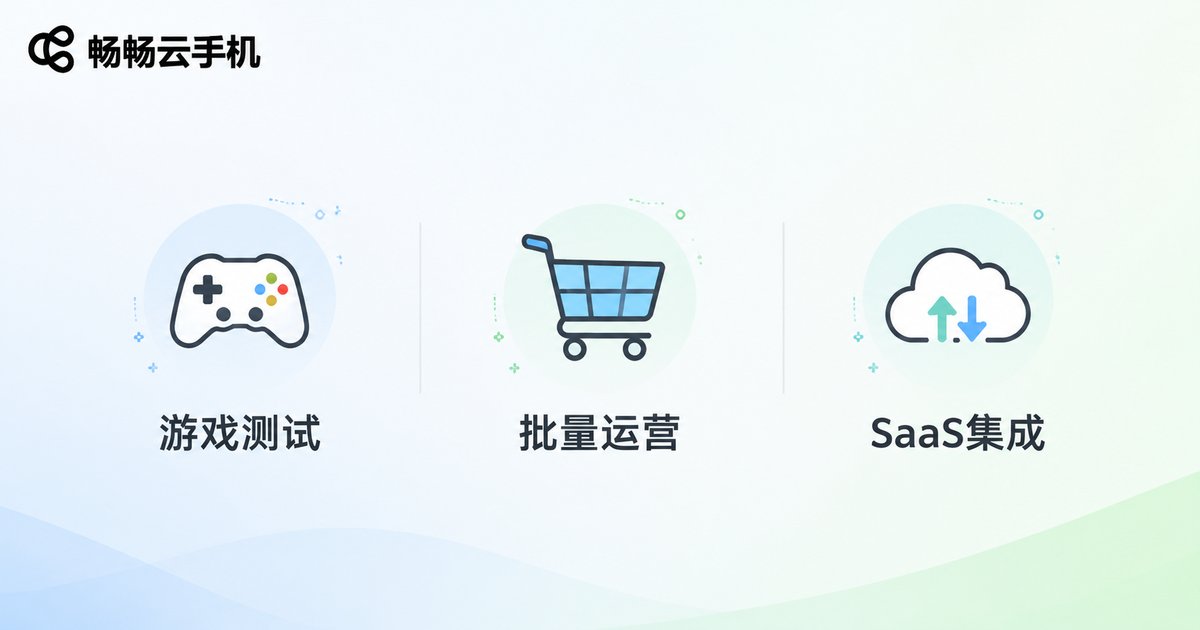
Scenario 1: Game Compatibility Testing Pipeline
Game dev teams need to run compatibility tests across hundreds of device models before every release. Instead of maintaining a fleet of physical devices, use the cloud phone API to:
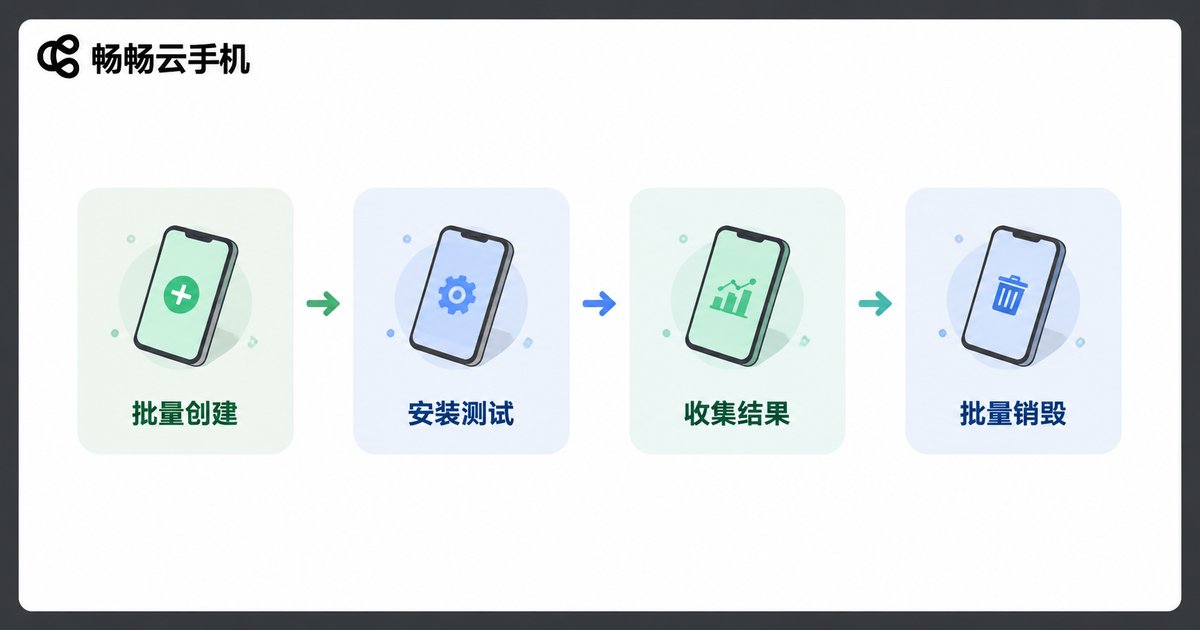
1. When a test task triggers, call the batch create API to spin up 50–200 cloud phones based on your device matrix;
2. Remotely install the test build and run automated test scripts via API;
3. Collect results using screenshot/recording APIs after tests complete;
4. When done, batch-destroy all instances and release resources.
The entire flow plugs into Jenkins, GitLab CI, or your in-house scheduler, creating a fully automated loop: commit code → spin up cloud phones → run tests → generate report → destroy instances.
Scenario 2: Multi-Account Batch Operations
In e-commerce, social media, or content platform operations, you often need to manage large numbers of accounts simultaneously. By integrating the API with your own ops dashboard, you can:
• An operator clicks "Create 20" in the frontend; the backend auto-calls the batch create API;
• Each cloud phone auto-installs the target app and completes initial configuration;
• When operations end or accounts rotate, one-click batch destruction with optional data backup.
ccloudphone supports custom images and tag management. Tag different business lines and perform bulk operations by tag — making resource management as flexible as managing Kubernetes Pods.
Scenario 3: SaaS Platform Integration
If you're building a SaaS product that needs a "cloud execution environment" (remote work, cloud gaming, RPA platform), the cloud phone API can serve as your underlying resource layer:
When a user clicks "Create Environment" in your platform, your backend calls the cloud phone API to create the instance and returns connection info to the frontend. When the user closes the environment, your backend calls the destroy API. You don't manage servers or virtualization yourself — offload the heavy infrastructure to the cloud phone provider and focus on product logic.
Step-by-Step: Integrating With ccloudphone
Here's the typical workflow for integrating ccloudphone's API with your own system:
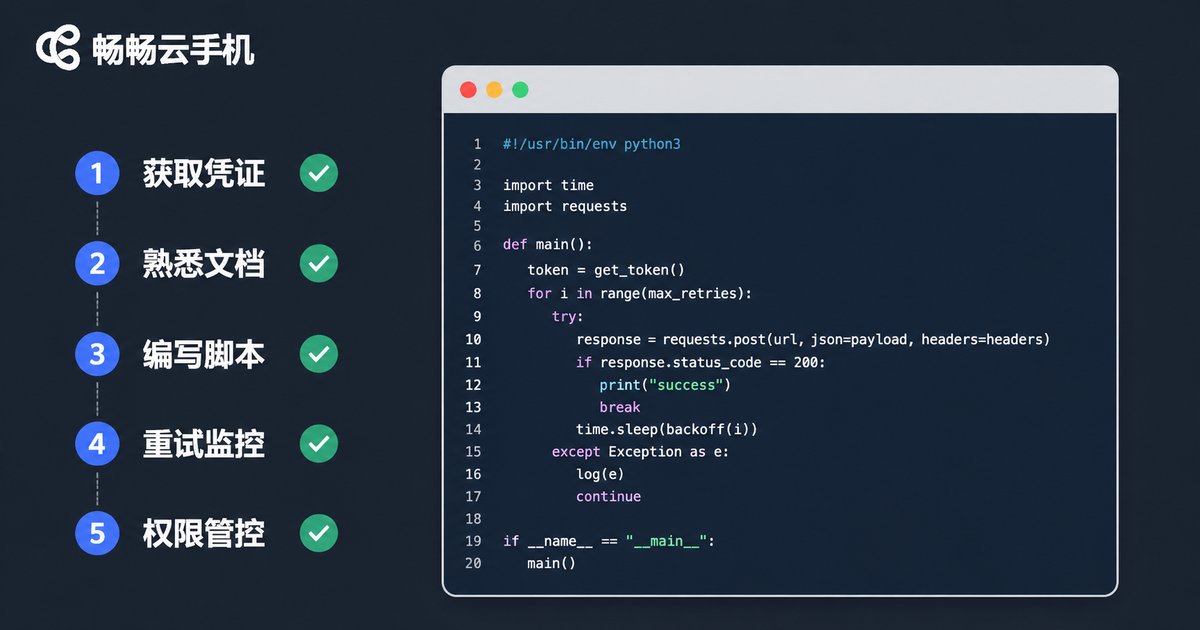
Step 1: Obtain API Credentials
Log in to the ccloudphone open platform, generate an API Key and Secret in the console. All requests authenticate via a Token in the HTTP header.
Step 2: Review API Documentation
ccloudphone provides full OpenAPI docs covering instance management, app management, network configuration, and image management. Start by running a single-instance create/destroy with Postman or curl, then scale to batch operations.
Step 3: Write the Batch Script
The core logic is straightforward. Pseudocode:
# Batch create 50 cloud phones
import requests

headers = {"Authorization": "Bearer YOUR_TOKEN"}
payload = {
    "count": 50,
    "instance_type": "standard-4c8g",
    "region": "cn-east",
    "image_id": "img-android13",
    "tags": {"project": "game-test", "batch": "20250101"}
}
resp = requests.post(
    "https://api.ccloudphone.com/v1/instances/batch",
    headers=headers,
    json=payload
)
instance_ids = resp.json()["data"]["instance_ids"]

# ... run test tasks ...

# Batch destroy
requests.delete(
    "https://api.ccloudphone.com/v1/instances/batch",
    headers=headers,
    json={"tags": {"project": "game-test", "batch": "20250101"}}
)
Step 4: Add Retry & Monitoring
In production, always include exponential-backoff retry, operation logging, and alerts. ccloudphone supports async Webhook callbacks — instance state changes are pushed to you proactively, eliminating the need for frequent polling.
Step 5: Permission & Cost Control
Assign independent API sub-accounts per project and set resource caps (e.g., max 200 concurrent instances) to prevent accidental over-provisioning.
Common Pitfalls & Best Practices
• Never use your primary account Key in production. Create sub-accounts with least-privilege permissions to reduce leak risk.
• Don't operate immediately after batch creation. Instances have a brief delay between "creating" and "running." Confirm via status query or Webhook before proceeding.
• Back up data before destruction. If instances hold data you need (logs, screenshots, configs), pull it via API before destroying.
• Use tags for resource grouping. This is the safest way to filter for batch operations — far more reliable than manually maintaining ID lists.
• Watch API rate limits. For high-frequency calls, respect QPS limits and use a request queue to smooth peaks.
Frequently Asked Questions
Q: Which programming languages are supported?
The API is standard RESTful, so any language that can make HTTP requests works — Python, Java, Go, Node.js, C#, and more. ccloudphone also provides official SDKs for select languages to further simplify integration.
Q: What's the max instances per batch create call?
It depends on the selected instance spec and regional inventory. Typically, a single batch request handles dozens to hundreds of instances. For larger scale, split into multiple calls or contact ccloudphone support for a dedicated quota.
Q: How is data security handled post-integration?
All API communication is encrypted via HTTPS with token-based authentication. ccloudphone supports VPC isolation and custom network policies, so sensitive workloads can run in dedicated network environments.
Q: Can I create instances without destroying them (long-term holding)?
Yes. API-created instances persist until you explicitly call the destroy endpoint. This suits always-on scenarios like 24/7 customer service bots or continuous monitoring tasks. Just set up auto-alerts to avoid forgotten instances accumulating costs.
Q: My system is in China, cloud phones are overseas — will latency affect automation?
API calls are management-plane operations (create/destroy/query), so latency has minimal impact on automation flows. True low-latency needs arise for data-plane operations (real-time screen mirroring, touch commands). ccloudphone deploys across multiple global regions — pick the nearest one to minimize latency.


