
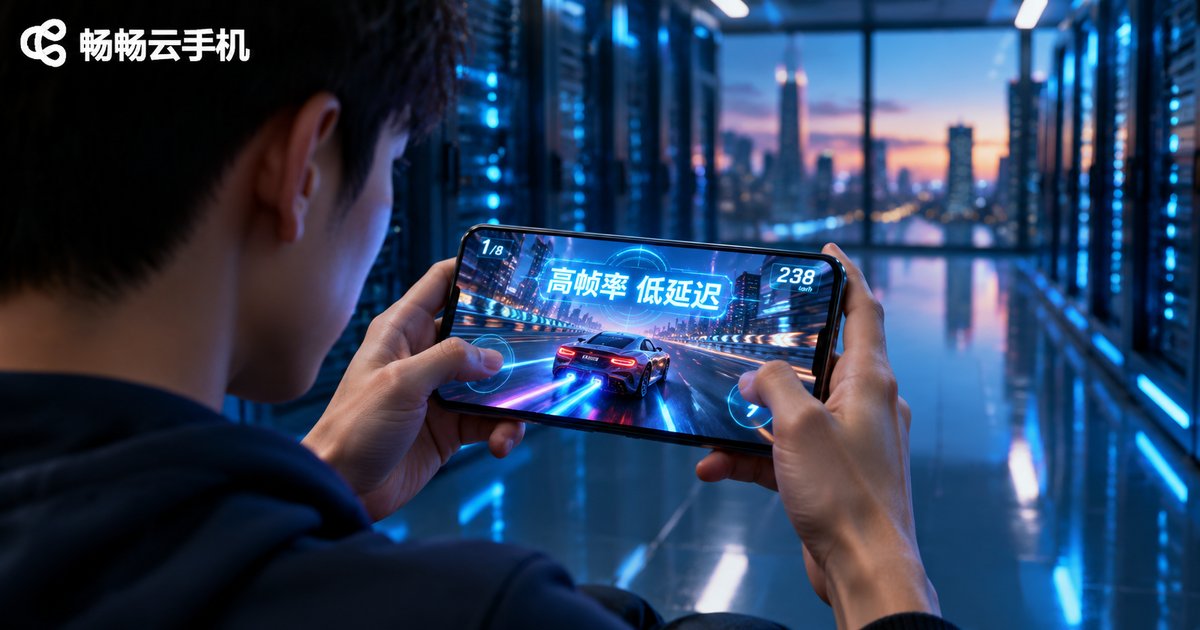
How Good Is the Graphics Rendering Performance of Cloud Android Containers in Cloud Phones? A Primer on High Frame Rate, Low Latency Streaming
Where Does a Cloud Phone Actually Render Its Picture?
First-time cloud phone users often wonder: if the phone is not in my hand, how does the game image appear on my screen? The answer is simple — rendering happens in the cloud, transmission happens over the network, and display happens locally. A cloud phone is essentially a fleet of ARM servers running in a data center, where each server hosts multiple independent Android containers through virtualization. These containers carry the same complete graphics pipeline as a real phone in your pocket. The only difference: the rendered frame never lights up a physical screen. Instead, it is compressed into a video stream and delivered to your device in real time.
With that logic in place, the question of cloud phone graphics performance breaks down into two more specific ones: how fast does the cloud container render, and how much latency does delivery add? Let us unpack both.
The Rendering Pipeline of a Cloud Android Container: Same Origin as Real Phones, Far More Horsepower
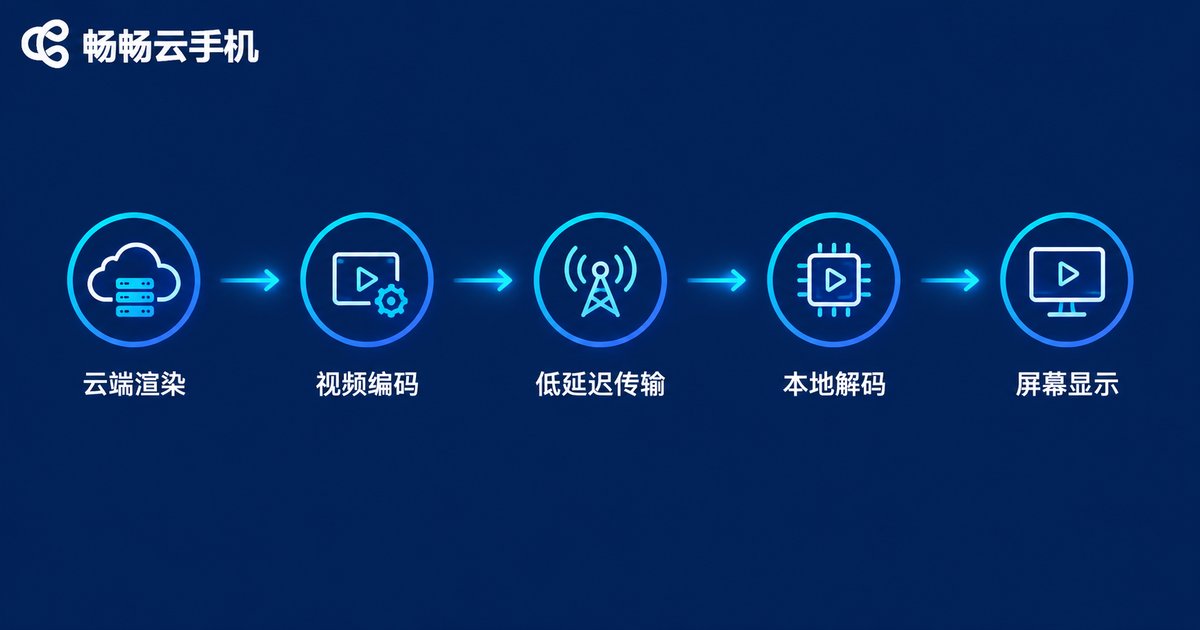
Android graphics rendering relies on a mature pipeline: apps submit draw calls through OpenGL ES or Vulkan, the GPU handles rasterization and layer composition, and the final frame is sent to the display. Android containers on cloud phones keep this entire pipeline intact. The only change is the last step — instead of driving a physical screen, the finished frame is handed to a hardware video encoder.
This means app compatibility and rendering results are highly consistent with a real device. Whether it is a graphics-heavy 3D mobile game, an idle management game running multiple instances, or streaming and short-video apps, what you see inside the container is essentially what a real phone would render. At the hardware level, cloud phones even hold advantages real devices lack:
| Dimension | Real Phone | Cloud Android Container |
|---|---|---|
| GPU power | Limited by the phone SoC, throttles when hot | Server-grade cooling, stable under sustained full load |
| Frame rate stability | Fluctuates under heat or low battery | Climate-controlled data center, steady frame curves |
| Multi-instance | One phone, one instance | Dozens of containers per server |
| Battery drain | Heavy gaming drains the battery in 1-2 hours | Powered in the cloud, almost no local drain |
In short: the ceiling of a real phone is the SoC inside it, while the ceiling of a cloud phone is the server cluster behind it. For graphics-intensive workloads, the latter wins by design.
High Frame Rate, Low Latency: Five Gates Every Frame Must Pass
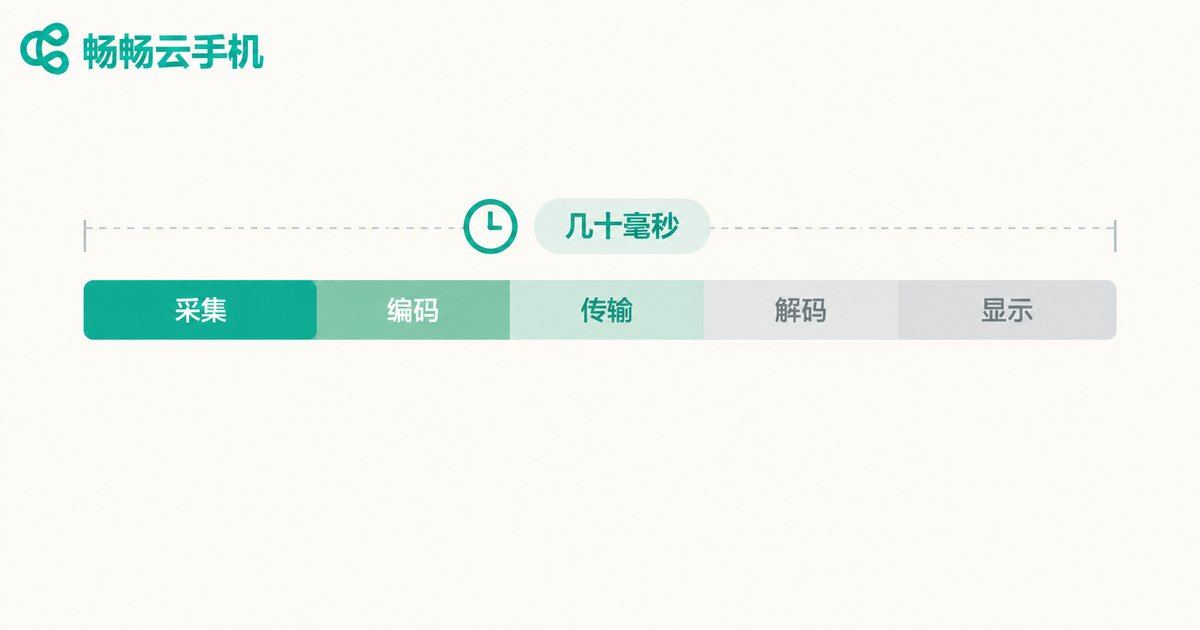
Rendering power is only the foundation. The real challenge of the cloud phone experience lies in transmission. From the cloud to your eyes, every frame passes through five stages, and each one races against the clock:
Gate 1: Capture. Once a frame is rendered, the frame buffer is read out immediately, typically within milliseconds.
Gate 2: Encoding. Raw frames are enormous — a single 1080p frame spans several megabytes — so they must be compressed into a video stream. Cloud phones rely on hardware encoders to squeeze H.264/H.265 encoding down to a few milliseconds, and H.265 in particular delivers higher image quality and frame rates within the same bandwidth thanks to its better compression efficiency.
Gate 3: Transmission. This is where latency is decided. Cloud phone streaming runs on UDP-based low-latency protocols rather than traditional TCP live-streaming protocols — TCP keeps retransmitting to avoid packet loss and can easily add hundreds of milliseconds, while UDP-style transport sacrifices a tiny amount of non-critical data in exchange for real-time delivery. Meanwhile, the client dynamically adjusts the bitrate: full quality on a good network, frame rate first when the network wobbles.
Gate 4: Decoding. Your phone restores the picture with its local hardware decoder. Modern mobile chips decode high-frame-rate 1080p streams with minimal latency and power draw.
Gate 5: Display. The decoded frame goes straight onto the screen. Combined with high-refresh-rate panels, end-to-end perceived latency can be kept within a few dozen milliseconds — for MOBA, MMO, card and most other mobile game genres, this sits below the threshold of obvious human perception.
Three Real-World Factors That Decide Cloud Phone Smoothness
Principles aside, three factors directly determine whether the cloud phone in your hand feels responsive:
1. Network quality. Upstream and downstream bandwidth, packet loss and jitter are the biggest variables. A stable 4G/5G connection or 100 Mbps+ broadband is generally enough for high-frame-rate streaming; on a jittery network, even the strongest cloud rendering gets dragged down by transmission.
2. Cloud hardware specs. Cloud phone providers differ widely in ARM server selection, GPU capability and encoder generation. New-generation server platforms paired with hardware encoding units can hold high frame rates at high image quality — something older platforms struggle to match.
3. Tuning of encoding and transport strategies. With identical networks and hardware, differences in bitrate control, keyframe intervals and adaptive algorithms produce clearly visible gaps in experience. This is where leading cloud phone providers build their real technical moat.
ChangChang Cloud Phone: Leave Rendering and Streaming to the Cloud
Among cloud phone products, ChangChang Cloud Phone (ccloudphone) takes a clear approach to rendering and streaming: it builds cloud Android containers on ARM server clusters, where apps render and encode in the cloud while your local device only decodes and displays. As a result, it places almost no demands on your local hardware — even an aging phone can run large mobile games smoothly.
ChangChang Cloud Phone keeps your apps online in the cloud around the clock. Idle farming and multi-instance tasks keep running on the cloud side without draining your local battery or storage, and its streaming link adaptively balances image quality and frame rate based on network conditions to keep controls responsive. If you are tired of an overheating phone or multi-instance lag, hand the heavy rendering workload to ChangChang Cloud Phone and let your local device handle lightweight viewing and tapping. Visit the official ChangChang Cloud Phone website for more details.
FAQ
Q: Is cloud phone gaming latency high? Does it affect controls?
On a stable network, mainstream cloud phones keep end-to-end latency within a few dozen milliseconds, below the level most people notice. MOBA, MMO, card and idle games feel essentially native; for latency-critical competitive shooters, a 5G or high-quality Wi-Fi connection is recommended.
Q: What frame rate can a cloud phone reach?
It depends on the cloud hardware, the frame rate cap of the game itself, and your bandwidth. New-generation ARM platforms with efficient encoding can hold high frame rates at high image quality; actual performance varies with your network conditions.
Q: My phone has poor specs — will a cloud phone still lag?
In cloud phone mode, your local device only decodes a video stream and sends back touch inputs, an extremely light workload. Any phone that can smoothly play online video can smoothly run a cloud phone.
Q: Does cloud rendering degrade image quality?
The picture travels through video compression, but with sufficient bitrate the loss is minimal — in everyday gaming and idle scenarios it is nearly imperceptible. When the network fluctuates, the system prioritizes frame rate stability and may fine-tune image quality dynamically.
Q: What is ChangChang Cloud Phone best suited for?
It fits multi-instance idle gaming, playing large titles without local downloads, reviving old devices, and keeping apps online 24/7. Check the official ChangChang Cloud Phone website for the full feature list.


