

Do Cloud Phone Alarms Ring? Reliability Test for Scheduled Tasks!
Why Do We Need to Test Cloud Phone Scheduled Tasks?
Many users use cloud phones for game AFK (away from keyboard), scheduled check-ins, or running automation scripts. But everyone has a question: if I turn off my local phone, will the alarm in the cloud phone still ring? Can scheduled tasks be executed on time? To answer this doubt, we decided to conduct a hardcore test on the reliability of cloud phone scheduled tasks.
Test Scenario Design and Result Comparison
We designed three typical scenarios to test the scheduled task performance of a traditional local phone (when powered off) versus CCLOUDPHONE running in the cloud.
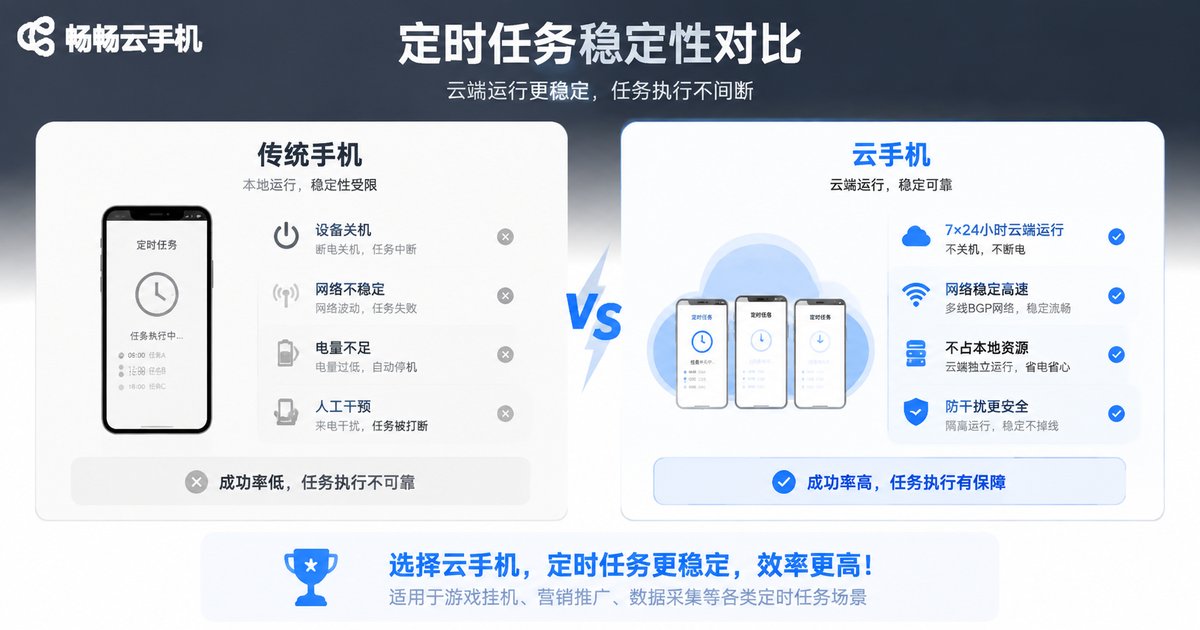
| Test Scenario | Traditional Phone (Powered Off) | CCLOUDPHONE (Cloud Running) |
|---|---|---|
| Alarm Reminder | Does not ring | Triggers on time |
| Scheduled Game AFK | Task interrupted | Continuous operation |
| Scheduled Check-in Script | Execution failed | Successfully completed |
From the test results, it can be seen that once a traditional phone is turned off or disconnected from the network, all scheduled tasks will fail. However, because CCLOUDPHONE runs on cloud servers, it is completely unaffected by the status of the local device, and scheduled tasks are reliably executed.
Why Can CCLOUDPHONE Keep Scheduled Tasks Online?
CCLOUDPHONE (ccloudphone) relies on a powerful cloud server architecture and possesses a true 24/7 non-stop network and power operation capability. As long as your cloud instance is running, the scheduled tasks, alarm apps, or automation scripts inside it will continue to execute on the server side. This means that even if you are sleeping, your local phone is out of battery, or you have no network connection, the tasks in the cloud phone are still steadily progressing.

How to Set Up Efficient Scheduled Tasks?
To maximize the effectiveness of cloud phone scheduled tasks, it is recommended to follow these principles:
1. Keep the Instance Running: Ensure that the instance status is "Running" in the CCLOUDPHONE backend, and do not suspend or shut it down arbitrarily.
2. Use Professional Tools: Install reliable alarm or scheduled task apps within the cloud phone, and grant them auto-start and background running permissions.
3. Check the Network Regularly: Although the cloud phone runs in the cloud, some tasks may require network verification, so ensure the cloud phone's network environment is stable.
FAQ
Q: Will the alarm still ring if the cloud phone is turned off?
A: If the cloud phone instance is shut down, internal tasks will stop running. However, as long as the instance remains powered on, the cloud phone alarm will still trigger on time even if the local device is turned off.
Q: What kind of scheduled tasks is CCLOUDPHONE suitable for?
A: It is highly suitable for scheduled game AFK, timed resource gathering, automation script running, scheduled check-ins, and various tasks that require long-term online status.
Q: Do scheduled tasks consume extra data?
A> The cloud phone runs in the cloud, consuming the server's network resources. The local device only consumes a small amount of data when viewing the screen, which is very power and data efficient.


