

How to Extract Cross-App Data on Cloud Phones: AI Auto-Export & Organization Workflow
What Is Cross-App Data Extraction on a Cloud Phone?
Most people run several apps side by side: online sellers watch store dashboards, inventory tools and chat apps; content creators juggle publishing platforms, analytics boards and asset libraries; gamers track resources across multiple tools. Over time, data ends up scattered across all of them, and copying it by hand is slow and error-prone.
A cloud phone is a virtual phone that runs in the cloud. It uses none of your local battery or storage and can stay online around the clock. Install the apps you need inside one cloud phone, add an AI-powered workflow, and the scattered data can be extracted, exported and organized into structured tables automatically. That is cross-app data extraction.
Which Scenarios Benefit Most from AI Extraction?
Anywhere the work is repetitive and rule-based, AI automation pays off:
| Scenario | Typical Data | What AI Does Automatically |
|---|---|---|
| E-commerce | Orders, stock, reviews | Builds a daily business report on schedule |
| Content creation | Posts, engagement metrics | Files everything into a content calendar |
| Gaming | Resource output, event rewards | Keeps an asset change log |
| Cross-border teams | Multi-store, multi-timezone data | Unifies timezones and currencies |
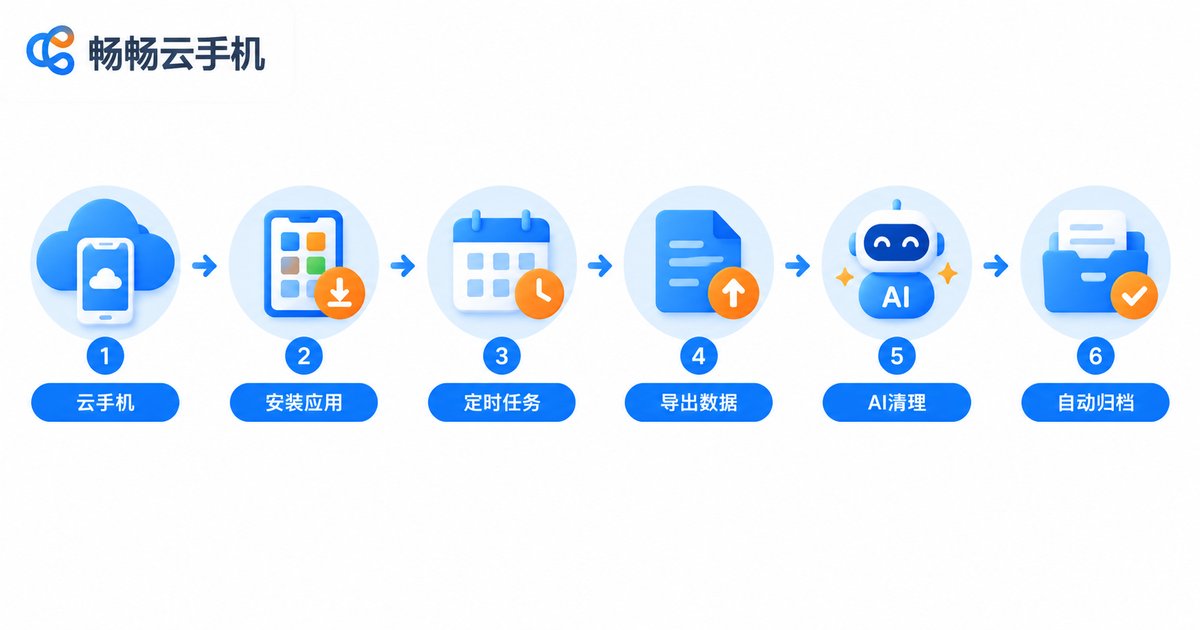
The Six-Step AI Export and Organization Workflow
Step 1: Set up the cloud phone environment. Create an instance on ChangChang Cloud Phone (ccloudphone), install every app you need on that same instance and log in to each account. The cloud phone keeps running in the cloud, so scheduled tasks fire even with your computer switched off.
Step 2: Define the data scope and compliance boundaries. Extract only data you are authorized to use, such as your own store orders or your own account statistics. Follow each app's terms of service and never touch other people's private data.
Step 3: Configure the automated tasks. Turn the action chain 'open app, go to page, export data' into a scheduled task and set a frequency, for example once every evening.
Step 4: Unify the export format. Make every app output the same file type, such as CSV or JSON, with consistent field names so the files can be merged later.
Step 5: Let AI clean and categorize. Feed the raw exports to AI for deduplication and missing-field completion, then tag and file everything by store, date or product category.
Step 6: Archive on schedule with a summary. Store results in year/month/day folders and generate a short summary, so the next morning you only read conclusions.
# Workflow sketch (pseudo-code)
Every day at 22:00:
    open cloud phone instance
    run: app A export orders -> app B export stock -> app C export chats
    convert all to CSV
    AI cleaning: dedupe / fill / tag
    archive by date and build a summary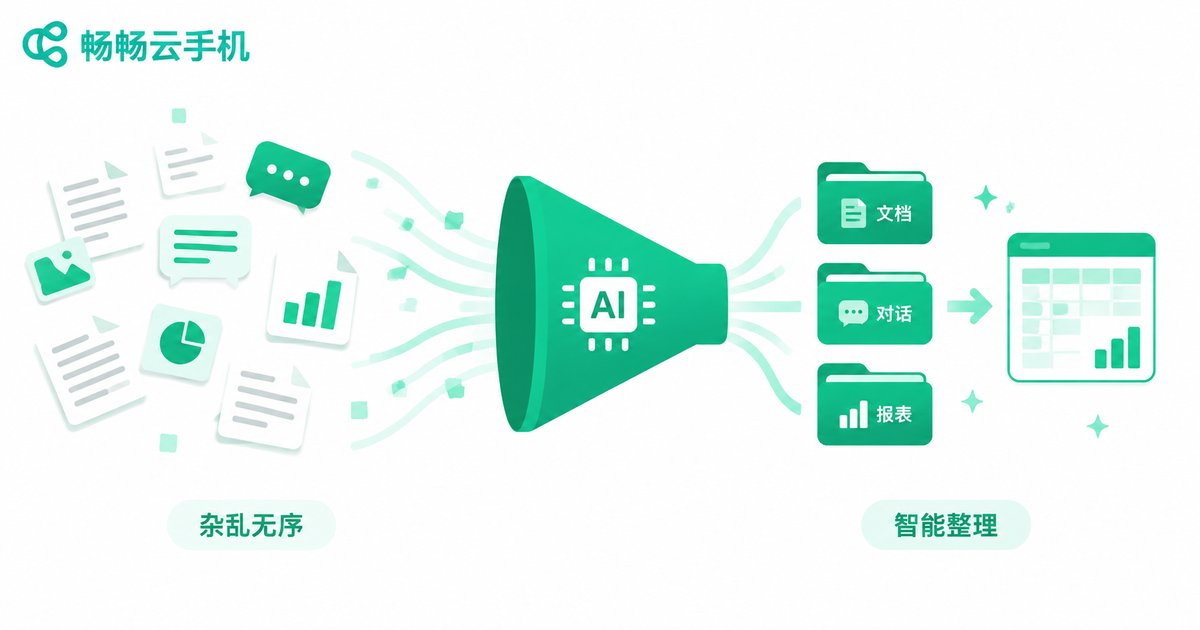
Manual vs AI: How Big Is the Gap?
| Item | Manual | AI Automated |
|---|---|---|
| Daily time cost | 1-2 hours | Under 10 minutes to review |
| Accuracy | Easy to miss or mistype | Fixed rules, reproducible results |
| Execution time | Only while you are online | Cloud phone runs on schedule 24/7 |
| Scalability | Harder as apps pile up | New app = one more task |
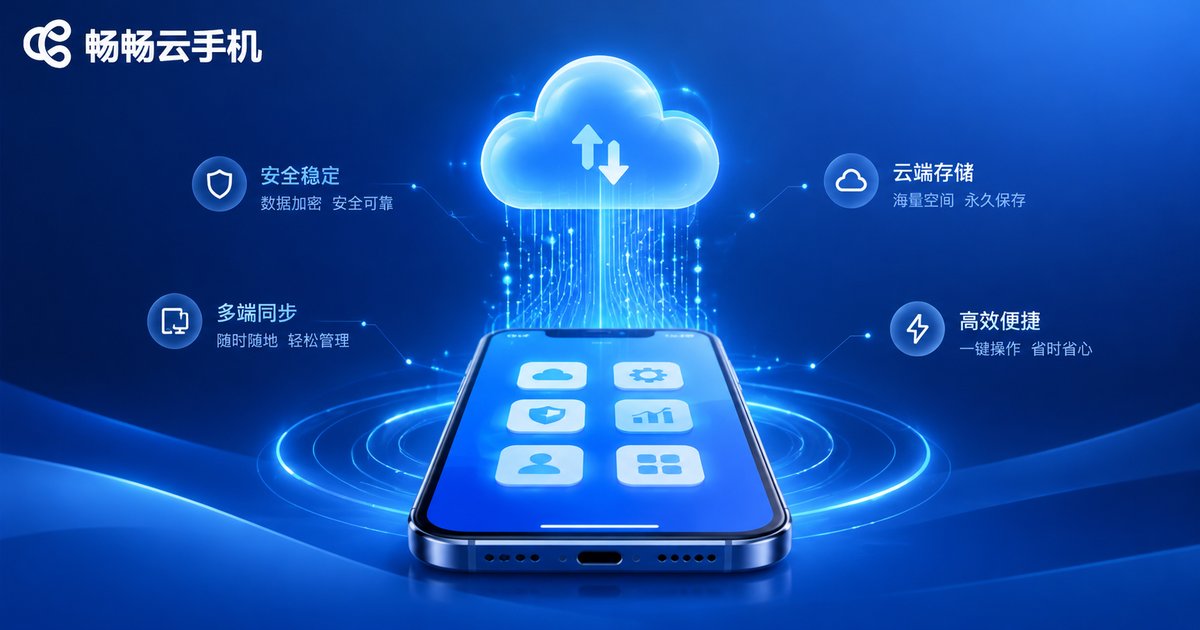
Why Run This Workflow on ChangChang Cloud Phone (ccloudphone)?
Cross-app extraction lives or dies on stability, uptime and scheduling — exactly what a cloud phone is built for:
Online 24/7: apps run in the cloud, so timed tasks execute on schedule without your local device being on.
Isolated environments: every instance is a separate space, so multiple accounts and businesses never interfere and the data stays clean.
Zero local load: repetitive extraction and organization happen entirely in the cloud, leaving your phone and computer free for real work.
Put your apps inside ChangChang Cloud Phone (ccloudphone), configure the scheduled tasks once, and data extraction becomes something that finishes itself while you sleep.
Compliance Reminders: Three Lines Not to Cross
First, extract only data you have the right to use and never collect other people's private information. Second, follow each app's user agreement and keep the task frequency moderate so automation never disturbs normal service. Third, desensitize customer information, store exported files safely and back them up in time.
FAQ
Q: Can I use AI extraction without knowing how to code?
Yes. Most pipelines are just 'scheduled task + built-in export + AI organization'. Simple scripting only becomes necessary when you need extra flexibility.
Q: Where should the exported data be stored?
Keep it inside the cloud phone instance first, then regularly move copies to your own cloud drive or computer. Always keep a backup of important data.
Q: How many apps can one cloud phone handle?
It depends on the instance configuration and task complexity. Run high-frequency, critical tasks on a dedicated instance for better stability and easier troubleshooting.
Q: How often should extraction run?
As often as you actually need it — daily or weekly is enough for most teams. Higher frequency burns more resources and is more likely to trigger app risk controls.
Q: Can AI organize data incorrectly?
AI handles structural work such as deduplication, classification and tagging. Keep the original export files separate from the organized results so key figures can always be verified.


