
What Is a Cloud Phone AI Automation Sandbox? How the Data-Never-Leaves-Cloud Mechanism Works
What Is a Cloud Phone AI Automation Sandbox?
In simple terms, a cloud phone AI automation sandbox means running AI scripts and automation tasks on virtual phones hosted in remote datacenters, inside an isolated “sandbox” environment. You don't need a physical phone powered on around the clock, and you don't need to download accounts or passwords onto your local device — everything happens on that invisible phone in the cloud.
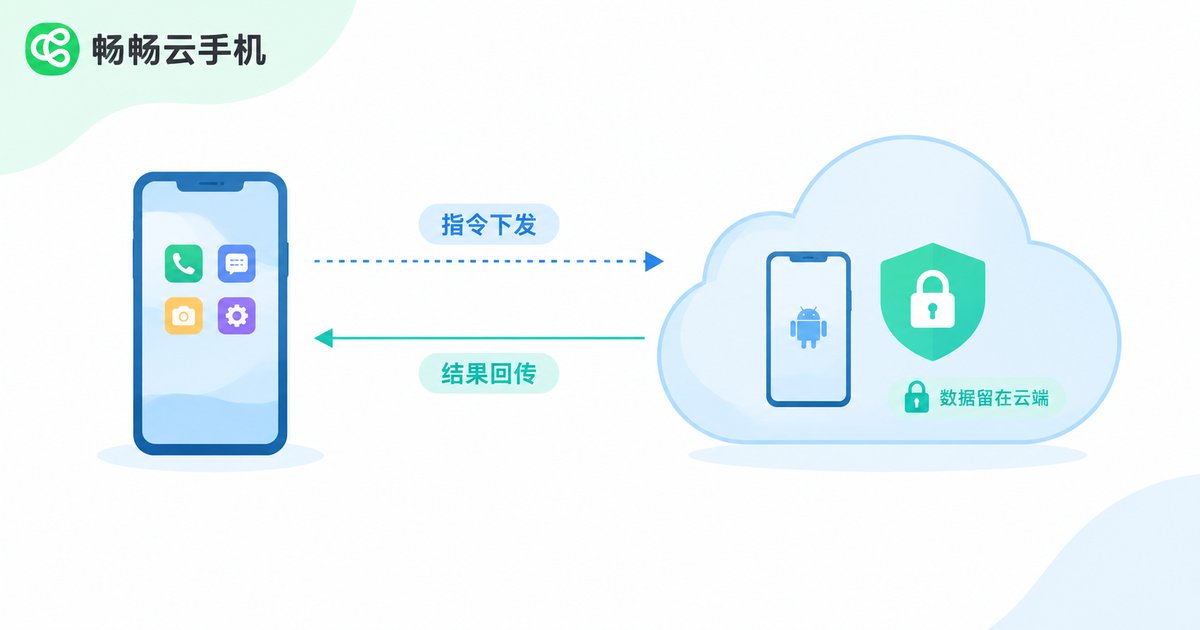
The traditional approach is running scripts on your own computer or phone, where accounts, chat records and screenshots all pass through the local device. If the device gets infected or lost, or an app abuses its permissions, data leakage becomes a real risk. The sandbox model moves these risk points to the cloud entirely; locally you only “send commands and check results”.
How Does “Data Never Leaves the Cloud” Actually Work?
“Data never leaves the cloud” is not a slogan — it is guaranteed by several concrete mechanisms:
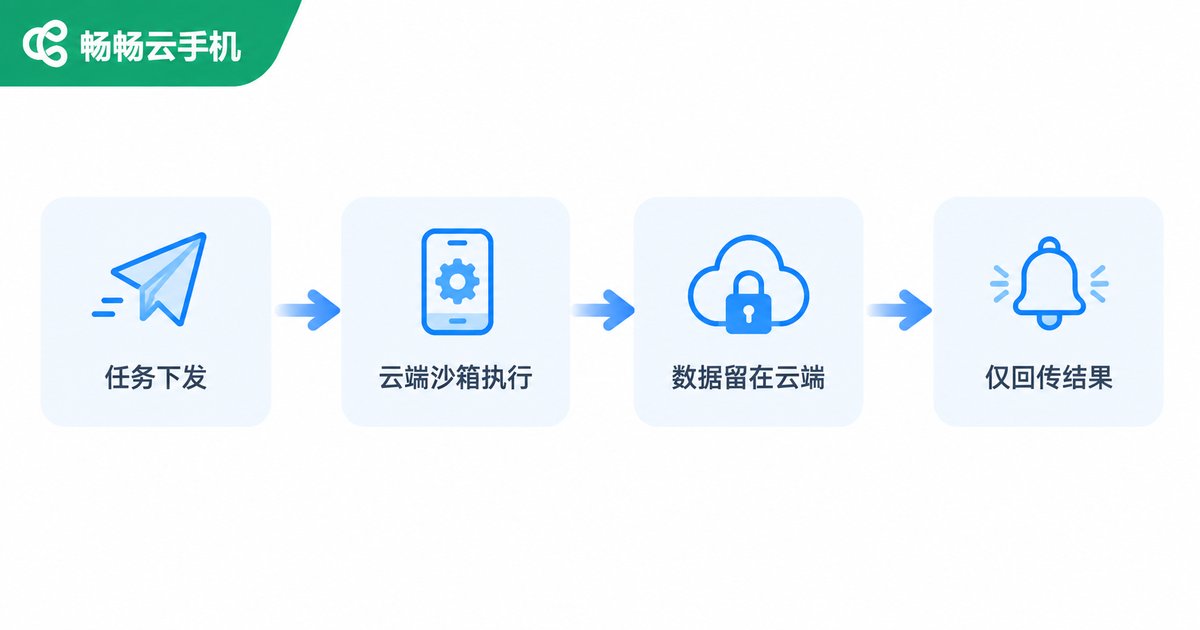
1. Tasks execute in a closed loop in the cloud. What you send locally is only an automation instruction, such as “publish one post at 9 a.m. every day”. Once it reaches the cloud, the AI opens the app, completes the action and generates screenshots inside the sandbox — none of it passes through your phone or computer.
2. Credentials and assets are stored encrypted in the cloud. Account passwords, login sessions, images and other sensitive data live in encrypted cloud storage. Automation tasks read them directly in the cloud, with no need to download them locally and upload them back.
3. Intermediate artifacts never touch the ground. Screenshots, logs and temporary files generated during execution stay inside the sandbox by default, and can be destroyed or archived in place after the task ends, leaving no trace on your local disk.
4. Only result notifications come back. When a task finishes, the cloud pushes only status updates such as “success or failure” to your console; details are fetched on demand with proper permissions, further reducing data movement.
How Is It Different from Local Script Solutions?
| Dimension | Local scripts/emulators | Cloud phone AI sandbox |
|---|---|---|
| Data storage | Accounts and screenshots land on local devices | Retained in the cloud sandbox throughout |
| Device dependency | Computer must stay powered on | Runs 24/7 in the cloud; local device can shut down |
| Environment isolation | Shares the system with local software | Independent sandbox, no interference |
| Leakage risk | Lost or infected device means leaked data | Almost no sensitive data stored locally |
| Scaling | Limited by local hardware | Add or remove cloud phones on demand |
What Exactly Does “Data Never Leaves the Cloud” Protect?
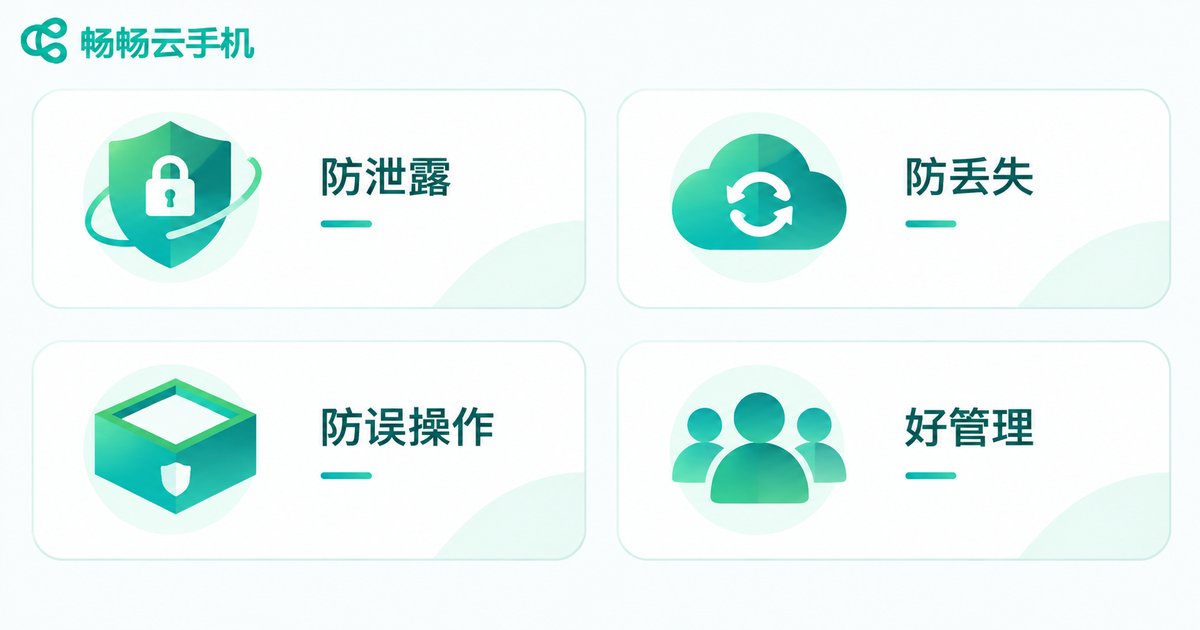
Leakage prevention: sensitive information such as account credentials and customer data never passes through local devices. Even if your computer is compromised, attackers cannot reach the data inside the sandbox.
Loss protection: changing phones or computers does not affect running tasks. Data follows the cloud phone, not any single piece of hardware.
Contained blast radius: automation scripts are confined to the sandbox and cannot touch the photos, contacts or other apps on your local device.
Easier governance: team members invoke cloud tasks with permissions; when people change, you simply revoke accounts, while data assets remain in the cloud workspace.
Which Scenarios Suit an AI Automation Sandbox?
Routine account maintenance at scale: repetitive actions like check-ins, engagement and posting across many accounts are handed to scheduled cloud tasks, while humans only review the results.
Content matrix operations: dozens or hundreds of accounts need coordinated publishing schedules; the sandbox executes them one by one, reading assets directly from the cloud asset library.
App testing and inspection: before a new release, let the AI run test cases across multiple cloud phones in batch, with screenshots and reports kept in the cloud for the team.
Gaming and community coverage: for events that require long online hours, cloud sandboxes take shifts so your local devices stay free for everything else.
How to Choose a Service
When evaluating such services, focus on three things: first, whether it offers a true cloud-side automation environment rather than just screen-mirroring to your local device; second, whether data storage and transmission are encrypted, with a clear “data never leaves the cloud” statement; third, whether scaling is convenient — can you add or remove cloud phones flexibly as your business grows?
Take ChangChang Cloud Phone (ccloudphone) as an example. It provides Android cloud phones running in the cloud, with multi-instance and remote management support. Visit the official website at ccloudphone for the latest features and plans, then choose according to your business scale.
FAQ
Q: If data never leaves the cloud, can I still see results locally?
Yes. The cloud pushes task status and necessary result information to your console, and you can remotely view the cloud phone screen at any time — the sensitive data itself just doesn't need to be downloaded.
Q: How is an AI automation sandbox different from ordinary group-control software?
Group-control tools usually require real phones or emulators connected to a local computer, so data passes through locally. With the sandbox model, tasks run entirely in the cloud; your device only sends commands and receives results, giving a much clearer security boundary.
Q: Are accounts inside the sandbox safe?
Account credentials are kept in encrypted cloud storage, combined with an isolated sandbox environment, avoiding risks from infected local devices or apps over-reading permissions. Of course, you should also verify the platform's own security qualifications when choosing.
Q: Can I use AI automation without coding skills?
Many cloud phone services now turn automation into visual configuration — scheduled tasks, workflow templates and so on — which you can set up following prompts, no programming required. For exact capabilities, refer to the official ccloudphone website.
Q: Does my local device need to stay on all the time?
No. Tasks run in the cloud 24/7; your local device only needs to be online when issuing commands or checking results. That is one of the biggest conveniences of the cloud phone approach compared with local automation.


