

What Can Agentic Mobile on Cloud Phones Do? Enterprise Automation Scenarios Explained
What Is Agentic Mobile on Cloud Phones?
In plain terms, Agentic Mobile means letting AI agents complete mobile operations autonomously on cloud phones. Traditional automation scripts follow rigid, pre-written steps, while the agents behind Agentic Mobile can read the screen, understand the task, and make decisions on their own: they recognize the current interface, decide what to tap or type next, handle pop-ups and exceptions by themselves, and carry the task through from start to finish.
Cloud phones are the ideal carrier for this capability. Running in cloud data centers instead of on physical devices, they can be launched on demand and scaled at will. Putting AI agents inside cloud phones gives every enterprise a 24/7 digital workforce that is always on call, handing all repetitive, rule-based mobile operations over to machines.
Four Core Capabilities of Agentic Mobile
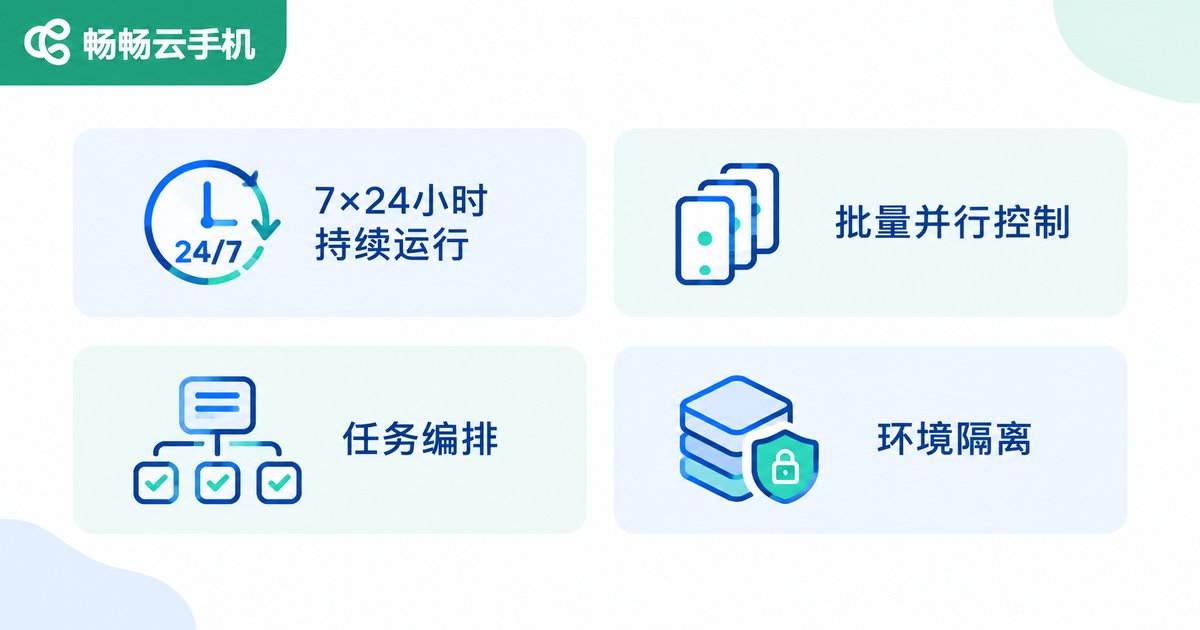
To understand what Agentic Mobile can do for your business, start with its four underlying capabilities:
1. Always-on, unattended operation. Cloud phones never power down, so agents keep working through nights and weekends. By the time your team logs in each morning, the results are already waiting in the dashboard.
2. Batch parallel execution. A single console can orchestrate dozens or even hundreds of cloud phones at once, dispatching the same task to all of them in parallel - hundreds of times faster than manual work.
3. Task orchestration and API dispatch. Enterprises can break daily workflows into standardized tasks, trigger them on schedules through APIs, and route them conditionally for true process automation.
4. Isolated, stable, and auditable environments. Each cloud phone is an independent Android environment with no interference between instances; task logs, screenshots, and operation records are fully traceable for auditing and review.
Scenario 1: Social Media Matrix Operations
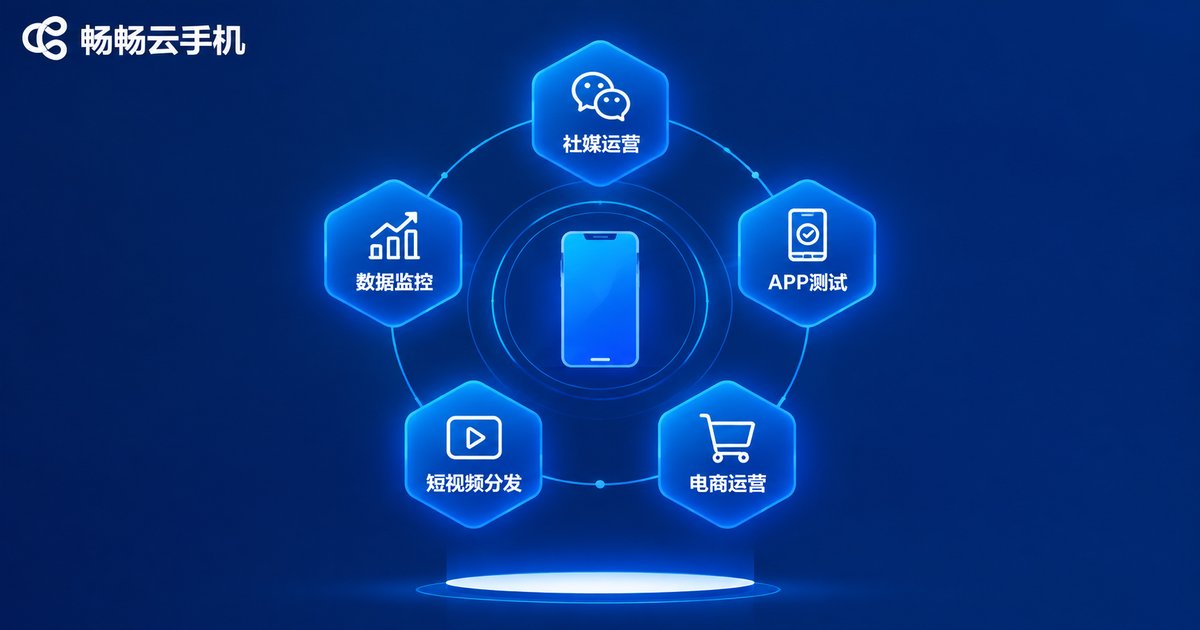
For companies going global, managing dozens of social media accounts is exhausting: daily posts, comment replies, and engagement maintenance. With Agentic Mobile, the team only prepares content; agents then log in on schedule, publish posts, reply to followers, and record performance data across cloud phones - no one needs to watch the screen. As the account matrix grows, accounts can be grouped by region or platform and orchestrated in batches.
Scenario 2: App Automated Testing
Before every release, apps must be tested across devices and OS versions. Buying physical devices is costly and slow, while cloud phones let you spin up test environments with different configurations on demand. Agents execute test cases automatically - tapping, swiping, capturing screenshots, and reporting results - cutting a regression cycle from days to hours while improving coverage.
Scenario 3: E-commerce and Private-domain Operations
E-commerce teams can delegate high-frequency tasks such as product listing, price updates, and inventory checks to agents on cloud phones on a fixed schedule. In private-domain operations, agents also handle message outreach, group engagement, and customer follow-ups, freeing operators from repetitive work so they can focus on content and strategy.
Scenario 4: Short Video Distribution and Engagement
A single quality video often needs to go out across multiple platforms and accounts. Agentic Mobile automates multi-platform uploads, title and hashtag setup, and post-publish comment maintenance, turning content distribution into an assembly line with faster publishing and quicker data feedback.
Scenario 5: Data Collection and Real-time Monitoring
Market, risk-control, and PR teams often need around-the-clock monitoring: has a competitor changed prices, has a page been altered, has a keyword appeared? Agents open target pages on cloud phones at set intervals, capture screenshots, compare changes, and send alerts - like a tireless inspection team for your business.
Why Cloud Phones Are the Best Carrier for Agentic Mobile
Why choose cloud phones over device farms or PC emulators for automation? A side-by-side comparison makes it clear:
| Dimension | Cloud Phone | Physical Device Farm | PC Emulator |
|---|---|---|---|
| Deployment cost | Pay as you go, no hardware | Large device purchase required | Cheap but unstable |
| Scaling speed | Batch provisioning in minutes | Weeks of procurement | Limited by local hardware |
| Stability | Data-center grade, 24/7 online | Outages need manual fixes | Prone to crashes over time |
| Batch management | Native group control and API dispatch | Extra control hub required | Multi-instance bottlenecks |
| Maintenance | Fully managed, near zero upkeep | Dedicated team needed | High troubleshooting cost |
How to Get Started Quickly
Landing Agentic Mobile takes three steps. Step one: map out high-frequency, repetitive mobile workflows and pick the best automation candidates. Step two: provision cloud phone instances, deploy agents and task flows, and run a small-scale pilot. Step three: after validation, replicate the setup batch by batch and expand across business lines.
When choosing a cloud phone provider, focus on three things: running stability, batch management capability, and API openness. ChangChang Cloud Phone (ccloudphone) offers Android cloud phone instances with support for multiple concurrent devices and batch operations, featuring a clean interface and a low learning curve. Whether for social media matrix operations or automated testing, it serves as a reliable foundation for Agentic Mobile. Start with a small scenario to validate results, then scale to more business lines.
FAQ
Q: How is Agentic Mobile different from traditional automation scripts?
Traditional scripts follow fixed flows and break easily when the UI changes. Agentic Mobile agents read the screen, understand goals, and adapt to pop-ups and exceptions on their own, delivering higher success rates and lower maintenance costs.
Q: Will AI agents lag on cloud phones?
Cloud phones run in data centers with computing power provided server-side; your local device only handles viewing and dispatch. With a properly configured instance, daily operations and automation tasks run smoothly enough for enterprise needs.
Q: How many cloud phones does a team need?
It depends on business scale. Start with 3-5 phones to validate one scenario, then scale up based on account volume and task load to avoid waste.
Q: How is enterprise data security ensured?
Cloud phone data lives in the cloud, so lost devices never mean lost business data. Assign separate permissions per role and enable operation logging for controllable, auditable workflows.


