
Which Large Models Do Cloud Phone AI Automation Frameworks Support? Qwen Integration Explained
What Is Cloud Phone AI Automation? The New Workflow Explained
In plain terms, a cloud phone is a real Android device running in a cloud data center. You never hold it in your hand; you connect to it over the network whenever you need it. An AI automation framework then gives that cloud phone a 'thinking brain': a large language model reads the screen, breaks your goal into steps, and performs the taps, swipes, and typing on its own.
Traditional scripts only follow hard-coded rules, so they break whenever an app redesigns its interface. With an LLM in the loop, automation upgrades from 'memorized steps' to 'understand first, then act' — which is exactly why the cloud phone plus LLM combination has taken off recently.
Which Large Models Does the Framework Support?
Mainstream cloud phone AI automation frameworks generally follow a 'one deeply integrated model family plus one universal interface' approach:
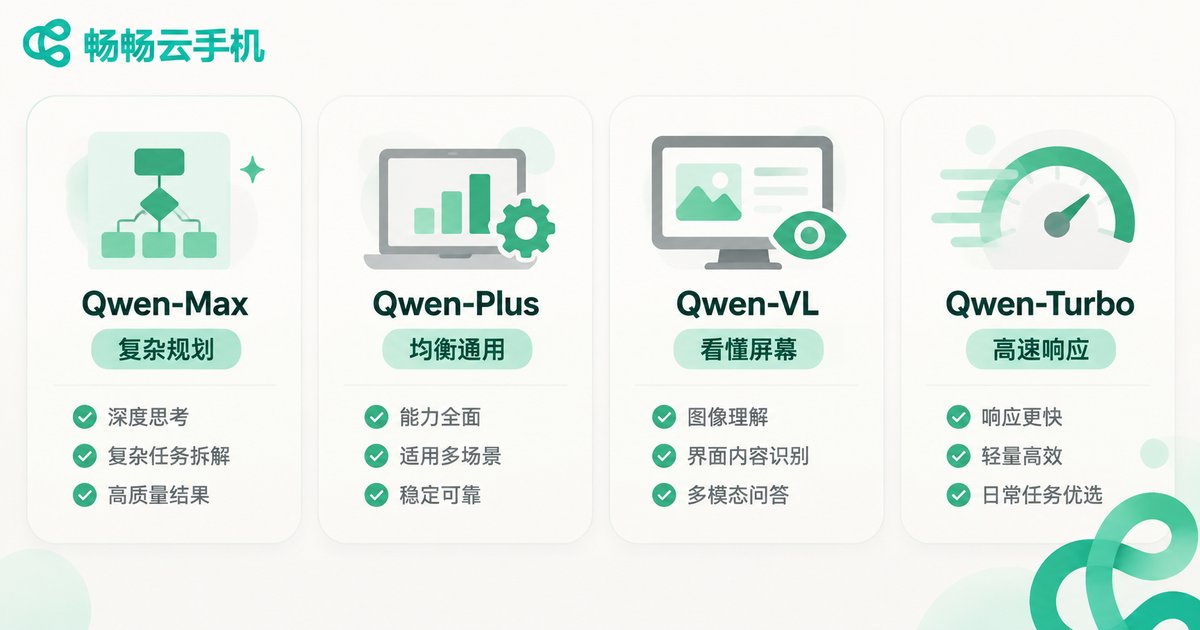
1. Native deep integration: the full Qwen family. The framework is specifically optimized for Qwen models: Qwen-Max for complex planning, Qwen-Plus for balanced everyday use, Qwen-VL as the vision model that can actually 'read' screenshots, and Qwen-Turbo for fast responses. All of them can be selected directly inside the framework.
2. Universal compatibility: the OpenAI-compatible protocol. The framework also supports OpenAI-compatible access, so any mainstream model service following this protocol can be plugged in with just an endpoint and an API key, letting teams reuse model resources they already have.
By task type, commonly used models fall into four groups:
| Model Type | Representative | What It Does Best | Best-Fit Scenario |
|---|---|---|---|
| Flagship reasoning | Qwen-Max | Complex task breakdown, multi-step planning | Long, logic-heavy workflows |
| Balanced generalist | Qwen-Plus | Daily decisions, instruction understanding | Most everyday automation jobs |
| Vision multimodal | Qwen-VL | Reading screenshots, understanding UI elements | Tap-and-swipe tasks that need to see the screen |
| Lightweight and fast | Qwen-Turbo | High-frequency simple judgments | Lightweight scheduling across large cloud phone fleets |
Qwen Integration Explained: How the Automation Loop Runs
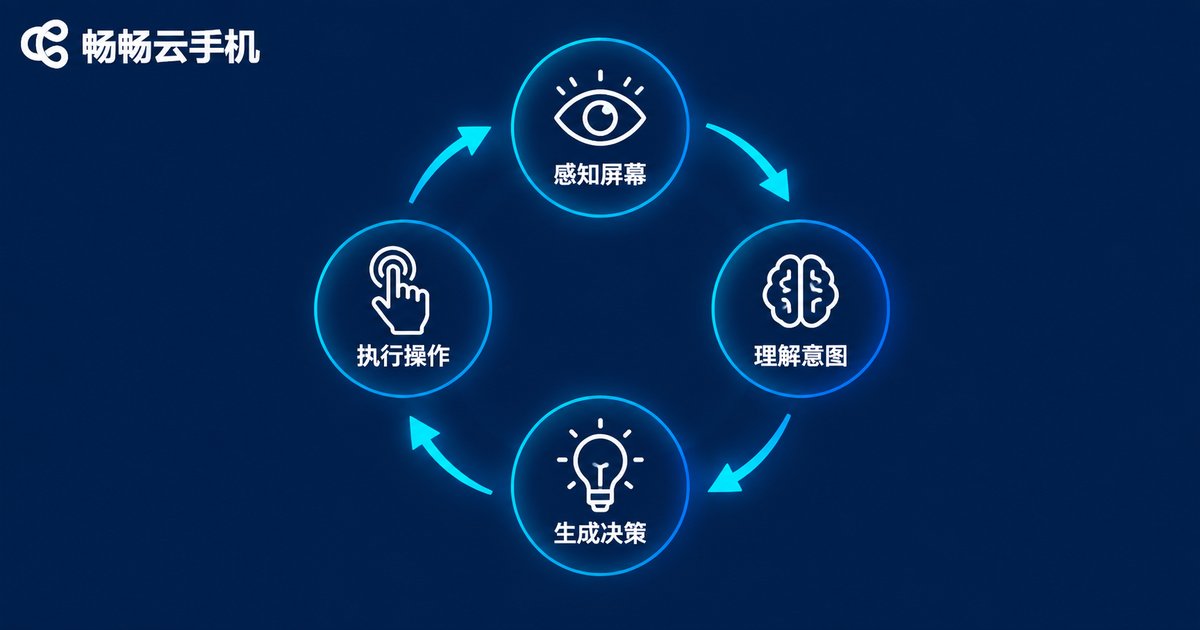
A complete AI automation pass is essentially a loop of four steps: Perceive → Understand → Decide → Act.
The framework first captures a screenshot of the cloud phone screen or reads its UI structure, then hands the image to a vision model such as Qwen-VL to 'take a look'. Qwen combines what it sees with the goal you set — for example, 'sign in and claim the daily reward every day' — and decides what to tap next. The framework then translates that decision into real click, swipe, and input actions on the cloud phone, takes another screenshot to verify the result, and repeats until the task is done.
Integration is simple: fill in your Qwen service credentials in the framework's model configuration. A typical setup looks like this:
{
  'api_base': 'https://dashscope.aliyuncs.com/compatible-mode/v1',
  'api_key': 'your-model-service-key',
  'model': 'qwen-plus',
  'vision_model': 'qwen-vl-plus'
}
Once configured, the framework keeps 'screen perception' and 'action execution' on the cloud phone side and delegates the 'thinking' to Qwen, with the two sides collaborating efficiently through the API.
Where Does It Shine?
Daily game routines: sign-ins, reward claims, and stamina sweeps run on schedule every day;
App automation testing: describe a test path in natural language and let the LLM drive a cloud phone through the entire flow and report results;
Multi-account content operations: publishing, replying, and data housekeeping across batches of cloud phones can be scheduled in one place;
Rule-based office work (RPA): hand form filling and data moving to your 'digital employee'.
Why Run AI Automation on Changchang Cloud Phone (ccloudphone)?
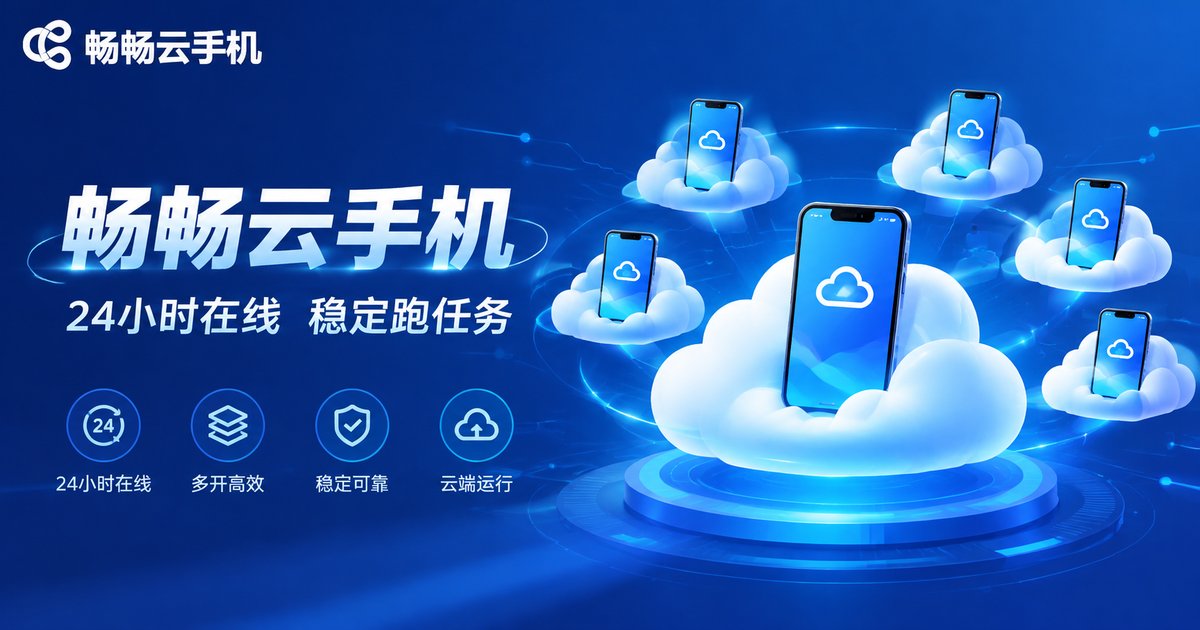
AI automation is only as stable as the foundation it runs on. Changchang Cloud Phone (ccloudphone) provides real Android environments in the cloud with devices online around the clock, so network drops or a powered-off PC never interrupt your cloud tasks. It supports unified management of multiple cloud phones for batch automation, and each device runs in an independent, clean environment, keeping LLM decisions free from interference by local software.
For individuals and teams experimenting with 'cloud phone + Qwen' automation, a practical path is to get one task running smoothly on a single cloud phone first, then scale up gradually. Visit the Changchang Cloud Phone website (ccloudphone) to learn more.
FAQ
Q: Do I need to know how to code to use Qwen?
No. The framework offers configuration-based integration — just enter the endpoint, the API key, and pick a model in settings. Coding is only needed for deep customization.
Q: Can I swap in other large models besides Qwen?
Yes. The framework supports the OpenAI-compatible interface, so any model service following that protocol can be connected. That said, the Qwen family is natively integrated and offers the smoothest out-of-box experience.
Q: Are LLM calls free?
Model usage is billed by the model provider based on consumption, separate from your cloud phone costs. Choosing cost-efficient models such as Qwen-Plus or Qwen-Turbo for routine tasks keeps spending under control.
Q: Can one cloud phone run multiple automation tasks at once?
We recommend one task stream per cloud phone at a time. When workloads grow, spin up more cloud phones to run tasks in parallel for better stability.
Q: Is it safe to send screenshots to the model?
The framework only uploads the screen information needed for the current decision and discards it afterwards. For sensitive apps, operate in compliance with their terms and disable unnecessary permissions.


