
What Repetitive Tasks Can Cloud Phone AI Automation Replace? An Inspection Case Study
Why Repetitive Tasks Are Quietly Draining Your Time
If you manage several—or even dozens of—cloud phones, this daily routine probably sounds familiar: checking in on every account each morning, taking screenshots at intervals to confirm apps are still running, manually replying to messages, and reopening apps after crashes. Each task looks small on its own, but day after day they add up to a surprising amount of time and energy.
Worse still, manual work is prone to oversight. If an app goes offline on one device and nobody notices, an entire day of tasks may be wasted. Cloud phones are inherently built for long-term online operation and multi-device management, and combined with AI automation, they are the ideal solution to this problem.
Six Types of Repetitive Tasks Best Suited for AI Automation
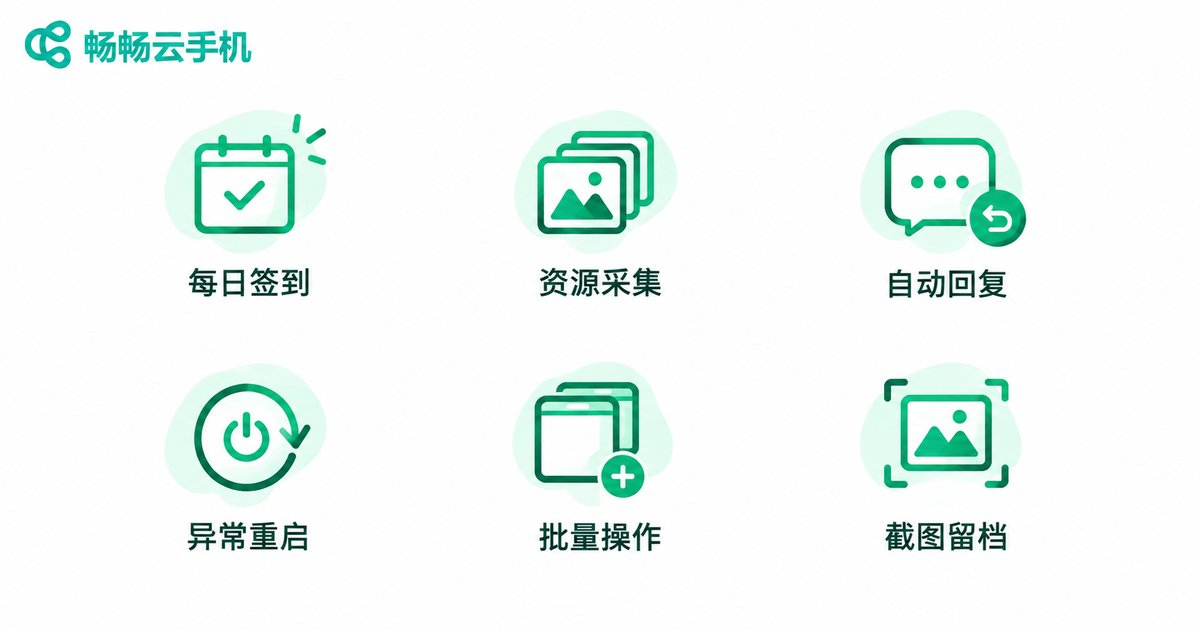
Based on real-world user experience, the following six types of operations are the best fit for cloud phone AI automation:
1. Daily check-ins and reward claims: Open designated apps on a schedule, complete check-ins, and claim daily rewards—no manual supervision required.
2. Resource collection on a timer: Idle farming in games or claiming in-app resources at set intervals, executed automatically in loops.
3. Automated message replies: Set up auto-responses to common questions so customer inquiries and group messages get an instant reply.
4. App health monitoring and auto-restart: Detect crashes or disconnects and automatically relaunch the app, cutting downtime to minutes.
5. Batch operations across accounts: Apply the same actions across many devices at once, such as publishing content or running tasks in unison.
6. Scheduled screenshots and record keeping: Capture screenshots and save running logs automatically for later review and analysis.
What these tasks have in common: clear rules, high repetition, and a need for timeliness—exactly where AI automation shines.
Inspection Case Study: From 2 Hours a Day to Nearly Zero Manual Work
Here is a typical inspection scenario, using a mobile gaming studio managing 50 cloud phones as an example:
Background: The team ran multiple games on cloud phones. Previously, a dedicated staff member performed manual inspections three times a day—morning, noon, and evening—checking each device one by one. A single round took at least 40 minutes, adding up to more than 2 hours daily.
Pain points: Manual inspections were time-consuming and prone to misses. Once, an app went offline in the early morning and was not discovered until noon the next day, costing a full day of idle farming rewards.
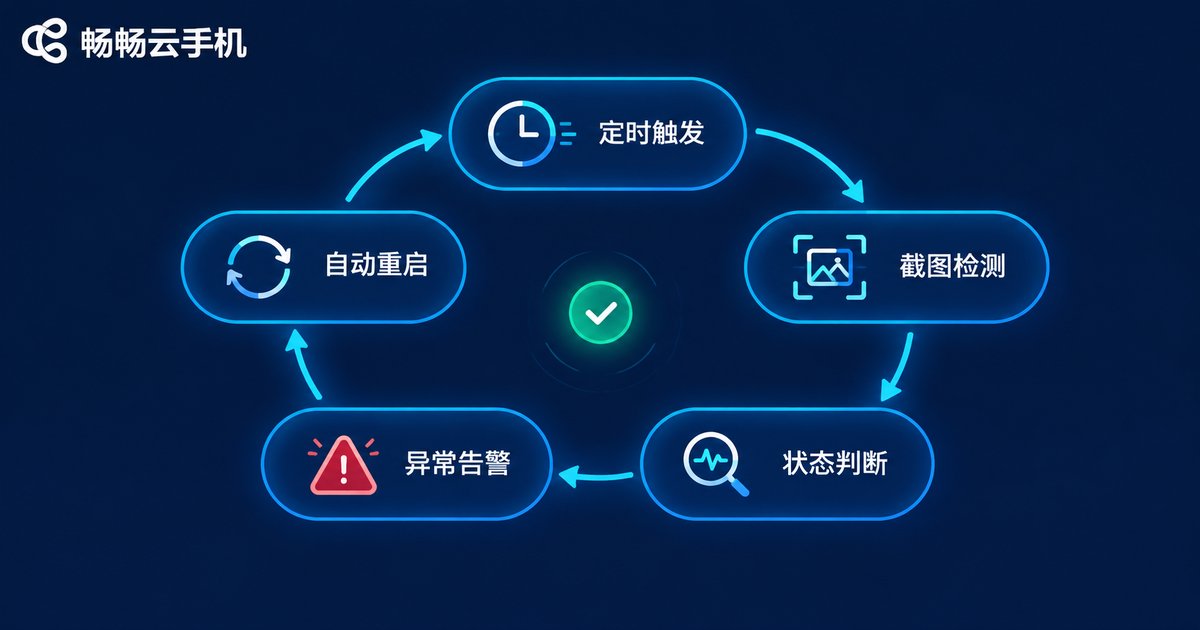
The solution: The team configured their inspection routines as automated tasks, running stably on CCloudPhone:
· Automatic screenshots every 30 minutes to keep running records;
· Scheduled checks on whether apps were running in the foreground, with instant auto-restart on failure;
· Automatic flagging and summarizing of anomalies, leaving just one inspection report to review each morning.
Results: Manual inspections dropped from three rounds a day to one quick review, and anomaly detection time shrank from hours to under 30 minutes. Here is the before-and-after comparison:
| Item | Manual Inspection | AI Automated Inspection |
|---|---|---|
| Daily time cost | Over 2 hours | About 10-minute review |
| Inspection frequency | 3 times a day | Every 30 minutes |
| Anomaly detection time | Up to several hours | Within 30 minutes |
| Missed checks | Happens occasionally | Rule-based, nearly eliminated |
| Labor cost | Dedicated staff required | No dedicated staff |
Build Your Own Automated Inspection System in Three Steps
Step 1: Map out repetitive actions. List everything you repeatedly do on your cloud phones each day, note the frequency and judgment criteria, and prioritize the parts with clear rules for automation.
Step 2: Configure automated tasks. Prepare your devices on CCloudPhone (ccloudphone), set up check-ins, screenshots, health checks, and auto-restarts as scheduled tasks, and validate on one or two devices before rolling out in batch.
Step 3: Set up alerts and reports. Configure notifications for anomalies and let the system generate inspection records automatically, so you only need a few minutes each day to review the results.
One final reminder: automation must comply with the terms of service of the relevant apps. Routine operations like inspections, check-ins, and screenshots are generally fine, but do not apply automation to scenarios that violate platform rules—the goal is to run stably for the long term.
FAQ
Q: Can I use cloud phone AI automation without coding skills?
Yes. Common inspection needs such as scheduled screenshots, offline auto-restart, and automatic check-ins can be implemented with ready-made automation tools or script templates. CCloudPhone supports multi-device management and long-term online operation, providing a stable foundation for automation—just follow the tutorials to get started.
Q: Will automated operations get my accounts banned?
As long as automation is used for routine operations like check-ins, inspections, and screenshots, and complies with the app's terms of service, the risk is controllable. Avoid abnormally high-frequency, mechanical action patterns and keep behavior close to normal usage.
Q: How often should inspections run?
Every 30 minutes to 1 hour is generally recommended. Too frequent increases resource consumption; too sparse lets anomalies linger. Adjust based on how critical your business is.
Q: Do automated inspections continue when my computer is off?
Yes. Cloud phones run in the cloud, and tasks keep executing on the cloud side. Shutting down your local computer does not affect automation running on your cloud phones—one of their key advantages over physical devices.
Q: Who is CCloudPhone suitable for?
It suits users who need multiple devices online around the clock, such as mobile gaming studios, multi-account operations teams, and app testers. Visit the CCloudPhone official website (ccloudphone) for details on plans and configurations, and choose based on your number of devices and business scale.


