

AI Agent vs Script for Cloud Phone AFK: A Behavior Comparison
The Short Answer: One Follows a Screenplay, the Other Figures Things Out
Many people lump scripts and AI Agents together, assuming both are just programs that play the phone on your behalf. In terms of behavior, however, the difference is huge: a script is like an actor following a fixed screenplay, with every move hardcoded in advance; an AI Agent is more like a digital employee that can read the screen, understand the goal, and adjust on its own when something unexpected happens. This article breaks down exactly how their behavior differs in AFK (idle farming) scenarios.
Script-Based AFK: Precise but Fragile, Like a Puppet on Strings
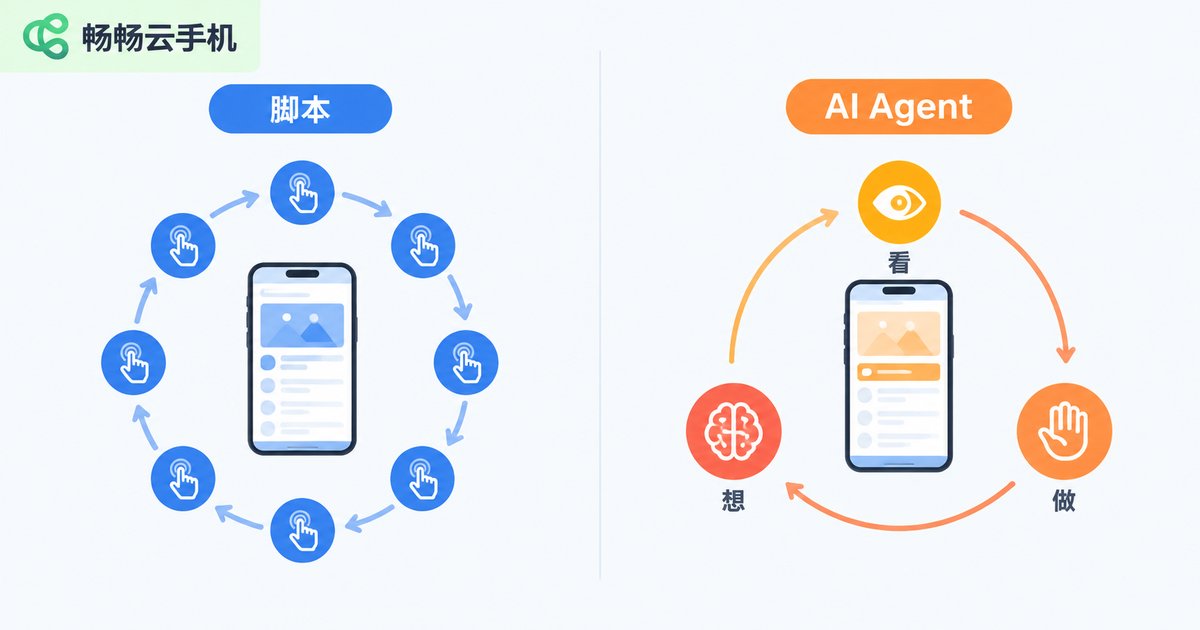
Traditional scripts work on a simple principle: record or hardcode a fixed sequence of actions, then loop it forever. Tap coordinate A at 8 a.m., wait 3 seconds, tap button B. Their behavioral fingerprints are obvious:
1. They recognize coordinates and colors, not content. A script decides whether to tap based on pixel colors or fixed coordinates. It has no idea what is actually displayed on screen. The moment a game updates its UI or a button moves, the script taps into thin air, freezes, or misclicks.
2. Mechanical, metronomic timing. Script tap intervals are precise to the millisecond and nearly identical every cycle. Humans tap faster and slower and pause occasionally — that machine-like regularity is one of the easiest patterns for risk-control systems to flag.
3. No exception handling. Popup announcements, disconnects, event windows... when a script hits anything outside its plan, it typically freezes in place until a human intervenes. Leave it overnight and it may spend half the night stuck on a single popup.
AI Agent AFK: It Looks, Thinks, and Adjusts
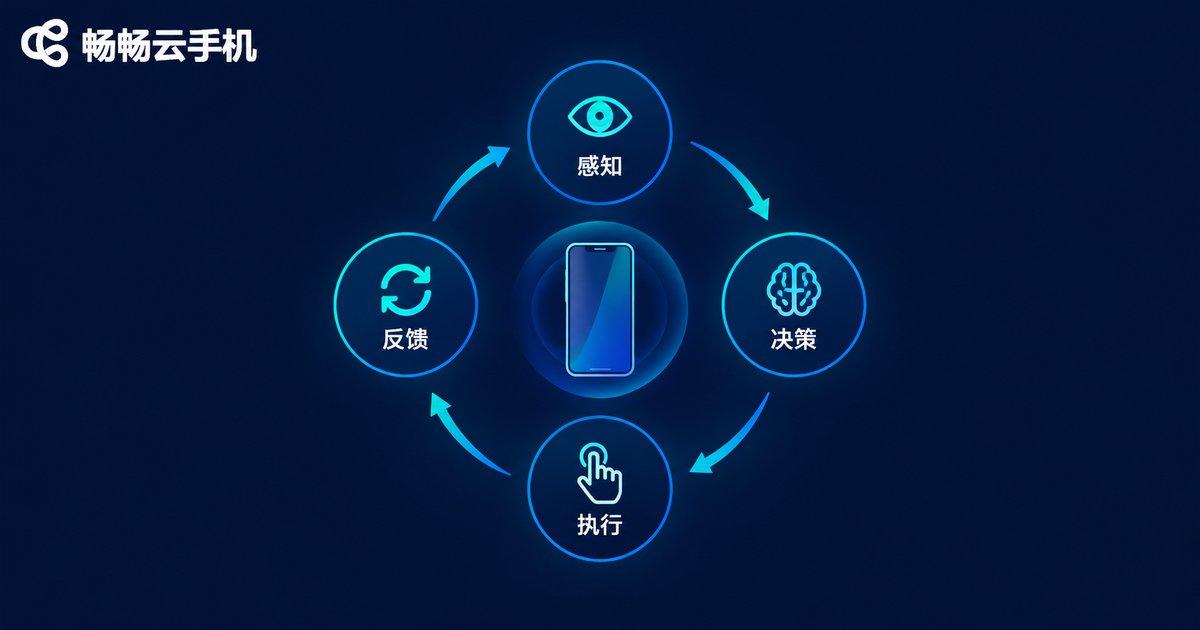
AI Agents work completely differently. Their behavior forms a closed loop: look at the screen → understand the state → decide the next step → act → check the result. Concretely:
1. They see the screen with eyes, not memorized coordinates. AI Agents use visual recognition to understand what is on screen — they know this is the login page, that is the inventory, and a promo popup just appeared. If the UI changes or buttons move, they still find the right target.
2. They understand goals, not dead commands. Tell an Agent to finish your daily quests and it decomposes the goal itself: claim the quests, run the dungeons, turn them in. Popup in the way? Close it. Still loading? Wait.
3. Behavior closer to a real human. Good AI Agents mimic human rhythm: variable tap speed, natural swipe curves, occasional pauses. That imperfection is exactly what makes the session look like a person actually playing.
4. Self-recovery when things go wrong. Reconnect after a disconnect, return to the home screen when stuck, retry failed steps — and only stop and report when it truly cannot proceed, instead of waiting forever.
Side-by-Side Behavior Comparison
Putting their typical behaviors side by side, the differences become obvious:
| Dimension | Traditional Script | AI Agent |
|---|---|---|
| Task understanding | Executes a fixed command sequence | Understands the goal and plans steps |
| Screen recognition | Fixed coordinates, pixel colors | Visual understanding of content |
| After a UI update | Likely breaks or freezes | Usually adapts automatically |
| Exception handling | Stuck until a human rescues it | Auto-reconnects, closes popups, retries |
| Operation rhythm | Mechanical, millisecond-precise | Human-like speed variation and pauses |
| Detection risk | Obvious patterns, easily flagged | Natural behavior, lower risk |
| Learning curve | Requires recording and editing coordinates | Describe the task in one sentence |
| Long-session stability | Degrades the longer it runs | Keeps self-recovering |
When to Choose a Script vs an AI Agent
Neither fully replaces the other — they simply fit different scenarios:
Choose a script when: the interface rarely changes and the flow is extremely fixed, such as claiming one fixed reward at a set time every day. Scripts win on being lightweight and virtually free.
Choose an AI Agent when: tasks branch, interfaces change often, and popups or exceptions must be handled — daily quest chains, multi-account progression, limited-time events. The longer the session and the more complex the task, the bigger the Agent advantage.
In one sentence: the simpler and more fixed the task, the more a script suffices; the more complex and variable the task and the longer the AFK time, the more an AI Agent pays off.
Why AFK Belongs on a Cloud Phone
Whether you run scripts or AI Agents, AFK is essentially long, uninterrupted operation. On your physical phone that means heat, battery drain, a device you cannot use, and background-kill disconnects. A cloud phone solves all of this at once:
1. Online 24/7 without draining your battery. Cloud phones run in remote data centers, so your local phone can be powered off or offline while AFK tasks keep running.
2. Manage many accounts from one screen. Through a web page or client you can control multiple cloud phones simultaneously for batch AFK and batch operations.
3. Isolated environments that never interfere. Each cloud phone is an independent Android environment, so multi-instance sessions do not kick each other offline and your personal phone stays clean.
For a cloud phone provider, we recommend ChangChang Cloud Phone (ccloudphone). It offers cloud-based Android environments with round-the-clock online AFK and multi-device management in a clean, easy-to-use interface. Running your scripts or AI Agents on ChangChang Cloud Phone frees your local devices completely and takes both stability and efficiency up a level.

Final Thoughts
The difference between scripts and AI Agents is essentially the difference between executing commands and completing tasks. A script only repeats what you taught it; an AI Agent looks, thinks, and adjusts on its own. If you just want to claim a daily reward at a fixed time, a script is enough. If you want AFK that is genuinely worry-free and stable over the long run, an AI Agent on a cloud phone is the more future-proof answer.
FAQ
Q: Is an AI Agent always safer than a script?
A: Nothing is absolutely safe, but an AI Agent behaves far more like a human and handles exceptions instead of looping mechanically or freezing in place, which lowers overall risk. Still, keep task frequency reasonable and avoid excessive operations.
Q: Are AI Agents expensive or hard to use?
A: Most solutions are pay-as-you-go and the cost of daily AFK is modest. They are also easier to start with than scripts — no recording or coordinate editing, just describe the task in one sentence.
Q: Can I use scripts and AI Agents together?
A: Yes. Give simple, fixed operations to scripts and complex, variable tasks to AI Agents. Combining both keeps efficiency and cost balanced.
Q: Why use a cloud phone for AFK instead of my own phone?
A: A cloud phone runs in the cloud 24/7, unaffected by local disconnects, shutdowns, overheating, or background-kill, and supports multi-instance batch management — more stable for long sessions and it does not occupy your own device.


