
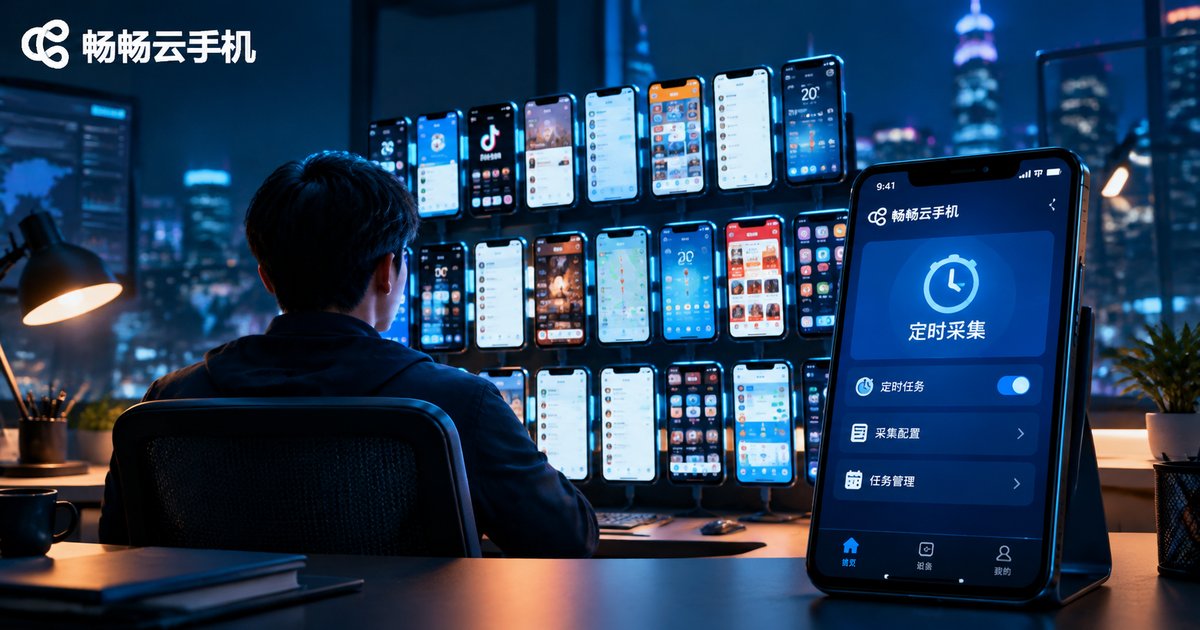
How to Use AI Agents on Cloud Phones for Data Collection! Scheduled Task Triggers
Cloud Phone + AI Agent: A New Way to Collect Data
Data collection used to mean manually copying information off a screen, or running scripts on a local computer that had to stay powered on around the clock. With a cloud phone paired with an AI Agent, the entire workflow moves to the cloud: the phone stays online 24/7, the agent wakes up on your schedule, operates the device automatically, and sends the data back — no human intervention required.
In short: the cloud phone is the body, the AI Agent is the brain, and the scheduled task is the alarm clock. When the alarm goes off, the brain directs the body through a full collection routine and hands you the organized results.
Why Data Collection Is a Perfect Fit for Cloud Phones
Collection workloads share a few traits: high frequency, long cycles, and often multiple accounts or apps. These map directly onto the core strengths of cloud phones:
1. Always online: Cloud phones run in data centers, not on your desk, so a 3 a.m. scheduled job still fires on time.
2. Isolated environments: Each cloud phone is an independent Android environment, so multiple accounts and tasks never interfere with one another.
3. Batch management: A unified console lets you manage large numbers of cloud phones at once and spread collection tasks across devices in parallel.
4. Zero local load: No matter how often jobs run, your own computer and phone stay untouched.
How an AI Agent Works on a Cloud Phone
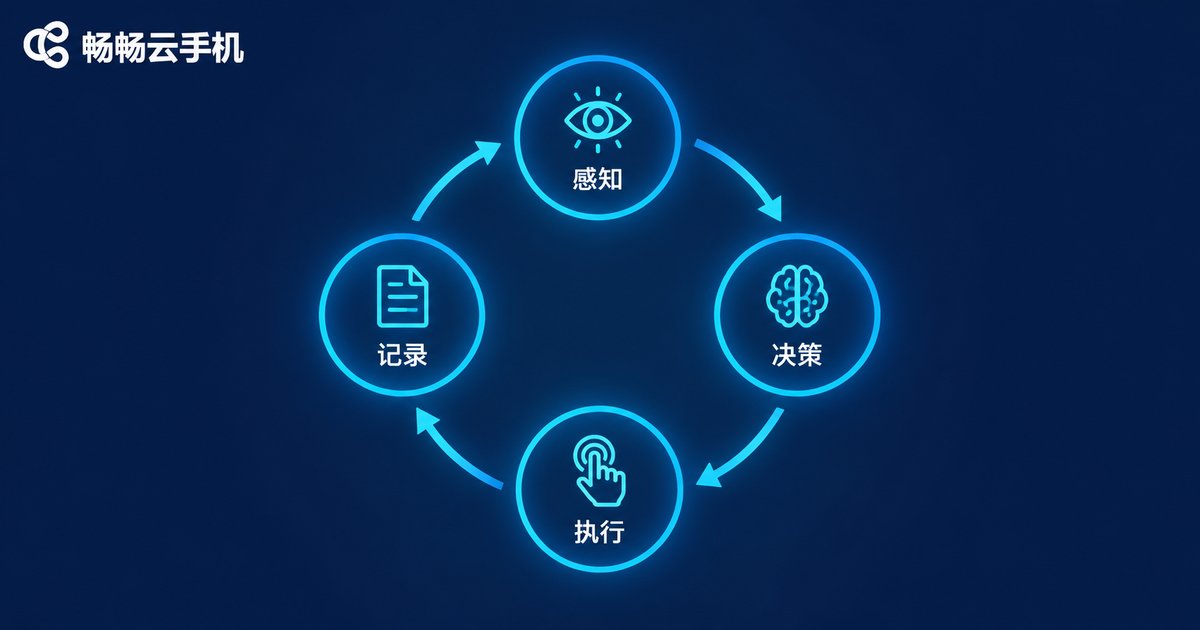
When an AI Agent runs a collection task, it keeps repeating a four-step loop: Perceive → Decide → Act → Record.
| Stage | What the agent does | Example |
|---|---|---|
| Perceive | Reads screen content and page state | Recognizes which page it is on |
| Decide | Chooses the next action based on the goal | Sees the list has ended and goes back |
| Act | Simulates taps, swipes, and typing | Taps the search box and enters a keyword |
| Record | Saves results in structured form | Writes prices and titles to a data sheet |
Compared with rigid legacy scripts, the agent's key advantage is that it handles change: it closes a blocking pop-up before continuing, and re-reads the layout when a page gets redesigned. That makes long-running collection jobs far more stable.
Three Common Ways to Trigger Scheduled Tasks
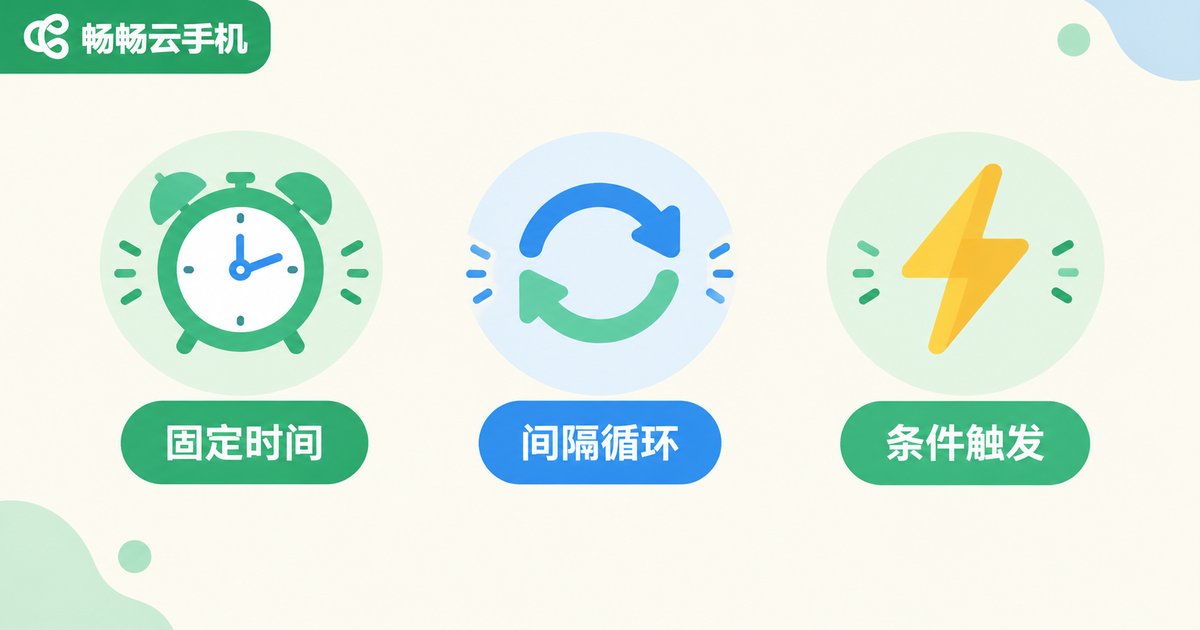
Scheduling is the starting point of the whole automation pipeline, and there are three common approaches:
1. Fixed-time trigger: run a daily report collection at 8:00 a.m. sharp — ideal for tasks with a clear cycle.
2. Interval trigger: run every 30 minutes — ideal for monitoring prices, stock levels, or ranking changes.
3. Condition-based trigger: fire only when something happens, such as detecting an update on the target page or chaining the next job after the previous one finishes.
If you build the scheduler yourself, cron covers most timing needs:
# Daily report collection at 08:00
0 8 * * * agent run --task 'daily-report'

# Check for data updates every 30 minutes
*/30 * * * * agent run --task 'check-update'

# Summarize and push results at 18:00 on weekdays
0 18 * * 1-5 agent run --task 'summary-push'
On a cloud phone platform, these rules can usually be configured through a visual console: pick a frequency, bind it to a cloud phone and a task, and save — no cron syntax required.
A Complete Example: E-commerce Price Monitoring
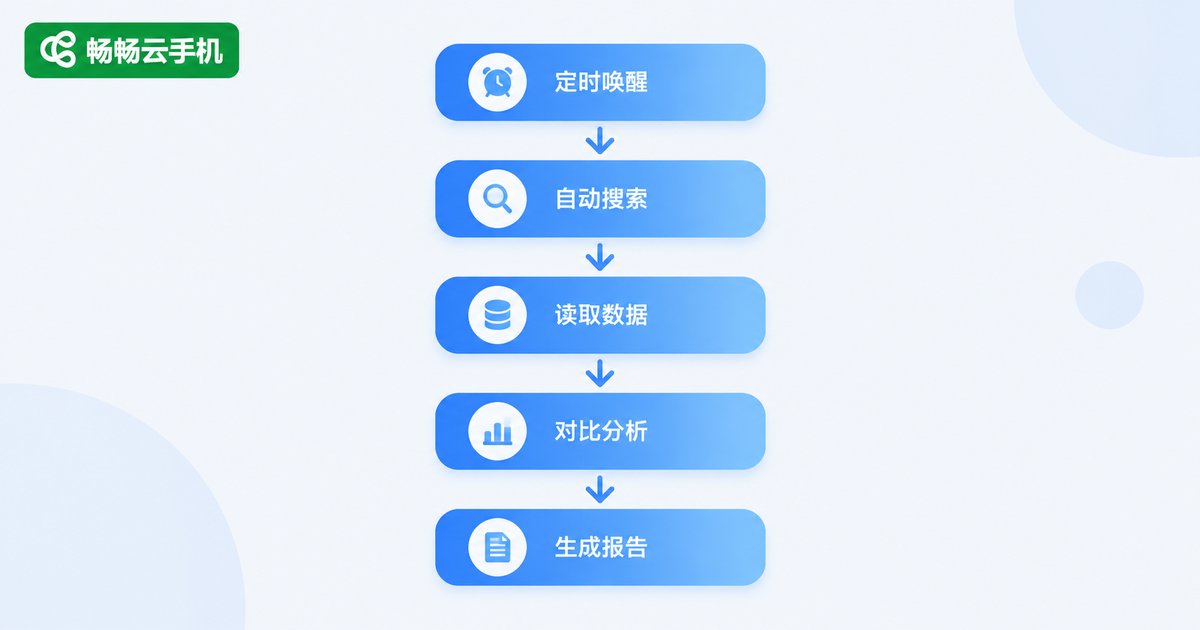
Put the pieces together and here is how a typical scheduled collection job runs:
Step 1: The scheduler fires at 09:00 and wakes the agent on the designated cloud phone.
Step 2: The agent opens the target app and searches a preset list of keywords one by one.
Step 3: On each product page it reads the title, price, and sales figures and saves them in structured form.
Step 4: It compares the results with the previous day and flags items whose price moved beyond a set threshold.
Step 5: It generates the daily monitoring report, pushes instant alerts for abnormal swings, and batches normal data into the summary.
The whole run usually finishes in a few minutes — all you do is read the report.
5 Tips to Keep Scheduled Collection Jobs Stable
1. Add retries: when a network hiccup or slow page load breaks a run, retry 2-3 times automatically before alerting.
2. Randomize pacing: insert random delays between taps and swipes to mimic human rhythm.
3. Stagger schedules: when several cloud phones run similar jobs, offset their trigger times by a few minutes to avoid simultaneous peaks.
4. Log everything: keep a record and screenshot of every step so failures can be traced to the exact stage.
5. Cache before uploading: store data locally first and upload once the connection recovers, so a dropped network never wipes out a full round.
Why We Recommend ChangChang Cloud Phone for Scheduled Collection
ChangChang Cloud Phone (ccloudphone) combines a cloud-hosted device environment with batch management: cloud phones stay online around the clock so scheduled jobs never depend on your local hardware; unified multi-device management makes it easy to spread collection tasks in parallel; and each device runs in an isolated environment, so multiple accounts and tasks can run side by side. For AI Agent collection scenarios that demand long-term, stable, unattended scheduled execution, it is a natural fit. For the latest feature and plan details, visit the official website at ccloudphone.
FAQ
Q: Will scheduled tasks still run on the cloud phone if my local computer is shut down?
Yes. Cloud phones run on cloud servers, so both scheduling and execution happen in the cloud, independent of your local devices.
Q: Can one cloud phone run multiple scheduled tasks?
Yes — tasks execute in a queue. Stagger the trigger times so several jobs do not compete for the same device.
Q: What should I do when a scheduled task fails?
Set up automatic retries and failure alerts first, then use the operation logs to locate the issue. If a page redesign broke the flow, update the agent's action strategy to restore it.
Q: Where is the collected data stored?
The agent typically sends data back to a database, spreadsheet, or API endpoint you designate. The cloud phone only handles execution — you keep full ownership of the data.
Q: Can I use this workflow without coding skills?
Yes. Most collection jobs can be configured through visual rule builders; cron is simply the advanced option. When starting out, focus on getting a single-device scheduled task running end to end.


