
What Is a Cloud Phone AI Agent? A Tutorial for Natural Language Driven Automated Tasks
What Is a Cloud Phone AI Agent?
A cloud phone AI Agent is, simply put, an intelligent assistant running inside a cloud phone. You only need to tell it what to do in plain language, for example: open a certain game every morning at 8 and check in to claim rewards. It will break the request into steps, launch the app, tap through the screens, and finish the task — no need for you to watch the screen at all.
Compared with a traditional cloud phone, the biggest difference is the shift from manual operation to automatic execution. A traditional cloud phone solves the device problem: no local storage usage, multiple instances, online 24/7. An AI Agent goes one step further and solves the operation problem, handing all repetitive, rule-based actions to software that understands and performs them.
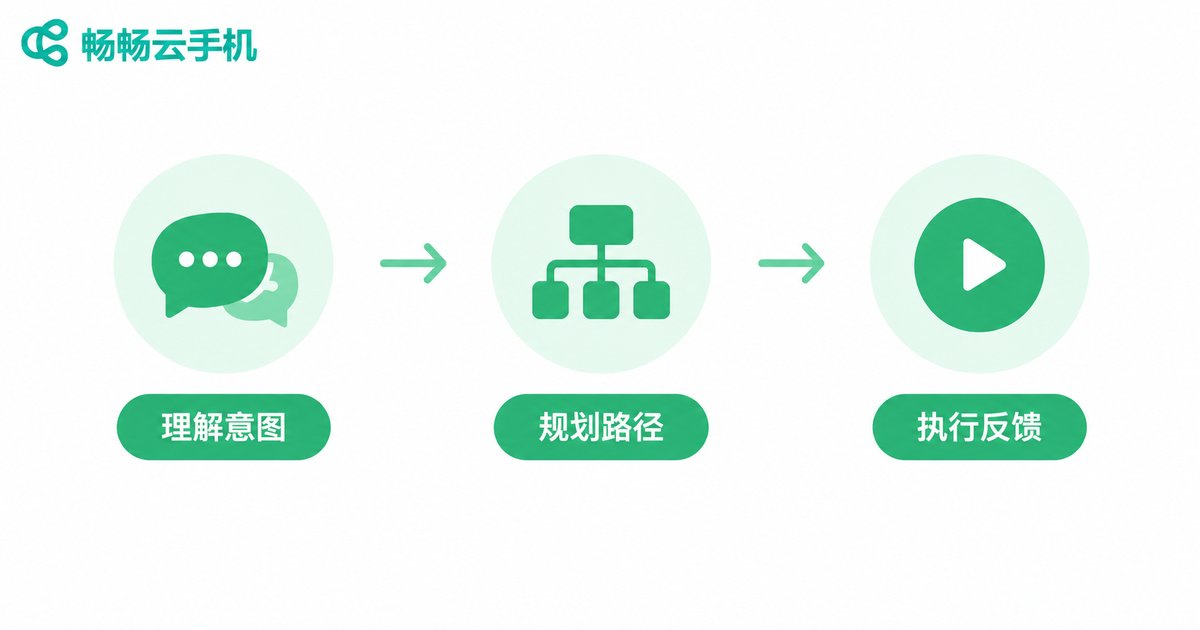
How Does the AI Agent Understand Your Words?
The whole process can be broken into three steps:
Step 1: Understand the intent. Your sentence is parsed into goals and conditions. For example, the phrase check-in maps to a chain of actions: open the app, locate the button, tap to confirm.
Step 2: Plan the path. The AI decides what to do first based on the current screen, and automatically handles pop-ups, ads, and loading pages along the way.
Step 3: Execute and report. After the task finishes, it tells you the outcome: success, failure, or stuck at a step that needs more detail from you.
It is like giving your cloud phone a tireless operator: you state the goal, and it does the hands-on work.
Which Tasks Suit an AI Agent Best?
| Task Type | Typical Scenario | Suitability |
|---|---|---|
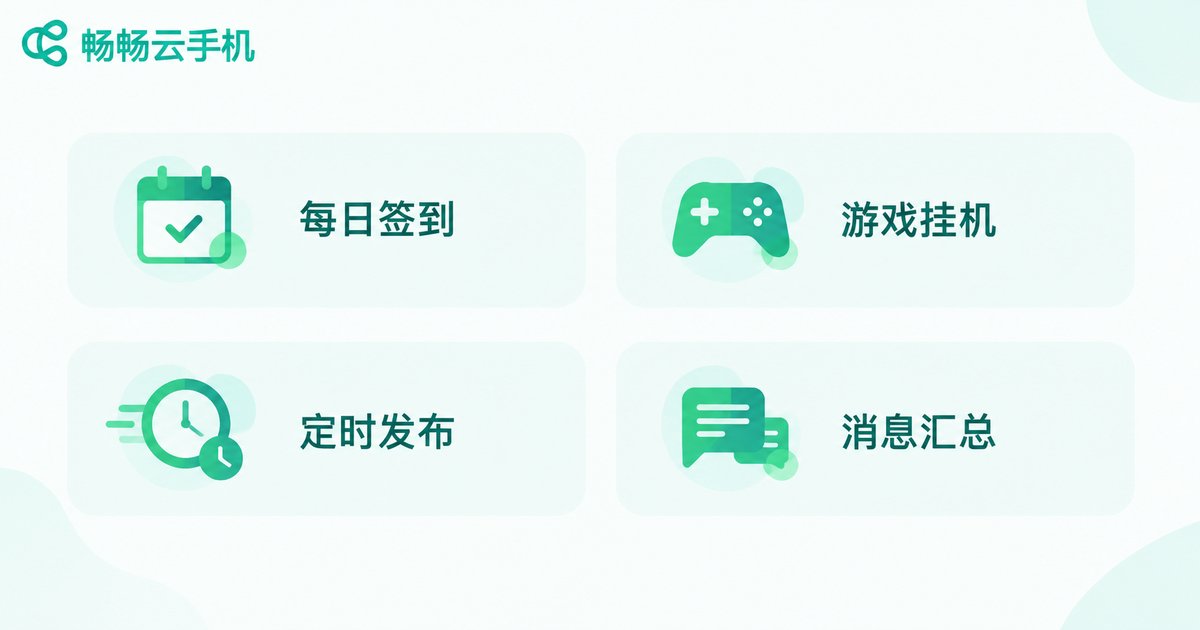
| Daily check-ins | Game sign-ins, app check-ins for points | Highly suitable |
| Repetitive idle tasks | Game farming and daily quests on autopilot | Highly suitable |
| Scheduled posting | Publishing short videos or social content on a plan | Suitable |
| Information rounds | Opening apps regularly to check and summarize messages | Suitable |
| Complex creation | Creative work requiring subjective judgment | Not recommended |
The rule of thumb is simple: tasks with clear rules and fixed steps are the best fit for an AI Agent; anything requiring on-the-spot judgment is better kept to yourself.
Hands-On Tutorial: Launch a Task with One Sentence
Here is how to drive an automated task with natural language, using ChangChang Cloud Phone (ccloudphone) as an example:
Step 1: Create a cloud phone instance. Register and log in to ChangChang Cloud Phone, create a cloud phone, and install the app you want to automate.
Step 2: Open the AI Agent feature. Find the AI assistant entry inside the cloud phone and enter the chat interface.
Step 3: Describe the task in natural language. For example: every night at 9, open the game, go to the event page, claim the daily reward, then close the game. Try to include four elements: time, app, action, and end condition.
Step 4: Do a trial run. Watch the first execution to confirm the AI follows the path you intended; if it drifts, add clarifying details.
Step 5: Schedule recurring runs. Once verified, set it to run daily. The cloud phone will then run the task in the cloud, even when your local device is powered off.
4 Tips for Writing Better Task Instructions
Whether the AI Agent understands you depends largely on how you phrase things. Keep these four points in mind:
1. One task per instruction. Compound commands such as check in to the game and then post a video in another app are error-prone; split them into two.
2. Use the exact on-screen wording. If the button says Claim Reward, write tap Claim Reward instead of grab the reward.
3. Specify exception handling. For example: if an ad pops up, close it and continue — patch the edge cases in advance.
4. Verify complex tasks step by step. Let it complete step one first, confirm it works, then add step two, building the full flow gradually.
Why the Cloud Phone Is the Best Home for AI Agents
An AI Agent needs a device that is always online and ready to be dispatched — exactly what a cloud phone excels at:
Online 24/7 in the cloud: Tasks run on servers; shutting down or losing connection on your local phone changes nothing.
Parallel instances: One cloud phone runs one task, and multiple cloud phones run many tasks at once, multiplying your efficiency.
Clean isolated environment: All automation happens in an independent cloud environment without consuming local device resources.
If you are ready to experience natural language driven automation, visit the ChangChang Cloud Phone (ccloudphone) official website for details and create a cloud phone to try it out.
FAQ
Q: Do I need coding skills to use a cloud phone AI Agent?
No. Its core appeal is natural language interaction — if you can describe your need in plain language, you can use it. No scripts or code required.
Q: Do I need to stay online while the Agent runs a task?
No. Tasks run on the cloud phone side. After sending the instruction you can close the local app and check the results later.
Q: What if a task fails?
Check the execution log or result feedback first. In most cases the description was not precise enough. Put the exact button wording into your instruction and add exception handling notes to raise the success rate.
Q: How many automated tasks can one cloud phone run at once?
It is best to keep one cloud phone focused on one task sequence at a time; too many tasks interfere with each other. Open more cloud phone instances for parallel work.
Q: Are automated tasks in games risky?
Any automation must follow the rules of the game and the platform. Stick to permitted daily check-ins and idle tasks, and avoid anything that could endanger account safety.


