
How to Use AI Agents for Data Collection on Cloud Phones: Full-Web Search and Scheduled Task Configuration
First, Understand the Combo: Cloud Phone + AI Agent
Many people still think of AI Agents as chatbots, but their real value lies in getting work done autonomously: you give them a goal, and they break it into steps, run searches, filter information, and organize results with no supervision required. A cloud phone is essentially a smartphone running in the cloud, online 24/7. Put the two together and you get a tireless data collector that searches the web, extracts key points, and compiles summaries around the clock, while your physical phone only needs to check the final results.
For example: suppose you want to continuously track new product launches in an industry, competitor price changes, or trending topics on social platforms. The traditional approach is manually opening a dozen apps and websites every day — slow, laborious, and easy to miss things. With an AI Agent on a cloud phone, you configure the task once, and it runs automatically on schedule every day, delivering results straight to you.
Why Data Collection Is a Perfect Fit for This Combo
Data collection has three characteristics that match three cloud phone strengths:
1. It requires constant connectivity. Timeliness matters — hot topics go cold within hours. Cloud phones never power off or lose connection, so AI Agents can stand by around the clock and capture trends the moment they appear.
2. It benefits from parallel tasks. One person has only two hands, and a physical phone lags when too many apps run at once. Cloud phones support multiple instances, each running its own collection line without interference, multiplying efficiency.
3. It needs isolation from your daily device. Collection involves constantly opening pages and clicking links, which clutters a physical phone. A cloud phone is an isolated environment — experiment freely, and if anything goes wrong, just spin up a new instance while your real phone stays clean.
How to Configure Full-Web Search Tasks
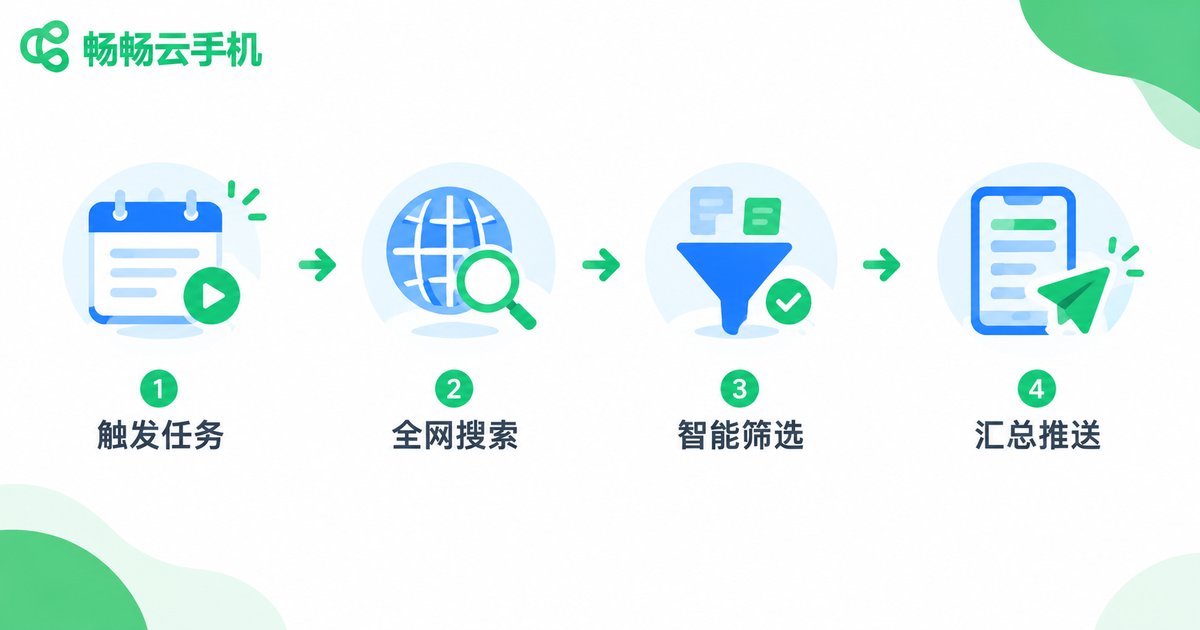
Full-web search is what AI Agents do best. The configuration logic comes down to four steps:
Step 1: Define the goal clearly. Do not give vague instructions like find me some stuff — specify what to search, where to search, and what output you need. For example: collect daily news about new smart home product launches from news sites and social platforms, outputting title, link, publish time, and a one-sentence summary.
Step 2: Break it into instructions. Translate the goal into executable steps: search keywords → open results → extract key fields → filter duplicates and low-quality content → sort by time.
Step 3: Set the output format. Have the Agent organize results into a table or list you can use directly, instead of scattered text.
Step 4: Test before scaling. Trigger the task manually once, check whether the data comes back correct, and only then hand it over to the scheduled trigger.
How to Configure Scheduled Triggers
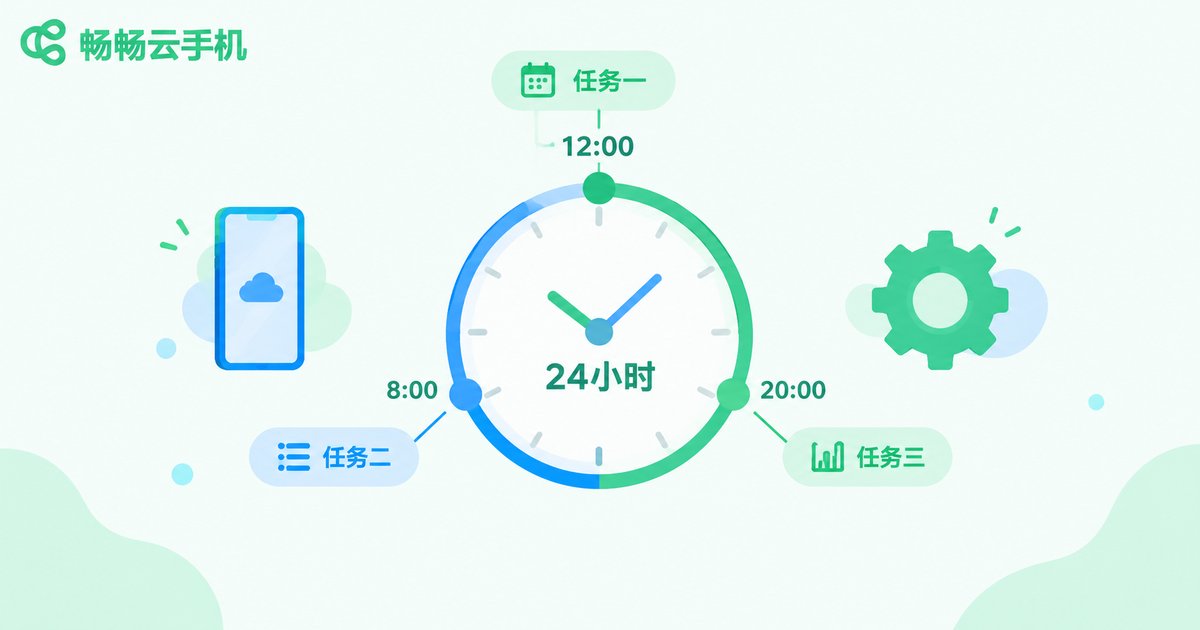
Scheduled triggers are what turn collection from manual to automatic. Keep three points in mind:
1. Pick the right frequency. News-style information changes fast — run every 2-4 hours. Price data changes slowly — morning and evening runs are enough. Too frequent wastes resources; too sparse misses information.
2. Stagger execution times. If multiple cloud phones run different tasks, offset the trigger times — for example, device A runs on the hour, device B at half past — to avoid resource contention.
3. Configure failure retries. Network hiccups happen. Set automatic retries, for example 10 minutes after a failure, up to 3 attempts, so your data stream never breaks.
A typical scheduled configuration looks like this:
Trigger: daily at 8:00 / 12:00 / 20:00
Actions:  full-web search for target keywords
          → extract title, link, publish time
          → deduplicate and filter ads
          → compile into a daily digest
On failure: auto-retry after 10 minutes, up to 3 times
The Full Workflow: From Task Creation to Results
Putting it all together, the complete workflow is:
① Activate a cloud phone → ② Set up your AI Agent tool on it → ③ Describe the collection goal and search scope → ④ Set the scheduled trigger rules → ⑤ Run a manual test to verify results → ⑥ Let it run on autopilot and check the daily digest
The most time-consuming part is step ③ — describing your requirements precisely. The more specific the description, the higher the data quality. After step ④, you can basically leave it alone; the cloud phone does the work on schedule.
Efficiency Comparison: Manual Collection vs Cloud Phone AI Agent
| Dimension | Manual Collection | Cloud Phone + AI Agent |
|---|---|---|
| Working hours | Only while you are online | 24/7 automatic operation |
| Labor cost | 1-2 hours of screen time daily | Configure once, check results in minutes |
| Miss risk | Easy to forget or overlook | Scheduled triggers, always on time |
| Parallelism | One track at a time | Multiple cloud phones, multiple lines |
| Data freshness | Half a day to a day behind | Responds within minutes of a trend |
Which Cloud Phone to Choose: CCloudPhone
Running AI Agent collection tasks puts three demands on a cloud phone: stable connectivity, multi-instance support, and smooth performance. We recommend CCloudPhone (ccloudphone):
Online around the clock: Cloud phones run in data centers and do not depend on your device being powered on, so scheduled tasks fire on time without worries about power or network cuts.
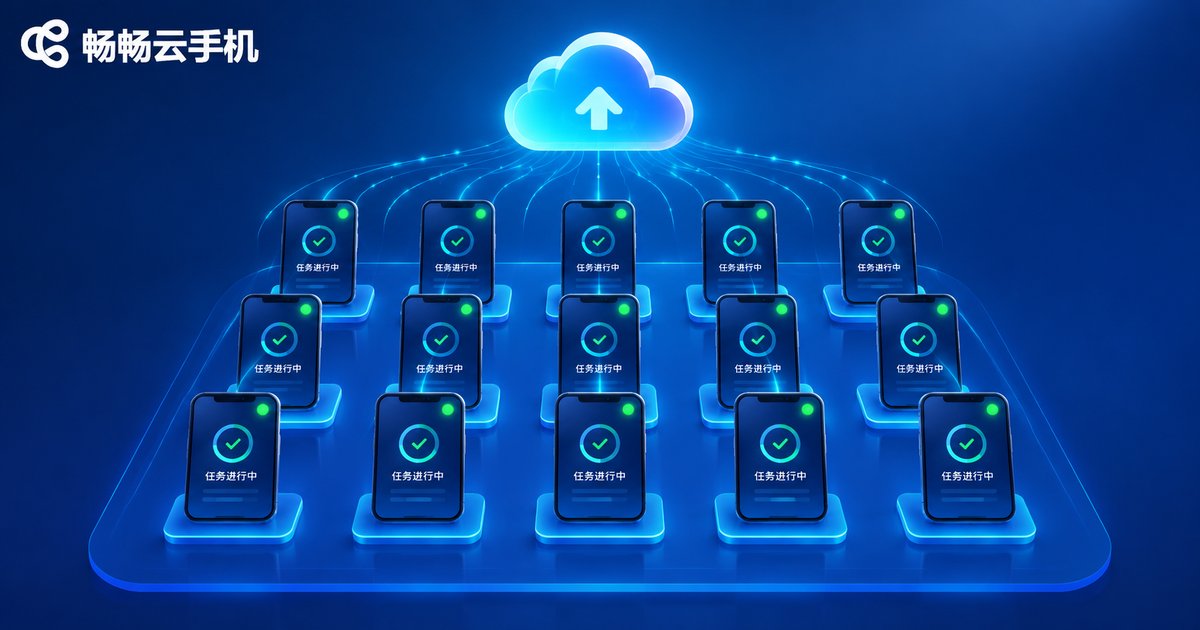
Multi-instance parallelism: Run multiple cloud phones simultaneously, each handling a separate collection line across different platforms and keywords for fuller coverage.
Zero burden on your real phone: All collection activity happens in the cloud; your phone only receives the summaries — no overheating, no battery drain, no storage pressure.
Check the CCloudPhone official website for current plans and configurations, and pick one that matches your task volume. Beginners should first get the full workflow running on a single cloud phone, then scale up gradually.
FAQ
Q: Can I use an AI Agent for collection without coding skills?
Yes. Most AI Agents today accept natural language instructions — just describe what to search and what output you need in plain words. Scheduled triggers are set through the interface and take only a few minutes.
Q: Will scheduled tasks be lost if the cloud phone restarts?
On a reliable service, task configurations are stored in the cloud and restored automatically after a restart. Choose a stable provider like CCloudPhone, and run a manual test after configuration to confirm everything works.
Q: How many collection tasks can one cloud phone handle at once?
We suggest 1-2 tasks per cloud phone. Too many tasks compete for resources and slow each other down. For more tasks, spin up additional cloud phones and run them in parallel.
Q: Where is the collected data stored?
Typically in the cloud phone storage or the Agent built-in space, and you can also configure automatic delivery to your email, group chat, or documents. Check the daily digest regularly and back up important data.
Q: Will full-web search pull in lots of irrelevant results?
It can, so specify filter conditions in your instructions: time ranges, preferred sources, and excluded keywords. After one test run, refine the description based on results — two or three rounds usually gets it precise.


