

How to Use AI Agents in Cloud Phone Marketing: Building an AIGC Content Production and Distribution Workflow
First, Get Clear: What Can AI Agents Actually Do in Marketing?
Many marketers have heard of AI Agents but are not sure how they differ from ordinary AI chatbots. Simply put, an AI Agent is an AI assistant that works on its own: you give it a goal — for example, produce 10 short-video scripts a day — and it breaks the task down, calls the right tools, executes step by step, and hands you the finished result, with no need to supervise every move.
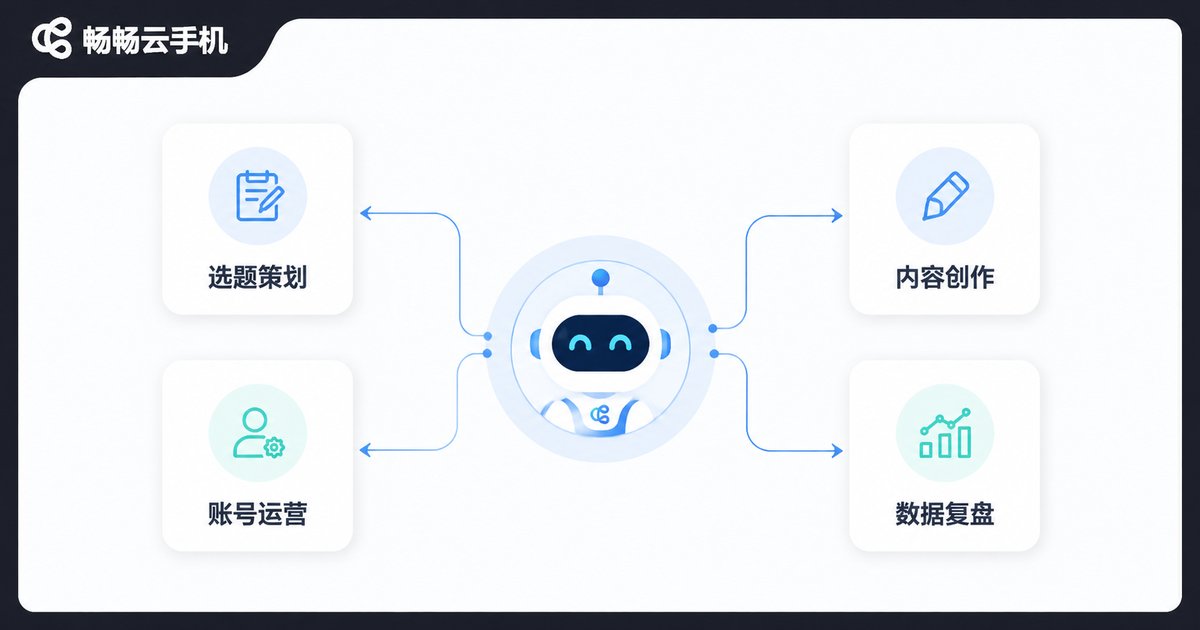
In a marketing context, an AI Agent can take over tasks such as:
Topic research: automatically tracking trends, analyzing competitor content, and building daily topic lists;
Content creation: writing copy, generating images, and editing videos end to end;
Account operations: scheduled posting, replying to comments, and maintaining audience engagement;
Performance review: aggregating data across platforms, spotting viral patterns, and feeding insights into the next round of creation.
The cloud phone is where these Agents live and work around the clock.
Why the Cloud Phone Is the Ideal Home for Marketing AI Agents
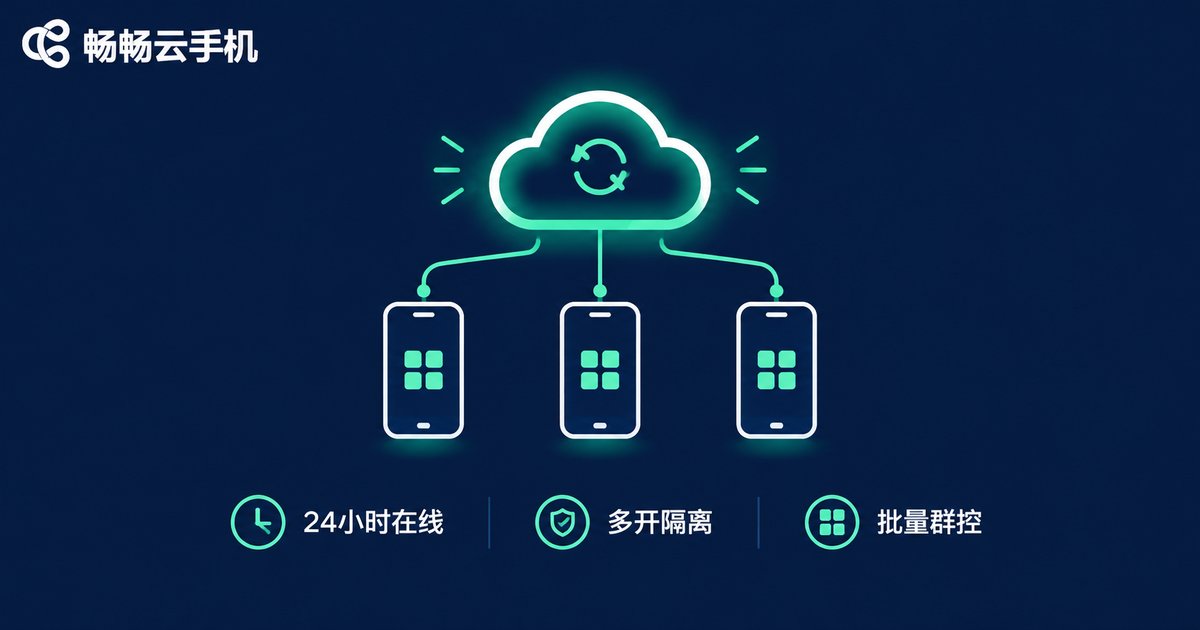
However smart an AI Agent is, it still needs a stable place to run. Marketing workloads impose three hard requirements: always-on availability, isolated multi-account environments, and batch operations — exactly where cloud phones shine. A cloud phone is a virtual smartphone running on cloud servers, with no dependence on physical devices on your desk:
1. Online 24/7: cloud phones never power off or lose connection, so scheduled Agent tasks keep running at 3 a.m.;
2. Isolated multi-instance: every cloud phone is an independent device environment, so multiple accounts never interfere with each other — perfect for matrix operations;
3. Batch group control: one computer can control dozens or even hundreds of cloud phones at once, replicating the same Agent workflow at scale;
4. Lower cost: no need to buy stacks of physical phones, and no worries about overheating, lag, or hardware depreciation.
The AIGC Content Production Pipeline: From Topic to Finished Draft
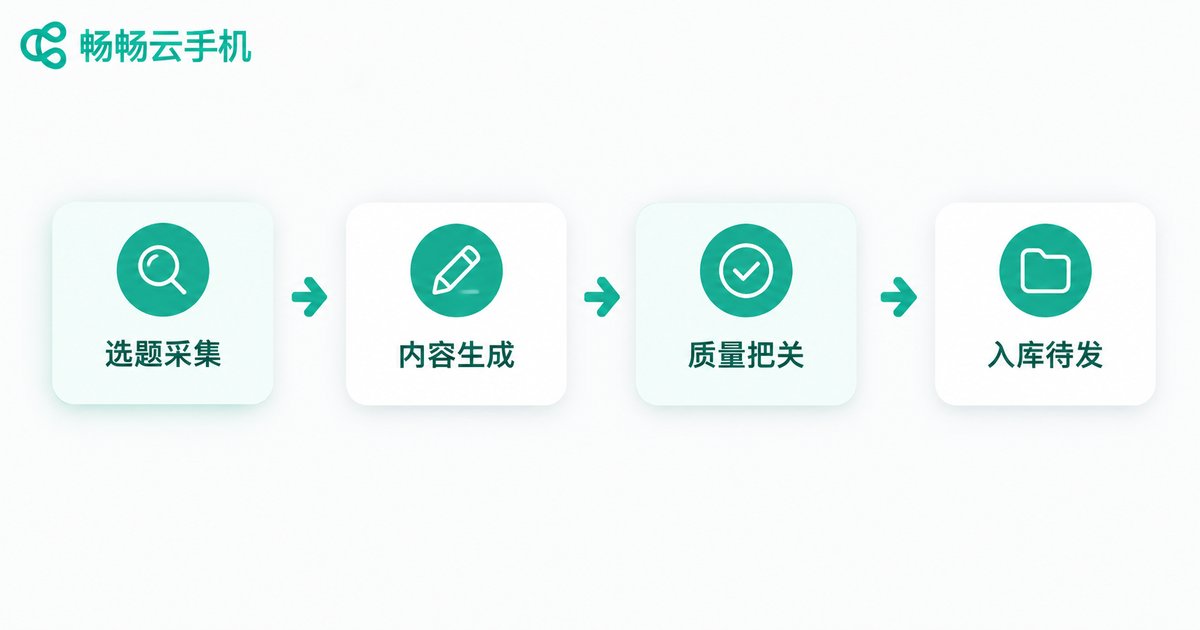
Content production is the first link in marketing. The key to building an AI Agent pipeline is breaking creation into standard stages that the Agent runs automatically:
Step 1: Topic collection. The Agent periodically gathers industry keywords, trending topics, and competitor updates to build a daily topic pool;
Step 2: Content generation. It drafts copy from each topic, pairs it with AI-generated cover images, and can even handle AI voiceover and video editing;
Step 3: Quality control. The Agent self-reviews for typos, sensitive words, and platform compliance, sending substandard drafts back for rewriting;
Step 4: Into the library. Approved content is tagged by platform and account, then queued in the content library awaiting distribution.
Once this pipeline is running, the output that used to require a team of 3-5 people can be covered by one person plus a few Agents.
Content Distribution: Let the Cloud Phone Matrix Carry Your Content Out
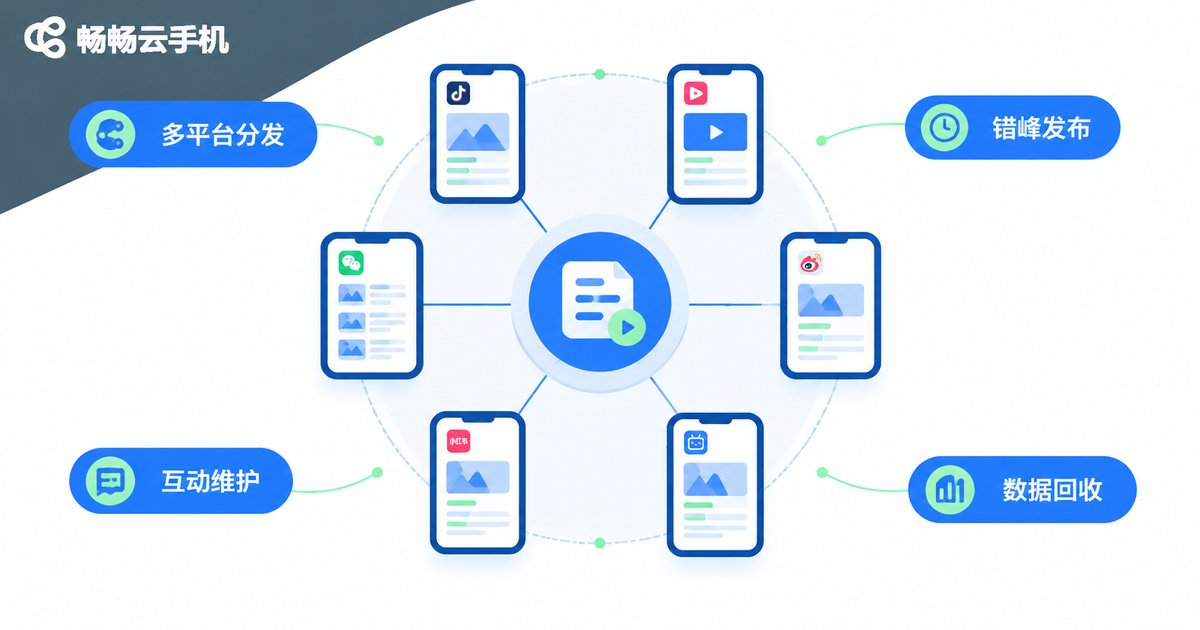
Producing content is only the beginning — distribution efficiency determines how many people it reaches. A cloud phone matrix adds four key advantages at the distribution stage:
Cross-platform publishing: the same piece of content is restyled for each platform and published by Agents on different cloud phones;
Staggered scheduling: the Agent schedules each cloud phone to post at different times based on each platform's traffic peaks, avoiding clustering;
Engagement maintenance: after publishing, Agents automatically reply to comments and like interactions, helping content build heat and ranking weight;
Data feedback: publishing data from every cloud phone is aggregated into one report, making it instantly clear which topics and time slots perform best.
Four Steps to Build Your AI Agent + Cloud Phone Workflow
It sounds complex, but implementation comes down to four steps:
Step 1: Set up the environment. Provision cloud phone instances to match your account count and install the target platform apps;
Step 2: Configure the Agents. Turn topic research, creation, review, and publishing into clear instruction templates so every Agent knows what to do and to what standard;
Step 3: Run a small pilot. Start with 2-3 cloud phones for a week, check content quality and posting rhythm, and fine-tune the instructions;
Step 4: Scale out. Once the workflow is stable, deploy the same configuration across more cloud phones and grow your matrix.
| Dimension | Manual Operations | AI Agent + Cloud Phone |
|---|---|---|
| Daily content output | 5-10 pieces | 50+ pieces |
| Accounts manageable | 3-5 | Dozens and up |
| Publishing time coverage | Working hours only | 24/7 |
| Headcount required | A full team | 1-2 people |
Practical Advice: Choose the Right Tool to Avoid Detours
Throughout this workflow, the cloud phone is the foundation that carries everything. When choosing one, focus on four things: stability, number of instances, group control capability, and price. We recommend ChangChang Cloud Phone (ccloudphone): it runs stably with 24/7 uptime, supports multi-instance and batch group control, and offers a beginner-friendly interface — a great fit for hosting automated AI Agent tasks. Whether you are an individual creator running a content matrix or a team scaling up marketing operations, start with a small trial, validate the workflow, then expand step by step.
FAQ
Q: Will accounts get banned if AI Agents publish in bulk?
As long as content is original or deeply rewritten and posting frequency matches normal user behavior, the risk is low. Bind one independent account to each cloud phone and avoid switching a single account across many devices.
Q: Can I use AI Agents without knowing how to code?
Yes. Mainstream Agent tools accept natural-language instructions — describe the task in plain words and the Agent executes it. The real thinking goes into breaking your marketing process into clear steps.
Q: How is a cloud phone different from an emulator on a PC?
A cloud phone runs in a cloud-based, real-device-grade virtual environment with independent instances that never interfere with each other and stay online 24/7. Its stability and security far exceed local emulators, making it better suited for long-term automated operations.
Q: How much should I invest at the start?
Mainly cloud phone rental fees and AI tool subscriptions. Start with 2-3 cloud phones to validate the workflow, then scale up as results come in — no need for heavy upfront spending.


