
Cloud Phones for Mobile Account Isolation: Value and Alternatives
Why Mobile Accounts Need Isolation
Whether you run e-commerce stores, manage social media matrices, play multiple game accounts, or test apps, managing several mobile accounts always comes back to one core issue: account isolation. Platform risk-control systems use device fingerprints, network environments, and behavior patterns to decide whether multiple accounts belong to the same person. Once accounts are flagged as linked, you may face reduced reach at best and mass bans at worst.
Many people assume that simply following the rules is enough. In reality, logging several accounts into the same phone is itself recorded as a linking signal. That is why placing every account in a fully independent environment is the first step toward stable, long-term operations.
What Exactly Needs to Be Isolated
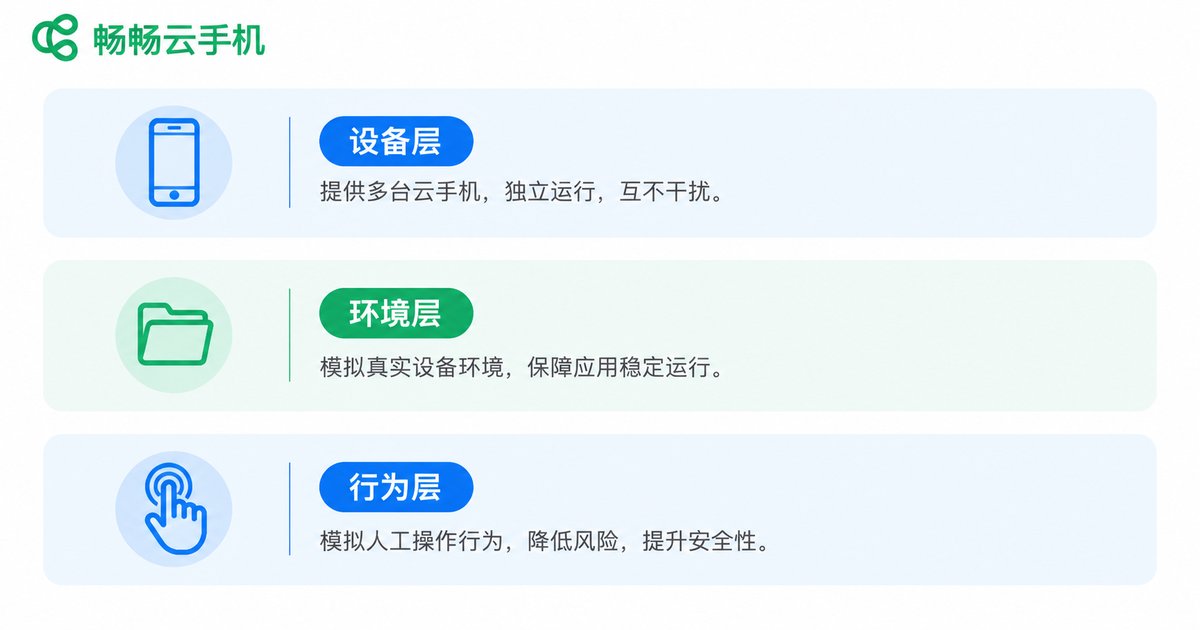
True account isolation goes far beyond logging in with a different account. It involves at least three layers:
Device-level isolation: each device should carry its own model, system parameters, and device identifiers, so platforms see different phones.
Environment-level isolation: app data, caches, and login states must not interfere with each other, so one account having trouble never spreads to the others.
Behavior-level isolation: each account should keep its own natural rhythm and habits, leaving no trace of the same pair of hands.
How Cloud Phones Achieve Account Isolation
A cloud phone is essentially an independent Android instance running in a cloud data center. Every cloud phone has its own system environment, device parameters, and app data, fully isolated from the rest. Think of it as another phone living in the cloud—without actually buying a pile of handsets.
Using cloud phones for account isolation brings natural advantages:
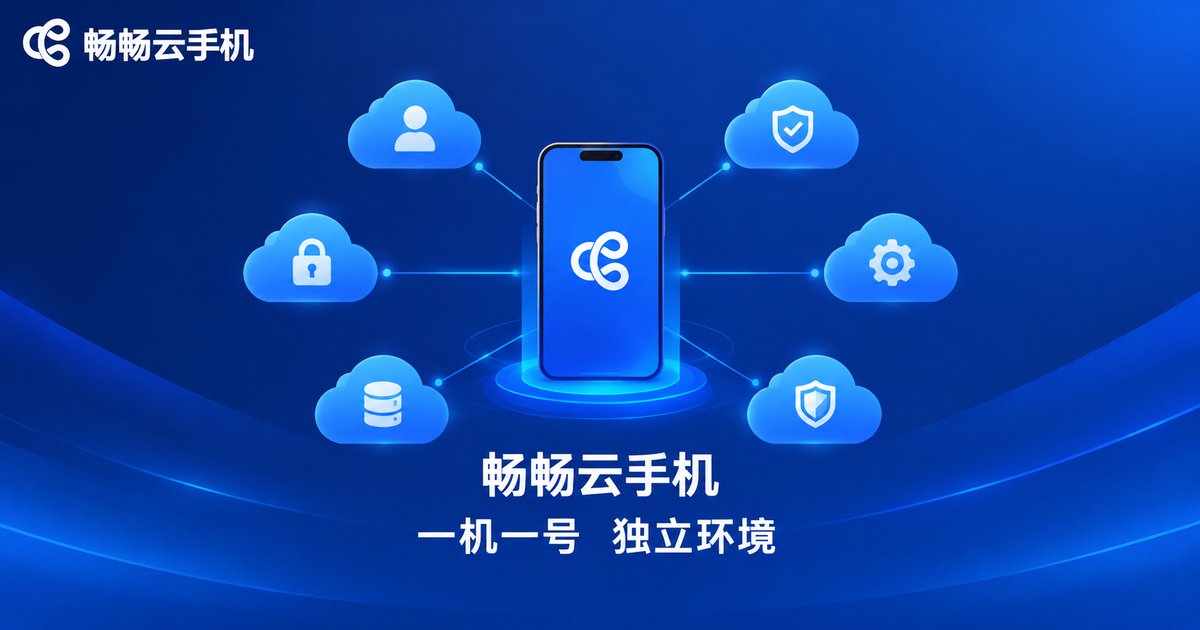
One phone, one account, independent environments: each cloud phone maps to one account with its own device parameters and app data, reducing linking risk at the source.
Always online: cloud phones keep running in the data center, so cloud-side tasks continue even when your own phone is off—ideal for idle farming and account nurturing.
Centralized management: control many cloud phones from a single screen without repeatedly logging in and out.
No local resource drain: all computing happens in the cloud while your local phone only displays and controls, so even aging devices stay smooth.

An Analysis of Common Alternatives
Besides cloud phones, several other approaches to account isolation are popular, each with trade-offs:
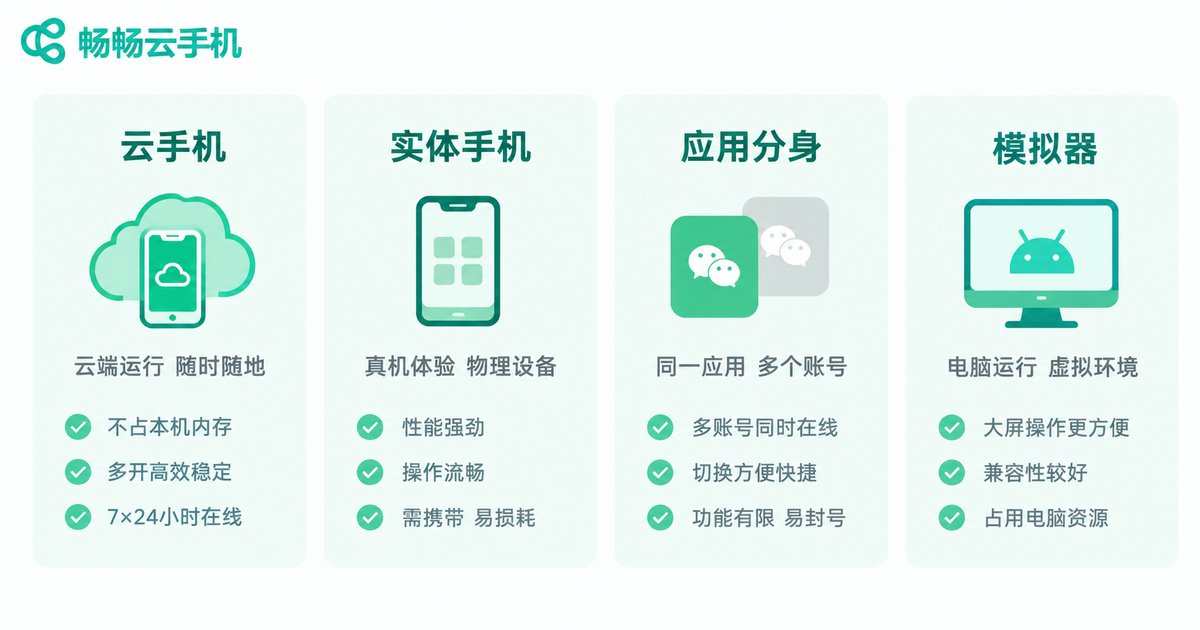
Option 1: Multiple physical phones. The most direct and reliable route—real phones are naturally independent. But hardware costs, space, charging, and maintenance pile up, remote access is impossible, and the setup becomes unsustainable as accounts multiply.
Option 2: App cloning. Many phones offer built-in app cloning to double an app on one device. It is easy to start with, but clones share the same device parameters, isolation is shallow, and capacity usually only doubles—fine for light needs.
Option 3: Android emulators. Emulators create multiple Android instances on a PC, but their signatures are obvious, some risk-control systems treat emulated environments poorly, and multi-instance setups demand strong hardware.
Option 4: Device-spoofing tools. These modify device parameters to disguise one phone as many. They are flexible but technically demanding; misconfigured parameters may trigger risk control, and stability depends on tool updates.
Cloud Phones vs. Alternatives at a Glance
| Dimension | Cloud Phone | Multiple Physical Phones | App Cloning | Android Emulator |
|---|---|---|---|---|
| Environment isolation | High, fully isolated instances | High, real phones are naturally independent | Low, shared device parameters | Medium, noticeable signatures |
| Hardware cost | Pay as needed, no hardware investment | High purchase and upkeep costs | Nearly free but limited in number | Needs a high-spec PC |
| Scalability | Add or remove anytime | Hard to scale | Usually dual-app only | Limited by PC performance |
| Online stability | Runs around the clock in the cloud | Depends on devices staying powered | Depends on the phone being on | Depends on the PC being on |
| Management efficiency | Manage many devices on one screen | Operate one by one | Switch within one phone | Switch between windows |
As the table shows, cloud phones strike a strong balance between isolation quality, scalability, and management efficiency, especially for individuals and teams whose account count keeps growing.
Which Scenarios Suit Cloud Phones Best
Social media matrices: keep platform accounts on separate cloud phones so daily posting and engagement never interfere.
Multi-store e-commerce: run each store account in its own environment to lower the risk of platform linking.
Game alt accounts: keep alts online around the clock in the cloud while your local phone stays free.
App testing: test across parallel environments without stockpiling test devices.
How to Choose a Cloud Phone Service
When evaluating a cloud phone service, focus on four points: environment isolation (one environment per instance), online stability (continuous cloud operation), management convenience (batch operations), and cost efficiency (pay only for what you need).
If you are looking for a cloud phone that is easy to start with and built on independent environments, consider ChangChang Cloud Phone (ccloudphone). It provides independent Android instances in the cloud with centralized multi-device management, suitable for individuals and teams running multiple isolated accounts. For plan details, please visit the official website.
FAQ
Q: How is a cloud phone different from an emulator?
An emulator simulates Android on a PC, with obvious signatures and heavy local resource usage. A cloud phone is an independent Android instance running in a professional data center—it consumes no local resources, behaves closer to a real phone, and isolates better.
Q: How many accounts should one cloud phone hold?
Stick to one account per cloud phone so every account enjoys a fully independent environment—the safest and most effective practice.
Q: Will accounts go offline when my local device is off?
No. Cloud phones keep running in the cloud. Your local device going offline does not affect the cloud environment; data and login states are preserved, and you can resume right after reconnecting.
Q: I only have a few accounts—do I need a cloud phone?
With two or three accounts and modest isolation needs, app cloning or a spare phone may suffice. Once the count grows and long-term stability matters, cloud phones clearly win on cost and management efficiency.


