
How to Get Cloud Phone Access Key and Secret Key: Developer API Authentication Tutorial
What Are Access Key and Secret Key?
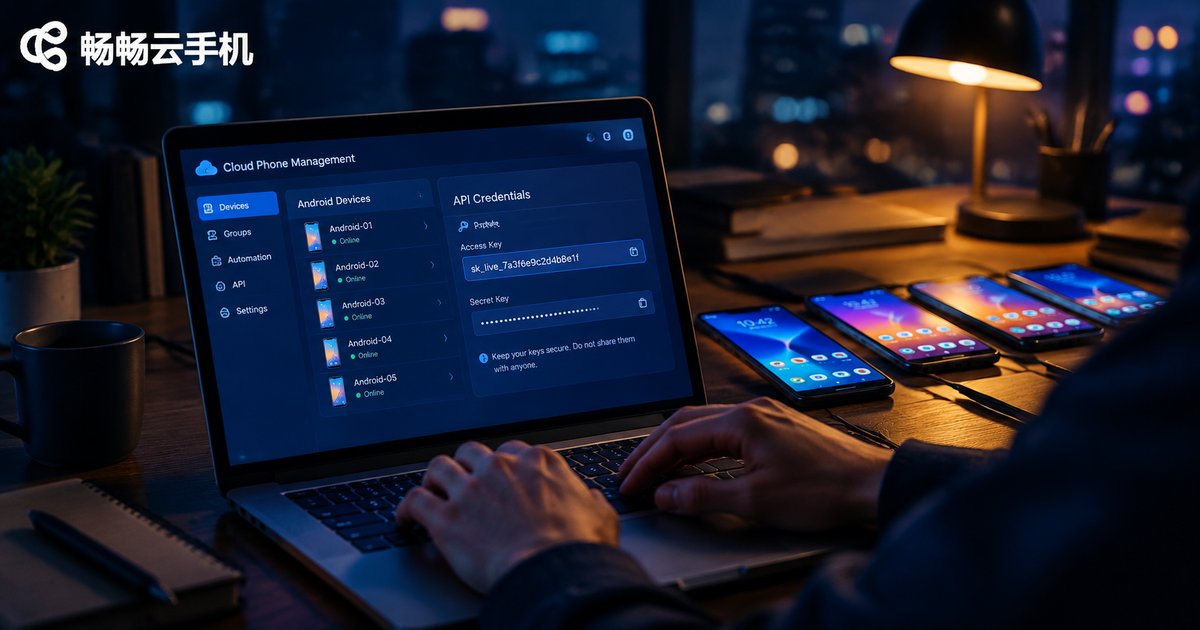
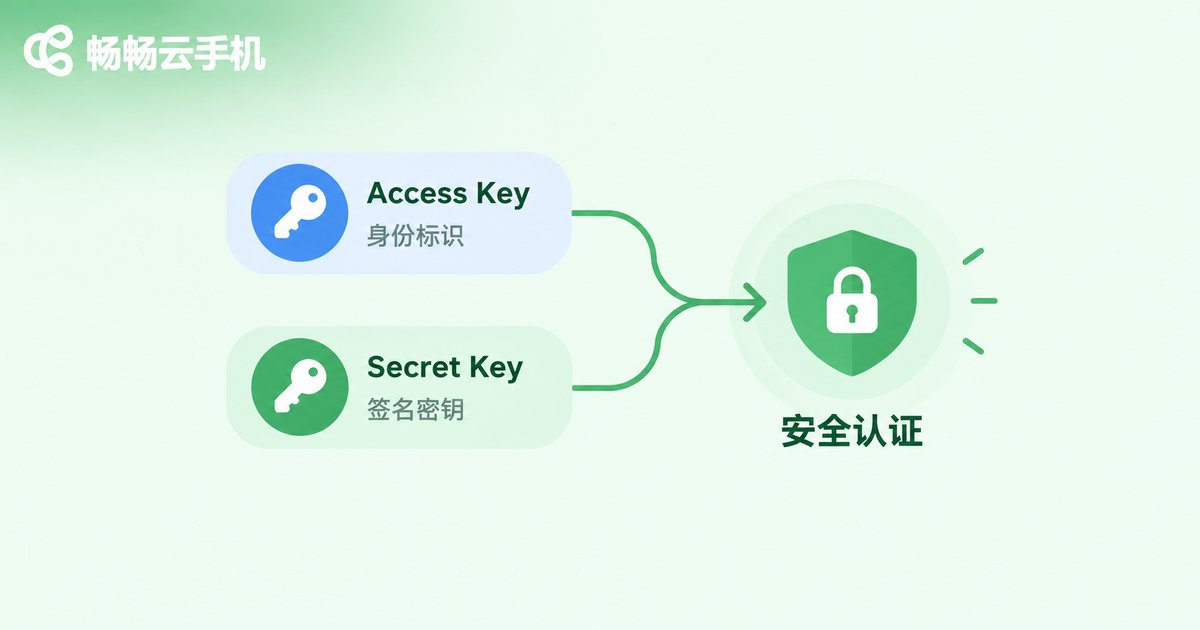
In a cloud phone platform's open API system, the Access Key and Secret Key are a pair of core credentials used for developer authentication. Simply put, the Access Key works like your “username” — it tells the server who sent the request — while the Secret Key works like a “password” that only participates in local signature calculation, proving the request is genuine and has not been tampered with.
Each has a clear role, and both are required. Here are the main differences:
| Item | Access Key | Secret Key |
|---|---|---|
| Core role | Identifies the developer | Calculates the request signature |
| Transmission | Sent openly with each request | Kept locally, never uploaded |
| Leak risk | Low, can be reset separately | Very high, must be replaced immediately |
| Analogy | Username | Login password |
Why Should Developers Integrate with the Cloud Phone API?
If you are still operating cloud phones one by one by hand, it is slow and error-prone. Once you integrate via API, all of these repetitive tasks can be handled automatically by your programs:
Bulk device management: create, start, restart, and recycle dozens or even hundreds of cloud phones in one go; Automated operations: run scheduled tasks, group control, and RPA workflows with scripts; Real-time data sync: fetch device status at any time and plug it into your own business system or dashboard.
Take 畅畅云手机 as an example: the platform offers open API capabilities for developers. After creating an Access Key and Secret Key in the console and completing authentication, you can control cloud Android devices directly from your own systems — turning manual operations into automation, which is especially useful for multi-account matrix operations and studio scenarios.
Step-by-Step: How to Get Your Access Key and Secret Key
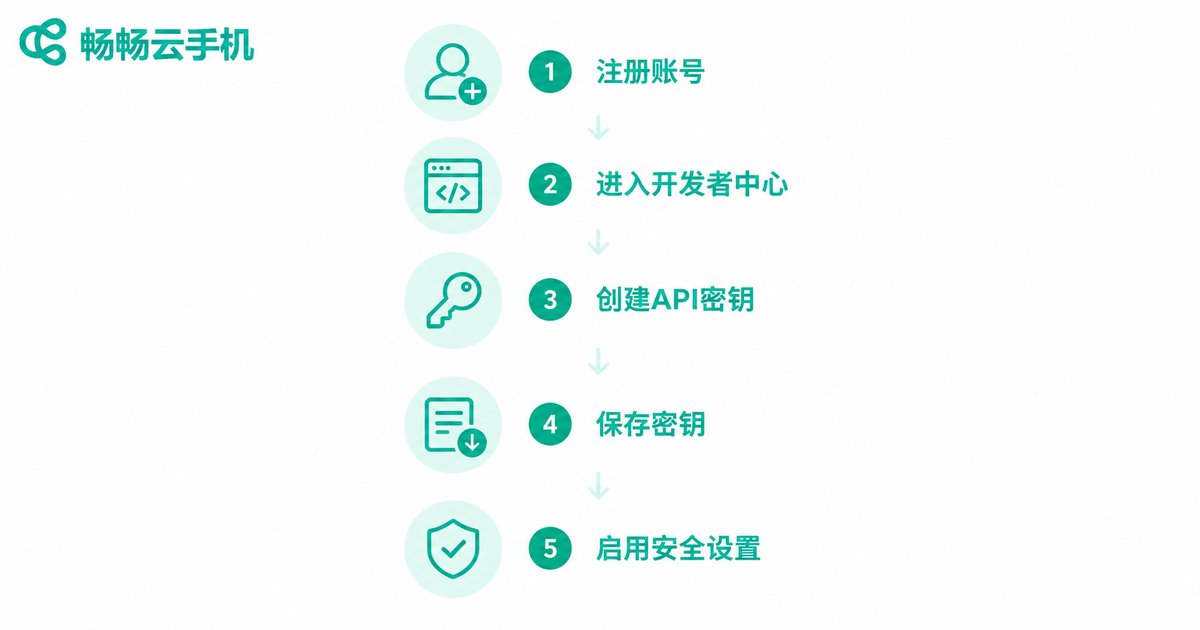
Using 畅畅云手机 as an example, here is the complete process from registration to obtaining your keys (the actual console UI prevails):
Step 1: Register and log in. Open the 畅畅云手机 official website and sign up with your phone number. Developers are advised to use a dedicated account, separate from daily-use accounts, for easier permission management.
Step 2: Enter the Developer Center. After logging in, go to the console and find the “Developer Center” or “API Management” entry in the sidebar or top navigation.
Step 3: Create an API key pair. Open the key management page and click “Create Key”. The system will automatically generate an Access Key and a Secret Key.
Step 4: Save the Secret Key immediately. The Secret Key is usually shown in full only once at creation. Copy it right away and store it in a secure place such as a password manager. Once the dialog is closed, it cannot be viewed again — you would have to generate a new pair.
Step 5: Configure security options. If the platform supports IP whitelists or permission scopes, enable them as needed to add an extra layer of protection for your keys.
Complete API Authentication with Your Keys (Code Example)
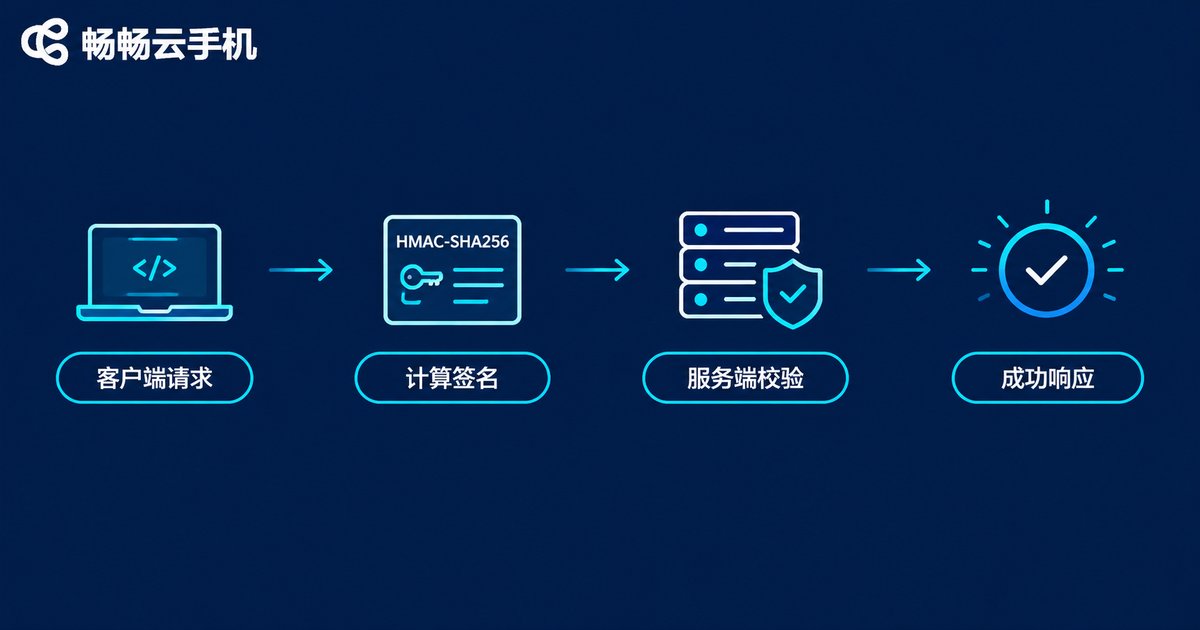
With your keys in hand, you can start calling the API. Most cloud platforms use the HMAC-SHA256 signature algorithm: concatenate the Access Key, timestamp, request path and other elements according to the rules, calculate a signature locally with the Secret Key, and the server verifies it the same way — a match means authentication passes. Here is a Python example (the exact concatenation rules follow the official 畅畅云手机 API documentation):
import hmac
import hashlib
import time

access_key = 'YOUR_ACCESS_KEY'
secret_key = 'YOUR_SECRET_KEY'

# 1. Prepare request parameters
timestamp = str(int(time.time()))
path = '/v1/devices/list'

# 2. Build the string to sign
string_to_sign = access_key + timestamp + path

# 3. Calculate the HMAC-SHA256 signature with the Secret Key
signature = hmac.new(
    secret_key.encode('utf-8'),
    string_to_sign.encode('utf-8'),
    hashlib.sha256
).hexdigest()

# 4. Put the credentials into the request headers
headers = {
    'X-Access-Key': access_key,
    'X-Timestamp': timestamp,
    'X-Signature': signature
}
Once authentication passes, the API returns data such as the device list. If you get a signature error, check three things: whether your local clock is accurate (timestamp drift is the most common cause), whether the concatenation order matches the documentation, and whether the Secret Key was copied in full (watch for leading or trailing spaces).
Best Practices for Key Security Management
If your keys leak, someone else could operate every cloud phone under your account, so security management is not something to be lazy about:
1. Never hard-code keys into clients. The Secret Key should only live on your server or in environment variables — never bundle it into an app or front-end code, or it is effectively a public password.
2. Use environment variables and secret management tools. Do not commit keys directly into code repositories, to avoid leaks through commits, screenshots, or logs.
3. Rotate keys regularly. Generate a new pair periodically, switch your services over, and only then disable the old keys to minimize leak risks.
4. Enable IP whitelists. Allow only your own server IPs to call the API, so even leaked keys cannot easily be abused.
5. Separate keys by business. Use independent keys for different projects so that a problem in one can be revoked alone without affecting the others.

FAQ
Q: What if I lose my Secret Key?
The Secret Key is usually not shown in full again after creation. If lost, simply generate a new key pair on the key management page and update your server configuration; the old key becomes invalid, keeping your account safe.
Q: Can I share my Access Key and Secret Key with others?
The Access Key is just an identifier with relatively low risk, but the Secret Key equals full account operation rights. Never share it with any third party, and keep it out of group chats, screenshots, and public documents.
Q: Do the keys expire?
Policies vary by platform: some keys are valid indefinitely, others support custom validity periods. Check the key management page in the 畅畅云手机 console for details, and make regular rotation a habit regardless.
Q: The API keeps returning signature errors — how do I fix it?
Check in order: whether your local time is accurate; whether the string-to-sign concatenation order and parameter encoding match the official documentation exactly; and whether the Secret Key was copied completely without extra spaces or line breaks. Most signature issues come from these three places.


