
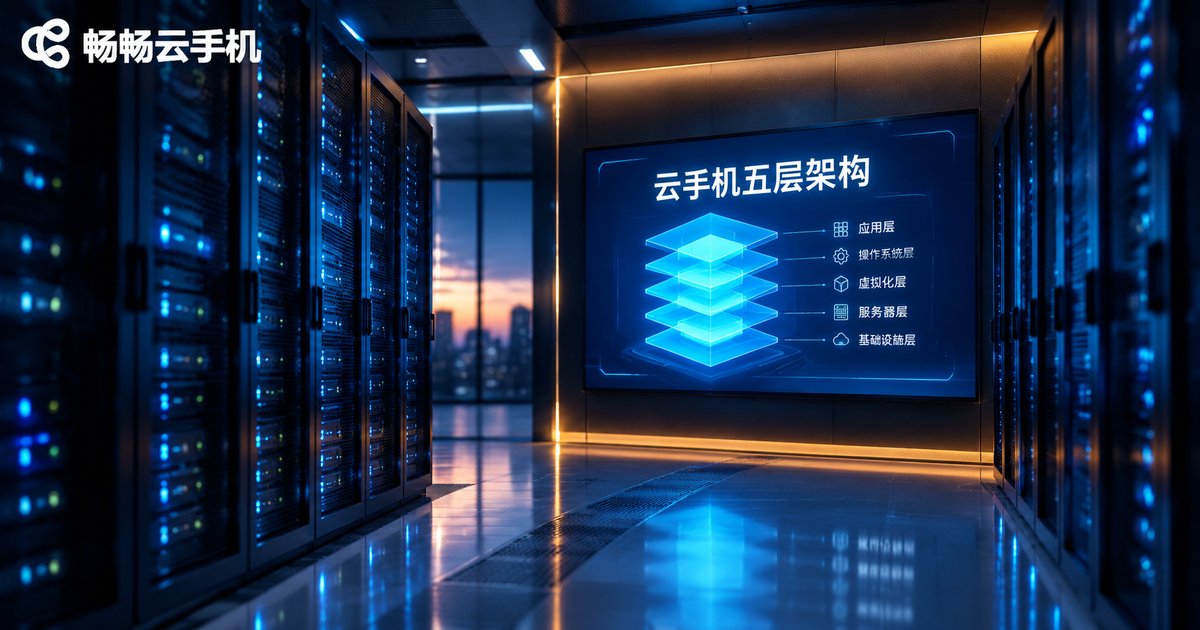
Cloud Phone Five-Layer Architecture Explained: Physical Boards, Android Instances, Parameter Layer, Streaming Layer, and Control Layer
Introduction: A Cloud Phone Is More Than a Remote Desktop
Many people assume a cloud phone is just an Android device opened inside an app, not much different from a remote desktop. In reality, a mature cloud phone is a carefully layered system: real hardware at the bottom of a data center, virtualized Android in the middle, and device parameters, video streaming, and batch orchestration stacked on top.
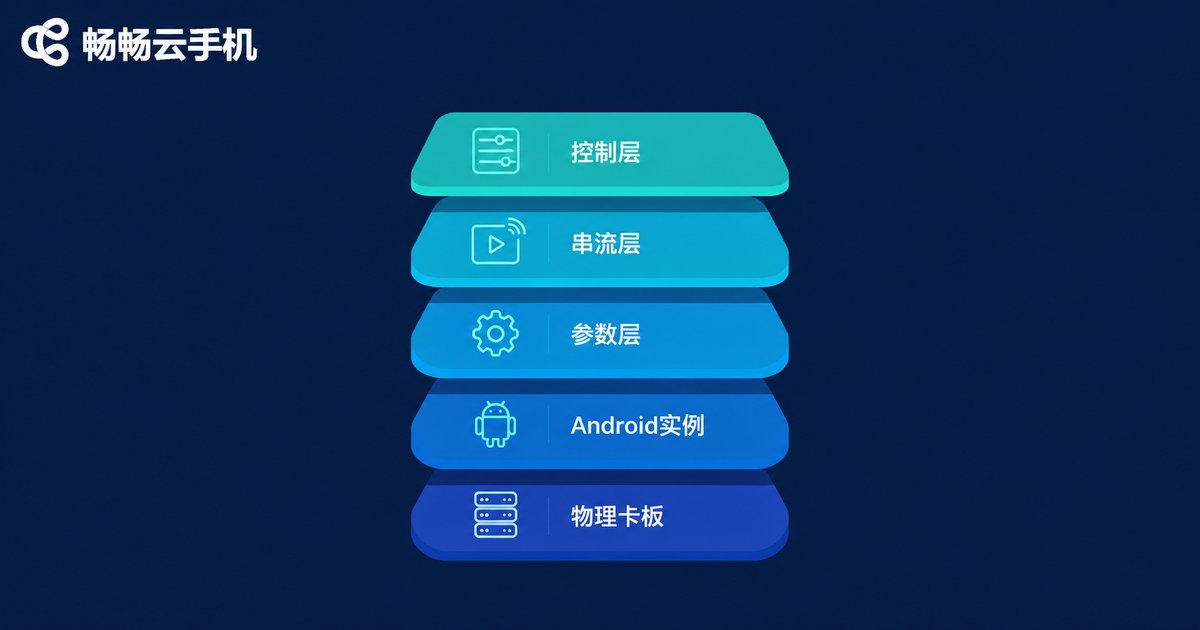
The industry usually breaks a cloud phone into a five-layer architecture: physical boards, Android instances, the parameter layer, the streaming layer, and the control layer. Each layer has its own job, and they interlock layer by layer—if any single layer fails, the cloud phone in your hand will lag, disconnect, or even get bricked. Let's take it apart from the bottom up.
Layer 1: Physical Boards—The Foundation of All Computing Power
The phone of a cloud phone does not live in your pocket—it runs on real hardware in a data center. At the core of this layer are physical boards: high-density ARM server boards racked in cabinets, connected through switches, powered and cooled by the facility.
The capability ceiling of a board determines how many cloud phone instances it can host and how smoothly each one runs. Three things matter most at this layer:
Computing density. The more CPU cores, memory, and storage a single board integrates, the more Android instances it can virtualize, and the lower the cost per instance.
Stability. Data centers need redundant power, constant cooling, and hardware inspection. A single board failure can affect dozens of instances, so mature providers build in redundancy and automatic failover.
Network quality. The bandwidth and latency between the boards and the backbone network set the upper limit of the streaming experience in Layer 4.
Layer 2: Android Instances—The Operating System of Each Phone
On top of the physical boards, virtualization carves out independent Android instances. Each instance is a complete Android phone with its own system partition, data partition, and independent device identifiers. You can install apps, log into accounts, and run background tasks on it.
The most confusing concept at this layer is the difference between a cloud phone and an emulator. An emulator runs on your PC's x86 architecture and must translate ARM instructions into x86 instructions, which costs both compatibility and performance. A cloud phone runs directly on ARM hardware—apps execute natively with no instruction-translation overhead. That's why many apps run more stably on a cloud phone and behave closer to a real device.
Also, Android instances stay online around the clock. When you power off your own phone or close your laptop, the phone in the cloud keeps running—game grinding, app keep-alive, and message receiving all depend on this layer.

Layer 3: The Parameter Layer—Making Each Cloud Phone Feel Like a Real Device
A runnable Android system is not enough. Apps read a large amount of device information at runtime: phone model, system version, screen resolution, battery state, sensor list, and so on. The job of the parameter layer is to configure and manage these device parameters for every instance so that it presents itself like a genuinely existing phone.
The parameter layer mainly does three things:
Parameter configuration: assigns each instance a model, resolution, Android version, and other basic parameters, so apps run and render correctly on every instance.
Parameter consistency: an instance's parameters must stay stable—it should not be one model today and another tomorrow, or apps that are sensitive to device information may misbehave.
Parameter management: parameters across large fleets of instances are managed centrally through the control layer, supporting on-demand inspection and adjustment for batch operations.
How well the parameter layer works determines the real-device feel of a cloud phone: the more complete and consistent the parameters, the closer the app experience is to a physical phone.
Layer 4: The Streaming Layer—Delivering the Screen to Your Eyes in Real Time
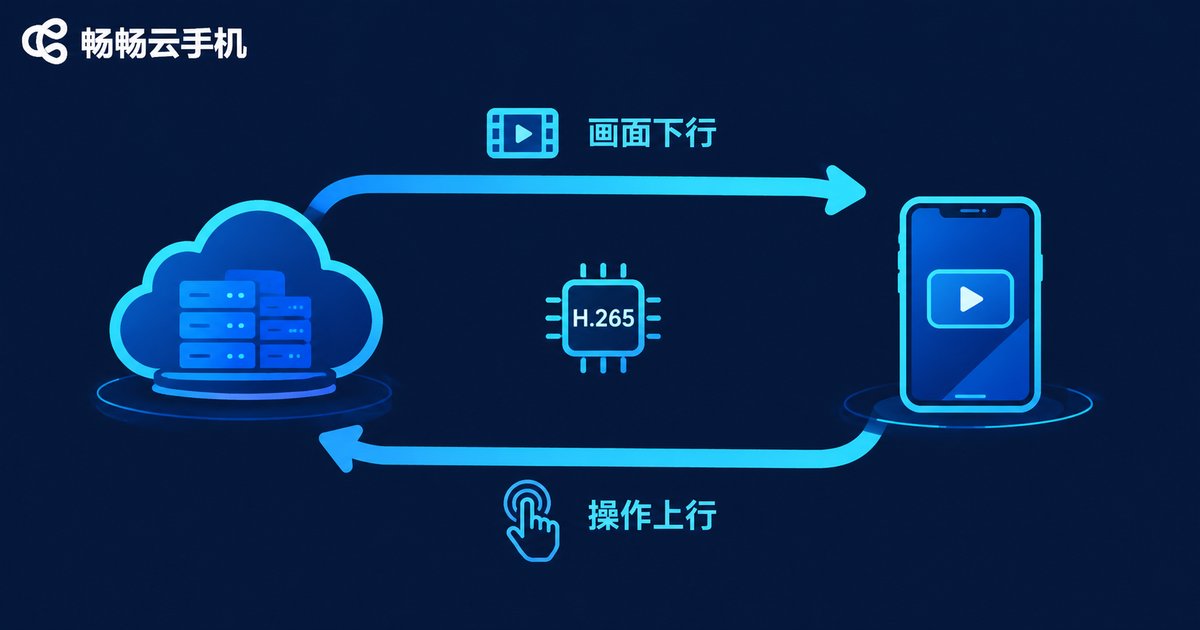
The Android instance runs in a data center—so how does its screen appear on your phone or computer? That is the streaming layer's job: it encodes the frames rendered by the cloud instance into a live video stream, sends it over the network to your device, and carries your taps and key presses back to the cloud.
The full pipeline is: cloud rendering → video encoding (H.264/H.265) → network transmission → local decoding and display; in the reverse direction: touch capture → upstream transmission → cloud injection. The whole loop usually needs to stay within tens of milliseconds for it to feel like operating a local phone.
Three factors most affect streaming quality:
| Factor | Impact | Optimization |
|---|---|---|
| Adaptive bitrate | Stuttering and blur when the network fluctuates | Dynamically adjust resolution based on bandwidth |
| Node distance | The farther away, the higher the latency | Connect to the nearest data center node |
| Encoding efficiency | Excessive bandwidth at the same quality | Use efficient codecs such as H.265 |
Layer 5: The Control Layer—The Brain and Scheduling Hub
The top layer is the control layer, the brain of the whole system. The device list you see in the app, the power on and off buttons, and the batch operation panels are all orchestrated by this layer.
Core responsibilities of the control layer include:
Instance scheduling: deciding which board and which data center a new cloud phone lands on, balancing load so no server is overloaded.
Lifecycle management: handling power on, power off, restart, and reset; auto-recovering abnormal instances to reduce the chance of bricking.
Batch operations: installing apps, running scripts, and syncing actions across dozens or hundreds of cloud phones—capabilities that users running device matrices and multi-account operations rely on most.
Status monitoring: reporting each instance's CPU, memory, and online status in real time, so you always know the state of your cloud devices.
How the Five Layers Cooperate: The Journey of a Single Tap
Finally, let's connect the five layers and see what happens when you lightly tap the screen:
You tap the game screen in your local app (the streaming layer captures the touch) → the control layer routes the command to the right instance → the Android system inside the instance executes the tap and the game frame changes (the Android instance layer, reading device info provided by the parameter layer) → the new frame is encoded into a video stream (the streaming layer) → and it is back on your screen. The physical foundation for all of this is the physical boards running continuously in the data center.
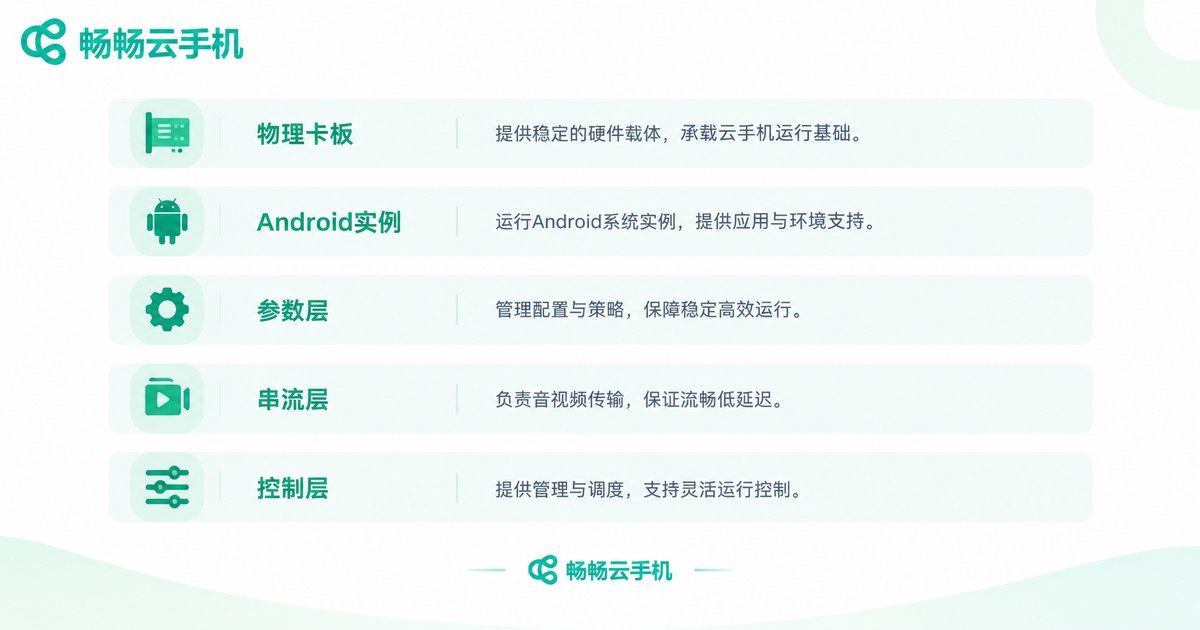
| Layer | Core Responsibility | What You Can Feel |
|---|---|---|
| Physical boards | Computing, storage, and network foundation | Overall stability and performance ceiling |
| Android instance | Running a full Android system and apps | App compatibility and background keep-alive |
| Parameter layer | Configuring and managing device parameters | Real-device feel and correct app behavior |
| Streaming layer | Frame encoding, transmission, and input return | Clarity, latency, and smoothness |
| Control layer | Scheduling, monitoring, and batch management | Response speed and batch efficiency |
Choosing a Cloud Phone Means Judging All Five Layers
With the five-layer architecture in mind, you now have a framework for evaluating any cloud phone: is the hardware foundation solid, are the Android instances native ARM, is device parameter management thorough, is the stream clear and low-latency, and is batch control convenient?
If you are looking for a cloud phone that holds up across all five layers, take a look at ChangChang Cloud Phone (ccloudphone). It offers an Android cloud phone service with devices online around the clock in the cloud, supporting cloud-based app running and unified multi-device management, covering common scenarios from personal game grinding to batch operations. For exact configurations and pricing, check the official website ccloudphone, and start with a small trial before scaling up.
FAQ
Q: What is the difference between a cloud phone and an Android emulator?
A: An emulator runs on your PC's x86 architecture and must translate ARM instructions, costing performance and compatibility. A cloud phone runs natively on ARM server hardware in a data center—apps execute natively, closer to a real device—and it stays online around the clock without using your local computer's resources.
Q: Do apps keep running after I turn off my own phone?
A: Yes. The Android instance lives in the cloud data center and runs around the clock. Your local device is just a display and a remote control—game grinding, app keep-alive, and message receiving continue after you disconnect.
Q: Will a cloud phone lag on a poor network?
A: It can be affected, but a mature streaming layer supports adaptive bitrate, adjusting quality to your network to keep controls responsive first. A stable network environment is recommended.
Q: How many cloud phones can one physical server host?
A: It depends on the board's computing density and each instance's configuration. Higher-spec instances consume more resources, so fewer fit per board; providers balance load between the two.
Q: What does the parameter layer mean for ordinary users?
A: It ensures each cloud phone's model, system version, and other device information is complete and stable, so apps can read it and run correctly. The better the parameter management, the more the phone feels like a real one.
Q: If I want to manage many cloud phones in batch, which layer matters most?
A: Mainly the control layer. It provides batch installation, script execution, and status monitoring—management efficiency is largely decided by this layer, so try the batch features before committing.


