

What Specs Do Cloud Phones Need to Run 3D Games at a Stable 60fps? Real Test Data from Genshin-Style Games
Why 3D Games Are the Ultimate Test for Cloud Phones
Open-world 3D titles like Genshin Impact feature massive scenes and dense skill effects that push any device's GPU and memory bandwidth to the limit. A cloud phone moves the heavy computing into a data center, but the picture still travels through four stages — rendering, encoding, streaming, and decoding — before it reaches your screen. If any single stage stumbles, your frame rate wobbles.
So chasing a stable 60fps is not just about big numbers on a spec sheet. It is the combined result of computing power, memory, video stream settings, and network quality. Let's break it down factor by factor, with real test data.
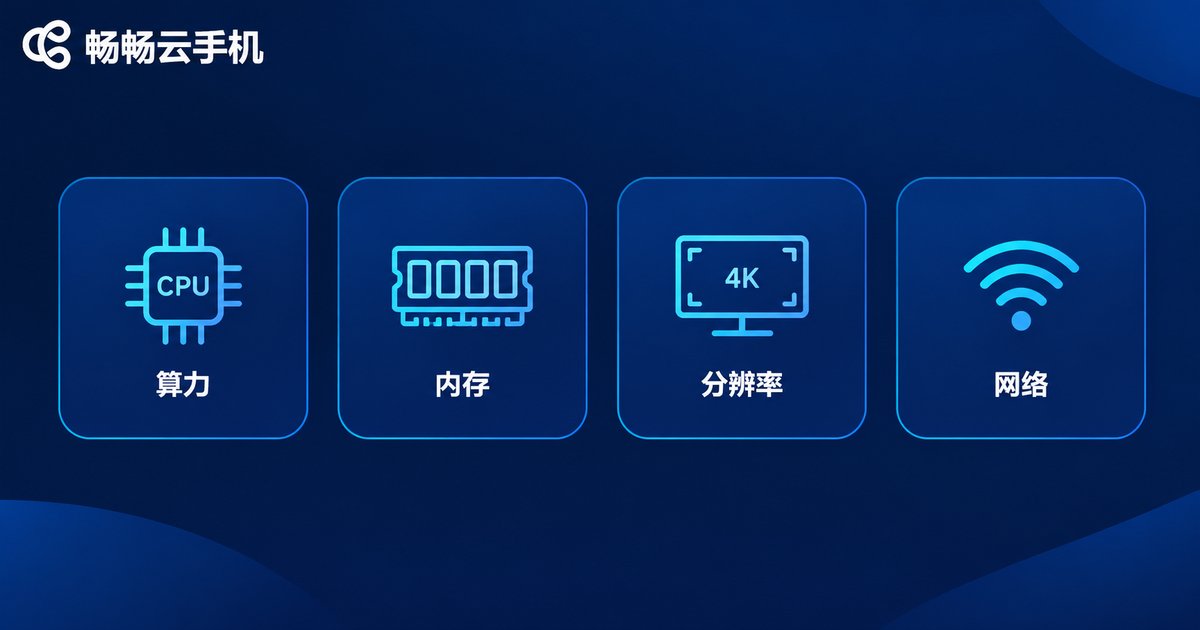
The Four Specs That Decide Your Frame Rate
1. CPU and GPU power — the frame rate ceiling
The GPU renders the world while the CPU runs game logic. When compute runs short, no frame rate tier will hit its target. For 3D titles, start at 4 cores; to hold 60fps at high settings, an 8-core flagship tier is the safe bet.
2. RAM — decides whether you drop frames
Open-world games stream enormous assets. When memory runs tight, the system recycles resources constantly — the classic symptom is sudden frame drops while exploring and stutters when entering new areas. 4GB is the passing grade; 6GB or more feels comfortable.
3. Resolution and frame rate tiers — balancing sharpness and smoothness
Cloud phones typically offer 720P and 1080P options, and some tiers add high frame rate modes. Higher resolution and frame tiers consume more cloud power and bandwidth, so match them to what your instance can actually deliver.
4. Network and decoding — the lifeline of smoothness
The game picture streams back as video. Keep local bandwidth above 10Mbps and latency under 30ms, prefer 5GHz Wi-Fi or a wired connection, and turn on hardware decoding to cut both latency and battery drain.
Real Test Data: Genshin-Style Games
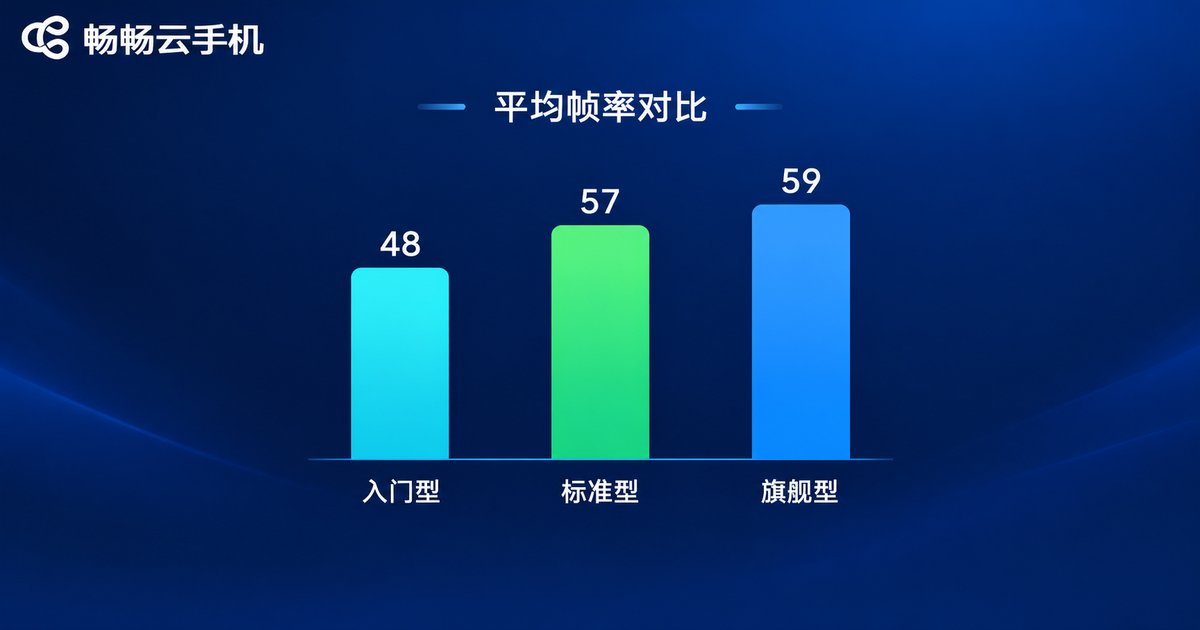
We used a Genshin-style open-world mobile game as our test subject, running 30 minutes each of city exploration and combat across three common cloud phone tiers (data for reference only; results vary slightly with routing and environment):
| Tier | Graphics Settings | Avg FPS | Min FPS | Verdict |
|---|---|---|---|---|
| Entry: 2-core 3GB | 720P, medium | 48 | 38 | Playable, drops in combat |
| Standard: 4-core 4GB | 1080P, high | 57 | 49 | Smooth overall, minor dips |
| Flagship: 8-core 8GB | 1080P, max | 59 | 55 | Rock solid, near full frame |
The conclusion is clear: an 8-core flagship tier is the watershed for stable 60fps at high settings. For daily quests and routine runs, a 4-core standard tier is perfectly fine. Notably, network jitter affected the experience even more than the hardware gap — when latency climbed from 20ms to 60ms, perceived stutter increased dramatically. So don't stare only at the spec sheet; line quality matters just as much.
Which Tier Fits Your Needs Best?
| Use Case | Recommended Tier | Expected FPS |
|---|---|---|
| Idle farming, turn-based, simulation | Entry 2-core 3GB | 30-45 |
| Mainstream 3D mobile games, medium-high settings | Standard 4-core 4GB | 50-60 |
| Genshin-style titles, max settings, full frame rate | Flagship 8-core 8GB | Stable 60 |
In one line: pick the tier for your game, and leave headroom for the experience. If 3D titles are your main course, go flagship directly and skip the upgrade hassle.
ChangChang Cloud Phone: Data-Center Power in Your Pocket
Among cloud phone services, ChangChang Cloud Phone (ccloudphone) deserves a close look. It offers multiple device tiers from entry-level to flagship, and its high-end instances run Genshin-style 3D titles smoothly over quality data-center lines, delivering responsive controls and consistent visuals.
Beyond that, a cloud phone's natural advantages shine: zero load on your local device — play on a years-old phone or even an office computer; game data lives in the cloud, so you can jump in anytime, continue on any device with the same account, and never re-download gigabytes of installation files. For specific models and plans, visit the official ChangChang Cloud Phone website (ccloudphone) and pick the tier that matches your gaming needs.
5 Practical Tips for a Rock-Solid Frame Rate
1. Match tier to game: only push max settings when your instance has headroom; an underpowered tier drops frames constantly.
2. Network comes first: wired or 5GHz Wi-Fi beats public hotspots; stability matters more than raw bandwidth.
3. Clear local background apps: close downloads and screen casting to free bandwidth and decoding resources.
4. Trade graphics for frames: lowering shadows and anti-aliasing one notch boosts FPS instantly with minimal visual loss.
5. Choose nearby nodes: shorter physical distance means lower latency and a flatter frame time curve.
FAQ
Q: Is 60fps really that much better than 30fps for Genshin-style games on a cloud phone?
The difference is dramatic. At 60fps, camera movement and skill inputs feel far more responsive; at 30fps you can perceive ghosting and lag that caps your combat performance.
Q: Can a 4-core tier hold a stable 60fps?
At medium settings it can approach 60fps, but high settings plus complex scenes will dip to around 50fps. For maximum smoothness in Abyss runs or large battles, go 8-core flagship.
Q: How much bandwidth do I need?
Aim for at least 10Mbps with latency under 30ms. Low bandwidth first lowers image quality; high latency shows up as input lag. Both ruin the experience.
Q: Do long sessions on a cloud phone overheat or drain my device?
No. Rendering happens in the cloud while your device only decodes video, so power draw and heat stay far below local gaming — even old phones handle it easily.


