

Cloud Phone Multi-Instance Limits and Specs: What Tier for Stable 30-40 Instances
First, Understand What Determines the Multi-Instance Limit
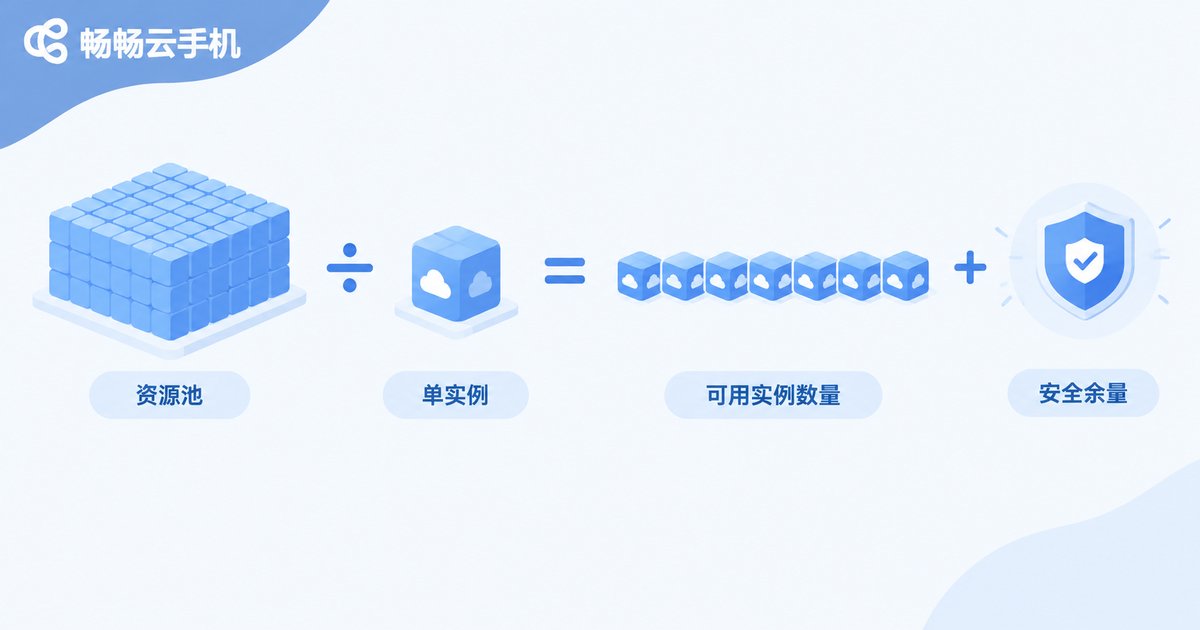
Many newcomers assume the number of simultaneous cloud phones is an arbitrary platform rule. It is not. Multi-instance limit = total resource pool ÷ per-instance spec usage, minus a safety margin. Every cloud phone instance consumes real CPU, RAM and bandwidth. The higher the spec, the fewer instances the same pool can carry; to run more, you either move up a tier or slim down each instance.
That is why one operator runs 30 instances smoothly while another stutters at 20 — the difference is not the count but whether instance specs match the tier.
The Three Core Parameters of an Instance Spec
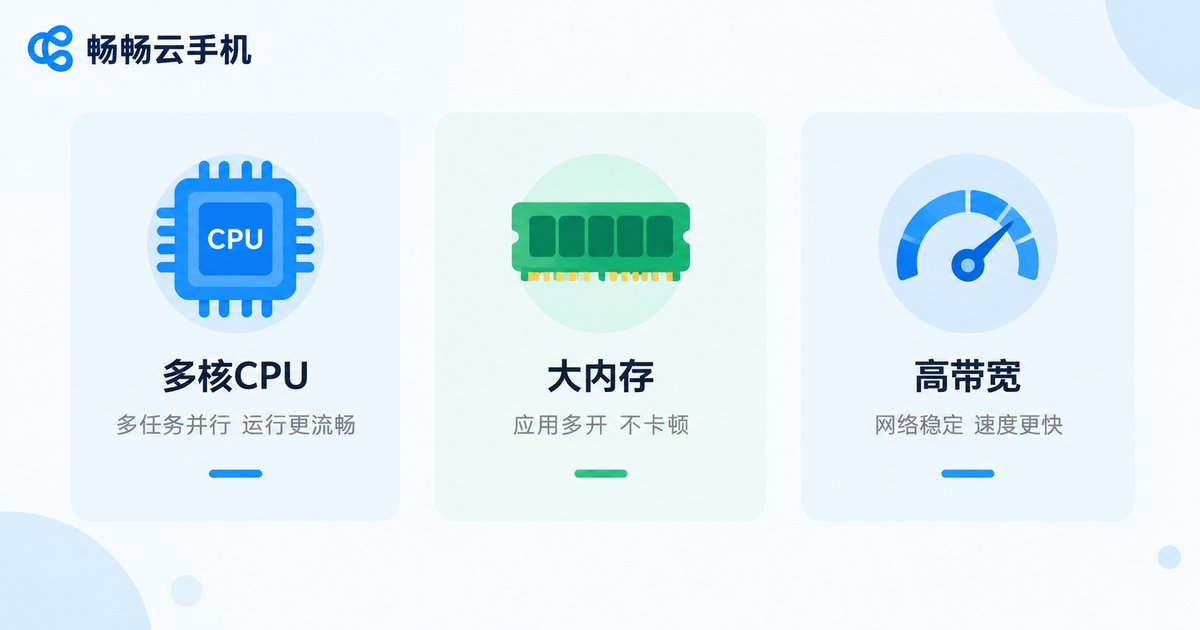
Before comparing tiers, get to know the three parameters that decide instance performance:
- CPU cores: processing power. One core handles idle farming and lightweight apps; medium or large games need two cores or more.
- RAM: how many apps can stay loaded at once. 1GB suits single-app idle tasks; 2GB or more keeps games and multitasking from crashing.
- Storage and bandwidth: storage decides how many apps and how much cache you can keep, while bandwidth decides streaming smoothness — the most overlooked bottleneck in multi-instance setups.
A simple rule of thumb: each step up in per-instance spec roughly halves how many instances the same pool can carry. Choosing a tier is really answering one question — what work will each cloud phone do?
How the Multi-Instance Limit Is Calculated
Tiers are usually offered as resource pools with fixed totals of cores and RAM. The math is simple: theoretical limit = total pool ÷ per-instance spec. Running right at that limit is unwise, though — system updates, background apps and traffic spikes all eat extra headroom, so a 15-20% safety margin is recommended. Example: a 64-core, 64GB pool with 2-core, 2GB instances yields a theoretical 32 instances; with margin, a stable recommendation is 26-28. To hold 40 steadily you need a larger pool, or move part of your fleet down to 1-core, 1GB lightweight specs.
What Tier You Need for 30-40 Instances, by Scenario
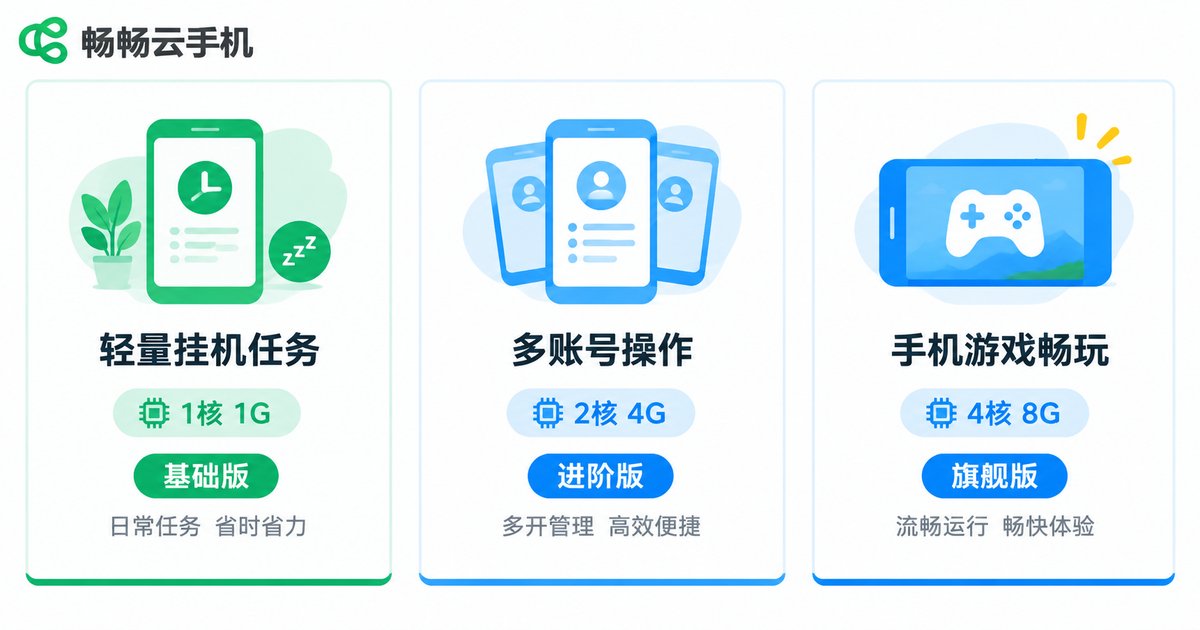
The same 30-40 instances demand very different tiers depending on the workload:
| Scenario | Suggested per-instance spec | Tier advice |
|---|---|---|
| Idle farming, check-ins, daily tasks | 1 core, 1GB | Standard tier handles 40 instances comfortably |
| Social marketing, multi-account operations | 1 core, 2GB | Standard to advanced tier; watch bandwidth |
| Medium and large mobile games | 2 cores, 3GB or more | High-spec tier; 30 instances is near the ceiling |
In short: 40 lightweight instances fit a standard tier, while 30 gaming instances already call for a high-spec tier. Keep headroom instead of maxing out.
Stability Is About More Than Spec Numbers
Fixating on cores and RAM alone misses three stability factors:
- Scheduling: how the platform spreads dozens of instances across physical servers decides whether they fight for resources at peak hours.
- Network quality: all instances share outbound bandwidth; video-heavy or file-heavy workloads need extra attention.
- Batch control efficiency: 40 instances means 40 screens to manage; without solid batch-control tools, labor cost will dwarf machine cost.

Why ChangChang Cloud Phone (ccloudphone): Verify First, Then Scale
On ChangChang Cloud Phone (ccloudphone), each tier maps to a resource pool of a specific size, so you can match the scenario table above to your needs. The safer workflow: start with 5-10 instances as a live test, watch CPU usage, memory levels and streaming smoothness, then move to the tier that holds 30-40 instances comfortably — no wasted budget, no nasty surprises after maxing out. Current tier configurations are shown on the official ccloudphone website, and upgrades are smooth as your workload grows, with no data migration or environment rebuild required.
FAQ
Q: Do 30 and 40 instances fall into different tiers?
Not necessarily. With 1-core, 1GB lightweight instances, 30 and 40 usually fit the same tier; with 2-core, 3GB gaming instances, ten extra instances may push you up a tier. What matters is how much of the resource pool remains.
Q: Are higher instance specs always better?
No. Higher specs mean fewer instances per tier. Match the spec to what each app actually needs — do not give idle tasks four cores, and do not squeeze games into 1GB.
Q: Can I start on a lower tier and upgrade later?
Yes. Validate stability on a lower tier with a small batch first, then scale once specs prove sufficient. After upgrading, instance environments are preserved and apps need no reinstalling.
Q: Can an ordinary PC control 40 cloud phones?
Yes. All computing happens in the cloud; your local PC only renders screens and sends commands, so a regular office computer plus batch-control features is enough.


