

What Is Cloud Phone 15-Minute Billing? Cost Analysis for Short Tasks and Flexible Usage
What Is 15-Minute Billing for Cloud Phones?
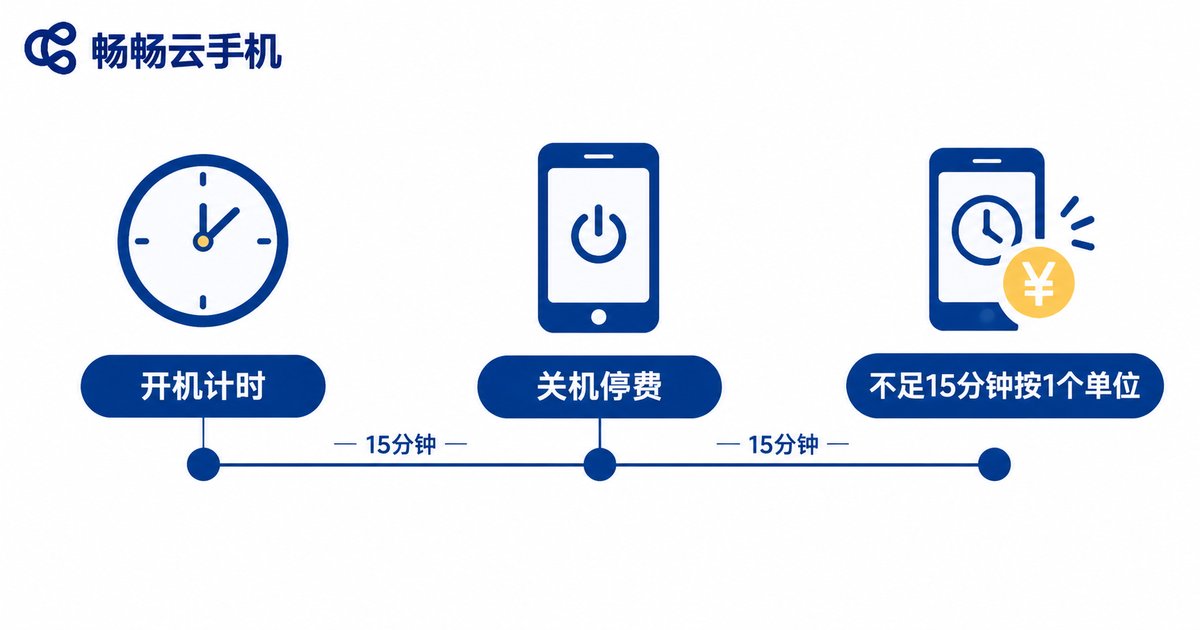
In short, 15-minute billing is the pay-as-you-go (postpaid) model for cloud phones: instead of buying a whole month up front, you pay like a utility — for exactly what you use. The platform counts time in 15-minute units, and your cloud device is billed for as many units as it stays powered on.
The core difference from a traditional monthly plan: a subscription charges rent whether you use it or not, while pay-as-you-go runs the meter only while the device is on and stops the moment you shut it down. For users who log in a few times a month for a dozen minutes at a time, this model strips the idle hours straight off the bill.
How the Billing Works: Where the Money Goes
Most pay-as-you-go cloud phone platforms follow three basic rules:
Rule 1: Round up to 15 minutes. Even a one-minute session is billed as one full unit; sixteen minutes counts as two.
Rule 2: Powering off stops the meter. Once the cloud phone shuts down or is released, billing stops immediately — no idle fees.
Rule 3: Each device is metered separately. If you run three cloud phones at once, each is billed for its own runtime.
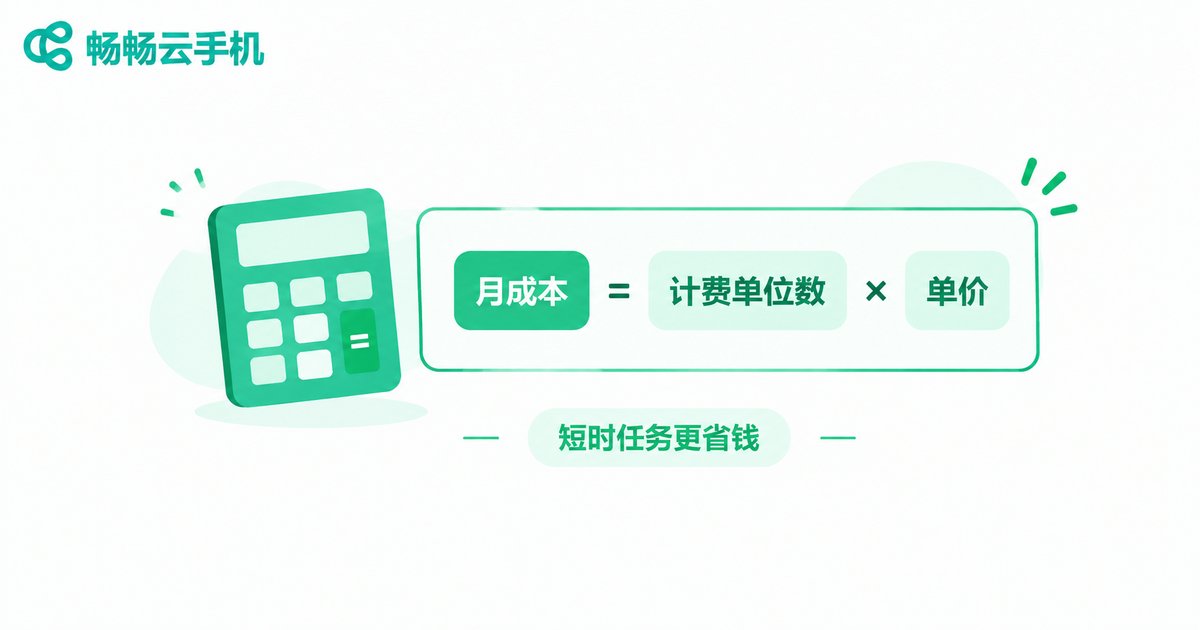
From these rules comes a simple estimating formula:
Monthly cost ≈ ceil(session length ÷ 15 min) × sessions per day × 30 days × price per 15-minute unitFor example (the unit price below is illustrative; always check current official rates): assume a rate of $0.1 per 15-minute unit. If you sign in once a day for a 10-minute daily routine, you burn exactly one unit per day, so the monthly cost is roughly 0.1 × 30 = about $3. A monthly plan for the same light usage might cost around $30 — that gap is exactly where short-task users save.
Which Short Tasks Fit This Model Best?
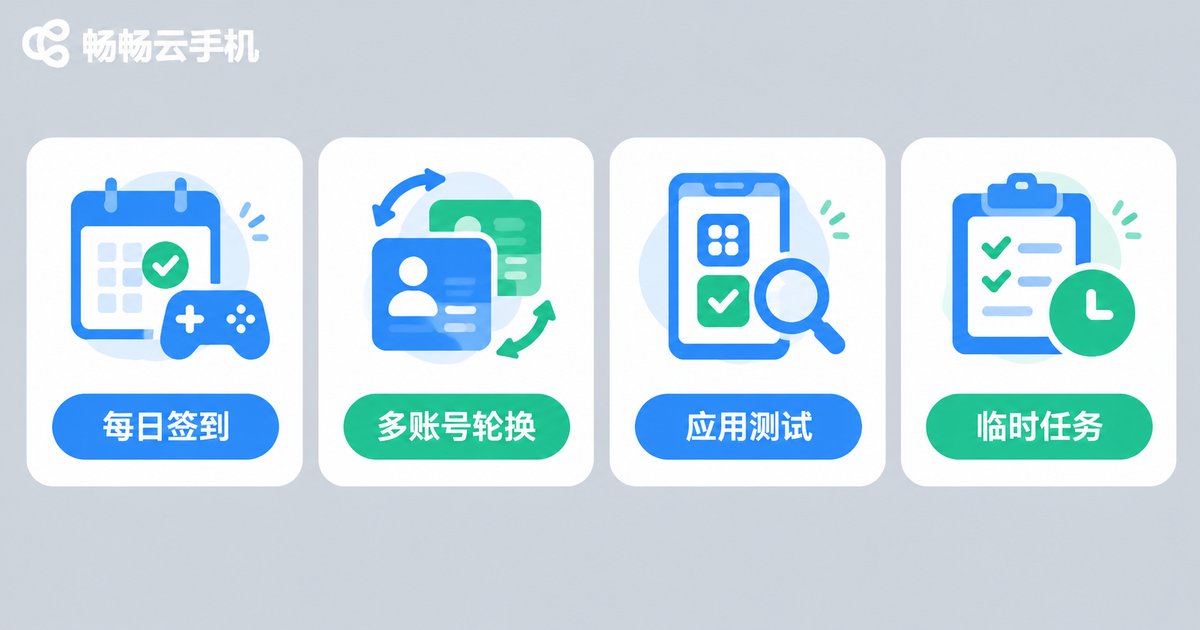
The value of 15-minute billing shows up most clearly in scenarios where sessions are short and scattered:
1. Daily game check-ins and rewards: Log in for a few minutes to collect resources and finish dailies, then shut down — the monthly cost can stay in the single-digit dollars.
2. Multi-account rotation: When you need to handle several accounts one by one, a single metered device beats paying monthly rent on one device per account.
3. App and game testing: Install, run the core flow, record results, log off — a single test session rarely exceeds half an hour.
4. One-off tasks: Event sign-ups, batch verifications, or short-term idle jobs — use it, shut it down, and no lingering cost.
Cost Comparison: Pay-As-You-Go vs. Monthly Plan
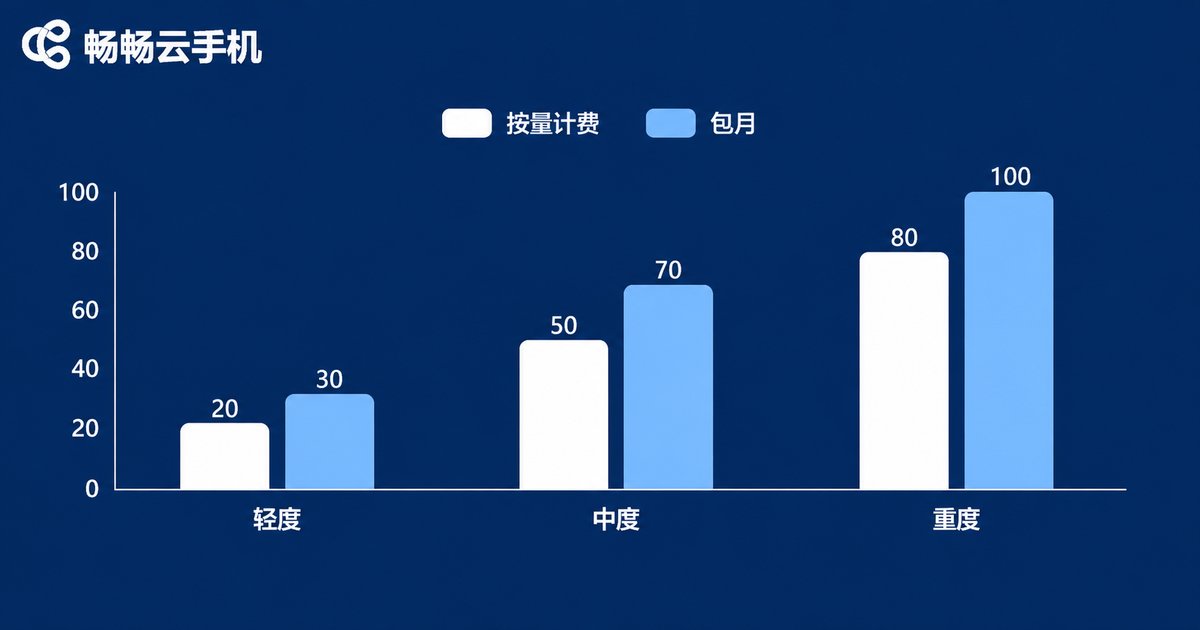
Neither model is universally better; what matters is your total monthly usage. The table below makes the difference intuitive (amounts are estimates based on illustrative rates, to show the logic):
| User profile | Daily usage | Pay-as-you-go monthly (est.) | Monthly plan | Better choice |
|---|---|---|---|---|
| Light: daily check-ins | ~15 min | ~$3–6 | ~$30 | Pay-as-you-go |
| Moderate: daily idle tasks | ~2 hours | ~$24–48 | ~$30 | Roughly even; depends on frequency |
| Heavy: long sessions | 8+ hours | $100+ | ~$30 | Monthly plan |
The rule of thumb: estimate your total monthly hours, multiply by the metered rate, and compare with the monthly price. Once the metered cost clearly exceeds the subscription, switch to monthly; the more fragmented and occasional your usage, the more pay-as-you-go saves. Many users mix the two — metered for daily routines, monthly for peak periods.
The Hidden Value of Elastic Usage: Never Pay for Idle Time
Beyond direct savings, 15-minute billing enables a more flexible philosophy — boot when needed, shut down when done:
Elastic scale-up on busy days: For events or version updates that call for extra devices, spin up several temporarily and shut them all down afterward — you only pay for the genuinely busy hours.
Zero cost during downtime: On vacation or between projects, power off and the bill drops to zero, unlike a subscription that keeps charging.
Near-zero cost of trial: Want to try a new game or tool? Boot a metered cloud phone for a few hours; if it is not for you, shut it down at almost no cost.
This start-and-stop-at-will elasticity is one of the biggest advantages cloud phones hold over physical spare devices.
How to Keep Costs Low on CC Cloud Phone
If you are looking for a cloud phone service with flexible billing, try CC Cloud Phone (ccloudphone). It provides cloud Android devices you can boot and shut down on demand and run in multiple instances, a natural home for short tasks. Combined with the pay-as-you-go mindset, here are practical money-saving tips:
1. Batch your tasks: Finish all daily check-ins, resource collection, and replies within one session to reduce boot counts and avoid repeatedly paying a partial 15-minute unit.
2. Shut down immediately after use: The sooner the meter stops, the thinner the bill.
3. Calculate before you commit: Use the formula above to estimate monthly usage; if the metered cost approaches or exceeds a monthly plan, switch.
4. Check official pricing: For current per-unit rates and plan details of each device tier, refer to the official CC Cloud Phone website at ccloudphone.com and pick the option that matches your needs.

FAQ
Q: How is a session under 15 minutes charged?
As one full billing unit (15 minutes) — time is always rounded up. One minute costs the same as fourteen, so batch short tasks into a single session whenever possible.
Q: Does a powered-off cloud phone keep billing me?
No. Pay-as-you-go meters runtime only; billing stops the moment the device shuts down or is released, with no idle fees.
Q: Can I switch between pay-as-you-go and monthly plans?
Usually you can choose or combine them as needed, subject to the platform's current policy. A common approach: monthly for stable months, metered for fluctuating ones.
Q: Is 15-minute billing right for heavy gamers?
Not really. With several hours online every day, metered costs quickly exceed a subscription — a monthly plan is the better deal.
Q: What billing options does CC Cloud Phone offer?
CC Cloud Phone (ccloudphone) offers flexible billing options. For current tiers, rates, and details, see the official website at ccloudphone.com.


