

How to Get Cloud Gaming Trial Access? Ways to Claim Free Trial Time
What Exactly Is Cloud Gaming Trial Access?
Many players wonder: do you really need “access” to play games? In fact, this “access” refers to trial permission for cloud-based devices. The core of cloud gaming is running games on remote cloud servers, while your phone, tablet, or computer only receives the video stream and sends your commands. A cloud phone is the most direct gateway to cloud gaming—once you activate a cloud phone, it's like owning a 24/7 online gaming console in the cloud.
For most players, the biggest question is: Can I try it for free first? The answer is yes. Let's walk through the ways to claim free trial time.
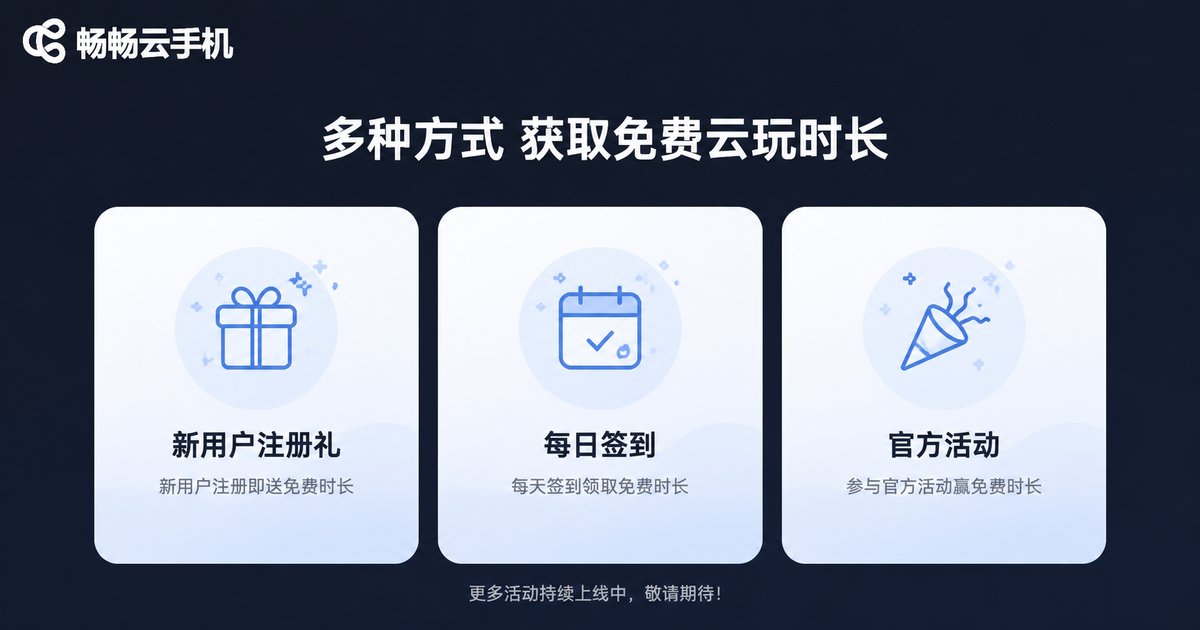
Three Ways to Get Free Trial Time
Method 1: Claim New User Trial Time Upon Registration
This is the most straightforward approach. Take ccloudphone as an example: new users can claim free trial time right after completing registration, with no extra requirements. During the trial, you can fully experience the graphics, smoothness, and latency of cloud gaming—even running demanding games smoothly on a low-end phone.
Method 2: Daily Check-ins and Tasks
Many cloud phone platforms reward users with free time through check-in and task systems. Sign in daily, complete simple tasks, and the rewards add up—ideal for users who want a long-term, zero-cost experience.
Method 3: Official Events and Special Occasions
During holidays, version updates, and new game launches, platforms often run limited-time events offering trial time or access. Keep an eye on official announcements and event pages so you never miss a freebie.
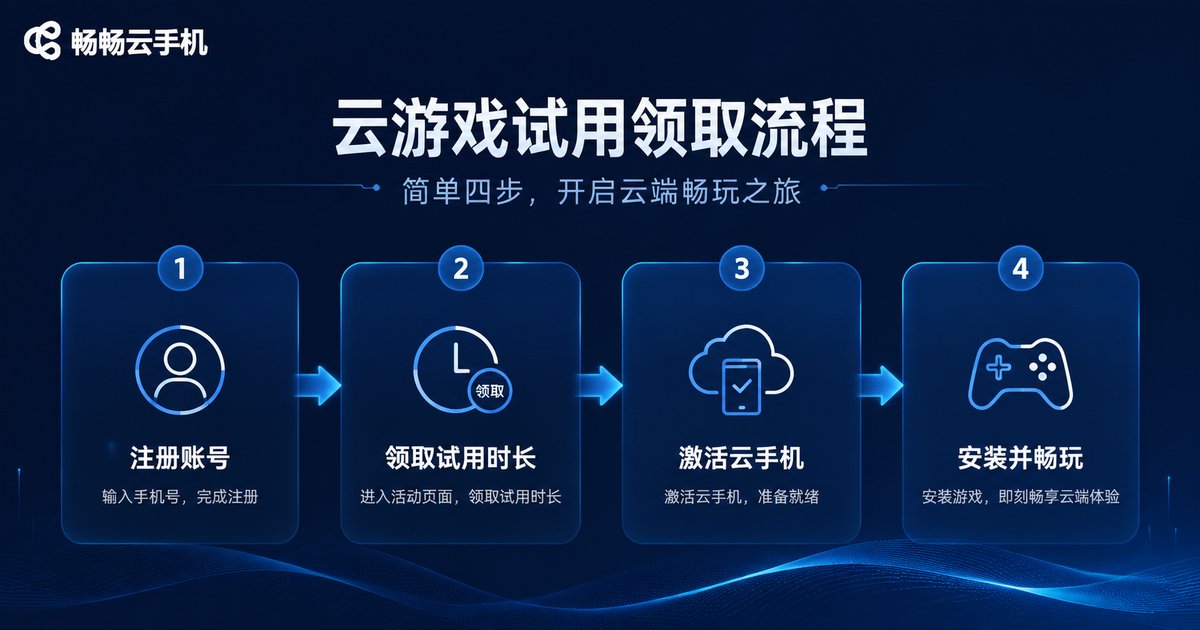
Step-by-Step Guide to Claiming Trial Access
Taking ccloudphone as an example, claiming cloud gaming trial access takes just four steps:
Step 1: Visit the official ccloudphone website or download the app, and register with your phone number.
Step 2: Go to your personal center or trial page and claim the new-user free trial time.
Step 3: Choose a device configuration and activate your cloud phone instance.
Step 4: Install the games you want to play on the cloud phone and start playing instantly.
The whole process usually takes less than 5 minutes, with no complicated setup—very beginner-friendly.
Comparison of the Three Methods
| Method | Difficulty | Best For | Tip |
|---|---|---|---|
| New User Trial | ★ | All new users | First choice—claim upon signup |
| Check-ins & Tasks | ★★ | Players with spare time | Stay consistent, rewards add up |
| Official Events | ★★ | Users who follow updates | Watch key dates, join early |
How to Make the Most of Your Free Trial Time
Free time is precious—here's how to use it wisely:
1. Test network latency first. Play a round on both Wi-Fi and 4G/5G to feel the responsiveness—this is the core metric of cloud gaming.
2. Pick a demanding game. Choose a game your own phone struggles with to truly see the performance advantage of cloud devices.
3. Test AFK and multi-instance features. Cloud phones support 24/7 offline AFK farming. If your mobile games have AFK needs, be sure to try this feature during the trial.
Why We Recommend ccloudphone
Among cloud phone products, ccloudphone stands out with stable cloud servers, smooth video streaming, and an easy-to-use interface, making it an ideal choice for cloud gaming. Whether you're a newcomer wanting a free trial or an advanced player seeking multi-instance AFK farming, ccloudphone has something for you. Once you claim your trial access, you'll find the world of cloud gaming more exciting than you imagined.
FAQ
Q: Is cloud gaming trial access free?
Yes. Trial time obtained through new-user registration, check-ins, and official events is completely free—no payment required to start playing.
Q: How long does the free trial last?
It varies by platform and event—check the claim page for details. We recommend planning ahead and prioritizing latency, graphics, and AFK feature tests.
Q: Can a low-end phone handle cloud gaming?
Absolutely. All the processing happens on cloud servers; your local device only displays the stream. Even years-old phones can run games smoothly.
Q: What if I want to keep playing after the trial ends?
You can choose a suitable plan on ccloudphone to continue. Your cloud data won't be lost, and your game progress carries over seamlessly.


