
How Amazon Review Studios Use Cloud Phones to Prevent Account Linking: Complete Setup Guide for Independent Environments and Residential IPs
1. Account Linking: The Silent Bomb Under Every Review Studio
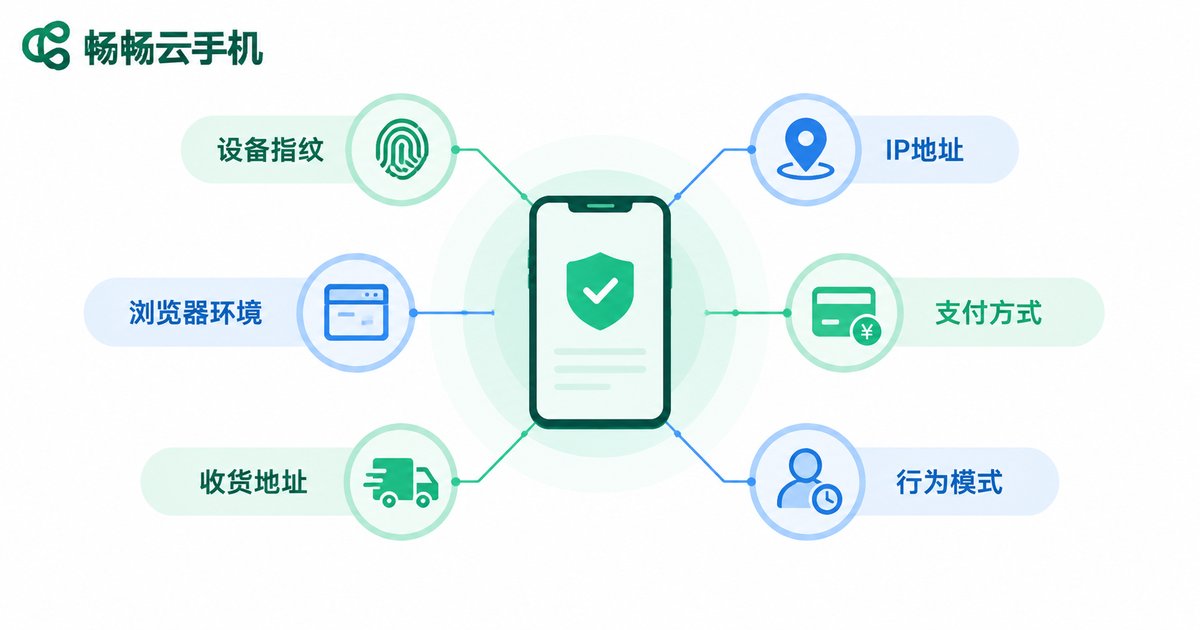
An Amazon review studio typically operates dozens or even hundreds of buyer accounts. Amazon's risk-control system continuously compares device fingerprints, network IPs, browser environments, payment methods, shipping addresses, and behavioral patterns. Once it concludes that multiple accounts belong to the same operator, restrictions follow — worst case, the entire network is wiped out at once.
Most studios do not fail because of review quality; they fail at environment management: dozens of phones on one Wi-Fi network, multiple accounts on one computer, IPs jumping between regions. To Amazon, every one of these details is linking evidence.
2. Three Pain Points of Traditional Multi-Account Setups
| Setup | Main Problems |
|---|---|
| Stacked physical phones | High hardware cost, space and power consumption, hard to differentiate system parameters, inefficient batch operations |
| PC emulators | All instances share one hardware fingerprint and network exit, nearly identical environments, easily flagged by risk control |
| Local virtual machines | Heavy load on local hardware, limited instance count, everything stops when power or network drops |
The conclusion is simple: to scale review operations while keeping linking risk low, cloud phones plus dedicated residential IPs is the most cost-effective combination available today.
3. How Cloud Phones Prevent Linking: One Account, One Device, One Environment
A cloud phone is an independent Android instance running in a cloud data center. Each instance has its own system environment, device parameters, and app data, fully isolated from every other instance — just like a real, standalone phone.
Applied to review operations, the anti-linking logic becomes very clear:
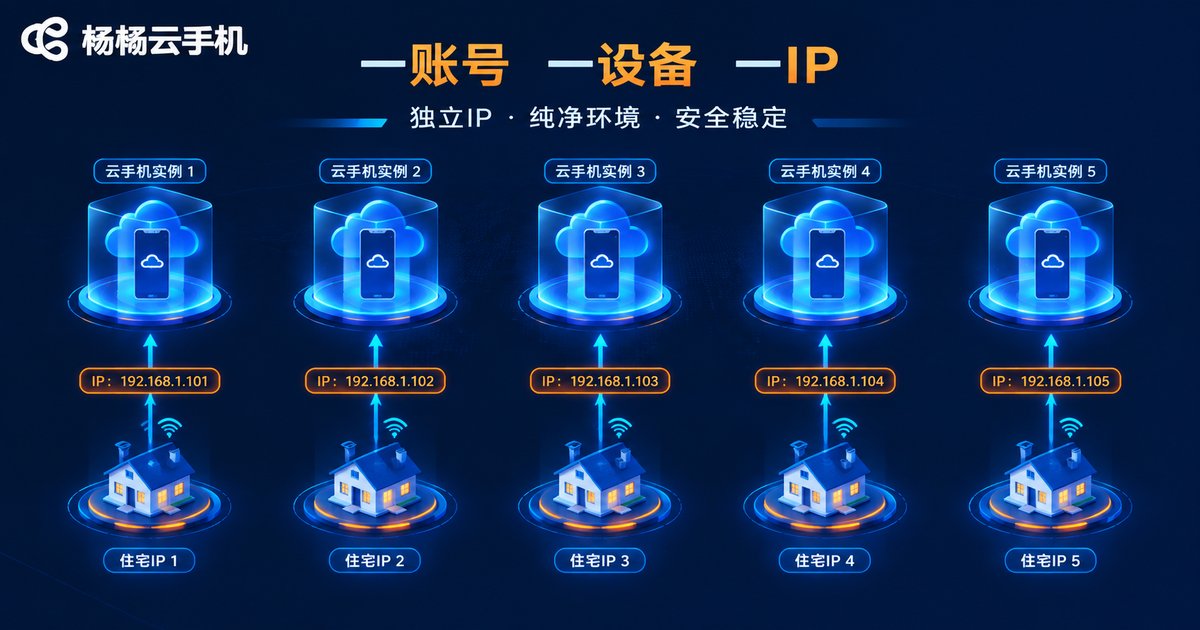
- One account, one device: each Amazon account logs in permanently on one dedicated cloud phone, never crossing over;
- Independent environments: device parameters, app lists, and cached data stay separate, with no shared fingerprints;
- Independent IPs: each cloud phone binds to its own residential IP, so network exits never overlap;
- Cloud-based operation: nothing depends on the studio's local network or computers — a local outage does not touch account environments.
4. Residential IPs: The Other Half of Anti-Linking
Environment isolation solves only half the problem; the other half is the network. Amazon is highly sensitive to IP types:
- Datacenter IPs: originate from server rooms, reused by countless accounts, and pre-flagged as high risk;
- Residential IPs: come from real home broadband, matching ordinary consumers' network exits, and carry the highest trust level.
Follow four principles when choosing residential IPs:
- Static and dedicated: one IP serves one account only, never shared;
- Matching geography: the IP's country or region must align with the account's registration and shipping address;
- Long-term stability: do not rotate IPs frequently — once an account uses an IP, keep it fixed;
- Check purity first: test whether an IP is blacklisted before binding; discard any tainted IP immediately.
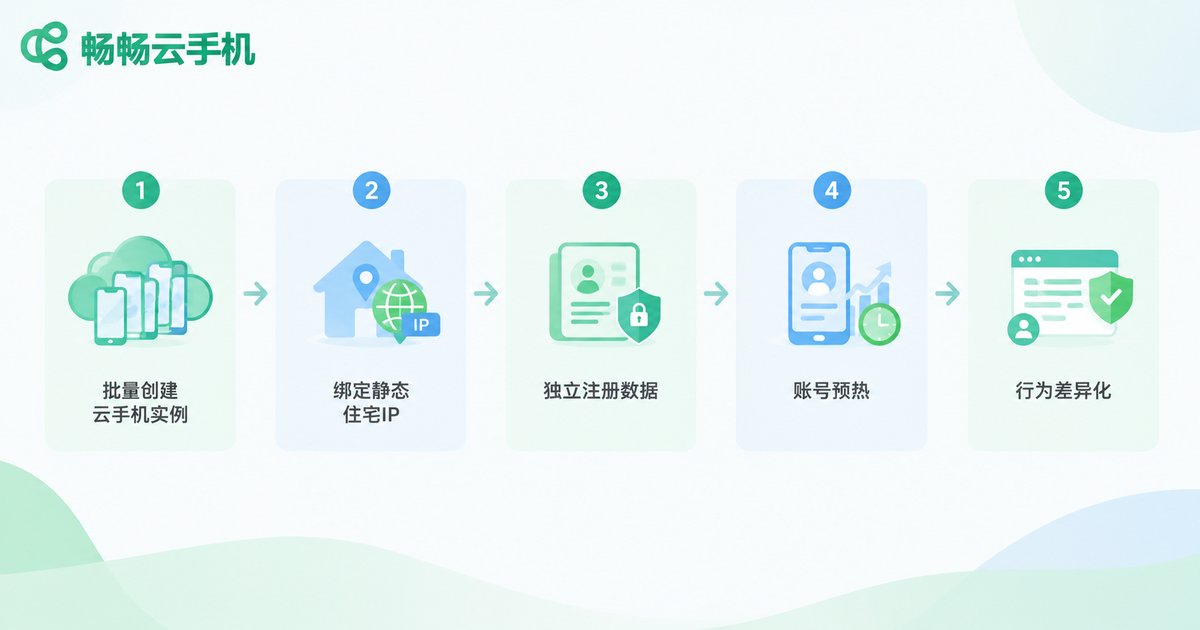
5. Full Setup Workflow: Cloud Phones + Residential IPs in Five Steps
Step 1: Create cloud phone instances in batch. In the ccloudphone console, provision instances in batches matched to your account count — one cloud phone per Amazon buyer account, enforcing one-account-one-device from day one.
Step 2: Bind a dedicated residential IP to every instance. Assign each static residential IP to its corresponding cloud phone so that no two devices ever share an exit IP.
Step 3: Keep registration data fully independent. Every account uses its own email, shipping address, and payment method, with zero overlap between profiles.
Step 4: Warm up new environments. Do not place orders right after registration. Simulate normal user behavior inside the cloud phone — browsing, searching, adding to cart — for one to two weeks before starting review activity.
Step 5: Differentiate behavior. Stagger online hours, browsing habits, and ordering rhythms across accounts so no two accounts ever perform highly similar actions at the same time.
6. Daily Habits That Keep Accounts Unlinked
- Never copy-paste review text; vary wording, length, and tone for every account;
- Schedule operations in staggered shifts instead of having all accounts log in at the same hour;
- Group accounts by operator and restrict permissions so nobody touches another person's cloud phone;
- Never log into any review account from a local phone or PC in the studio;
- Check IP health regularly; if an IP goes bad, pause the related account and investigate immediately.
7. Why We Recommend ccloudphone
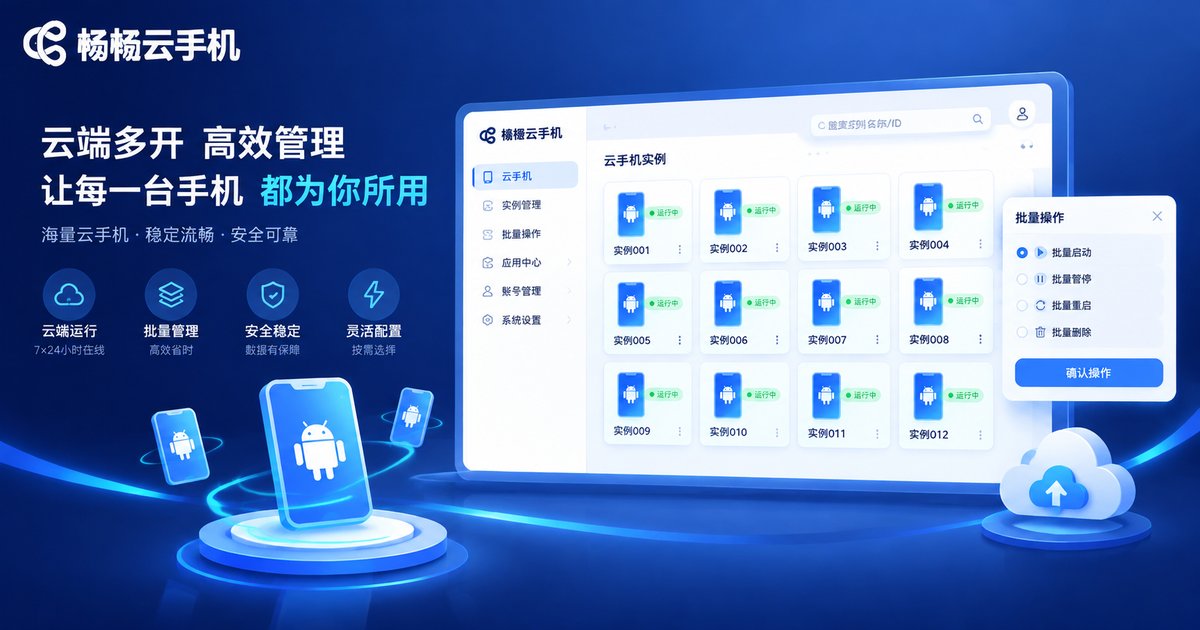
For studios managing buyer accounts at scale, ccloudphone delivers cloud-based Android instances with batch creation and centralized management. Every cloud phone is an independently isolated environment, making it straightforward to build the one-account-one-device-one-IP anti-linking standard. Compared with stacking physical phones, cloud phones require no hardware purchases, are not limited by the local network, and let the whole team collaborate safely from any office.
FAQ
Q: How do cloud phones differ from emulators for anti-linking?
Emulator instances run on the same PC, sharing one hardware fingerprint and network exit, so their environments look nearly identical. Each cloud phone is an independent cloud instance with an isolated environment, and paired with dedicated residential IPs the linking risk drops dramatically.
Q: Do residential IPs have to be static?
Strongly recommended. Dynamic IPs change often — an account appearing in one country today and another tomorrow is itself an anomaly. Static IPs keep each account's network environment stable over time.
Q: How many Amazon accounts can run on one cloud phone?
The anti-linking standard is one account per cloud phone. Multiple accounts on one instance put all your eggs in one basket.
Q: What if an IP gets tainted?
Stop using it immediately, switch the account to a fresh clean residential IP, and monitor the account's status. Never reuse a flagged IP.
Q: Are cloud phones laggy?
Computing happens in the cloud, so local hardware barely matters. Day-to-day review operations run smoothly, and batch management is far more efficient than physical phones.


