
Is a 7-Day Free Cloud Phone Worth It? Migrate Your Data Before It Expires — and Start Early
A free 7-day trial is really rented time to make a decision
Cloud phone providers offer free trials for a simple reason: they want you to run the device in a real environment before committing long term. Those seven days are not a free phone — they are an evaluation window with a hard deadline. When the window closes, the device is recycled and the data is wiped. That is standard practice in the industry, and it is exactly why you need to plan your migration in advance.
So the real question is not whether free is worth it. The real questions are more specific: can I reach a clear conclusion within these seven days, and have I moved everything I need before expiry?
Three types of users, three completely different verdicts
Seven days is the same length for everyone, but what you can learn from it varies a lot.
| Use case | Is 7 days enough? | What to actually watch |
|---|---|---|
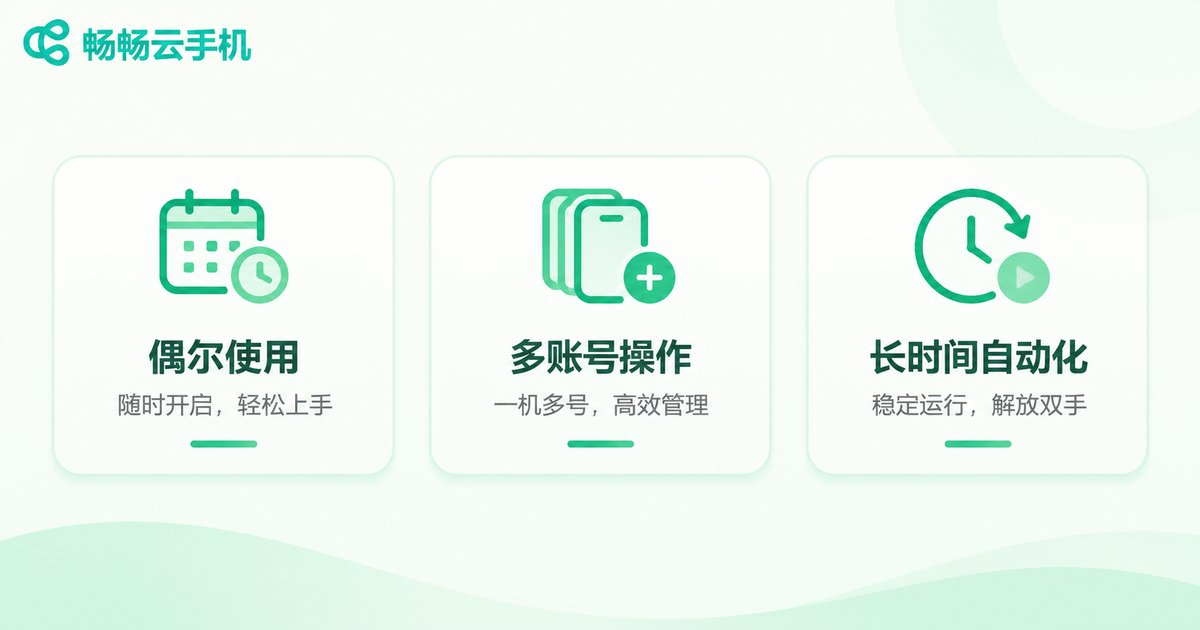
| Occasional gaming, daily routine tasks | Mostly enough | Disconnect frequency, screen latency |
| Multi-account operations, batch management | Barely enough | Smoothness when running multiple instances, account switching cost |
| Long-running scripts, automation tasks | Not enough | Stability over 72+ hours of continuous running |
If you fall into the third category, seven days only proves that it can run — not that it will still run fine a month later. In that case, the value of the trial is ruling out obviously unsuitable options, not finding a perfect answer.
The three most common mistakes before expiry
Mistake one: assuming your data will stay. Many people think their apps, files and chat history will still be there after the trial ends. In reality, the device is usually recycled and rebuilt, and everything inside is cleared. When you log back in, you get a clean new machine.
Mistake two: starting the migration on the last day. Migration is not as fast as copy and paste. Apps need to be logged in again, two-factor authentication has to be redone, scripts need to be re-debugged, files need to be re-uploaded. Pile all of that onto expiry day and you will likely run out of time halfway through.
Mistake three: only testing power-on and power-off. Fast boot and a smooth interface do not mean the device suits your actual workload. What really determines the experience is whether it stays online for long stretches, whether multiple instances slow each other down, and whether it drops connections when the network fluctuates. Those things only show up over time.
Migration timeline: plan backwards from day seven
Treating migration as a scheduled project is far more reliable than scrambling at the end.
| Timing | What to do |
|---|---|
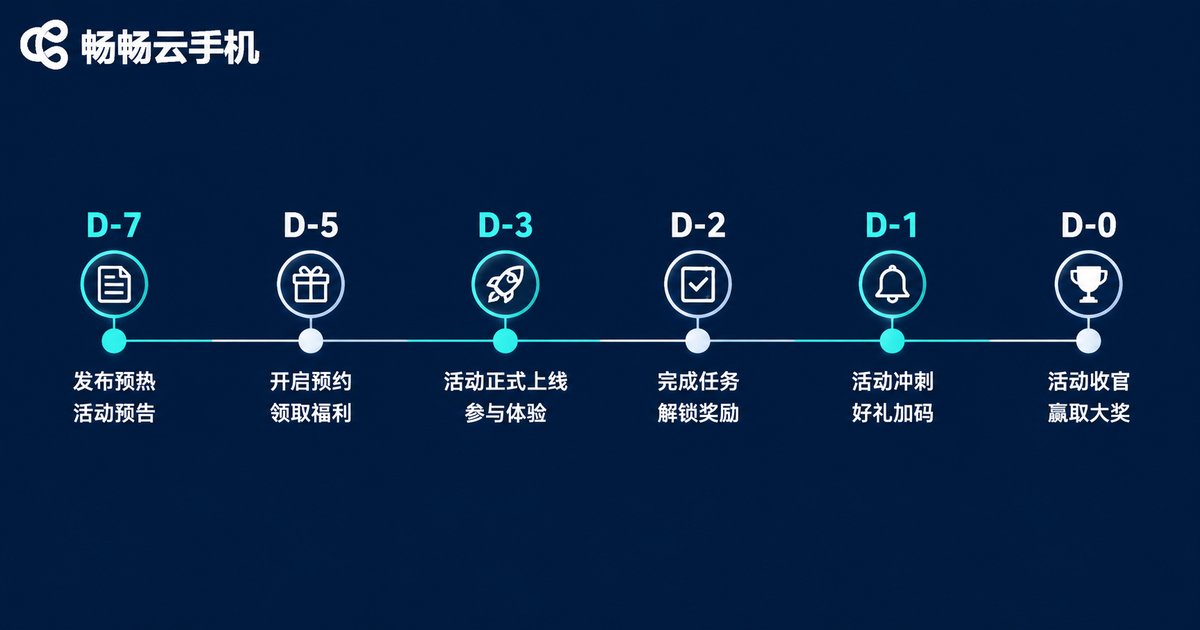
| D-7 to D-5 | Confirm the exact expiry time; list everything inside the cloud phone that needs to be kept |
| D-4 | Export files, screenshots, screen recordings and logs; record each app's account and login method |
| D-3 | Log in and reconfigure on the target device; run your scripts and automation flows once |
| D-2 | Verify data completeness; handle the annoying parts like two-factor authentication and account bindings |
| D-1 | Do a final full check and keep a local backup |
| D-0 | Confirm only, do not migrate. Nothing should be left unfinished on expiry day |
What exactly needs to be migrated
Most people only think about files. The real headaches are the invisible things:
- Accounts and login states: each app's account, password, bound phone number or email, and the recovery method for two-factor authentication.
- Local files: screenshots, screen recordings, downloaded assets, exported spreadsheets and logs.
- Automation configuration: scripts, scheduled tasks, parameter settings, network configuration.
- Messages and records: chat history, contacts and notes — easy to overlook, impossible to recover later.
- Environment notes: the original device's OS version, resolution and language settings, so you can recreate them elsewhere.
Build this checklist on day two of the trial and keep adding to it as you go. If you wait until day six and try to remember what you installed, you will almost certainly miss something.
How to judge whether these seven days were worth it
Ask yourself three questions:
First, did I hit any problems that affected my work? If so, were they occasional or recurring? Problems that recur only become more obvious over the long run.
Second, did I complete one full real workflow? Not just tapping around, but finishing something end to end that you would genuinely do day to day.
Third, can I accept the migration cost? If switching devices means half a day of reconfiguring, then the word cheap needs to be recalculated.
What matters more than price when choosing a long-term plan
Once the trial ends, most people need to pick a long-term option. That is the moment not to stare only at the unit price.
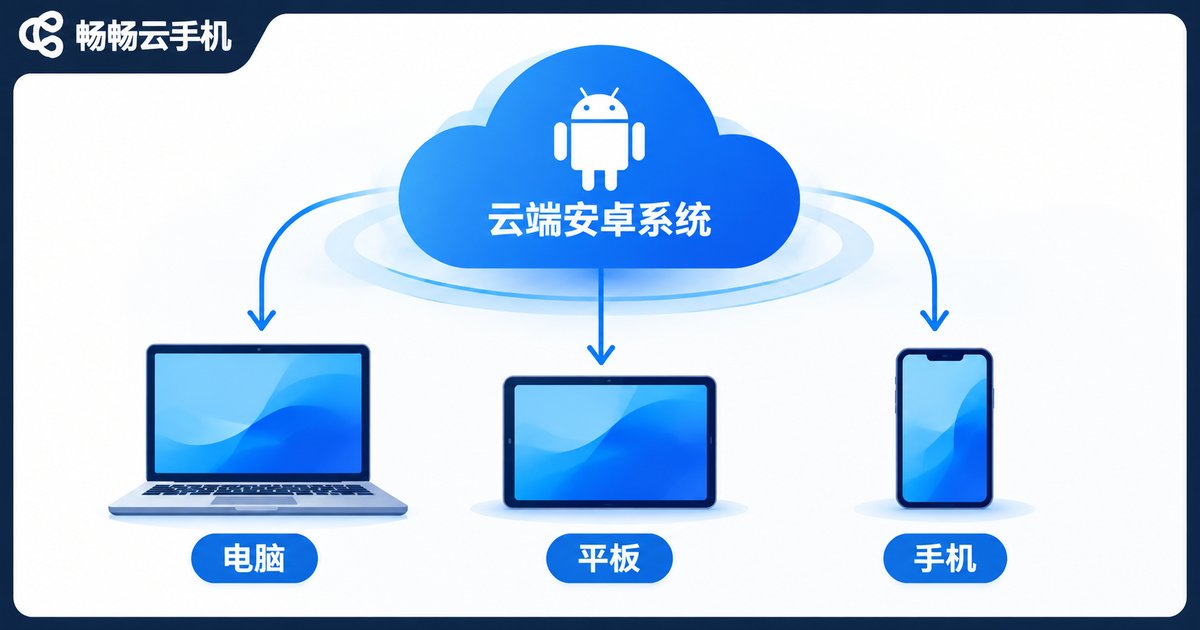
Take ccloudphone as an example. It runs the Android system on cloud servers, while your local device only handles display and input, so older phones, tablets and lightweight laptops can all handle it. For users who need long online hours and multiple parallel accounts, the point of this architecture is that the device keeps running without shutting down, your local machine does not need to stay on, and battery, heat and storage stop being limiting factors.
When choosing a plan, confirm four things: stability of continuous online operation, resource allocation when running multiple instances, how easy data export is, and how fast support responds. The first two determine your daily experience; the last two determine whether your next migration will hurt all over again. For specific configurations and trial policies, check the official ccloudphone website and go by what the official pages say.
FAQ
Q: Will my data in the cloud phone be kept automatically after the free trial ends?
A: Usually not. After expiry the device is typically recycled and rebuilt, and the apps and data inside are cleared. That is why migration has to be scheduled in advance rather than left to the last day.
Q: How much time should I set aside for migration?
A: It depends on complexity. If you only installed a few apps and have no scripts, half a day to a day is enough. If you have multiple accounts, automation tasks and lots of files, set aside three to five days and start preparing in the first week of the trial.
Q: Can a 7-day trial reveal the true quality of a cloud phone?
A: It can show whether it works, but not whether it stays stable long term. Try to schedule at least one continuous 48-hour test during the trial and watch for disconnects and lag.
Q: What if the trial period is not enough for me?
A: Complete your data backup and configuration notes before expiry, and take your evaluation conclusions with you. That way, whichever option you choose next, you will not be starting from zero.
Q: Who is a cloud phone actually for?
A: Users who need long online hours, multiple parallel accounts, or who have limited local hardware or cannot keep a device powered on all the time. If you only use it occasionally, a local phone is usually simpler.


