

2026 Cloud Phone Fee Items Explained: Extra-Package Charges and Hidden Costs
Why You Should Understand Cloud Phone Pricing in 2026
Cloud phones have quietly gone mainstream: multi-account operations, running several game instances at once, keeping apps online around the clock, lightweight remote work. As more people sign up, one question keeps coming up — why does the final bill rarely match the plan price? Many users only look at the headline price when subscribing, and a month or two later discover that the real cost is often higher than the plan fee. This article breaks down the common fee items for cloud phones in 2026: what your plan actually covers, which charges appear outside the plan, and which hidden costs are easiest to miss, so you can do the math before you pay.
First, What the Plan Fee Usually Covers
For most mainstream cloud phone services, the plan price is built on three factors: number of devices, usage duration, and cloud phone specs. A typical monthly plan includes a fixed number of cloud devices (say, 1 or 10), a set hardware profile (CPU, memory, storage), and online time within the billing period. In short, the plan fee buys you a cloud phone with adequate specs that stays online reliably. As long as you stay inside those limits, you should not need to pay anything extra. Trouble starts with two things: exceeding the limits and overlooking the rules.
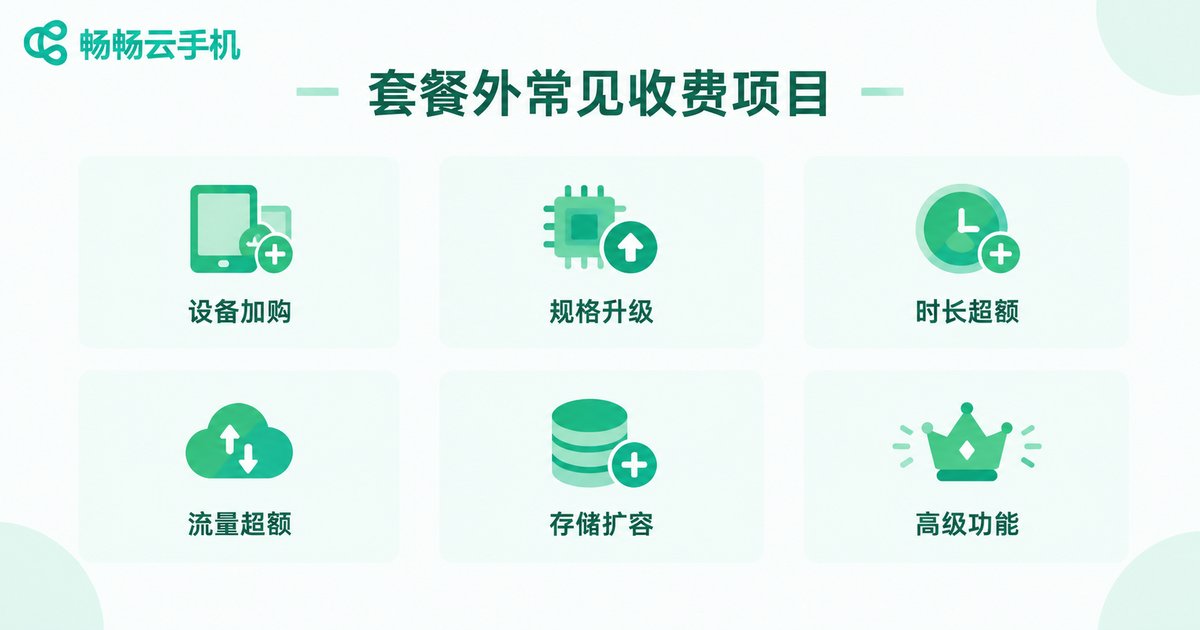
Common Extra-Package Charges
These are the out-of-plan charges users run into most often. Check every line before you pay:
| Charge item | When it appears | Typical impact |
|---|---|---|
| Extra devices | You need more cloud phones than the plan includes | Billed per added device; heavy multi-account use adds up fast |
| Spec upgrades | Default CPU, memory or storage is not enough | Higher specs mean a higher plan tier |
| Duration overage | Usage-time plans hit their hourly cap | Extra hours billed separately |
| Data overage | Traffic quota exhausted but usage continues | Billed per extra GB; background downloads are the usual culprit |
| Storage expansion | Cloud drive, app data and backups exceed the quota | Billed per capacity tier |
| Premium features | Group control, automation, dedicated IP and similar tools | Usually charged separately or locked to top tiers |
The silent budget killers are data traffic and storage: background downloads, automatic backups and growing caches eat your quota little by little, and the first warning is often the bill itself.

Hidden Costs That Are Easy to Overlook
Beyond the obvious out-of-plan charges, several costs rarely make it onto the marketing page yet can reshape your total spend:
1. Auto-renewal. Many plans renew and charge automatically by default. Forget to switch it off and the next cycle is billed whether you need it or not. Always find the renewal toggle and the cancellation path before paying.
2. Data retention windows. When a plan expires, the apps, game progress and files on your cloud phone are not kept forever. Most services hold data for a limited period, then wipe it if you do not renew. Important data means timely renewal or regular backups — and rebuilding a lost environment costs time, which is money.
3. Idle-time billing. Monthly devices keep billing even when untouched, because the resources are reserved for you. On pay-as-you-go plans, a device left running keeps metering. Shut down or release devices you are not using.
4. Multi-device stacking. One device looks cheap; ten or twenty change the picture completely. Always estimate total cost as devices × monthly fee + expected out-of-plan charges.
5. Migration costs. Data rarely moves between providers. Switching means reconfiguring environments, reinstalling apps and logging in again. That hidden cost belongs in your decision from day one — choosing the right provider once beats migrating twice.
Do the Math: Plan Price Is Not Your Real Monthly Cost
A typical scenario (numbers for illustration only; actual pricing varies by provider):
| Item | What you expect to pay | What you may actually pay |
|---|---|---|
| Base plan | Plan price | Plan price |
| Two extra devices | 0 | Per-device surcharge |
| Data overage | 0 | Per-GB charges |
| Storage expansion | 0 | Per-tier surcharge |
| Total | Plan price | 1.3x to 2x is common |
So never compare plan prices alone. The number that matters is plan price + likely out-of-plan charges — that is what the cloud phone really costs you each month.
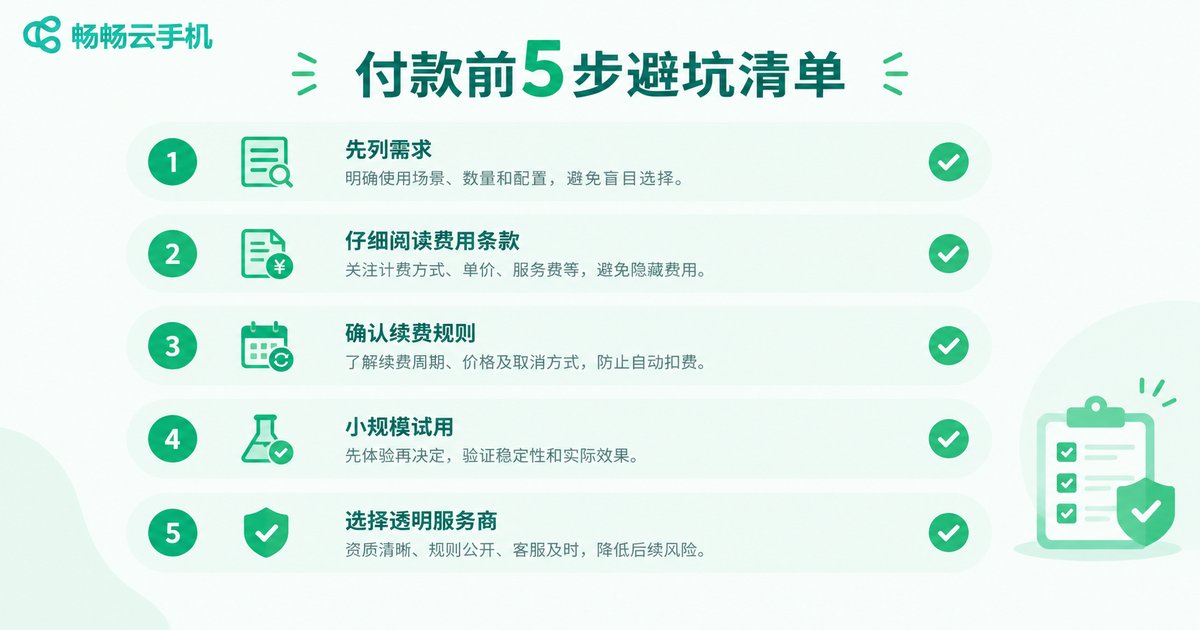
A Five-Step Checklist Before You Pay
1. List your needs first: how many devices, which apps, how many hours a day. Match a plan to the list instead of upgrading bit by bit afterwards.
2. Read the fee terms line by line: focus on how overage traffic, storage and duration are billed, and whether premium features are included in the plan.
3. Confirm renewal and retention rules: can auto-renewal be turned off anytime? How many days is data kept after expiry? Get both answers before paying.
4. Start small: run the smallest plan for one or two weeks, watch real traffic and storage consumption, then decide whether to upgrade.
5. Pick a transparent provider: prices, plan contents and billing rules should be visible on the official website, and support should explain out-of-plan charges without dodging.

Why We Recommend CCCloud Phone (ccloudphone)
On pricing transparency, CCCloud Phone (ccloudphone) is easy to deal with: plan tiers and what each includes are displayed clearly on the official website, prices follow the live site, and there are no surprise conditions that appear only after checkout. The mapping between device count, specs, duration and plan tiers is straightforward, so you can match a tier to your needs directly. Not sure which tier fits? Ask support on the official site, describe your use case, and let them run the numbers with you — calculate the cost before you pay, which is itself the best defense against hidden fees. Official website: ccloudphone.com.
FAQ
Q: Does a cloud phone keep billing while I am not using it?
Monthly plans bill continuously for the whole term, because the device reserves resources even when idle. Pay-as-you-go plans charge by actual usage, but make sure idle devices are properly shut down or released so nothing keeps running in the background.
Q: What happens when I exceed my data quota?
Rules differ by provider: some bill the excess per GB, others throttle or suspend usage. Read this clause before buying, especially if your workflow involves background downloads or automatic backups.
Q: Is my data still there after the plan expires?
Usually yes, for a limited retention period. After that, unrenewed data may be wiped. Back up important data locally on a schedule, or renew before the deadline.
Q: How do I avoid surprise auto-renewal charges?
Locate the auto-renewal toggle and the cancellation path before you pay, note the expiry date, and if you do not need long-term use, prefer a payment method without automatic renewal.
Q: Is out-of-plan billing transparent at CCCloud Phone?
Plan contents and prices are published on the official website, and billing rules can be confirmed directly with support. Before paying, ask two questions: how are over-plan charges billed, and how long is data kept after expiry? Clear answers mean no surprises.


