
Are There Free Cloud Phones for iPhone? A Guide to Free iOS Options
The Short Answer: Yes, You Can Use a Cloud Phone on iPhone for Free
When iPhone users first hear about cloud phones, the first question is usually: is there a free option? The answer is yes. A cloud phone is essentially a virtual smartphone running in a data center—your iPhone only needs an app (or even just a web page) to control it remotely. Because competition for users is fierce, nearly all mainstream cloud phone services offer a free entry point, so iPhone users can try everything before spending a cent.
That said, free options come in several forms, and the experience varies a lot. This article breaks down the options that actually work on iOS, so you can avoid pitfalls and wasted spending.
What Is a Cloud Phone, and Why Would an iPhone User Need One?
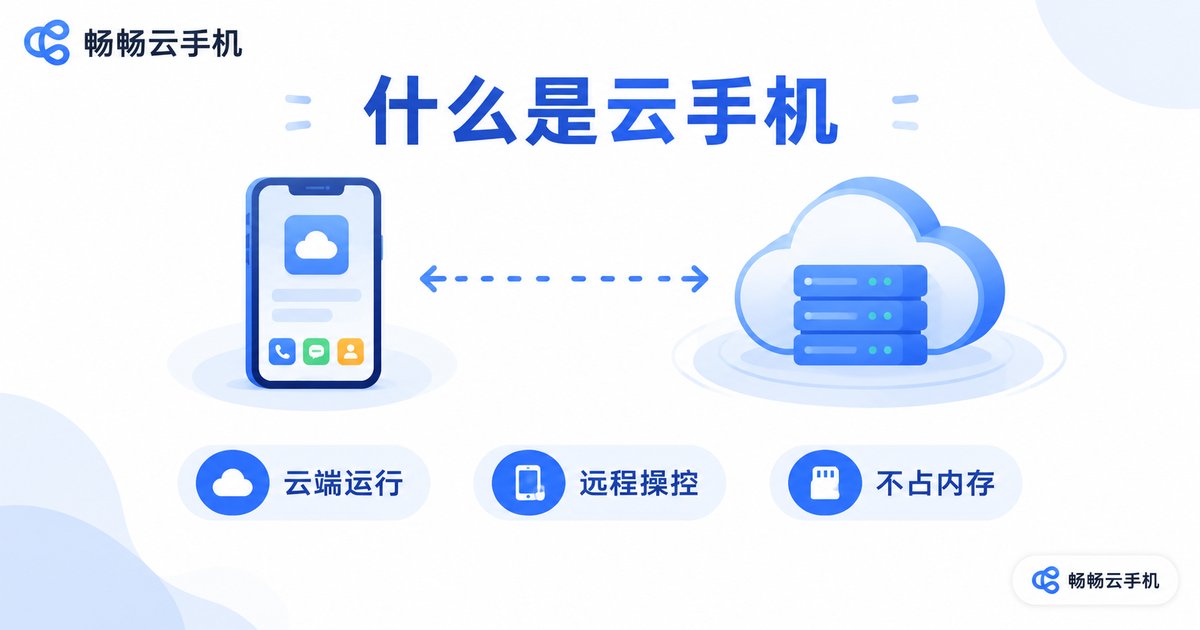
In short, a cloud phone is an Android phone that lives in the cloud. It is a separate device from your iPhone: the cloud phone runs 24/7 in a data center, while you see its screen and control it remotely from your iPhone. For Apple users, this solves several pain points iOS has always had:
- Run Android apps: Android games and apps not available on the App Store can be installed on the cloud phone;
- Always online: keep tasks running and receive messages without keeping your own phone powered on;
- Separate accounts: split work and personal accounts—one iPhone, two phones;
- Save local resources: apps live in the cloud, not in your iPhone storage or battery.
Free Option 1: Free Trial Hours for New Users
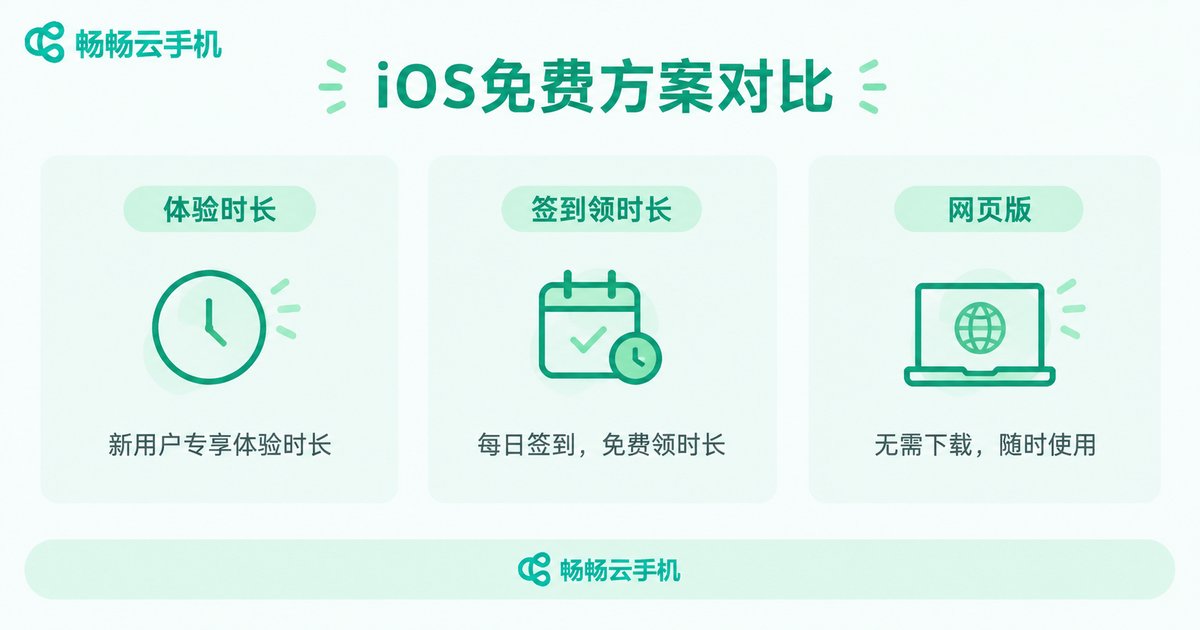
This is the most common route and the one every beginner should try first. Nearly all cloud phone platforms grant new users a batch of free trial hours—usually enough to run through the core flow: sign in to the cloud phone, install an app, actually use it for a while, and judge the image quality and latency for yourself.
The goal at this stage is validation, not long-term use: confirm that your network handles cloud streaming smoothly, that controls feel responsive, and that it fits your specific needs. If you like it, move on to the next step; if not, you have lost nothing.
Free Option 2: Check-ins and Tasks for Free Hours
Some cloud phone products include daily check-in rewards and task-based free hours. Spending a minute or two a day accumulates free usage time. For users who only need short daily sessions—to collect resources or handle routine tasks—keeping costs at zero over the long run is genuinely possible.
Set expectations, though: free hours are usually capped per day, devices are basic configurations, and there may be queuing at peak times. It suits light, fragmented usage—not heavy all-day sessions.
Free Option 3: Lightweight Web Access
Some services offer a web-based entrance: no app download needed—just log in through Safari on your iPhone to connect to the cloud phone. It is zero-install and ready whenever you need it, ideal for quick check-ins—glancing at messages on your cloud phone while out and about.
Web access is usually a notch below the dedicated app in smoothness and control feel, so treat it as a backup channel rather than your main way in.
Comparing the Three Free Options
| Option | How long it is free | Experience quality | Best for |
|---|---|---|---|
| New-user trial hours | One-time grant at sign-up | High—full core features | First-time cloud phone users |
| Check-in / task hours | Small daily amounts, accumulates | Medium—basic specs, possible queues | Light users with short daily sessions |
| Web access | Depends on the platform | Medium-low—average smoothness | Quick, occasional access without installing an app |
In one sentence: free options get you in the door; paid plans make it comfortable. For sampling and light use, free is enough. For long sessions and multiple accounts, a right-sized plan is actually the more relaxing choice—and the daily cost is usually lower than you would expect.
3 Practical Tips for Running a Cloud Phone Smoothly on iPhone
1. Network first. Smoothness is seventy percent about the network. Prefer stable Wi-Fi, use 5G on cellular, and avoid weak-signal spots—latency and frame drops improve dramatically.
2. Adjust quality to the task. Higher is not always better. Standard definition is fine for idle tasks and messages; raise resolution and frame rate only for visually demanding games, and find your balance between fluidity and fidelity.
3. Use the always-on nature of the cloud. The cloud phone keeps running when you close the app. Put long-running tasks on it, close your iPhone freely, and pick up where you left off—this is the biggest advantage over carrying a second physical phone.
ChangChang Cloud Phone: A Friendly Choice for iPhone Users
Among the many cloud phone products, ChangChang Cloud Phone (ccloudphone) is friendly to iOS users: you can sign in on iPhone via the app or the official website, and the clean, intuitive interface is easy for beginners. It covers the standard cloud phone capabilities—app installation, device management, staying online in the background—handling common needs such as idle tasks, multiple accounts, and running Android apps.
For free trial and plan details, always refer to what is currently published on the official ChangChang Cloud Phone website: claim a trial first, test your core scenarios, confirm the smoothness and stability meet your expectations, and only then decide whether a plan makes sense based on your actual usage.
FAQ
Q: Do I need to jailbreak my iPhone to use a cloud phone?
No. The cloud phone is a cloud device; the iPhone app is just a remote control. Get the client through normal channels—no system modifications required.
Q: Are free cloud phones safe? Will I lose my data?
With a reputable provider, your data lives in a professional data center—safer against loss and damage than a personal phone. Just keep good habits: bind important accounts and back up regularly.
Q: If I close the app on my iPhone, does the cloud phone keep running?
Yes. The cloud phone stays powered on 24/7 in the cloud; your local app is just the remote. Closing it does not stop cloud tasks—log back in anytime to continue.
Q: What happens when my free hours run out?
You can keep earning free hours through check-ins and events; if you use it heavily, a plan matched to your usage is more stable—see the official site for current details.
Q: Is the latency high when playing mobile games on a cloud phone?
Latency depends mostly on your network. On a stable connection, controls feel close to a real phone. Test it during the free trial on your usual network before committing long-term.


