

2026 Cloud Phone Rental Cost Control: Budget Planning and Package Selection Guide
Why Cost Control Matters More in 2026
Cloud phones are no longer a niche tool. From game AFK farming and multi-account operations to app testing and livestream support, more individuals and teams are moving core workflows to the cloud. As device counts grow, rental costs snowball quickly. Most users lose money not because they picked the wrong product, but because they never planned a budget — either paying for overpowered specs they never use, or letting idle devices quietly drain their wallet.
Entering 2026, the cloud phone market is more competitive and package options are richer than ever. That is both an opportunity and a trap: the right choice saves serious money, while the wrong one means paying for performance you never touch. This guide walks you through billing models, demand estimation, and package matching, so you can build your own cost control system step by step.
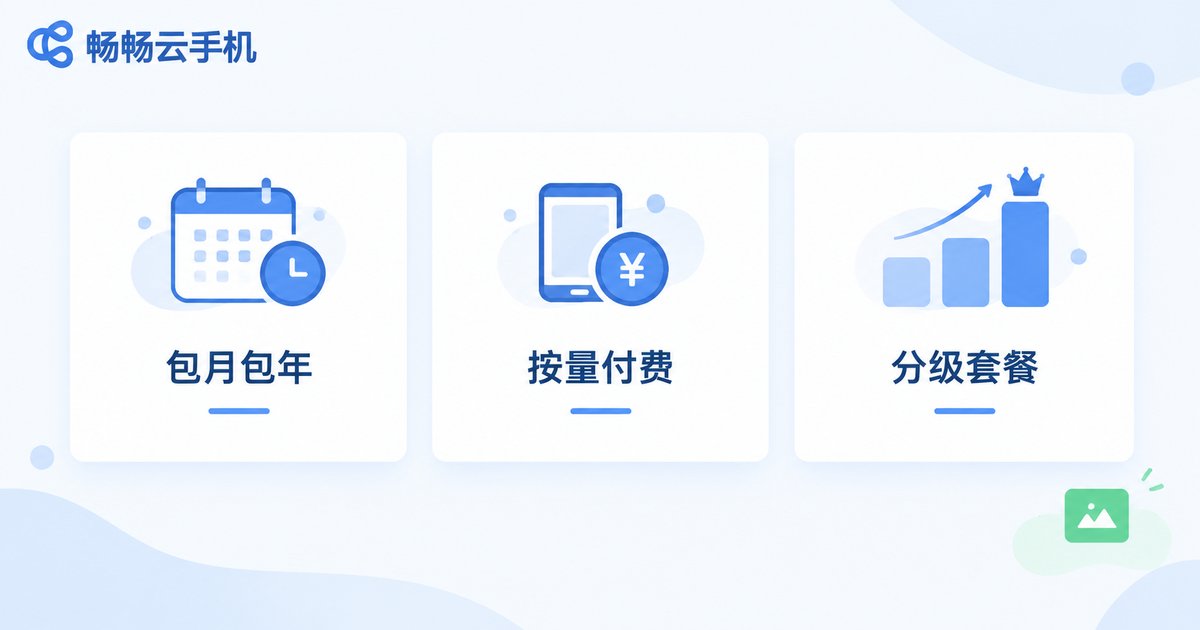
Understand the Three Main Billing Models
The first step to controlling costs is understanding how you are charged. Cloud phone services generally offer three billing approaches:
1. Monthly / yearly plans: A fixed fee per cycle, usually better value than pay-as-you-go. Ideal for long-term, stable workloads such as daily AFK farming or account matrices that run around the clock.
2. Pay-as-you-go: Billed by actual usage time. Perfect for short projects, temporary scaling, or quick tests, so you never pay for idle hours.
3. Tiered packages: Different tiers map to different CPU, memory, storage, and network specs — higher tiers cost more. The key is to match the tier to your actual workload instead of blindly chasing top specs.
In short: long-term and stable, go monthly or yearly; short-term and volatile, go pay-as-you-go. Get this right and you have already avoided most of the waste.
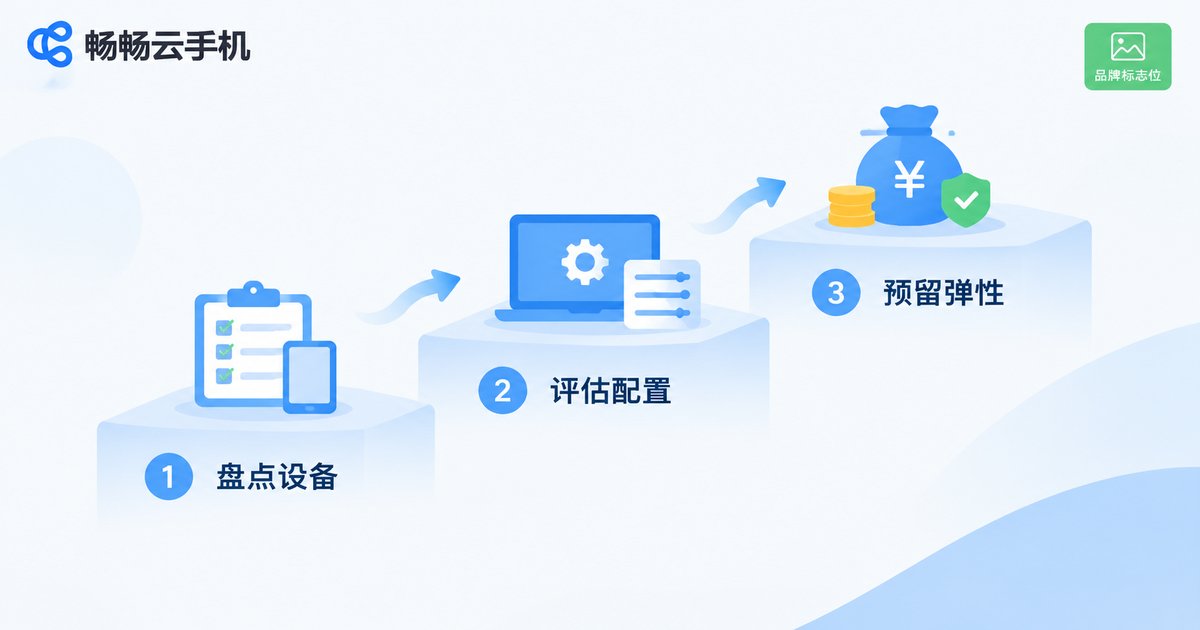
Budget Planning in Three Steps: Calculate Your Real Needs
A budget should never be a guess. Estimate yours with these three steps:
Step 1: Count devices and online hours. List how many cloud phones must be online simultaneously and how many hours each one actually runs per day. Most teams discover that far fewer devices truly need 24/7 uptime than they assumed.
Step 2: Assess configuration needs. Light AFK tasks demand modest specs; running multiple large games or heavy workloads requires more power. Grade your workloads by intensity and match each grade to a suitable tier instead of buying high specs across the board.
Step 3: Reserve a flexible buffer. Add a 10%-20% buffer on top of your baseline estimate to absorb sudden scaling needs or campaign spikes, so your budget never gets blown.
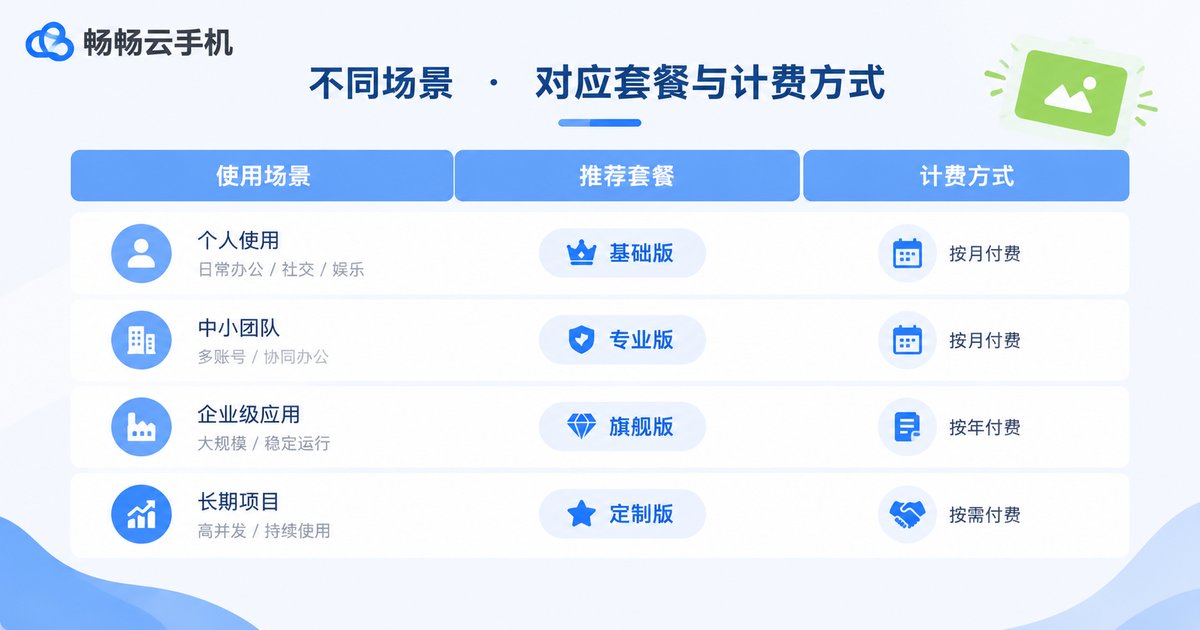
The Core Principle of Package Selection: Match Needs, Eliminate Waste
The best choice varies dramatically by scenario. Use this table for a quick reference:
| Use Case | Recommended Tier | Recommended Billing |
|---|---|---|
| Game AFK, daily check-ins | Entry level | Monthly |
| Multi-account matrix operations | Mid tier, stability focused | Monthly or yearly |
| Short projects, feature testing | Mid tier | Pay-as-you-go |
| Multi-instance large games | High tier, performance focused | Pay-as-you-go trial, then monthly |
Remember one rule: validate small, then scale up. Run your workflow on a handful of devices first, confirm the specs are sufficient and the process is stable, then add devices in batches. This keeps your trial-and-error cost to a minimum.
Five Practical Cost-Saving Tactics
1. Choose yearly plans for long-term needs. For devices you know will run all year, yearly pricing is typically much lower per month than monthly billing — the savings add up fast.
2. Release idle devices promptly. Build a routine audit habit: the moment a project ends or an account is retired, cancel the subscription. Do not let zombie devices burn money silently.
3. Let data drive adjustments. Track the real utilization of every device. Downgrade persistently underused ones, upgrade the ones constantly maxed out, and keep specs aligned with actual load.
4. Batch non-urgent tasks. Schedule low-priority tasks into concentrated time windows to shorten total online hours — especially effective under pay-as-you-go billing.
5. Centralize purchasing. In team settings, assign one owner to procure and manage devices. Fragmented purchasing by individual members leads to redundant specs and messy bills.
Why We Recommend ChangChang Cloud Phone
Among the many cloud phone services available, ChangChang Cloud Phone (ccloudphone) stands out. It offers multiple package tiers covering everything from light AFK tasks to high-performance multi-instance workloads, making it easy to match your real load precisely and never pay for unused power. Devices run smoothly and stably, meeting the diverse needs of solo users and team operations alike.
Better yet, ChangChang Cloud Phone supports flexible billing: start small with pay-as-you-go to validate your workflow, then switch to a long-term plan once things are stable, putting every dollar of budget into visible value. Visit the official website for the latest package details, combine them with the budget planning method in this guide, and build your own 2026 cost control plan.
FAQ
Q: How much does cloud phone rental cost per month?
It depends on the tier, device count, and usage hours. Entry-level monthly plans are usually affordable, while high-spec multi-device setups cost more. Estimate your real needs with the three-step method above, then check the provider's pricing page for a total budget.
Q: How do I choose between monthly plans and pay-as-you-go?
Look at usage duration and stability: devices that must stay online every day fit monthly plans better; occasional or volatile usage fits pay-as-you-go, so you never pay for idle time.
Q: How do I stop paying for idle devices?
Keep a device ledger recording each device's purpose and last-used date, audit weekly, and cancel or downgrade anything unused for several consecutive days.
Q: With a limited budget, what scale should a beginner start at?
Start with 2-5 devices to validate your workflow and configuration needs, then scale up. This minimizes trial-and-error costs and avoids waste.
Q: Will cloud phone prices drop in 2026?
As the technology matures and competition intensifies, price per unit of performance trends downward over time, but actual prices depend on each provider's official listings. Rather than waiting for discounts, lower your current costs through smart package matching and usage management.


