
Does Cloud Phone GPU Performance Matter? Significant Differences in 3D Gaming and Graphics Rendering
What Does Cloud Phone GPU Actually Do?
A cloud phone is essentially a virtual phone running in a cloud data center. When you operate on your local device, all computing tasks—including game rendering, graphics processing, and video encoding—are completed in the cloud. The GPU (Graphics Processing Unit) is the hardware core responsible for these graphics-intensive tasks.
Simply put, the GPU determines how fast your cloud phone can display images and how detailed models it can render. Without a powerful GPU, even the best network cannot deliver a smooth 3D gaming experience.
How Big Is the GPU Performance Gap? Real Test Data
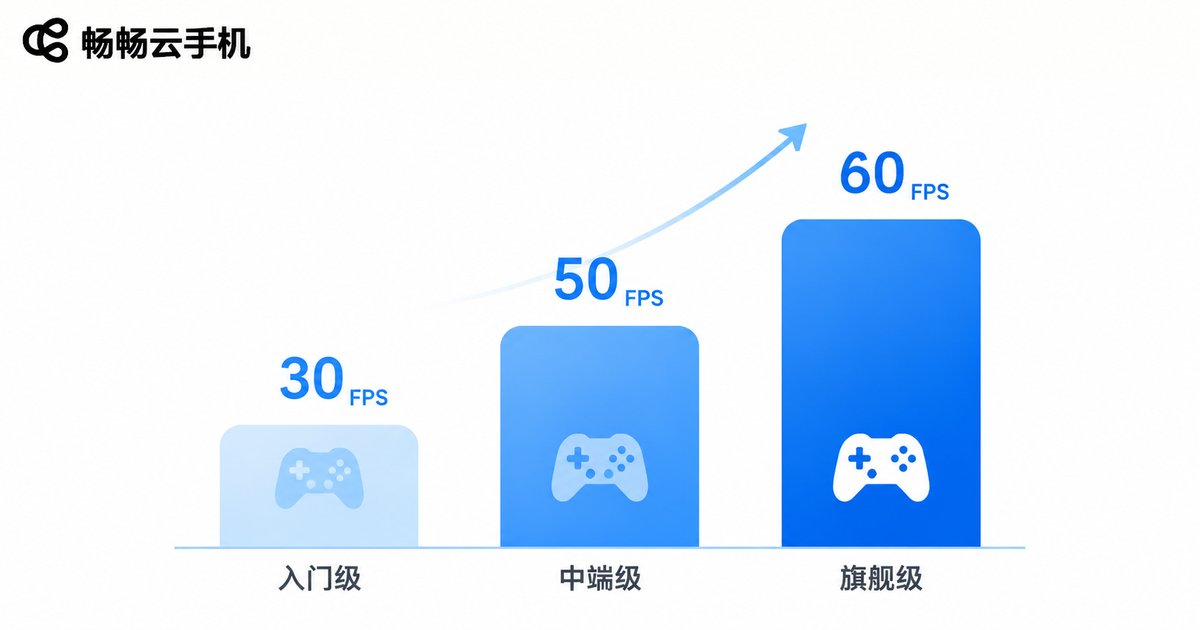
To help you intuitively understand GPU performance differences, we compared cloud phones with different GPU configurations in common 3D games and rendering tasks:
| GPU Configuration | Genshin Impact (60 FPS Mode) | 3D Modeling Rendering (Blender) | Video Editing Export |
|---|---|---|---|
| Entry-level GPU | 25-30 FPS, noticeable stuttering | ~15 min rendering time | ~8 min export time |
| Mid-range GPU | 45-55 FPS, basically smooth | ~8 min rendering time | ~4 min export time |
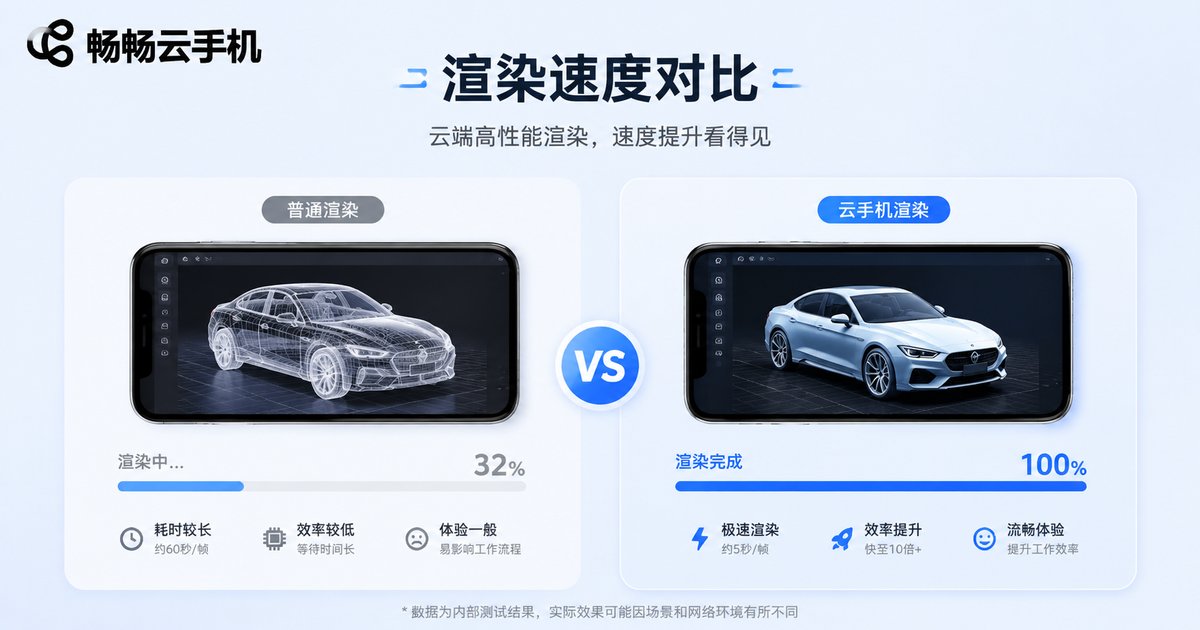
| Flagship GPU | Stable 60 FPS, max graphics settings | ~3 min rendering time | ~1.5 min export time |
The data clearly shows: the stronger the GPU, the higher the game frame rate and the faster the rendering speed. In heavy 3D scenarios, flagship GPUs are over 5x faster than entry-level ones—a difference that directly impacts your experience.
Specific Impact of GPU on 3D Gaming Experience
When playing large 3D games like Genshin Impact or Honkai: Star Rail, insufficient GPU performance can lead to:
- Unstable frame rates: Severe frame drops during team fights or complex scenes, reducing control responsiveness
- Forced quality reduction: The system automatically lowers resolution and effects to maintain smoothness
- Longer loading times: Noticeably longer waits when entering games or switching scenes
If you prefer casual or 2D games, the GPU gap may be less noticeable. But for 3D game enthusiasts, the GPU is the dividing line for cloud phone experience.
Graphics Rendering: What Designers and Creators Should Know
Beyond gaming, GPU performance is equally critical for graphics rendering work. When using cloud phones for 3D modeling, video editing, or effects production, the GPU determines your work efficiency.
Imagine a 3D project that takes 10 minutes to render—a high-performance GPU might complete it in just 2 minutes. For professional creators, time is money, and GPU performance is productivity.
Additionally, the GPU affects concurrent processing capabilities. With multi-tasking, a high-performance GPU can smoothly run multiple graphics-intensive applications simultaneously, while a low-performance GPU may experience noticeable lag.
How to Choose the Right Cloud Phone GPU?
When choosing a cloud phone, base your GPU requirements on your primary use cases:
| Use Case | Recommended GPU Tier | Reason |
|---|---|---|
| Light use (social, browsing) | Entry-level | Few graphics tasks, basic is enough |
| Moderate gaming (casual, card games) | Mid-range | Ensures basic smoothness, good value |
| Heavy 3D gaming | Flagship | Pursue high frame rates and full graphics |
| Graphics rendering, video editing | Flagship | Rendering speed directly determines efficiency |
CCloudPhone (ccloudphone.com) offers multiple GPU configuration options, allowing you to choose flexibly based on your needs. Its cloud phone service uses a high-performance GPU cluster, providing ample computing power for 3D gaming and graphics rendering scenarios.
Beyond GPU: Other Factors Affecting Experience
While the GPU is important, it is not the only determining factor. Cloud phone experience is also affected by:
- Network latency: Even the best GPU cannot overcome high latency causing input lag
- CPU performance: Handles game logic and system scheduling
- RAM size: Affects multi-tasking and large app loading
- Storage speed: Affects game installation and scene loading speeds
Therefore, consider the overall configuration when choosing a cloud phone, not just a single metric.
FAQ
Q: Can cloud phone GPU performance be upgraded?
Generally, cloud phone GPU configurations are fixed and cannot be upgraded like local PC hardware. It is recommended to choose the right configuration before purchase.
Q: How much network bandwidth is needed for 3D gaming on a cloud phone?
Smooth 3D gaming requires at least 20Mbps bandwidth and latency below 50ms. Better network quality means clearer and smoother video transmission.
Q: Is a cloud phone suitable for professional graphics rendering?
Yes. Cloud phones can serve as mobile rendering tools, especially for scenarios requiring quick rendering previews. For large-scale rendering projects, dedicated cloud rendering services are recommended.
Q: How do I know if a cloud phone GPU is sufficient?
The most direct way is to check the GPU model and benchmark scores, along with real user reviews. You can also start with a lower configuration and upgrade based on experience.
Q: How is CCloudPhone's GPU performance?
CCloudPhone offers multiple GPU configurations covering everything from daily use to heavy 3D gaming and graphics rendering. Its high-performance GPU plans maintain stable high frame rates in 3D games and deliver excellent rendering speeds. Visit the official website for specific configuration details.


