

Free vs. Paid Cloud Phones: How Big Is the Gap? Real Test Data Has the Answer
Why the Free vs. Paid Gap Deserves a Real Test
Search for cloud phone apps and you will notice that almost every product offers a free version. The natural reaction is: if there is a free option, why pay? But after long-term use, you will discover that the gap between free and paid cloud phones is far bigger than most people expect. To find out exactly how big, we ran a week-long side-by-side comparison and let the data speak for itself.
Test Setup: Keeping It Fair
To make the comparison meaningful, we standardized every variable: the same Android phone as the controller, the same 300M broadband connection over 5GHz Wi-Fi, and the same time slots each day. We tested free and paid cloud phones side by side, recording cold-start time, frame rate, AFK stability, image quality, and touch latency. Every test was repeated at least three times and averaged to filter out random spikes.
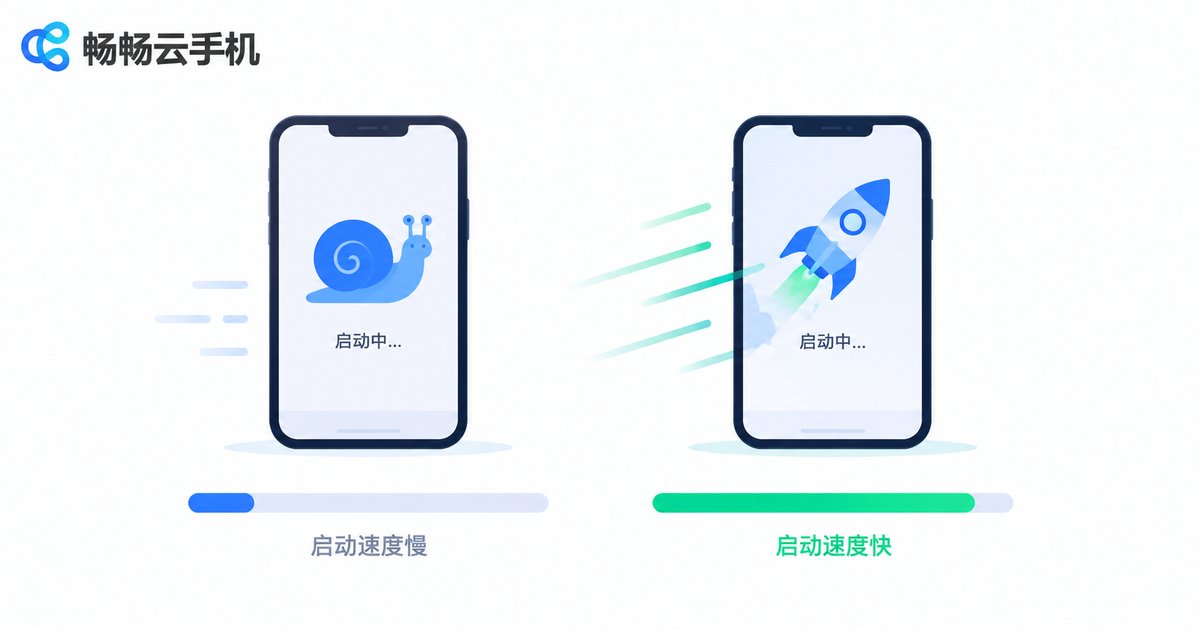
Round 1: Boot Speed and Smoothness
First impressions of a cloud phone come down to speed, and this is where the free-versus-paid gap is most obvious.
Cold-start time: the free version took about 35 seconds on average to reach the home screen, and more than a minute during evening peak hours. The paid version reached the desktop in about 12 seconds — nearly 3x faster.
Smoothness: swiping and launching apps on the free version felt noticeably stuttery, averaging only 18-24 fps. The paid version held a steady 30-60 fps, with responsive scrolling and no visible frame drops or tearing in games.
In short: the free version is usable, the paid version is enjoyable.
Round 2: Multi-Instance and AFK Stability
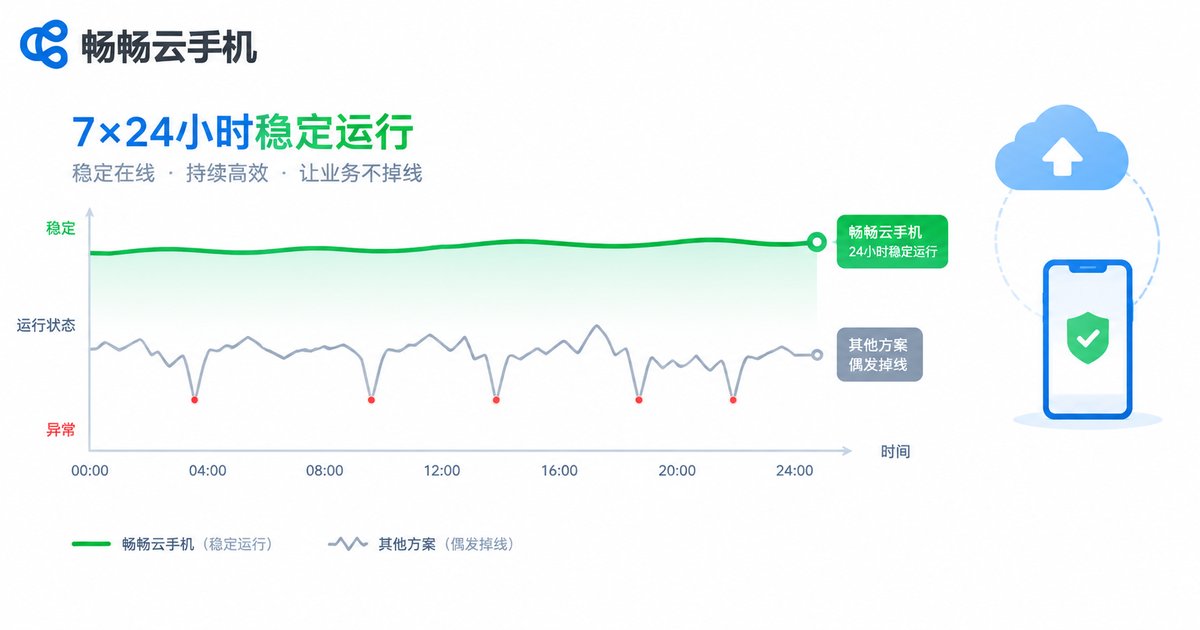
For many users, the core value of a cloud phone is running tasks around the clock — game farming, always-on apps, and daily account maintenance without ever going offline. This is precisely where free plans are weakest.
Concurrent instances: the free version typically runs only 1 cloud phone at a time; extra instances mean waiting in a queue or logging in and out repeatedly. Paid plans keep multiple devices online simultaneously with batch management — efficiency on a completely different level.
24-hour AFK test: we kept both versions running for 24 straight hours. The free version dropped 4 times, once interrupting the running task and requiring a manual reconnect. The paid version stayed online the entire time, with a single brief fluctuation that recovered automatically — zero task interruptions.
Round 3: Image Quality, Latency, and Experience
Resolution: free plans are usually locked to 720P or lower, with blurry details and fuzzy text edges. Paid plans unlock 1080P HD streaming, a dramatic improvement for video and gaming.
Touch latency: on the same network, the free version averaged over 100 ms of input lag — clearly noticeable in action and competitive games. The paid version stayed around 50 ms, feeling close to a physical device.
Ads and restrictions: free plans come with pop-up ads, daily time limits, and locked features. Paid plans remove the ads and unlock file upload, batch operations, and priority support.
Free vs. Paid: Key Differences at a Glance
| Metric | Free | Paid |
|---|---|---|
| Cold-start time | About 35s | About 12s |
| Average frame rate | 18-24 fps | 30-60 fps |
| Concurrent devices | 1 | Multiple with batch control |
| Drops in 24 hours | 4 | 0, auto-recovery |
| Max resolution | 720P | 1080P HD |
| Touch latency | 100ms+ | About 50ms |
| Ads and limits | Ads and restrictions | No ads, full features |
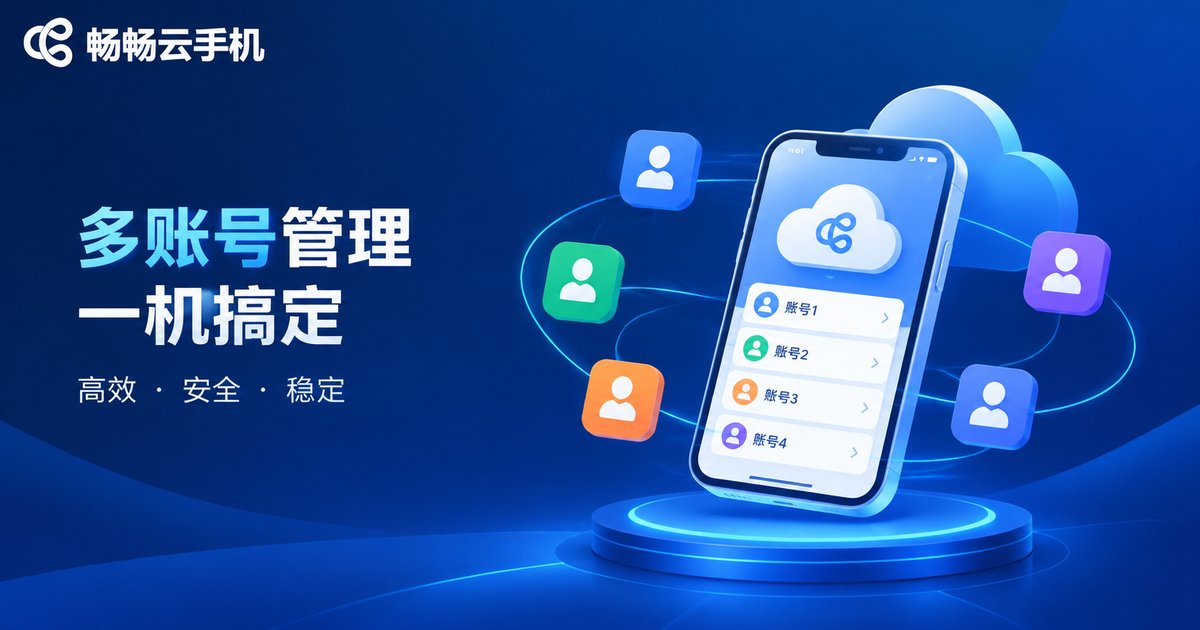
Which Paid Plan? We Recommend ChangChang Cloud Phone
If you decide to go paid, choosing the right provider matters more than choosing the plan. During our testing, ChangChang Cloud Phone left a strong impression: stable devices, crisp image quality, smooth multi-instance management, and worry-free long-term AFK running — ideal for users who manage multiple accounts or need devices online around the clock.
Getting started is easy: register, create a cloud device in minutes, and manage everything from the web. For current plan options and pricing, check the official site ccloudphone and pick the configuration that matches your actual use case, so every cent is well spent.
Conclusion: The Gap Is Real — It Depends on Your Needs
The test data is clear: the free-versus-paid gap comes down to speed, smoothness, stability, and multi-instance capability. If you just want to try out what a cloud phone is, the free tier is perfectly fine. But if you need long hours of AFK running, multi-account operations, or a genuinely good gaming experience, paying is absolutely worth it. Spread across each day of use, the extra cost of a paid plan is small compared with the multiples of efficiency and stability you get back.
FAQ
Q: Is the free cloud phone really free?
The core features are free, but they usually come with hidden costs: ads, daily time limits, capped resolution, and single-device limits. If you care about stability and efficiency, these restrictions noticeably hurt the experience.
Q: Is a paid plan worth it long term?
If you run games in the background, manage multiple accounts, or keep apps online 24/7, the stability and efficiency gains far outweigh the cost difference — and save you time and headaches in the long run.
Q: Should beginners start free or go straight to paid?
Start with the free version to learn how cloud phones work and clarify your real needs. Once you know your use case, upgrading to a paid plan is a rational, budget-friendly decision.
Q: Who is ChangChang Cloud Phone best for?
It suits individual users and studios that need long uptime, multi-device management, and a stable, smooth experience. Check the official site ccloudphone for current plans and choose based on your needs.


