
What Is the Essence of a Cloud Phone? Why Is It Called Your Second Phone?
The Essence of a Cloud Phone: A Real Android Phone Running in the Cloud
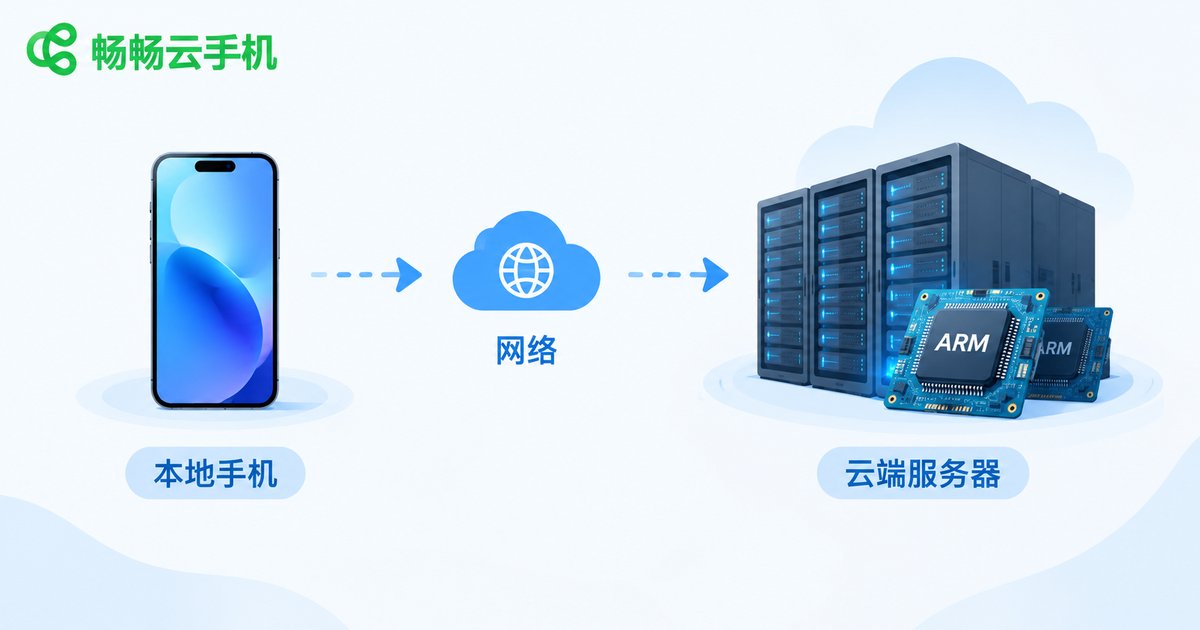
When people first hear the term cloud phone, many assume it is an emulator or just another app on their smartphone. It is neither. A cloud phone is, at its core, a real Android phone running on remote servers in a data center. It has its own chip, memory, storage, and a complete Android operating system—the hardware simply lives in a professional data center instead of your pocket.
The interface you open on your own phone works like a remote control: real-time streaming brings the cloud phone's screen to your device, and every tap and swipe you make is sent back to the cloud for execution. A cloud phone is not a simulated phone—it is a real phone located somewhere else.
How It Works: Why It Is Not an Emulator
Cloud phones are built on ARM-based servers with Android virtualization. In simple terms, a data center houses large numbers of phone-grade chip boards, each independently running a complete Android system. This is fundamentally different from an emulator running on a PC:
| Aspect | Cloud Phone | Emulator |
|---|---|---|
| Hardware | Real ARM chips | x86 software translation |
| Performance | Close to a real phone | Frequent lag |
| Compatibility | Same as real devices | Some apps misbehave |
| Offline behavior | Online 24/7 in the cloud | Stops when the PC shuts down |
In other words, every app you install and every account you log into on a cloud phone runs on a real phone, not inside a software-simulated environment.
Why It Is Called Your Second Phone
Once you understand the essence, the nickname second phone makes perfect sense. It offers everything a phone does, without asking you to buy another physical device:
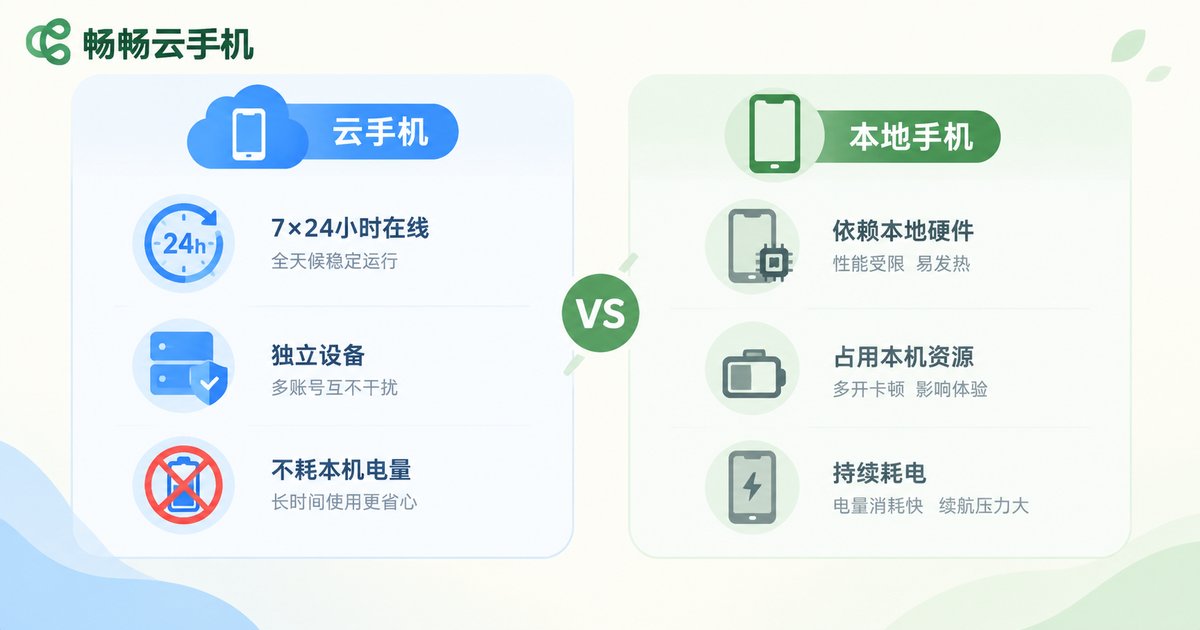
1. Always online. The cloud phone runs in the cloud. Whether you are asleep, your phone is off, or you switch devices, it stays online. Game farming, live streaming, and daily account maintenance can continue around the clock.
2. An independent device identity. Each cloud phone has its own device information, equivalent to a brand-new phone. Separating work from personal life, managing multiple accounts, or testing apps no longer requires extra physical devices.
3. Zero local resource cost. Overheating, battery drain, memory consumption—none of the pain points of a local phone apply here. Your main phone keeps doing its job, and the two never interfere.
Typical Use Cases
Gamers: Install demanding games on a cloud phone and let them farm resources 24/7 while your local phone stays cool. Switch freely between gaming and everyday tasks.
Content creators and operators: Multi-account management is a daily need. Each cloud phone is an independent device, so accounts stay unlinked—managing content across platforms becomes much safer.
Developers and testers: Verifying app behavior across different performance levels and system versions is easy—spin up a cloud phone when needed and release it when done, far more convenient than maintaining a cabinet of test devices.
Privacy-minded users: Keep work apps and throwaway registrations inside a cloud phone. Your main phone stays clean, with data naturally isolated.
How to Choose a Good Cloud Phone
Three things matter most: stability (smooth streaming and low latency), device authenticity (real ARM architecture and independent device information), and usability (features like batch control, renaming, and one-tap restart).
We recommend ccloudphone. Built on real ARM-based cloud servers, it provides cloud phone instances with independent device identities and supports long-term stable operation—suitable for game farming, multi-account management, and everyday use. Visit the official website for detailed plans and service information.
FAQ
Q: Does a cloud phone need a SIM card?
No. A cloud phone runs on cloud servers and connects over the network. It does not depend on a local SIM card or occupy your main phone's SIM slot.
Q: How is a cloud phone different from an emulator?
An emulator simulates a phone environment on a PC with heavy performance loss and poor compatibility. A cloud phone runs a complete Android system on real ARM chips in the cloud, performs close to a real phone, and is unaffected by your local device powering off.
Q: If I turn off my own phone, does the cloud phone disconnect?
No. The cloud phone keeps running in the cloud; your local device is just a viewing and control window. Reopen the app anytime and pick up right where you left off.
Q: Does a cloud phone drain my phone's memory and battery?
Barely. Your device only transmits screen frames and commands; all computing happens in the cloud. The local load is far lower than running a heavy game.
Q: How many apps can one cloud phone hold?
It depends on the memory and storage of the instance you choose, similar to a real phone in daily use. If you need to run multiple accounts simultaneously, you can activate multiple cloud phone instances.


