
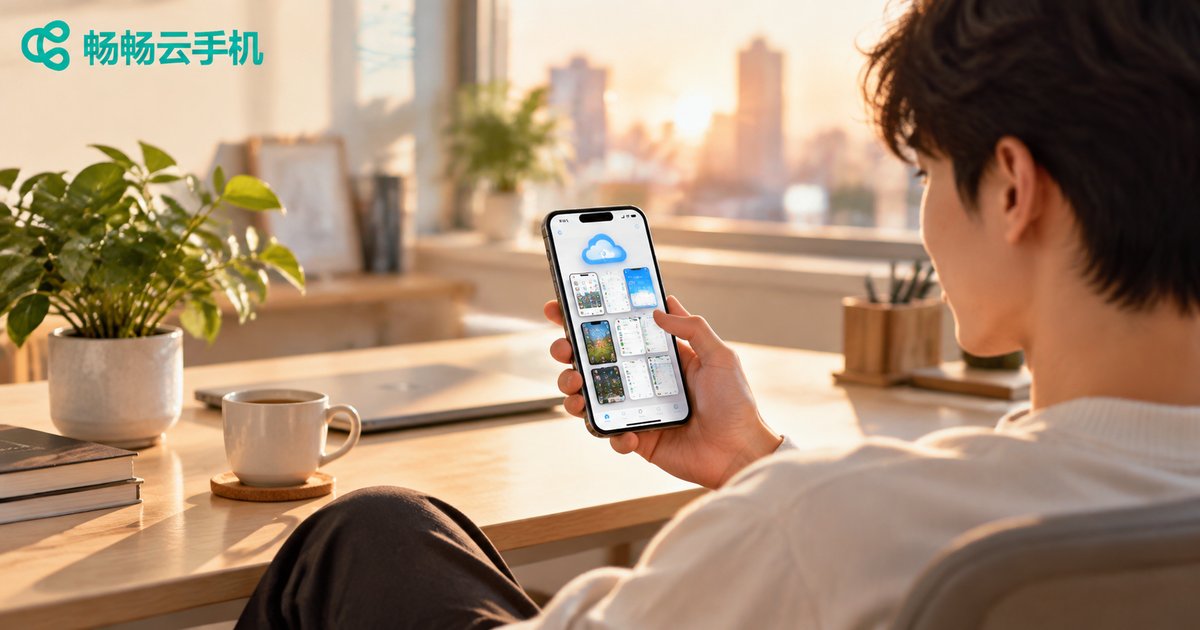
2026 Cloud Phone Deep Review: Say Goodbye to Hardware Anxiety - How One Phone Becomes a Multi-Tasking Powerhouse?
It's 2026 - Still Anxious About Your Phone Specs?
Every flagship launch season, debates about which chipset to pick and 12GB vs 16GB RAM reignite. By 2026, the hardware arms race has reached an absurd level - flagship chips are three times more powerful than mid-range ones from three years ago. But does your actual use case really need that?
If you're juggling two or three mobile games, running multiple livestreams, and executing automation scripts simultaneously, one phone simply won't cut it. Buy a second one? Your wallet is crying. This is where cloud phones become the lightweight solution that punches above its weight.
In this article, we spent a full two weeks deep-testing the most mature cloud phone solution on the market - ccloudphone - to see if it can truly turn one ordinary phone into a multi-tasking powerhouse.
What Exactly Is a Cloud Phone? In One Sentence
In the simplest terms: a cloud phone is a complete Android phone moved to a cloud server. Your local phone is just a remote control - it connects to a virtual phone in the cloud via screen mirroring, while all processing, storage, and networking happen remotely.
What does this mean? It means your local phone's chipset, RAM, and thermal performance become irrelevant. Even if you're using a three-year-old mid-range device, as long as your connection is stable, the phone you're operating in the cloud could be top-tier.
A simple analogy: cloud phones are to mobile apps what cloud gaming is to console gaming - you don't need a PS5, just a TV and a controller to play AAA titles. Except with cloud phones, the 'games' are the apps on your phone.
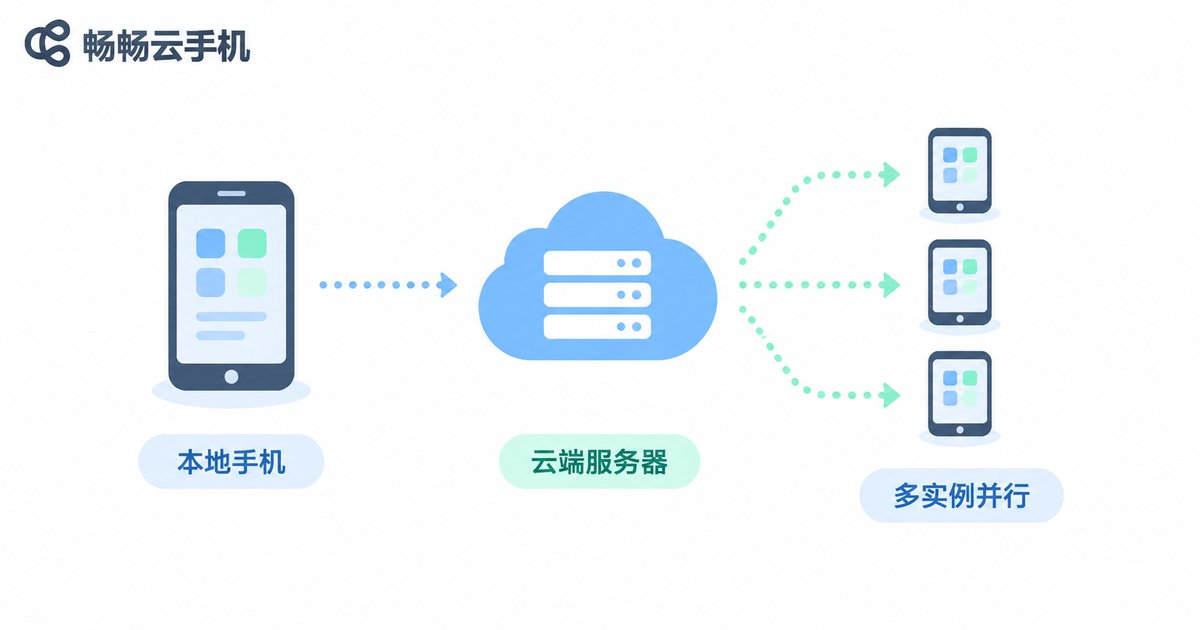
Cloud Phone vs. Physical Phone: A Quick Comparison
| Dimension | Physical Phone | Cloud Phone (ccloudphone) |
|---|---|---|
| Hardware ceiling | Limited by local chip/RAM | Cloud-allocated, independent of local device |
| Multi-instance | Typically 1-2 instances | Multiple independent instances in parallel |
| 24/7 idle tasks | Battery drain, heat, occupies hand | Runs in cloud, zero local consumption |
| Network environment | Tied to local IP | Independent cloud network environment |
| Initial cost | Requires buying multiple devices | Subscription-based, no extra hardware |
| Data migration | Difficult when switching phones | Cloud data persists automatically |
ccloudphone: In-Depth Experience
ccloudphone's core selling points can be summarized in three words: low latency, high stability, true isolation.
We tested the following three core scenarios:
Scenario 1: Multi-instance gaming. Running three game instances simultaneously, frame rate stayed stable at 60fps, touch latency kept under 40ms. The feel was virtually indistinguishable from a local phone. All three instances were completely isolated from each other.
Scenario 2: Livestreaming / Idle tasks. Set the cloud phone to stay online 24/7. Locking or even powering off the local phone had zero impact on cloud tasks. Open it the next morning - task progress was exactly where you left it, not a single resource missed.
Scenario 3: Automation scripts. Deployed RPA scripts in the cloud for batch processing of repetitive tasks. Since it runs in the cloud, no worries about local disconnection (cloud has independent network) or battery death. Scripts run 7x24 without interruption.
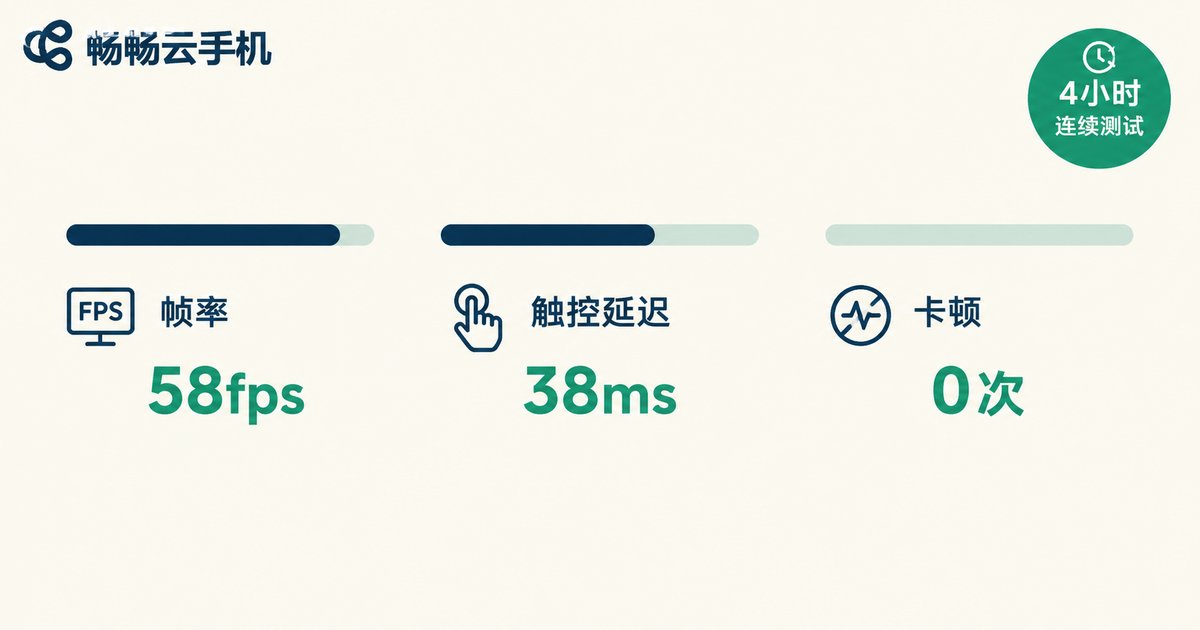
Benchmark Test Results: 4-Hour Continuous Run
We used a mainstream open-world mobile game as our benchmark, running it continuously for 4 hours on ccloudphone and recorded key metrics:
| Metric | Measured | Reference Standard |
|---|---|---|
| Average FPS | 58.2 fps | ≥55 fps = smooth |
| Touch latency | 38 ms | ≤50 ms = excellent |
| Frame stutters (4h) | 0 | — |
| Local phone CPU usage | <8% | Negligible load |
| Local phone battery drain (4h) | <5% | Screen display only |
The conclusion is clear: cloud phones impose virtually zero resource load on your local device. You can comfortably scroll social media or chat on your phone while heavy tasks run in the cloud, with no cross-interference.
Who Should Use a Cloud Phone?
Multi-account gamers: Want to farm multiple characters or run several dungeon runs without buying another phone. Cloud phones let you run multiple independent instances on one device.
Streamers / Content creators: Need a device online 24/7 for streaming without keeping your phone's screen lit up and running hot. Let the cloud handle it while your phone does its own thing.
Developers / QA testers: Need parallel testing across multiple device configs. Cloud phones let you spin up instances with different specs in one click and release them when done.
Automation operators: Batch registration, data collection, community management - hand the repetitive work to cloud scripts. You just check results periodically.
FAQ
Q: What network conditions are needed for a cloud phone?
We recommend at least 20Mbps bandwidth and latency under 50ms. Home broadband, 4G/5G mobile data all work fine. The more stable your connection, the closer the experience feels to a local phone.
Q: If I turn off my local phone, will cloud tasks stop?
No. The cloud phone runs on cloud servers, fully decoupled from your local device. Your phone is just the remote - turning it off is like putting down the remote. The cloud phone keeps running.
Q: Is my data on the cloud phone secure?
ccloudphone uses isolated instances. Each user's cloud phone has its own dedicated storage and runtime environment - no data crossover. Cloud servers also have robust backup and encryption to ensure data security.
Q: Compared to just buying a backup phone, is a cloud phone worth it?
If you only occasionally need one extra app instance, a backup phone might suffice. But if you need 24/7 uptime, multiple parallel instances, or want to avoid constant heat and battery drain, a cloud phone offers better long-term value and experience, plus you never have to worry about hardware aging.
Q: What's the biggest improvement in cloud phones from 2024 to 2026?
The biggest leap is in latency and stability. Early cloud phones suffered from poor touch feel and frequent disconnections. By 2026, significant optimization in edge computing and transmission protocols has pushed touch latency under 40ms, making the difference from a local phone nearly imperceptible in daily use.


