
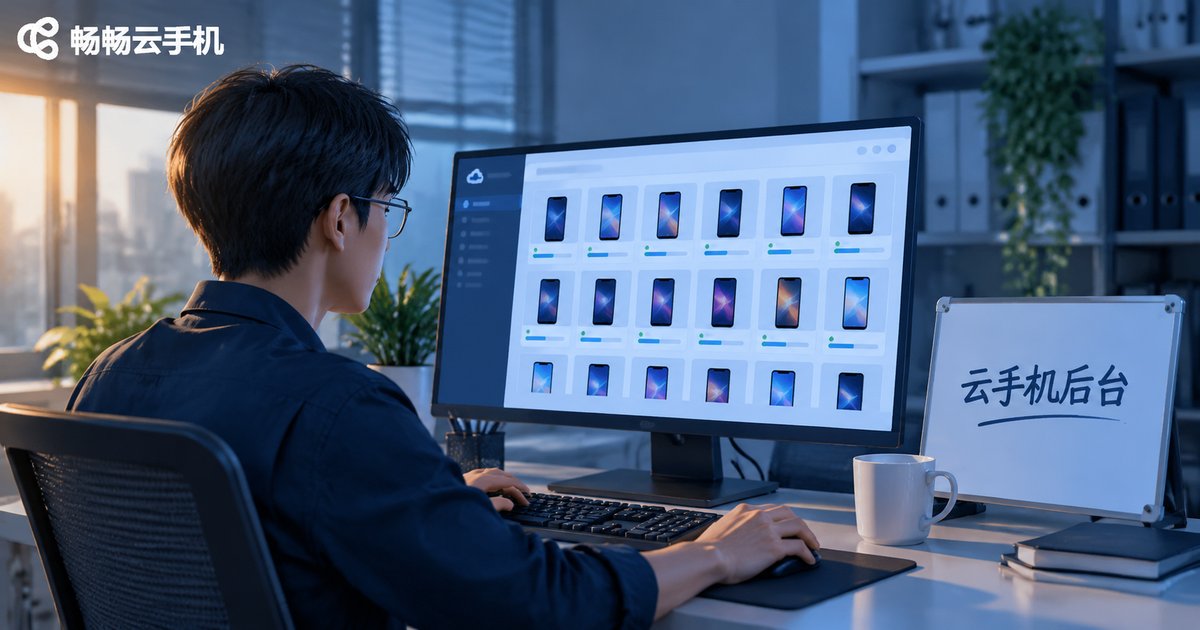
What Can a Cloud Phone Console Do? Batch Boot, Grouping, and Logs — All Here, Halve Your Time
What Can a Cloud Phone Console Do? Three Pain Points It Solves
Most people encountering cloud phones for the first time focus on which apps they can run, and overlook the part that actually determines efficiency — the management console. When you only have one or two cloud phones, clicking through a web page one device at a time is perfectly fine. But once the count reaches 20 or 50, chores like booting, renaming, locating devices, and checking status can eat up half a working day.
The real value of a cloud phone console is compressing repeated actions into a single operation. Below we break down the three most-used capabilities — batch boot, device grouping, and logs with status tracking — and exactly which time costs each one removes.
1. Batch Boot: One Click, Multiple Devices Ready at Once
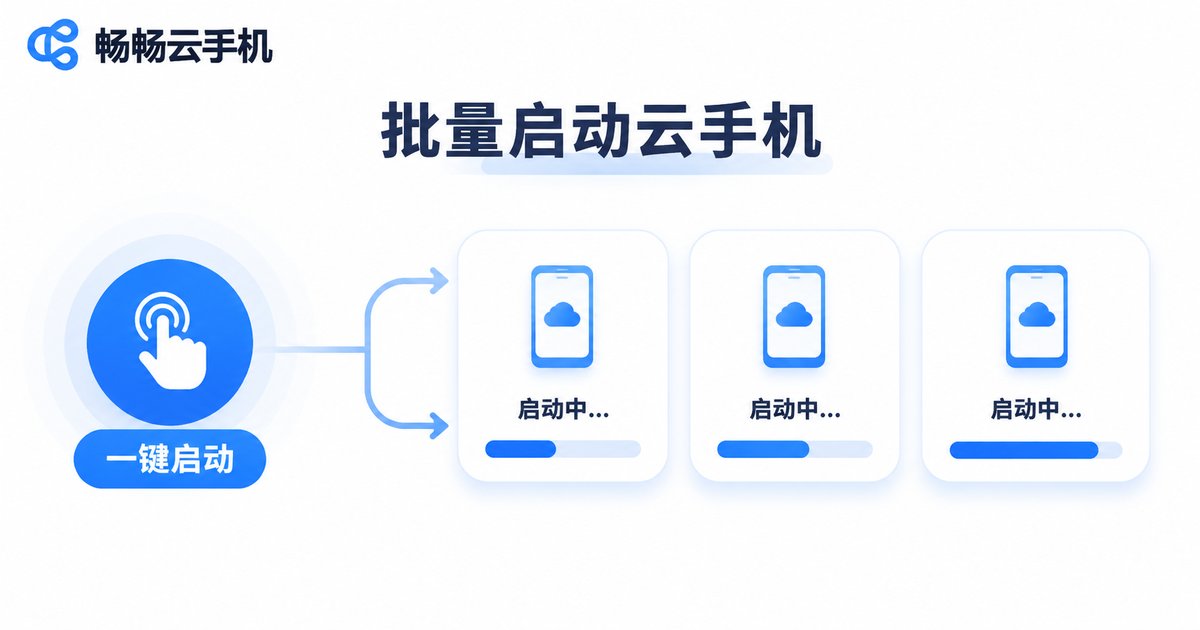
In manual mode, starting one cloud phone means walking through enter the list, select the device, click start, wait until ready — then switch to the next one. Fifty devices means over a hundred repetitive clicks, plus watching each one finish booting.
Batch boot compresses that into a single step: select devices, or simply select a group, submit once, and the system launches instances in parallel. You can watch each device progress on the page, and devices that come up first can start working immediately instead of waiting for the whole set.
Where it fits:
- Start of the workday — bring every device up at once instead of booting as you go;
- Between tasks — shut everything down to free resources, then batch start again when needed;
- New project kickoff — initialize an entire new group to a ready state in one pass.
2. Grouping: Once You Have Many Devices, Finding Beats Managing
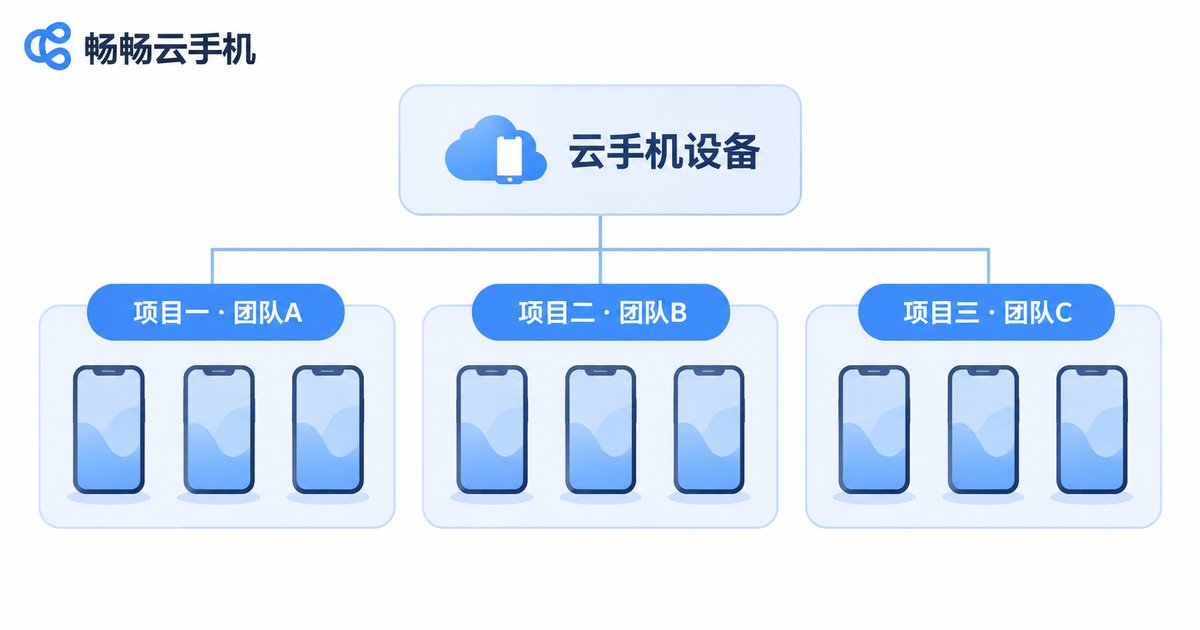
With a large fleet, the biggest time sink is rarely the operation itself — it is finding the right device. Which ones belong to project A? Which ones had issues yesterday? If you rely on device names and IDs alone, misclicks are easy and costly.
Grouping lets you tag and categorize devices along any dimension: project, team, purpose, or testing stage. After that, every batch action can target a group directly instead of re-selecting devices one by one.
| Approach | Daily routine with 50 devices | Rough time cost |
|---|---|---|
| One by one, manually | Boot, locate, reconfigure — each done separately | Ten-plus minutes every time |
| Grouping plus batch | Select the group, submit once | Done in a single operation |
The gap in that table is not an exaggeration. Repetitive clicking is not what is slow — switching and confirming is. Grouping moves the confirmation step up front once, so you never repeat it.
3. Logs and Status: See Problems Before You Discover Them
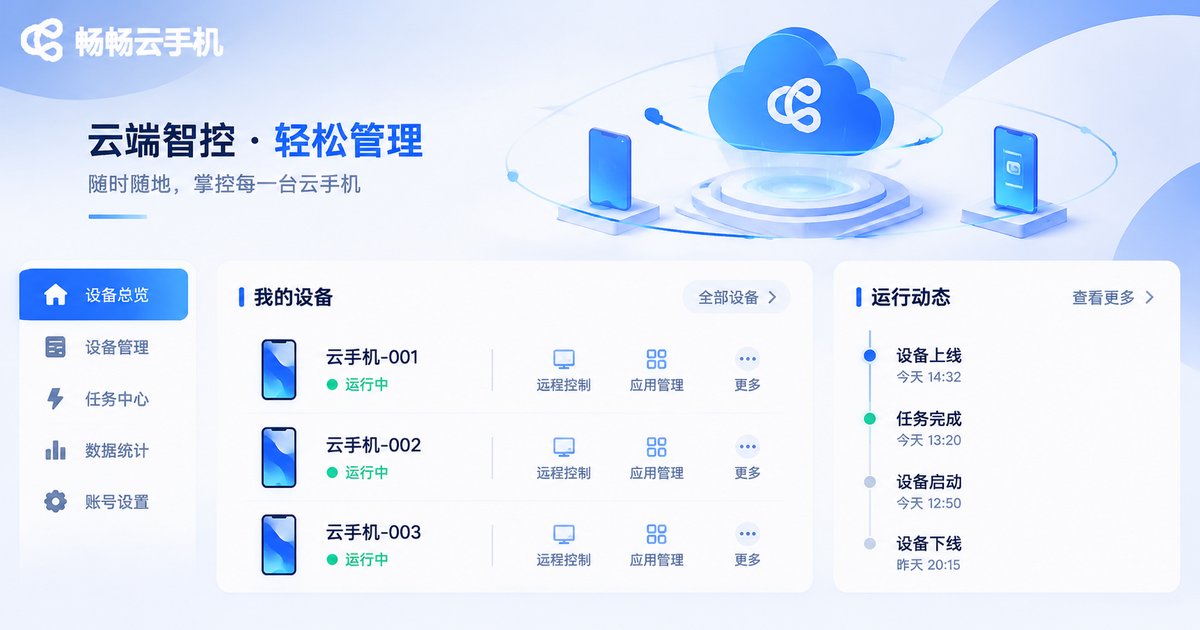
Once devices are running, the real risk is not knowing what they are doing. The console records status changes such as start, shutdown, restart, and unexpected disconnect, forming a timeline you can review afterwards.
In practice this delivers three direct benefits:
- Faster diagnosis: when a device drops offline, check the log timestamp first, then decide whether to restart or replace it;
- Evidence for review: when a task fails, you can tell whether it was an application issue or a device state issue;
- Cleaner collaboration: team members see the same status record, so nobody has to ask whether a device is currently in use.
4. Connecting the Three: A Shorter Daily Workflow
Viewed separately, batch boot, grouping, and logs are small features. Connected together, they form a complete time-saving chain:
- Create groups by project so device ownership is settled once;
- Batch boot the group at the start of the day and handle other work while it comes up;
- Glance at the status view during tasks and handle exceptions individually without interrupting the group;
- Batch shut down at the end of the day, keep the logs, and pick up again tomorrow.
Once this routine runs smoothly, you will notice very little time actually goes into operating devices — most of it returns to the tasks themselves.
5. How the ccloudphone Console Works
ccloudphone provides a web-based console that puts these capabilities in one interface: the device list supports multi-select and batch power on or off, devices can be managed by group, and device status plus operation records are viewable. For the specific instance specifications, concurrency limits, and feature entry points available to you, refer to what is shown on the official site at ccloudphone.com.
Our advice: build the groups first, then talk about batching. Many teams jump straight into batch operations and end up re-selecting devices every time. Define the group structure first, and every batch action afterwards has somewhere to land.
Frequently Asked Questions
Q: How many devices can batch boot handle at once?
It depends on the number of instances available to your account and the batch limit the page provides. Check the actual figure in the official console. We recommend testing on a small group first, then expanding to the full set once the flow is confirmed.
Q: Can groups be adjusted at any time?
Yes. A group is essentially a categorization label for devices. When a project ends, a team changes, or a testing stage shifts, you can simply re-partition. The running state of the devices themselves is unaffected.
Q: How far back do the logs go?
The reviewable time range is determined by the platform's record retention policy; refer to what the console actually displays. For day-to-day troubleshooting, the most recent status change is usually all you need.
Q: I only have a few cloud phones — do I still need grouping and batching?
The benefit is modest at small scale, but once the count grows, rebuilding a group structure costs more time than setting it up early. Establish naming and grouping habits while the fleet is still small.
Q: Will console operations affect tasks that are already running?
Batch boot only acts on devices that are not yet started, while batch shutdown stops the selected devices. Before any shutdown action, confirm that no critical task is running inside that group.


